
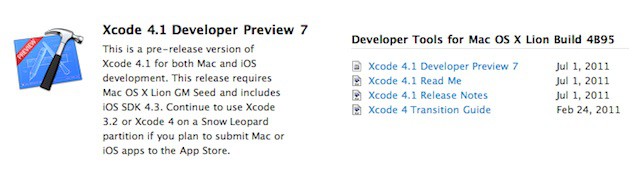
Hot on the heels of the OS X Lion Gold Master release is the release of Xcode 4.1 Developer Preview 7 for Lion. The world’s best developer tools are only getting better. Kudos to Apple on this new release. But what’s new in the seventh version of Xcode 4.1?
What’s New in Xcode 4.1 Developer Preview 7
- Improvements to NIB file editing.
- Better dependency support for removals in Interface Builder 3.
What’s New in Xcode 4.1 for Lion
• Interface Builder support for Auto Layout and new Aqua controls such as NSPopover
• Project modernization identifies possible build settings errors and can fix them for you
• Full screen is fully supported by the main Xcode workspace and organizer windows
• Source control enhancements to pushing, pulling, and management of remotes
• View generated assembly and pre-processed output within the Assistant editor
• Fixed a bug in LLVM GCC 4.2 and LLVM compiler 2 for iOS projects
• Additional bug fixes and stability improvements
What’s New in Xcode 4
• Xcode 4 has a brand new, single window interface for all major workflows
• Interface Builder is now integrated within the main Xcode IDE
• Assistant shows a paired editor with complementary files, e.g.: header or UI controller
• Live Issues display coding errors as you type, and Fix-it can correct the mistake for you
Conclusion
Xcode 4 is one of the best development tools I’ve ever used and I’ve used a good number of tools over the years. If you are interested in programming Xcode and Objective-C is a good place to start. So what are you waiting for — go grab a copy of Xcode and start tinkering.
Did you find any other new goodies in Xcode 4.1 Developer Preview 7? Tell us about what you’ve found by leaving a comment.

12 responses to “Apple Releases Xcode 4.1 Developer Preview 7”
David, I have no doubt you have a great deal of experience in your 20 years, but while Xcode has some good features, I’m honestly SHOCKED that you could say Xcode is one of the best development tools you’ve ever used. That’s just… *sigh* wow. Interface Builder was a VERY good tool, but Xcode itself is barely adequate.
Some of its basic functionality failings:
– STILL no ability to auto-generate properties. At least in Xcode 3 we had the User Scripts option which allowed us to install a perl+applescript hack so that we could have auto-generation of properties, but Xcode 4 took that from us. Now we get the privilege of navigating to and writing code in 4 locations every time we want to add a property (the interface body, the @property decl, the @synthesize decl, and the dealloc method)… and before you say it, no, IBOutlet generation is great, but we’ve got plenty of other properties which aren’t represented in nibs.
– automatic inclusion and linking of Core and Foundation frameworks. If I’m typing MFMailComposeViewController… Xcode should damn well know what that is for auto-completing and at the very least when I get a compile error, it should offer me the ability to have those headers imported into this file and have that framework linked to the current target.
– refactoring is a joke. In Xcode 3 there were barely any options for refactoring, but at least they worked. In Xcode 4 it’s really a crap shoot whether or not a simple ivar rename is going to a) be successful in ALL of the files or maybe just update 1 or 2 of them and b) if Xcode 4 is even going to survive this arduous process. I’ve stopped using the refactor functionality because I’m tired of Xcode 4 crashing all the time.
These are things that we as developers do on a daily basis and waste time on in Xcode but don’t have to do in other IDEs. Eclipse is easily 2 or 3 generations beyond Xcode 4 in terms of functionality and stability.
Xcode does its job… barely. One of the best development tools ever? You’ve got to be kidding me.
My biggest problem with XCode is the time it spends burning my CPU. Unlike kenny (and probably a lot of other programmers), I’d rather that the whole IDE got out of my way and left my laptop nice and cool. I do a lot of programming on my Macbook Air while I’m on the train, and if I just use iTerm/vim I can get ~11 hours out of my battery. Using XCode it’s more like 4.
Are there delta updates coming for XCode? 4 gig per update is super stressful.
I have to add something, it’s a great dev tool. I like it more than Java+Eclipse. Thanks to Interface Builder, but I’m no expert so…
it would be great to see things like your first point and it would be cool when you would say the XCode devs what pisses you off so they can make it better.
Also, just for the record, I’ve been using Xcode for about 4 hours this morning and it’s already crashed 3 times because I dared to do crazy things like attempt to open a header file from the documentation or commit my project to my svn repository.
Would it be an option that anyone is so kind to provide me with a direct link to the Xcode url? I don’t have a mac developer accounts unfortunately but I am running Lion.

