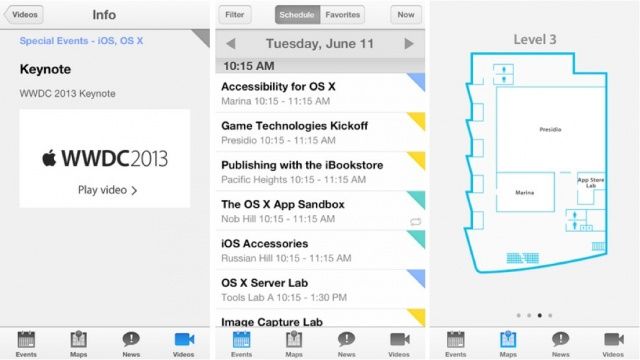
Apple has released a new WWDC 2013 companion app for iOS, which is designed to give developers the opportunity to follow the event each day. Designed for both attendees and those who cannot make it, the app offers a WWDC schedule, the latest news, daily session videos for registered developers, and more.
Apple traditionally releases a WWDC companion app every year, so we were expecting this to hit the App Store since this year’s event was announced back in April. It’s a must-have for those who will be there in San Francisco, as well as those who will be keeping up from home.
The app allows users to browse the WWDC schedule and view time, locations, and descriptions for sessions, labs, and special events. When you find one you don’t want to miss, you can mark it as a favorite with a quick double-tap. You can also find out how to get to them with maps of Moscone West.
You can watch daily session videos (if you’re a registered developer), which gives those who cannot make the event the perfect opportunity to catch up on what they missed. Apple will be showcasing new features in both OS X and iOS, so it’s important for app developers to learn about them and how they can integrate them into their own products.
The app will also provide the latest news, important notifications, and daily snapshots from WWDC. And those attending the event can add their attendee information to Passbook for speedier access to on-site registration.
WWDC 2013 is a free app, and it’s available to download now from the App Store.
Source: App Store

Killian Bell is a freelance writer based in the U.K. He has an interest in all things tech and also covers Android over at CultofAndroid.com. You can follow him on Twitter via @killianbell.

