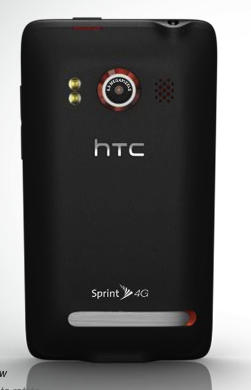
Sprint and HTC have leaped ahead in the race for 4G, with today’s unveiling of HTC’s new, Sprint-powered EVO 4G smartphone, likely to be the first smartphone in the U.S. able to run on a 4G network when it hits stores this summer.
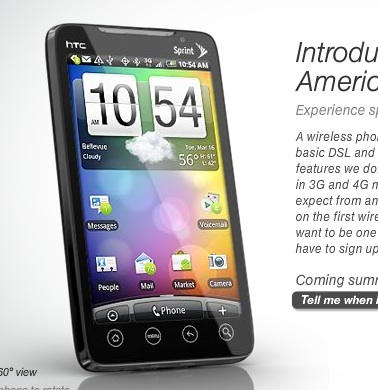
Sprint and HTC have leaped ahead in the race for 4G, with today’s unveiling of HTC’s new, Sprint-powered EVO 4G smartphone, likely to be the first smartphone in the U.S. able to run on a 4G network when it hits stores this summer.

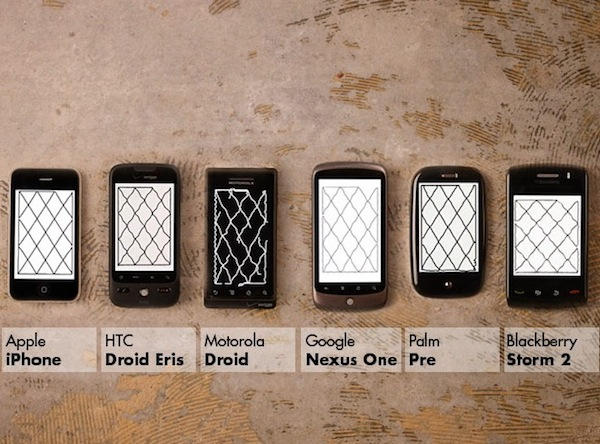
Not content with their DIY touchscreen analysis experiment back in January, the team at Moto Labs have gone one better, and repeated the test with more handheld devices and a fairer test environment.
httpvhd://www.youtube.com/watch?v=2mP-0Y8bLzc
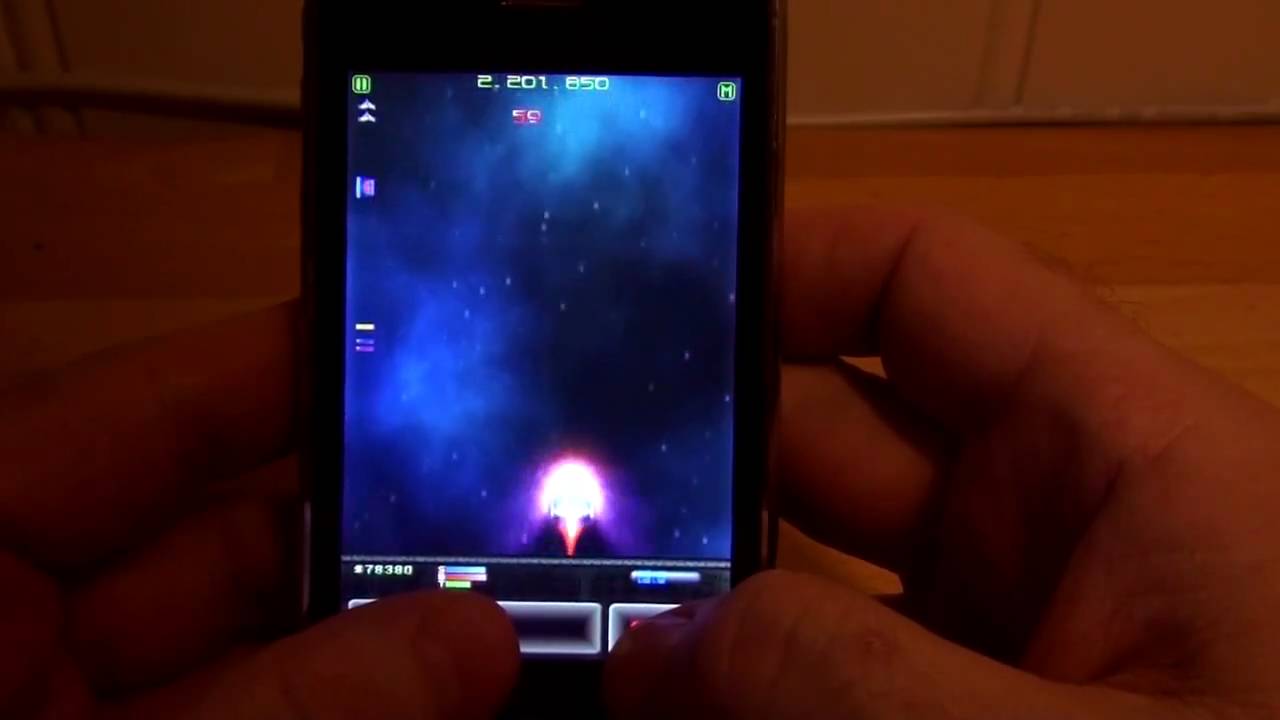
Ported and expanded from the popular Amiga shareware game Deluxe Galaga by the original author, Edgar Vigdal, the 2D space SHMUP Warblade features well over 100 levels, multiple power-ups and dozens of enemies. Without a doubt, its one of the best Galaga-inspired arcade shooters on OS X… and now it’s heading to the App Store.
Most SHMUPs require extremely precise controls, but Warblade is no danmaku, and the game’s level design is forgiving enough that it looks like the iPhone’s touchscreen will work out pretty well. Vigdal claims that the port is 80% done, so we should see it on the App Store soon.
I’m pretty excited: the App Store seems woefully short on good SHMUPS. Until someone gets around to porting Cho Ren Sha 68K to the iPhone, Warblades looks like it’ll be the best SHMUP gaming on the Apple handheld is going to get.
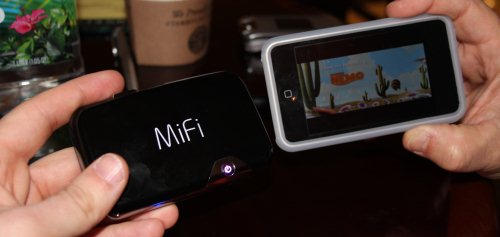
Novatel have just announced some fantastic new functionality for their wonderful MiFi series of mobile WiFi hotspots: live iPhone and iPod Touch media streaming.
Using any application that supports UPnP/DLNA media steaming for the iPod Touch (e.g. PlugPlayer), the latest update will allow you to stream music and movies to your Apple handset from the MiFi’s microSD card slot.
With microSD cards now coming in capacities up to 32GB, what this means is that you can now pretty easily double the capacity of your media library if you’re willing to pick up a MiFi… and while the MiFi might be a redundant addition to your gadget bag if you’ve got an iPhone 3G, it would be an excellent way to keep your iPod Touch mobile and media rich without signing a two-year contract.
[via Gadget Lab]
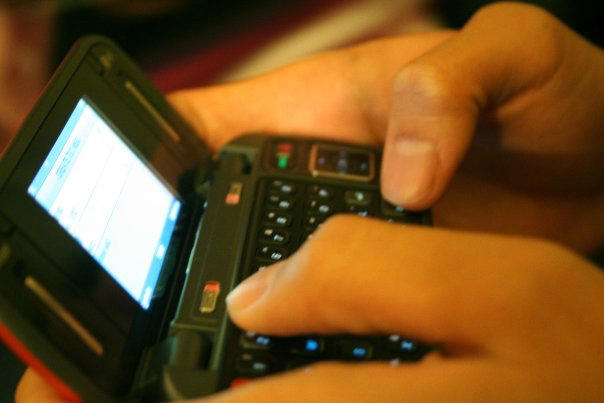
In an impressive display of gritty stamina and just sheer ol’ gabbyness, a teenager from Mudelein illinois, a small town just north of Chicago, has injured herself while texting; not because she was texting while operating a vehicle, but because she was texting too much — something in the order of 3,000-4,000 texts a month, depending on which figure from ABC’s story is accurate.

Here in the UK, politics is in a strange limbo and will be for the next few weeks. The sitting Labour government has to call a General Election very soon (most bets are on April 6th for Prime Minister Gordon Brown to visit the Queen to ask her permission).
As a result, not much is happening. The political parties are making frantic behind-the-scenes preparations for the election, while the politicians are going through the motions, waiting for the official election announcement to be made.
All of which makes this morning’s speech by Prime Minister Gordon Brown, in which he announced a new official 10 Downing Street iPhone app, all the more surreal.
Brown is not well known for any love of technology (although I think he’s slightly more tech-savvy than his hopelessly Luddite predecessor Tony Blair, who openly admitted his complete ignorance of all things technical). But what annoys me more than anything else is that Brown should waffle on about Britain’s digital future on one hand, while his Government desperately tries to push the disastrously flawed Digital Economy Bill through Parliament with the bare minimum of debate.
That Bill, if passed, will allow household internet connections to be cut off permanently on the say-so of vaguely-defined “copyright holders”. The music and film industries are strongly in favour; pretty much everyone else, including the ISPs, is very strongly against. It’s a case of lobbying overtaking common sense.
If you live in the UK and, like me, you think this rush to push through a bad law is a bad thing, you should do something about it – soon.
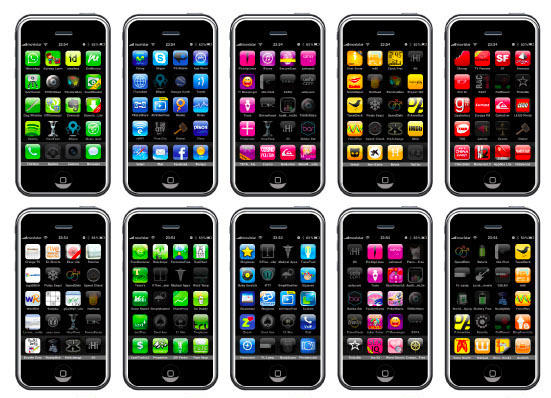
I doubt this is exactly going to be the next Helvetica, and the video after the break is definitely no Helvetica: The Movie, but if you’ve been looking for a font meticulously crafted from 540 color-coded app icons, iPhone is the font for you.
The National Trust is one of the UK’s national treasures – a charity that looks after all manner of old and ancient pieces of British heritage.
That means owning and maintaining miles of coastline, acres of woodlands, heaths, mountains and gardens, and quite a few stately homes.
The Trust is much loved, but it has something of a stuffy reputation. The stately homes are usually preserved as they would have been in times past – which means you’re allowed to walk through and take pictures, but not touch.
Not anymore. A new policy of opening up means the Trust is allowing people to touch historic objects for the first time.
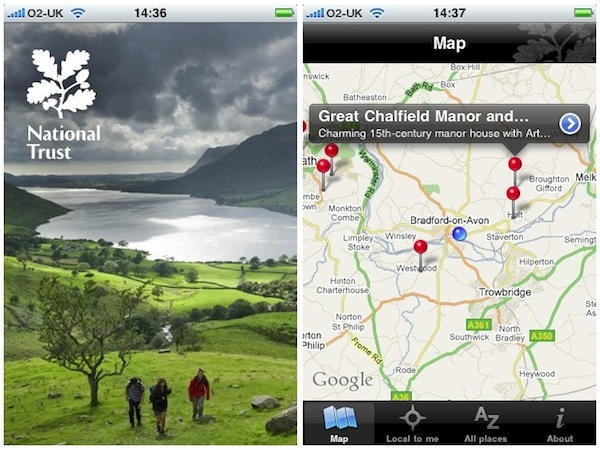
It’s also a good time to launch a National Trust iPhone app. The free app includes locations, maps, opening times and visitor information for all National Trust properties in England, Wales and Northern Ireland.
I particularly like the “Near to me” feature. Obvious to include, of course, but might come in really useful next time I’m exploring an unfamiliar part of the country with the family in tow.

A couple of weeks ago I canceled my MobileMe account. Why? Because it didn’t do the one thing I wanted it to do: share my calendar with my wife so we could coordinate our busy lives. That’s all.
I love MobileMe’s email, calendar, contact syncing (especially on the iPhone) and even iDisk. I gave Apple a year to improve it, but nothing happpened, so I switched.
Here’s how to recreate all of MobileMe’s features for FREE (except one) and how I use it to sync my iMac, MacBook and two iPhones.

From the wonderful city of Manchester – birthplace of The Smiths and The Fall, unfairly mocked as Rain Capital of England – comes something wonderful and simple for your iPhone: the MoviePeg.
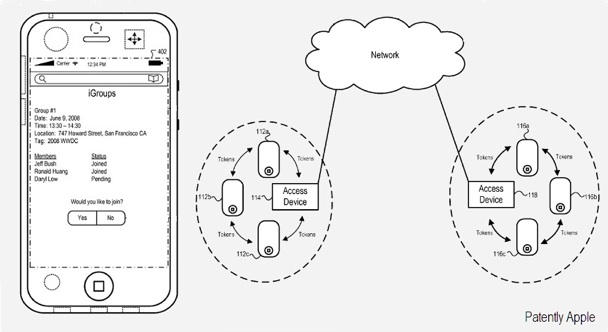
Apple has devs to the grindstone for a new social networking app called iGroups.
Patently Apple reports that docs out today from the US Patent Office describe a new service that would work on your iPhone and probably MobileMe, too.
Let’s say you’re attending SXSW: iGroups would keep you in touch with your co-workers and friends by allowing you to share your location plus info and comment on events as they happen, greatly facilitating which parties or events are worth attending or already over.
To accomplish this, iGroups reportedly employs a sophisticated cryptographic key generation system to ensure security and privacy.
The patent also states that if one of group devices lacks true positioning technology, Apple’s MobileMe service would provide “virtual GPS” capability to that user so they can still know the whereabouts of other group members.
Would you welcome a geo-location social networking app from Apple, or prefer to stick to Gowalla or Foursquare?
Or do you plan to shun the “Where’s Waldo?” world altogether?
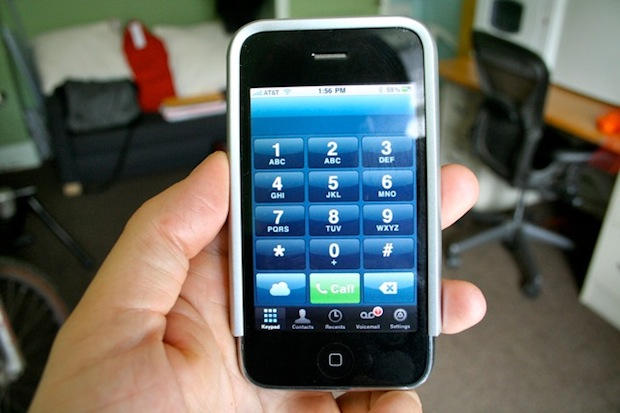
Last year I signed up for a landline phone for my office. I wish I hadn’t for two reasons:
1. No one calls me.
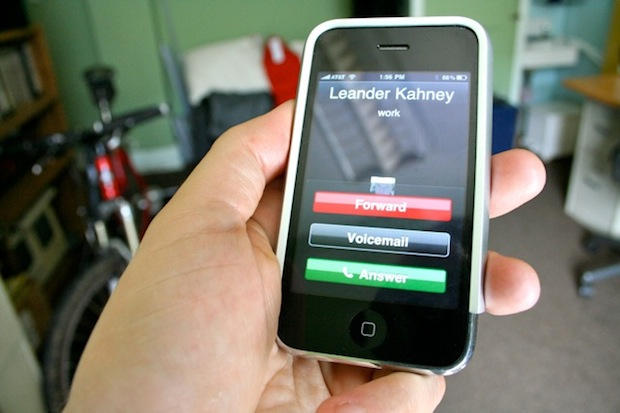
2. Toktumi’s Line2 iPhone app, which adds a second, distinct number to my iPhone.
With a service like Line2, there’s no need for a physical phone at my place of work. I give my Line2 number to all my contacts, and it’s just like having a phone at work — except this office phone is always with me.
Like most people, I don’t like giving out my iPhone number for work but I do it all the time. But when the Line2 number rings, I know it’s a business call. I can route it straight to voicemail, or use the sophisticated Auto Attendtant to make my little company look big and important. “Dial one for the news desk,” it says, “or dial two for advertising and sales.” There’s no telling that both departments are one and the same: me.
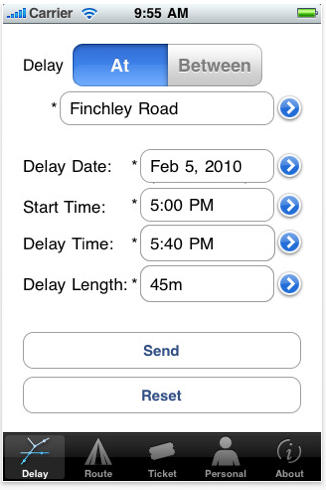
Londoners stuck in the tube now have a handy iPhone app to request ticket refunds.
Tube Refund, which costs $0.99, zaps off the request for riders whose journey is delayed over 15 minutes.
Depending on where you go and what time of day, a one-way tube ticket can cost from £1.80 to £4.00 ($2.75 – $6 circa) and a weekly pass £44 ($67) so the app could quickly pay for itself.
This is a great idea — though according to the London Underground rules, refunds only apply for delays “within our control” that last over 15 minutes.
Given that it’s the oldest underground railway in the world, it’s hard to know how much time riders spend in darkened tunnels is due to reasons beyond control of transport authorities.
Via London Evening Standard, thanks hackneye.

Knox Bronson got in touch to tell us about a little video he’d made.
It’s called Pixels at an Exhibition, and it documents the creative efforts of people who took part in the iPhone photography exhibition at the Giorgi Gallery in Berkeley, California, in December last year.

Way back in 1991, just as Apple was transitioning from 68k to PowerPC chips, the braniacs at Xerox PARC were predicting it’s entire iPod, iPhone and iPad strategy. And next up for the iPad is a blackboard-sized device.
Nearly 20 years ago, just as personal desktop computers were taking off, researchers at Xerox started thinking about the next stage: ubiquitous computers and the cloud.
They envisioned a range of always-connected devices that came in three basic form-factors: Tabs, Pads, and Boards. They are described thus in a Scientific American article:
“Ubiquitous computers will also come in different sizes, each suited to a particular task. My colleagues and I have built what we call tabs, pads and boards: inch-scale machines that approximate active Post-It notes, foot-scale ones that behave something like a sheet of paper (or a book or a magazine), and yard-scale displays that are the equivalent of a blackboard or bulletin board.”
The inch-scale “tabs” are Apple’s iPhone and iPod touch, plus smartphones from Google and Palm. The foot-scale “pads” are the iPad and the 50-odd tablets coming out this year. And next up are yard-scale “boards,” which will act a big-screen hubs in the home and interactive workspaces in the office. Microsoft’s Surface table is the best current example, but more big-screen devices are inevitable as component prices come down thanks to the flat-screen TV industry.
What’s amazing is how twenty years later PARC’s vision describes Apple’s transition into a “mobile” company with a range of devices accessing the cloud. It’s fitting that the vision that should come for the same lab that invented more-or-less personal desktop computing.
Via Adam Rosen: Ubiquitous Computing 2010 – Tabs, Pads, Books and Clouds.
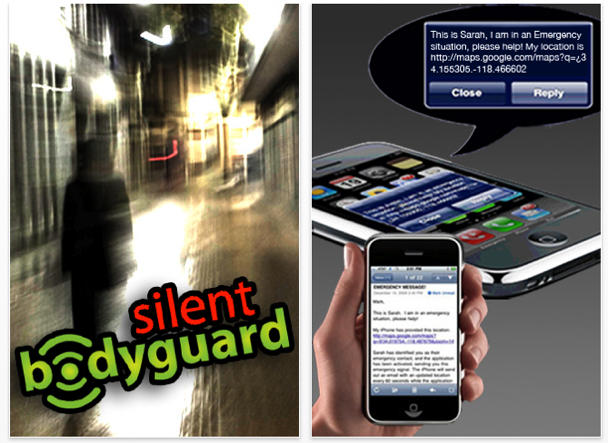
A new app called Silent Bodyguard features a panic button that sends an SOS distress signal with GPS coordinates to potential rescuers without alerting onlookers.
While the $3.99 app, available on iTunes, isn’t the first ICE (in case of emergency) app, this one is backed by Dr. Clint Van Zandt, former FBI chief hostage negotiator and criminal profiler.
Van Zandt says the app may prove useful in situations where a person is trapped or in grave danger but can’t place a call or create a text message. In Silent Bodyguard, users program in contacts for SMS alerts, calls or email addresses to reach in case of emergency.
Silent bodyguard is the brainchild of Los Angeles mom Jo Perry whose daughters came a little too close to becoming crime statistics for comfort. Her youngest daughter was the classmate of a girl abducted and killed while on an errand and her oldest daughter attends the same University as the graduate student recently murdered in a lab.
Perry, who co-developed the app with Justin Leader, points out that once activated, the SOS messages will continue to be sent out every 60 seconds, updating location. Even if it goes out once, four emergency contacts will know that the user is in some kind of trouble. The alarms keep going out until turned off.
The idea is that you can communicate distress when you can’t make a call or a text. Perry keeps hers in a pocket, not her purse, just in case.
“The app is simple, but because we designed it to be silent and for “stealth” activation, it’s not the usual on-off button people are used to, ” Perry told CoM in an email. “That’s why people don’t always “get it” at first. The home screen is designed to look like a photo viewer, not an alarm. Again, to make it easy to use when a person feels threatened in the presence of people who might be hostile. Joggers, college students, realtors, etc. can find themselves in scary situations with people around whom they can’t just dial a friend and say, “I’m scared.”
We do like the idea, but wonder what you’re supposed to do when the first thing the perp grabs is your iPhone…

Are Microsoft employees “nuts for the iPhone?” According to a Wall Street Journal piece, yup… and that’s starting to cause some problems at Redmond as they prepare to roll-out their own would-be iPhone OS killer, Windows Phone 7.
Essentially, everyone within Microsoft knows that their current smartphone operating system, Windows Mobile 6.5, chonks hoad. Microsoft employees are technology lovers, and so they have naturally gravitated to the best smartphone out there. Microsoft’s done its best to stem the tide of Microsoft employees defecting to the iPhone, initiating a policy early last year that prevents employees from expensing any non-Windows phone, but it hasn’t had as much effect as you’d think.
Now, Windows Phone 7 is on the horizon, and by all accounts, the war against iPhones within Microsoft’s campus is heating up, with several employees feeling the need to hide their Apple handsets from their managers.
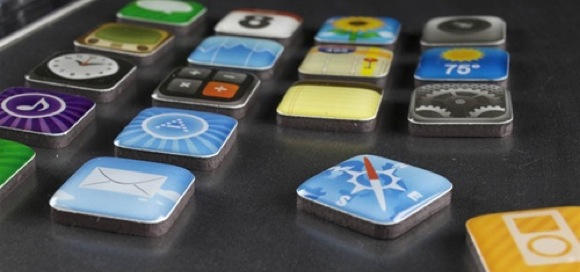
If – like me – your fridge is black, then these shiny iPhone app fridge magnets from Jailbreak Collective will look very smart indeed displayed on the door.
Just 13 bucks gets you a set of these icon almost-replicas. I say almost because if you look carefully, you’ll see they’re not identical to the Apple originals. But they’re close enough.
Only problem is, they look so smart on a decent black background that it’ll be a shame to spoil the effect by using them to hold shopping lists, receipts, and all that other fridge/paper junk you use fridge magnets for.
Might be worth getting an extra fridge just for these then.
(Via geek.com.)


Apple’s done such a great job with multitouch that every time a new iPhone OS update adds a fresh polydigital shortcut to the mix, my only real surprise is that it wasn’t there already.
It looks like the iPhone OS 3.2 update will be no different. According to Beta 4 SDK spelunkers over at 9 to 5 Mac, two new files called “3Tap.plist” and “LongPress.plist” are now located in the “gestures” library folder and are new to the iPhone OS SDK.
Three fingered tap is apparently undefined in iPhone OS, which is news to me, although long press brings up the context menu to cut, copy and paste, so its sudden addition to the gesture library could indicate some change to the functionality in the future.
Anyway, we may not get these new multitouch gestures in time for iPhone OS 3.2, but take heart: clearly, Apple’s got the fulfillment of all your triple-digit tapping desires well within their sites.

Forget Plants vs. Zombies… how about Tweets vs. Zombies?
Tweet Defense is a cute little tower defense game for the iPhone and iPod Touch that boosts your units power based on your Twitter activity, including status updates and number of followers, as you fight off wave after wave of the undead. A Twitter account is not strictly obligatory, but if you have one, your Twitter statistics will boost your units in various ways: for example, rate of fire, range and damage increases.
According to Tweet Defense’s executive producer, Nelson Rodriguez: “We wondered what it would be like to take your social network and your activities there and turn it into a game. We ended up with a full on tower defense game that uses your friend list and your tweeting activity to impact how powerful your towers are.”
It certainly looks like fun, and at $0.99 on the iTunes App Store, Tweet Defense is easily within the impulse buy category. Now if only I had more Twitter followers to boost my range.
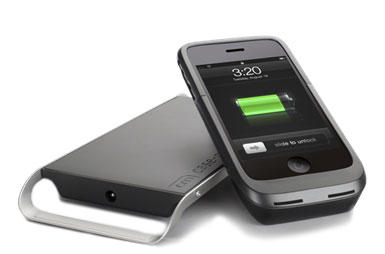
During CES, Casemate showed off its newest iPhone and iPod Touch wireless charging solution, the Hug, and promised an imminent release date. Two months later, and here it is, ready for shipping in its beautiful but bulky, wirelessly-charging glory.
The Hug is similar to the PureEnergy’s WIldCharge — both allow you to charge your iPhone or iPod Touch by placing it in a case and just laying it down on a charging pad — but the Hug uses a full enclosure case made from injection-molded materials, as opposed to soft silicone. The result is that while the Hug looks more attractive than the WildCharge, it is also bulkier.
It’s also, unfortunately, more expensive: Case-Mate is shipping the Hug right now for $99.99, $20 more than the WildCharge.
Personally, I like the idea of wireless iPhone chargers, but I don’t see much of a point with them, since the iPhone can’t wirelessly sync at the same time. Connecting my iPhone to a docking cable isn’t such a big deal that it’s worth a $100 to me, but your mileage may very well vary.
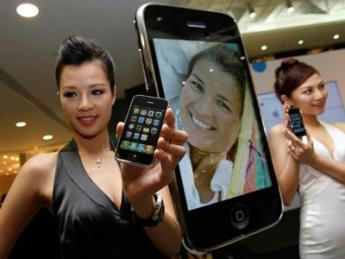
When the iPhone was first released in China last year in partnership with China Unicom, it confusingly shipped with 3G but without WiFi.
The reason for the omission, of course, had to do with government censorship: the Chinese government’s Golden Shield Project requires wireless Internet devices to use China’s own WAPI standard, and up until recently, you had to choose between WAPI and WiFi.
That strange and arbitrary rule was actually changed before the Chinese iPhone was released, but by that point, Apple had already redesigned their handset to conform to the previous GSP regulation.
Luckily, it looks like Chinese iPhone owners will be getting WiFi soon. According to Silicon Alley Insider, Unicom Chief Executive Chang Xiaobing is saying that WiFi-enabled iPhones will be coming to his telecom’s customers soon. Existing customers will be compensated for their WiFi-less troubles… a compensation which will probably involve expanded use of Unicom’s 3G network.
It’s excellent news for legit Chinese customers… but with the Hong Kong iPhone black market still thriving, it’s unlikely to make the iPhone the success in China that it is in the rest of the world.
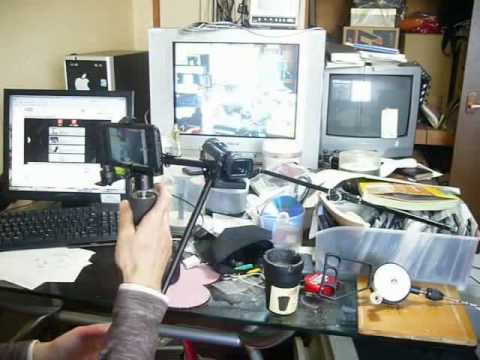
httpvhd://www.youtube.com/watch?v=VLZRNVzKGAQ
This iPhone 3Gs video camera stabilizer is probably too extreme a DIY project for anyone to actually carry out, but if you choose to brave Google Translate’s gobbledygooked English translation ofthese Japanese instructions, you should be able to get the jist and make your very own iPhone steadicam… just the thing to make your own backyard Evil Dead remake.
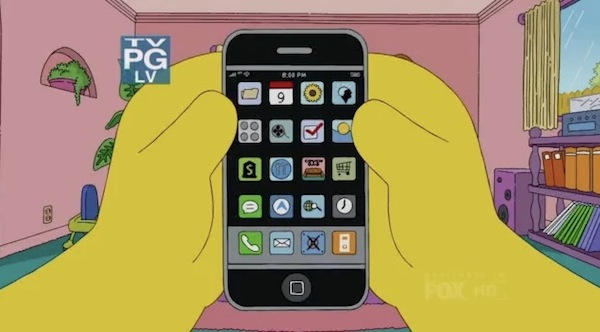
Here’s Homer Simpson’s iPhone. Pretty dull, actually. Only one page of apps, and most of them look like the defaults. No iFart? No iBeer? No iDoh?
Wait – what’s that app there? Third row down, third from left?
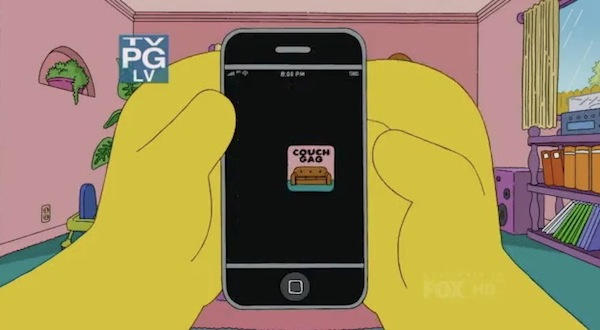
Ah! Couch Gag! Yeah, one of my favorite apps.
Funny, it never does that when I use it.

In his emails to Apple customers who take the time to write him and ask him questions, Steve Jobs usually comes across as a really busy guy who, despite his workload, is really trying his best to maintain a human, one-on-one connection to his customers.
On some other occasions, though, Jobs will occasionally comes across as a devastating master of pith, capable of infusing a few matter-of-fact words with a palpably scornful undercurrent, as if — if he wasn’t just so darn busy all the time — he might instead muse for a few hundred words on just what it must be like to be as stupid as the quivering, moronic biomass to which he must deign to pander… and of which his correspondent is just one molecularly small part.
Whether the specific email from Jobs that is the subject of this post comes across as the former type of Jobsian communiqué or the latter is up to you. Either way, it contains at least one new bit of information about the iPad: you won’t be able to tether it to your iPhone.