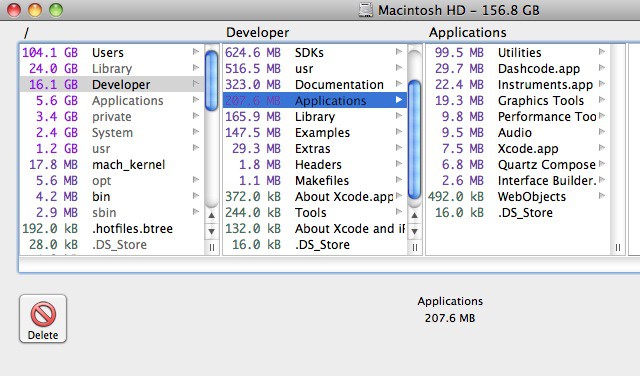
It happens to everyone. Over time, large files will build up on your hard drive and take up space needed for important files, such as photos, music, and the like. It can be frustrating trying to find these files to see if they are of any importance. Enter OmniDiskSweeper, a free utility that solves all those problems. As you’ll see in this video, it’s a handy tool that can help you free up a lot of space.
19 responses to “Finding And Deleting The Big Files On Your Hard Drive [Video How-To]”
What’s the effect when you click icon? I like it, could you tell me where I can download that effect?
Why not use GrandPerspective? Do the same with a graphic interface…
http://grandperspectiv.sourcef…
i really like WhatSize as well: http://www.whatsizemac.com/
What icon set is being used in this video? It’s iOS, but despite my search online, I can’t find any sets that match this. Looks great!
Open a terminal. Run:
sudo du -h / | sort -rn > ~/Documents/filesize.txt
Then look in your Documents directory for a file called filesize.txt which will list all the files on your system by size.
I just downloaded freeware JDiskReport a few weeks ago and discovered to my amazement that I had 25 gigabytes of Final Cut Pro templates I thought I’d uninstalled. Really made it super-easy to find the big files. http://www.jgoodies.com/freewa…
It’s actually custom. I found all the images online, converted them to icons, and then used Candybar to set them as my icons.
I find DaisyDisk to be really great, though it is $15.
http://diskwave.barthe.ph
Faster and freer than all others mentioned.
I use Disk Expert for thorough and ClearDisk for quick scanning

