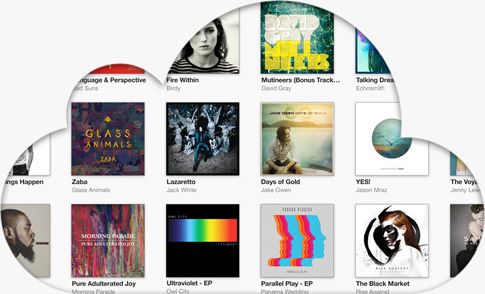
Several iTunes users have taken to the Apple Discussion forums to complain about iCloud Music Library — part of the iTunes 12.2 update — has destroyed their music libraries.
Discussions user Tuff Ghost explains that everything was fine with his 13,000 song iTunes library, until he installed iTunes 12.2 on his Mac and allowed it to enable iCloud Music Library.
“All of the (sic) sudden it starts overwriting my album art with completely wrong art (example: Weezer showed art for a Radiohead album) on both my iMac AND my iPhone, screwing up metadata by putting random songs in albums where they didn’t belong (there was a Cursive album where the first track was listed as a Foo Fighters song).”
When he clicked to listen to a song, it would play a completely different one, like the metadata for the files was completely incorrect.
If this is happening to you, another Discussions user may have found a solution.
iCloud Music Library is like iTunes Match – it lets you stream songs that you’ve ripped and purchased in your iTunes library to your devices so you don’t have to carry them around wasting space. Seems like it’s also flawed like iTunes Match.
Zackadelic says that all you really need to do to fix this all is to replace the .itl file in your iTunes Library folder to the previous one, and all will work as before. Just don’t enable iCloud Music Library again.
Here’s what he suggests:
Close iTunes
Navigate to you iTunes folder
Choose a former .itl file from Previous iTunes Libraries (preferably the most recent one before the Apple Music disaster) and drag it into the iTunes folder
Rename the messed up .itl to iTunes Library (Corrupt).itl
Rename the previous iTunes library that you just dragged in to iTunes Library.itl
Open iTunesYour music library should be restored to perfection!
If it doesn’t work, though, you can reverse the process above and be no worse for wear.
Chris Welch over at The Verge thinks the real issue might be the application of DRM to your matched files, so you can watch out for that, too.
Good luck, and let us know how it goes. Here’s hoping Apple has a fix in the coming days.

Rob LeFebvre is an Anchorage, Alaska-based writer and editor who has contributed to various tech, gaming and iOS sites, including 148Apps, Creative Screenwriting, Shelf-Awareness, VentureBeat, and Paste Magazine. Feel free to find Rob on Twitter @roblef, and send him a cookie once in a while; he’ll really appreciate it.


11 responses to “Did iCloud Music Library break your collection? Here’s a fix”
If you are looking for extra money averaging $50 to $300 each day for doing an online job from comfort of your home for 3-4 hours every day then try this…
I’ll say it: yet another piece of garbage software released by Apple.
I found out a few months ago that Pages wasn’t spellchecking my documents properly – a fairly common problem. This, after I had sent out about a dozen Resume/cover letters with typos I missed but that spellcheck should have caught. Getting kind of sick of this.
Blaming Pages for your inability to spell and proofread something as important as a resume.. sometimes I feel like I’m the last of a generation that is self-aware, self-supporting and.. well tough.
I did proofread, as my original post says. I just missed something, which is why I *also* relied on the software *that I paid for* to back me up.
It is difficult to proofread when you can’t spell.
What typo did you and Pages BOTH missed?
*miss
This is exactly what I figured out last night when I realized that enabling iCloud Music Library completely effed up my ratings. I didn’t notice any change with album art or titles, but at least 50% of my song ratings were wrong. Even worse, by enabling iCloud Music Library, I somehow enabled a wacky system where iTunes started guessing ratings for entire albums and showing those ratings as individual song ratings using gray stars rather than black. This destroyed my smart playlists since I often use ratings as criteria. My smart playlists were filled with garbage.
I went back 2 days in Time Machine and replaced my Library.itl file. Problem solved. I can’t remember if I manually turned off iCloud Music Library, or if replacing that file somehow turned off iCloud Music Library by reverting to a library file before I’d turned it on… so, my advice would be to turn iCloud Music Library off manually first, just to be sure. Then quit iTunes and use Time Machine to replace that Library.itl file.
Make sure that, when fishing for your old file in Time Machine, you go back to a time before you first enabled iCloud Music Library.
Good luck!
If you try the .itl fix, make sure it’s not just cosmetic. Users have been complaining that the fix makes it look as though your files are fixed, but once you actually play (or “get info”) a formerly damaged file, it reverts back to the damaged copy.
In other words, the .itl file only has a list of metadata from before you turned on iCloud Music Library. It does not contain the actual data. That data is stored in the music files, and if it’s been damaged, it’s permanently damaged.
Exactly! If only your your Album Pictures werde scrambled, restoring the library database file will help.
But if your Title and Album information is mixed up, too, this will only be cosmetics. Because the music files will get renamed and moved, too, in your library. So the only thing that helps after disabling iCloud Music Library is restoring the Backup of your whole ~/Music/iTunes folder or a lot of manual identification and sorting back.
As Jeff Lengersson states, simply copying the .itl file DOES NOT correct the problem. It appears to initially, but it does not.
The fix did not work for me… Now I have TV shows that are in the music folder and I can not change them back to TV Show mode. If I get info the option only offers audio formats and no video formats