Mobile menu toggle

Can I Dual-Boot My Mac But Share Apps and User Data? [Ask MacRx]

By

Dual-Boot-Mac.jpg

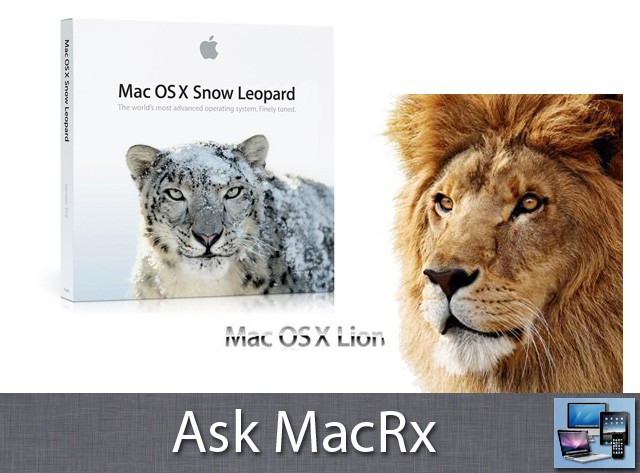
Apple operates under the philosophy that the latest and greatest OS is what everybody should use, but many of us prefer to try things out first and upgrade a bit more slowly. When you dual-boot your Mac among two different versions of Mac OS X some things will work fine, while others require one system or the other:

I’m running Snow Leopard 10.6.8 on a MacBook Pro 3,1 and I just got a new 750GB, 7200rpm drive to put in. Can I create say a 100GB OS X 10.7 Lion partition and share the apps / data from the 10.6.8 partition?

I think this may mess with the documents, i.e., if they’re modified in 10.7, will 10.6.8 be able to access them again? How about apps? Can I create aliases for apps and data in Lion that link to the data in 10.6.8 or am I asking for trouble? I don’t want to have duplicates of everything but, I still want to get accustomed to Lion.

Any thoughts would be appreciated, Ned

Hi Ned,

You won’t have a problem sharing your user data between Snow Leopard and Lion; files are simply opened by individual applications and changed as needed. The OS itself doesn’t affect your documents. Note that you will need separate copies of the Apple Address Book/iCal/Mail databases in each system.

Some applications will launch fine from a non-boot partition or drive, others won’t run. Depends whether there are support files and background processes needed and not present, or missing authorizations. The Adobe CS applications may have problems working the way you describe. You might just want to install your Lion test system on an external drive to play with, then upgrade your primary system when ready.

Thanks for your help. I think your advice is probably the sanest as this is my only computer and Lion still has a lot of kinks to be worked out.

  • Subscribe to the Newsletter

    Our daily roundup of Apple news, reviews and how-tos. Plus the best Apple tweets, fun polls and inspiring Steve Jobs bons mots. Our readers say: "Love what you do" -- Christi Cardenas. "Absolutely love the content!" -- Harshita Arora. "Genuinely one of the highlights of my inbox" -- Lee Barnett.

5 responses to “Can I Dual-Boot My Mac But Share Apps and User Data? [Ask MacRx]”

  1. Shinhoster says:

    One annoying issue you’ll have to deal with if you dual boot, is Spotlight indexing. Everytime you reboot from 10.6 into 10.7 and vice versa, Spotlight starts reindexing your hard drive, which can take a long time. Pain in the neck.

    I wouldn’t suggest that one can easily share their files back and forth like you suggest. User files are kept in the user’s Home directory, which cannot be shared between two different boot partitions. A workaround is to keep your files outside of your Home directory but that negates the benefit of the Home directory altogether. The best future solution is for Apple to give us portable Home folders that can be kept anywhere and will work on any version of Mac OS X.

    • Tom Atkinson says:

      Not entirely true. You can alter the permissions via Get Info so you can read and also read/write to the home folder. You have to use “Apply to enclosed items…” after adding [+] the new user to the ACL. See screenshot

  2. Aaron says:

    Awww, just jump right in with both feet! What’s the worst that could happen? Oh, like Apple dropping an older authentication method for NAS drives so your Time Machine backups don’t work anymore? Breaking VNC? Not having the ability to run old PowerPC applications that just happen to still be on your system?

    Okay, I am kidding (a little bit), but the best bet is not to upgrade for several months after a major upgrade like this. Let early adopters (like me) figure out workarounds and let Apple fix some of the outstanding issues.

    Just like you should never buy the first generation of any new computer (or car, or cell phone, or many other things), don’t jump into a new operating system unless you’re prepared to do a little hacking.

  3. Adam Rosen says:

    You’re right, the same home directory can’t be shared between two different OS installs.  However in this case I don’t think Ned was looking to do that, just be able to access the documents in his Snow Leopard home folder while booted in Lion.  That scenario should work fine, with the limitations noted above.

  4. Frank Lowney says:

    What I think would be neat is an app that keeps two partitions or volumes essentially the same except that one is 10.6 and the other is 10.7.  A variation on this theme is two computers: a laptop and a desktop machine.

    It would work similarly to Migration Assistant but be able to do incremental syncronization.  It would be like iCloud only better and local.  Tweak a setting for an app on one machine, add a podcast to iTunes, etc. and have that change migrated to all of my MacOS X gear.

Leave a Reply

