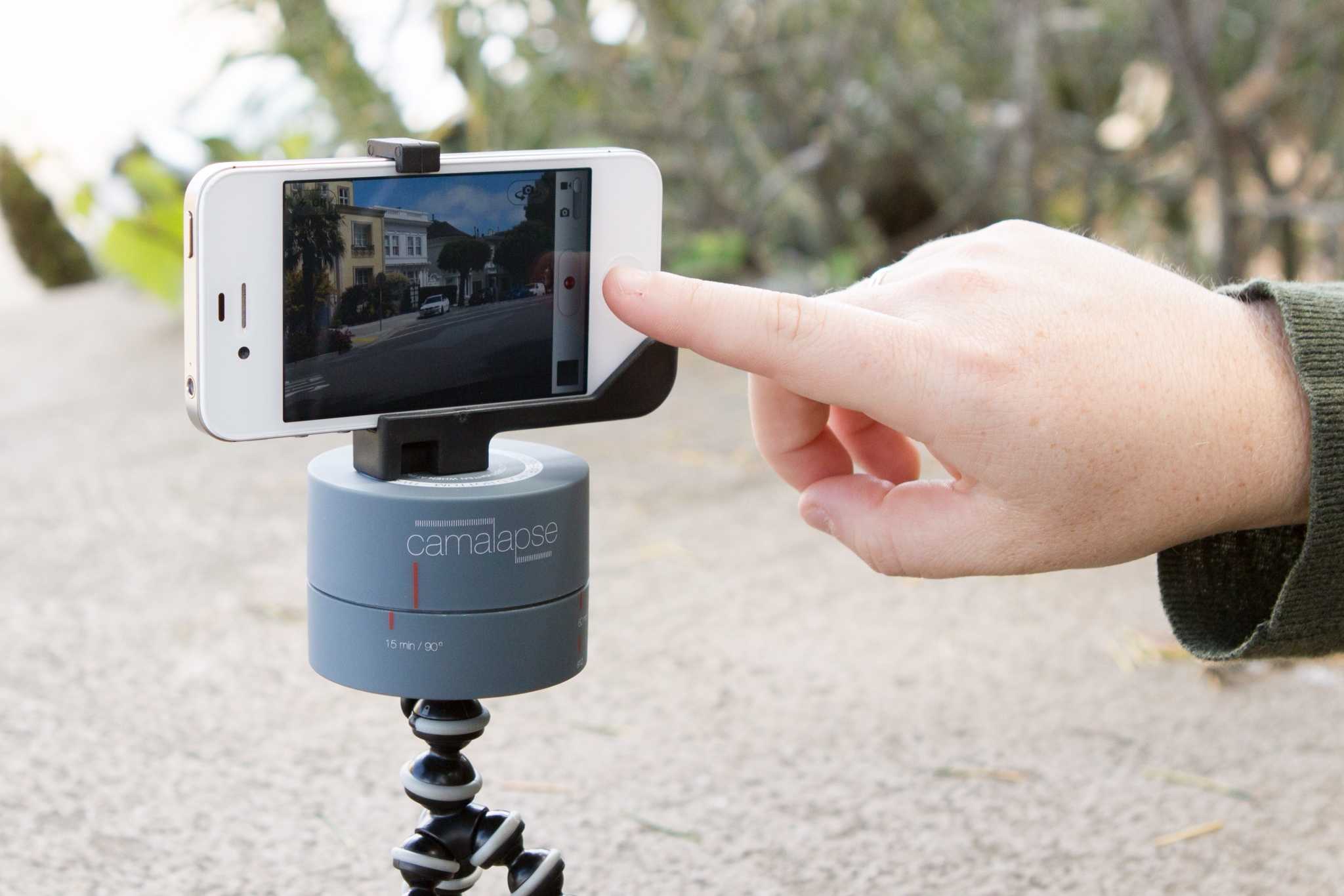
The Camalapse timer runs like clockwork. Wait... What?
Camalapse is short for “camel prolapse,” although oddly it has nothing to do with either ungulate mammals or slipping organs. Instead, the Camalapse is a clockwork stand for your camera which takes 360˚ time-lapse sequences.
I have no idea how many apps there are in the iTunes store that let you add filters to your photos. But I do know how many there are to remove those filters, and turn your picture into something that you can look back on in ten years’ time without cringing: One. It’s called Normalize, and it comes from Joe Macirowski.
Are you ready to have your mind blown? Then take a look at this 360-degree panorama of the surface of Mars, complete with cameo appearance by the Curiosity rover. And here’s the (literal) twist: the picture is gyroscope-friendly, so you can scan the surface of the Red Planet by sweeping your iOS device up and down, left and right.
It used to be that bike handlebars were for holding on to, and for telling your bike just which direction you wanted it to go. You might add a bell, or wrap around some fancy colorful bar-tape, but that was the limit of directional decoration.
Now there are so many accessories that can be clamped and clipped to the bars that touring cyclists even add an extra stumpy bar to their stems just for bags, computers and lamps. And now we can add a tripod mount to that list.
A JPG rotated 900 times. Who says digital files don't rot?
Back up your photos. Always shoot in RAW. After a while all the good advice starts to sound like the adults speaking in Charlie Brown cartoons. Wah-wah-wah-wahwahwah.
Especially now iCloud manages our backups and our iPhones only shoot JPGs.
But one piece of advice is still worth listening to: “always rotate JPGs losslessly.” What?
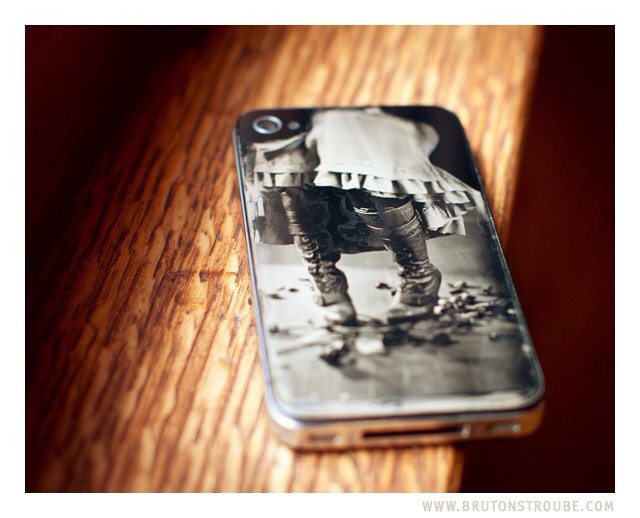
When it comes to iPhoneography, “retro” usually refers to adding some light leaks, desaturating some colors or adding fake grain. But for Jake Potts, it means taking the iPhone’s rear glass panel, turning it into a wet collodion plate and taking a real photograph with it. And because he’s a true photo nerd, he also documented every step of the process.
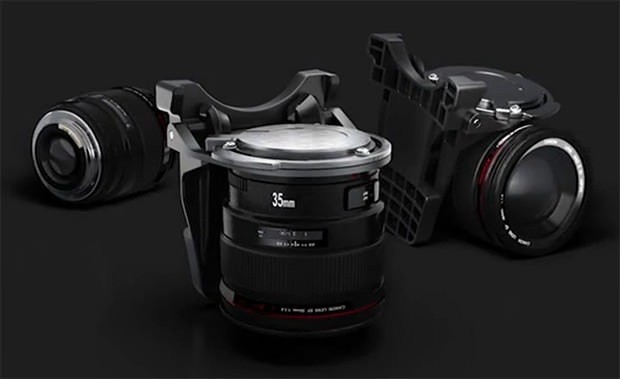
I imagine that every SLR user ever will want the QuickDraw.
QuickDraw is about as apt a name for a gadget as any we’ve ever seen. And the why-didn’t-I-think-of-that obviousness extends to its function: Quickdraw is a lens bayonet that hangs on your belt and lets you clip any spare lenses around your waist, read to for – you guessed it – a quick draw.
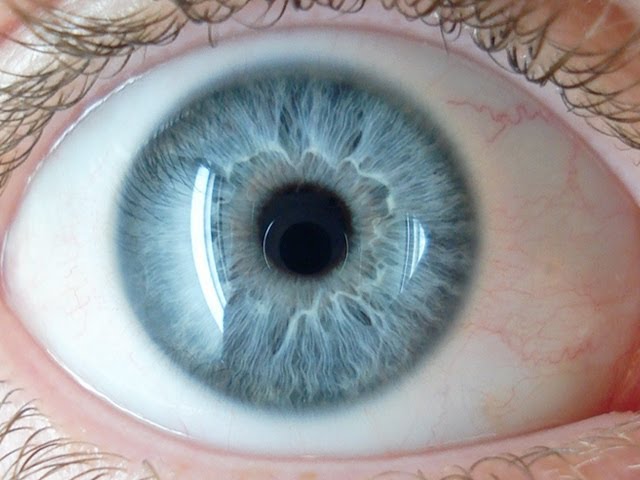
Pop quiz: what color is the mirror inside your camera? If you answered “No color. It’s a mirror. What the hell are you on about this time, Sorrel?” then you’re dead wrong. Kinda. It turns out that mirrors are ever-so-slightly green.
Forget old-timey fake film effects -- Meta is as modern as it gets.
Meta is yet another photo filter app for the iPhone, but if you have any interest in this kind of thing, you should just go and buy it right now (it’s just one lousy buck).
Meta gives you a bunch of live filters through which you can snap pictures, and lets you share and upload to the usual places. The difference here is that the filters are genuinely new, and that you’re going to love them.
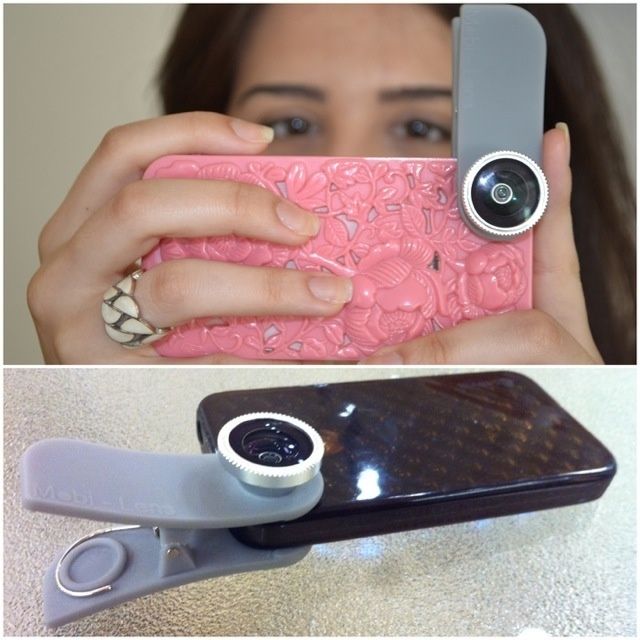
Mobi-Lens: Like the Olloclip, only more promiscuous.
If I owned an iPhone, then I’d already have bought the Olloclip lens, a clip on widget which adds fisheye, macro and wideangle lenses to the iPhone using a slip-over clip. It’s impossible to line it up wrong, and it fits in a pocket or bag. But I don’t have an iPhone. I have an iPad. And I hate futzing around with all the magnetic lenses I have: they’re easy to lose, easy to get dirty and impossible to line up. What I need is a Mobi-Lens, a universal clip-on lens from Kickstarter.
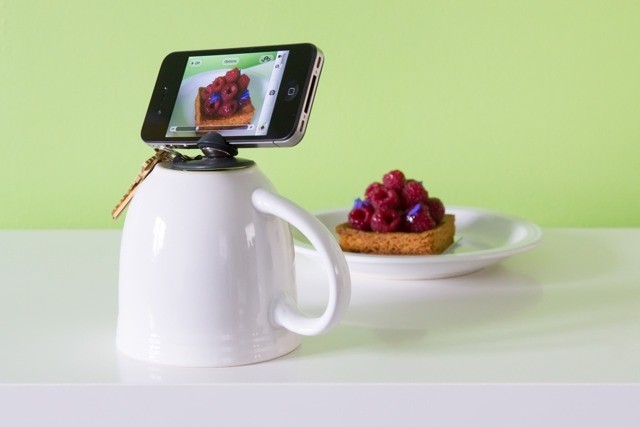
Yes, this is yet another iPhone tripod thingy, but this one is a little different. First, it’s not a Kickstarter project, so you can order it right now should you choose to. And second, it fits onto your keyring, so you will always have it with you when you need it – handy, because nobody every pats there pockets as they leave the house and thinks “You know, I really should take that iPhone photo stand out with me today. Y’know – just in case.”
Go on without me... Save yourself... I'm just holding you back...
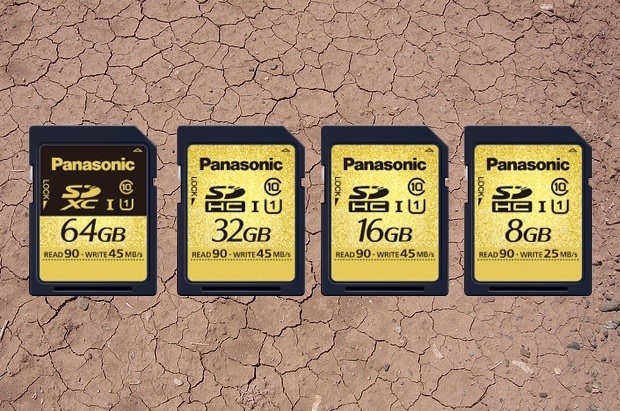
Panasonic’s new ruggedized SD cards are neat and all, protecting your precious photos from water, weather, impacts and even super-strong magnets (like the one used by Wil E. Coyote to try to catch the Road Runner) and X-rays. But, like Steve Rogers throwing himself upon a grenade in the Captain America movie, it will also sacrifice itself in order to save your data.
Why does the Curiosity rover only have a 2MP camera, along with just 8GB flash storage? Is it some special NASA trick that pulls more info from low-res sensors? Is it something to do with the kind of space radiation that turned Reed Richards and team into the Fantastic Four? Nope – it turns out that the reason that the Mars Rover is using 8-year-old camera technology is because the camera design was specced eight years ago, way back in the swirling mists of 2004.
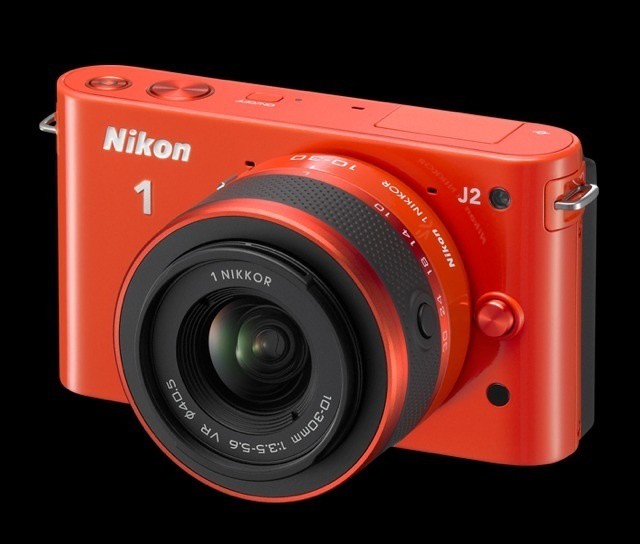
Nikon has added a new model to its toy camera Nikon 1 line. The J2 is a tweaked version of the J1, and in addition to some improvements it drops its price by $100, to $550. And if you’re thinking that this still seems steep for a camera with a tiny compact sensor – even if you can change its lenses – then you’re right.
I’m a fan of lens caps over built-in lens covers on my cameras, mostly because 1) they never get stuck shut and 2) I can wander with my camera around my neck ready to shoot, and I don’t have to worry about whether the cap is on or not.
However, I have also lost and broken way more caps than I’d like to admit, and the safest place – my pocket – adds lint which inevitably ends up on the lens. What to do? I might try the ReadyCap, a handy spot to keep pretty much any cap you have.
I don’t own a necktie, and I haven’t been clean-shaven since sometime in the mid-to-late 1990s. But that doesn’t mean I can’t brush up nice and get all dressed up from time to time. Which is why I’m seriously considering one of Photojojo’s smart-looking Camera Strap Neckties.
Even that crappy dime-store laser-pointer can be useful.
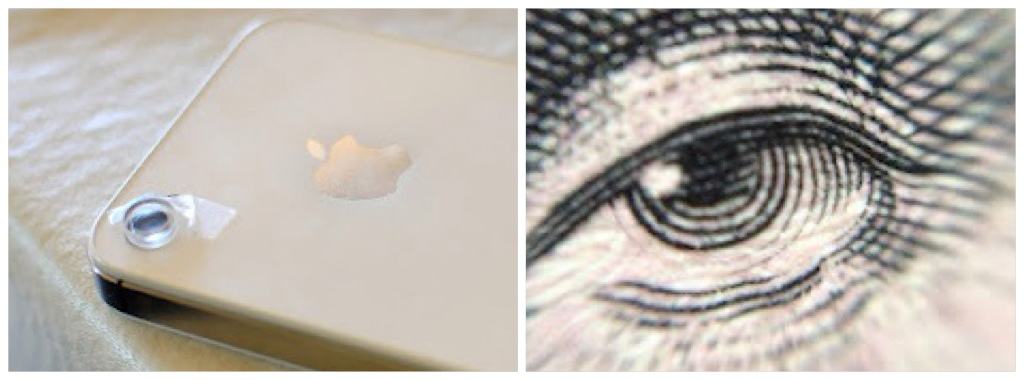
Was the $14 iPhone macro lens a little too rich for you? If you can’t afford to drop the price of a cheap lunch onto a DIY photo accessory for your $650 phone, then perhaps I can interest you in Zaheer Mohiuddin’s $1 version.
That’s right: a $1 macro lens for the iPhone (or iPad). The only work you’ll need to do is take a walk to the dime store and find a roll of tape.
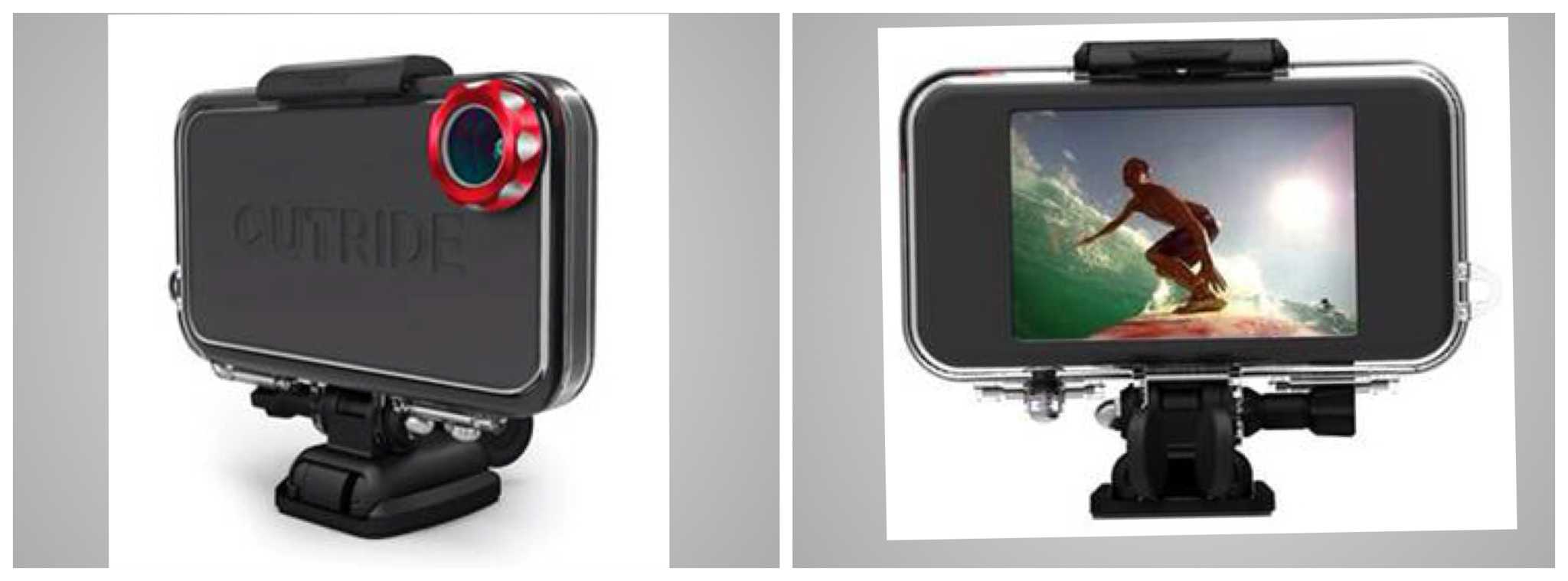
Mophie, the JuicePack company, has flipped out and gone in a totally new direction, head first into an equally crowded market: iPhone sports camera enclosures. Mophie’s version is called the OUTRIDE, in ALL-CAPS.
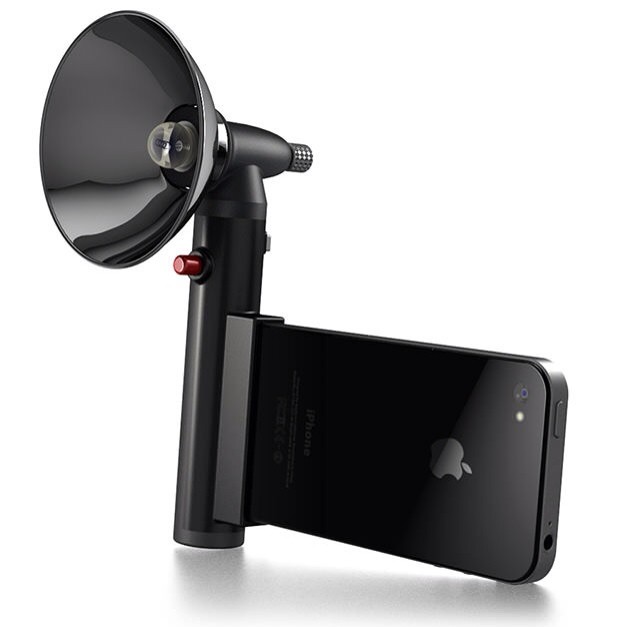
It’s hard to overstate my love of the Paparazzo light, despite the fact that I have never touched or even seen one outside of the photos on its Kickstarter page. Maybe it's the idea I like so much: it's an old-style flashgun which pumps out a ridiculous 300 lumens of subject-petrifying light whilst making you look like and old-school newspaperman.
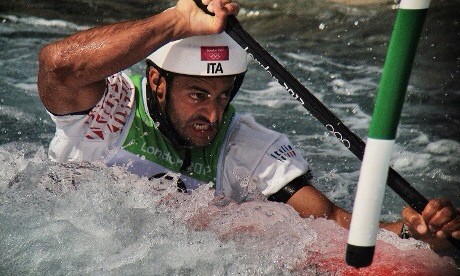
Yes, this was taken with an iPhone. Photo Dan Chung
The idea that you need a fancy camera and a bag of lenses to take good photos is utter crap. It’s a myth beloved of camera makers, and lapped up by amateur snappers who think that a Leica M9 or a Nikon D700 will somehow improve their tawdry, insipid holiday snaps.
Don’t agree? Here’s exhibit A: Photographer Dan Chung is covering the Olympics for the Guardian with an iPhone 4S, a pair of binoculars (used as a telephoto lens) and the iOS app Snapseed, and his photos are – too put it plainly – better than yours and mine.
It’s August, which means two things. One, there’s no news to report on, which means that most of a gadget blogger’s workday is taken up with siestas and refreshing beverages. And two, it’s vacation time! That’s right: The whole northern hemisphere likes to take a break at exactly the same time, all the better to enjoy congested roads, overpriced plane tickets and overcrowded hotels.
To ease your pain, we’ve put together a list of the best travel gadgets. You may not enjoy spending a hot and stuffy month with your in-laws, but at least your tech won’t let you down.
Next up: stylish and desirable Daffy Duck neckties.
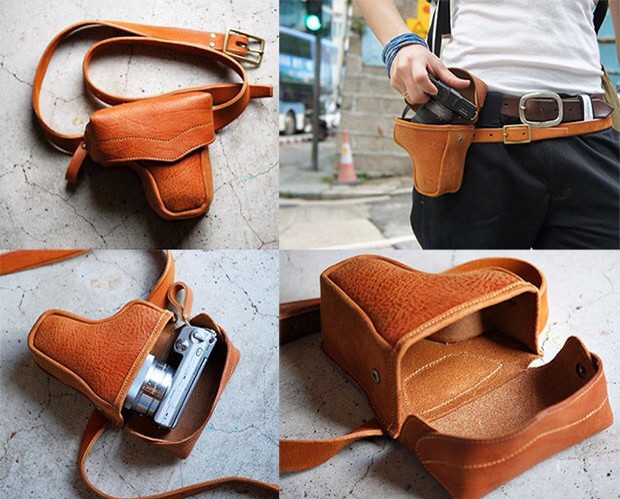
Gadget Holders on your belt = dorky. However, awesome leather quick-access camera-holder on your belt = super-cool. Yes, somehow the laws of nature have been temporarily suspended to make this Japanese hand-made leather fanny pack into a desirable and stylish item.
One of the best gifts I ever bought for my camera was a hand-made leather ever-ready case. These two-part cases not only look better the older they get, but they offer a whole lot of protection. I have dropped my Panasonic GF1 more times than I will ever admit to you, and it doesn’t even have a dent or scratch. Well, not from dropping it anyway.
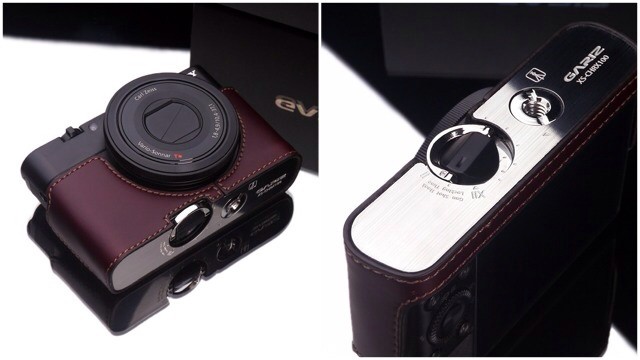
But my handsome case looks like a piece of junk next to these gorgeous half-cases from Korea’s Gariz. You can pick up models to fit most high-end compacts and mirrorless cameras, but today we’ll take a look at a new addition for the Sony RX100.
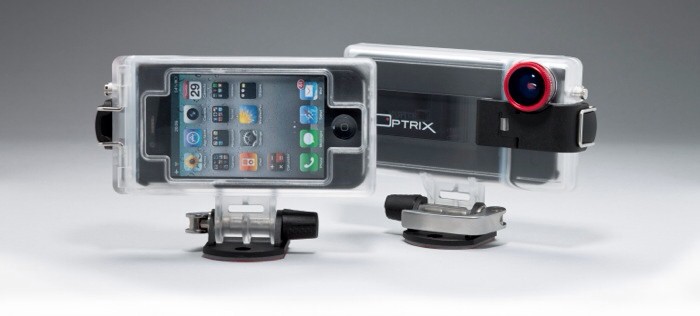
Optrix’s XD camera case for the iPhone looks like just another ruggedized box, but it distinguishes itself with a low price ($100), a whole bagful of included accessories, and one unique feature.
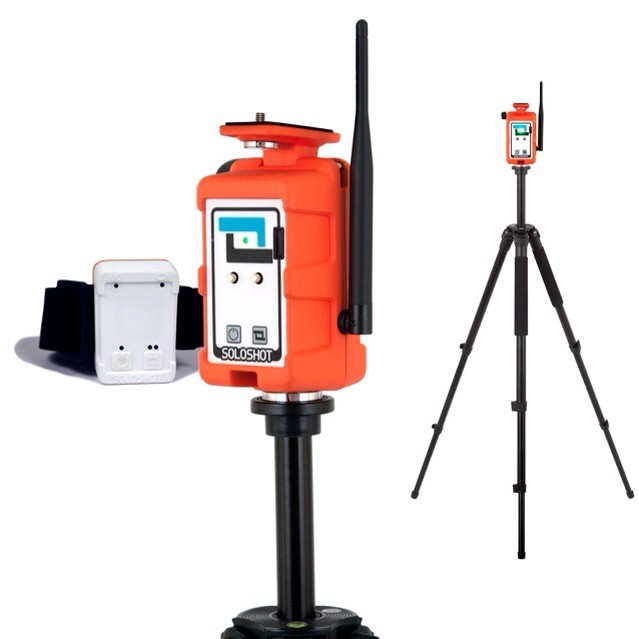
Track your sports activities with the Soloshot camera
The Soloshot is not, as you might suspect, a wipe-clean target aimed at the adult video market. Instead, it is a motorized stand for a sports camera, although its target customer is likely the same lonely soul that would be interested in the (mythical) pop-shot tracking gadget I mentioned above.