Mobile menu toggle

apps - page 8

Selfissimo!, Life is Strange, and other awesome apps of the week

By

Awesome Apps
'Appy weekend, everyone!
Photo: Ste Smith/Cult of Mac

A unique selfie app, created by Google, that summons up your inner supermodel is just of one of the picks for this week’s “Awesome Apps” roundup.

In addition, we’ve got part one of an excellent episodic adventure finally available on iOS, a sound-matching app for any guitar players out there, and an augmented reality-focused update to Facebook Messenger. Check out our picks below.

Layton’s Mystery Journey a gets a big festive discount

By

laytonsgame
The latest instalment in this acclaimed series.
Photo: Level-5

With Christmas coming, it’s probably not the time of year to be spending a whole lot of money on yourself — knowing that there’s plenty of other things you may need to splash your cash on.

Which is why it’s great news that Layton’s Mystery Journey: Katrielle and the Millionaires’ Conspiracy, one of my previously recommended best games of the year, has slashed its $15.99 price tag for the holidays.

Facebook brings augmented reality to its Messenger app

By

Messenger
Who will know you love your dog if you don't add a giant digital heart over its head?
Photo: Facebook

It’s not just Apple that’s excited about the possibilities of augmented reality! In its latest Snapchat-inspired update, Facebook has added new AR features to its Messenger app.

Called “World Effects,” the feature lets you place emoji-style 3D objects in three-dimensional space via your iPhone’s rear camera. Objects added include a heart, an arrow, and a robot — along with word bubbles with messages like “love,” “heart,” “miss you,” and — making us feel old — ““bae.”

Apple highlights its best apps, games, movies, and music of the year

By

best of the year
Apple has released its 'best of' list for 2017.
Photo: Apple

Apple has released its yearly “Best of” list, highlighting its picks for the top apps, games, albums, movies, podcasts, books, and TV shows — just in time for your holiday purchasing!

As is always the case, the lists combine Apple’s own hand-curated picks and popularity-driven charts, based on purchases in Apple’s various services such as iTunes, the App Store, iBooks Store, and Apple Music.

Clean Text tidies up messy text on iOS

By

clean text
Clean Text does what it say on the... name.
Photo: Apimac

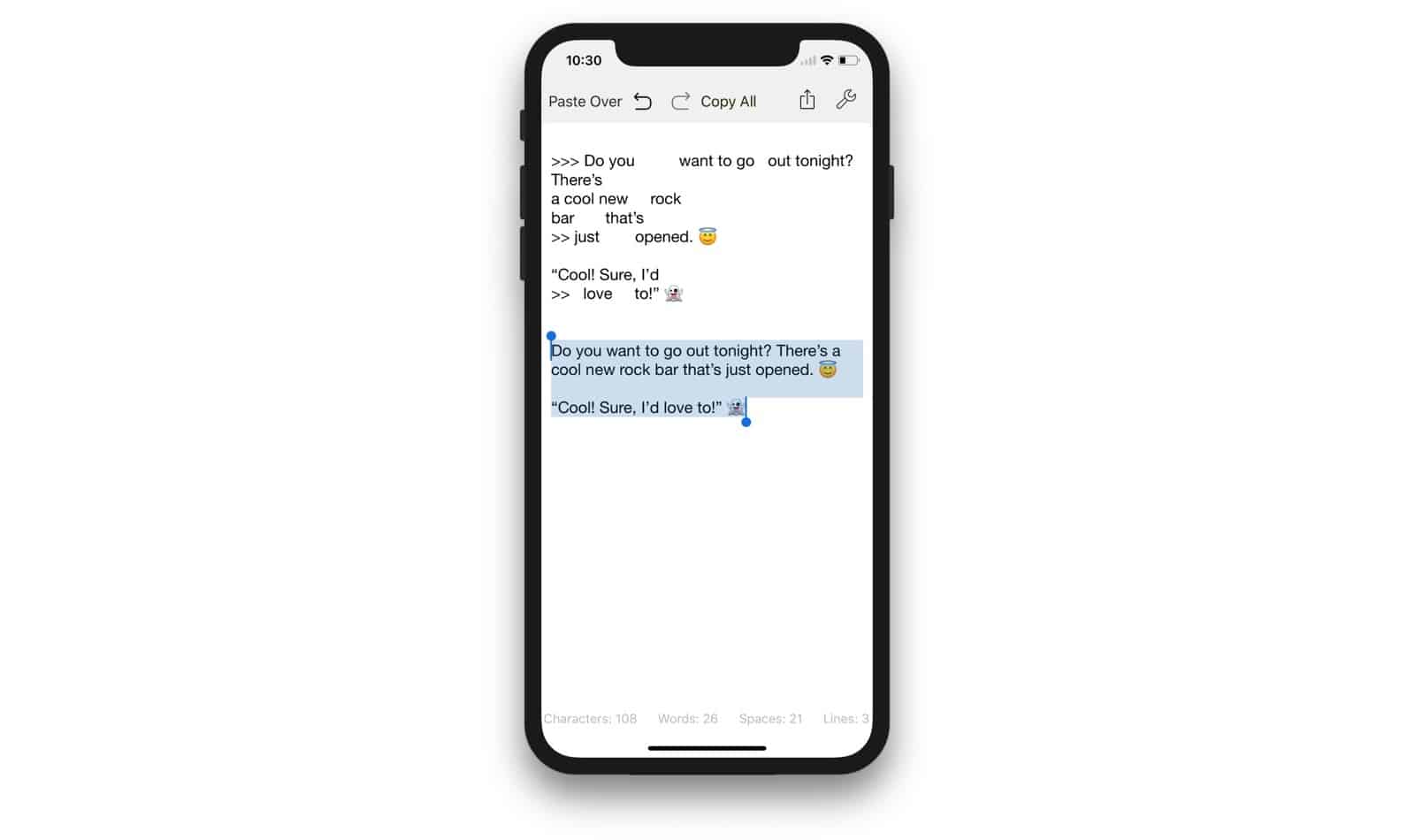
Don’t you just hate messy text? Text with extra spaces between words. Text with carriage returns inserted in the middles of lines. Text with lots of %-encodes and %nbsp mixed in. Text with > symbols at the beginning of every line. Filthy, dirty, unclean text? What you need is Clean Text, the smiter of hinky formatting, and quasher of non-smart punctuation.

Apple Heart Study, GRID Autosport, and other awesome apps of the week

By

Awesome Apps
'Appy weekend!
Photo: Ste Smith/Cult of Mac

An Apple Watch app that could actually save your life by watching for irregular heart rhythms is just of one of the picks for this week’s “Awesome Apps of the Week.”

In addition, we’ve got a console-quality racing game, a new iOS web browser, and an app that will let you stream video to your Apple TV by simply dropping a video onto your Mac. Check out our picks below.

DropStream: Drag-and-drop movie streaming for Apple TV

By

Apple TV Siri Remote
DropStream streams any video or audio straight to Apple TV.
Photo: Ste Smith/Cult of Mac

You can snap photos of your iPhone, edit them on your iPad, and view them on your giant-screen iMac, with everything almost instantaneously in sync. But what if you have a video clip that you want to watch on your Apple TV? Oh man, maybe it’s best not to even ask. Now, though, there’s an app that lets you do just that: DropStream.

DropStream’s function is right there in its name. You drop a movie onto its Mac window, and the movie starts playing on your Apple TV (or Chromecast). You don’t have to convert it to the right format, or add it to iTunes, or anything like that. It just, as they say, works.

Instagram just ‘borrowed’ more features from Snapchat

By

Instagram 2
Look familiar?
Photo: Instagram

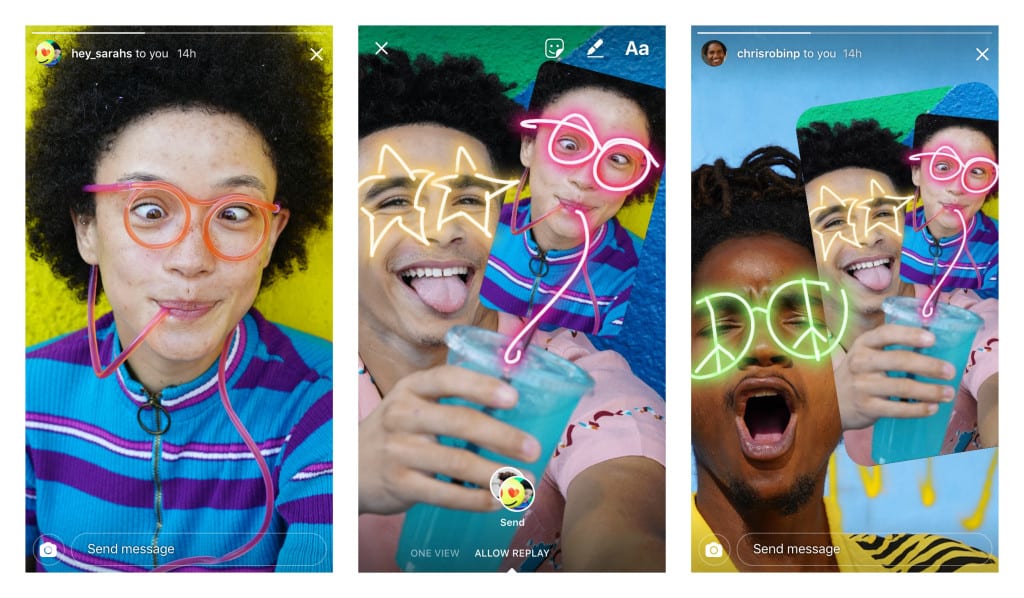
Instagram is continuing its competition with Snapchat with its latest update, which lets user remix friends’ photos and then send them back.

To use the feature, when you view a photo message from friends, hit the camera icon at the bottom of the screen and capture a reply. Your reply then contains a sticker of the original message, which you can then move and resize, or add additional stickers, text, and drawings to.

Grammarly is iOS’ missing spellchecker

By

Grammarly
Avoid lame mistakes with this new iOS software keyboard.
Photo: Grammarly

If you ever missed a full-featured spell-and-grammar checker on iOS then you should check out Grammarly. Grammarly is a replacement keyboard for iOS which not only offers auto-correction as you type, but can also run through the entire text and suggest changes, just like you can do on the Mac.

But Grammarly goes one better than that. Its grammar engine picks up on errors of punctuation, grammar, and even spots double spaces. I just ran it on the previous article I wrote today and it flagged up all kinds of small errors that a regular spell checker would never catch.

Shadows Remain, Duolingo, and other awesome apps of the week

By

Awesome Apps
'Appy weekend!
Photo: Ste Smith/Cult of Mac

A brilliantly spooky, story-driven augmented reality game in which you search for your missing child in a new house is just one of our picks for this week’s “Awesome Apps of the Week.”

In addition, we’ve got a great app for teaching you Mandarin, another ARKit title that lets you get a closer look at some of the world’s top supercars, and a brilliant photo app for getting the most out of your iPhone or iPad.

Check our selections below. You won’t regret it!

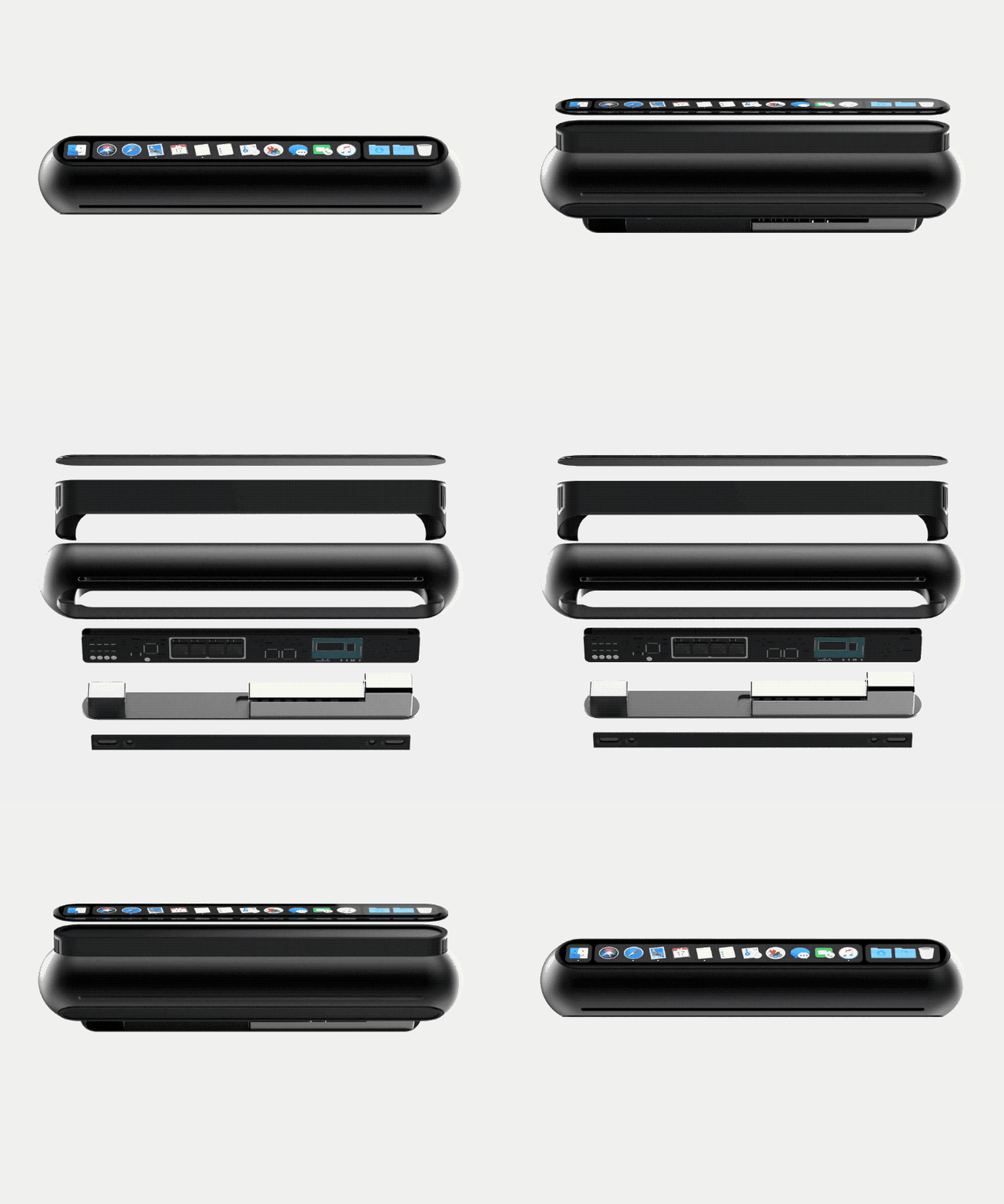
Brilliant concept brings Touch Bar to the Mac mini

By

Mac Mini
This Mac Mini concept is pretty crazy.
Photo: Louis Berger

It’s time for Apple to think different when it comes to the Mac mini.

Even though it’s been over 1,000 days since Apple last updated its smallest Mac machine, Tim Cook insists it’s still an important part of Apple’s product line. Apple fans are desperate for an update, but if it looks anything like this concept it’ll have been well worth the wait.

Take a closer look:

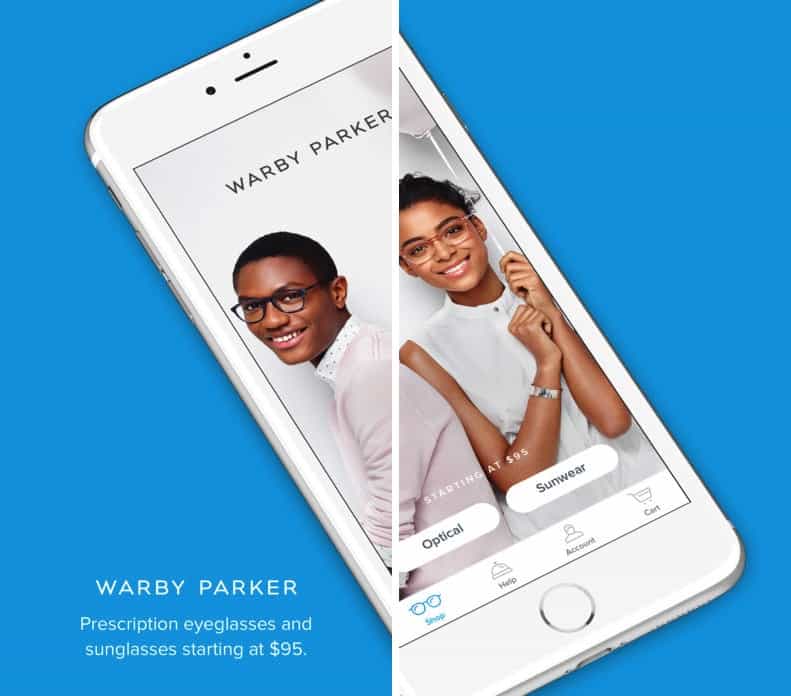
iPhone X app measures your face to find the perfect glasses

By

glasses
Another use case for the iPhone X's new smart camera.
Photo: Warby Parker

Now that the iPhone X is out and into the hands of customers, developers are eager to roll out new app updates, taking advantage of the handset’s new TrueDepth camera system.

One of the first is glasses manufacturer Warby Parker, which is already employing the Face ID facial mapping data feature to make suggestions about which glasses would suit people’s face shape.

This is how the iPhone X’s Face ID views your face

By

face mesh
What kind of face is Killian trying to pull here?
Photo: Killian Bell/Cult of Mac

Did you ever wonder how Face ID sees you? After all, it has an incredibly complex set of eyes that project invisible dots onto your face, and then turns the results into a 3D representation of your head. If you want to know what that representation might look like, then check out the new Face Mesh tool in the latest update to MeasureKit, the AR measuring app.

You can now search eBay using images

By

gretsch guitar ebay
Find that sweet vintage guitar on eBay just by snapping a photo.
Photo: Freebird/Flickr CC

It just got a whole lot easier to find odd items on eBay. Now, instead of typing in your search criteria, you can just snap a photo of an object, and eBay will search across the site and return any results that look like your photo.

This is great for those times that you have no idea how to describe something, but you totally have to buy it. Or when you see something in an image and don’t know how search for it on Amazon. Or when you see a super-cool vintage blouse/jacket/bag and want to find something similar.

Pushpin, the best Pinboard app on iOS, is back

By

pinboard is back
Pushpin is back on iOS.
Photo: Cult of Mac

Just in time for Halloween, Pushpin is back from the dead! Pushpin was the best Pinboard bookmarking app on the iPhone and iPad, but it withered and sat in the store without updates since the iOS 9 days thanks, the developer says, to the arrival of a baby. Now, Pushpin is back, and with a few tweaks, it is just as great as ever.

App Store redesign gives (some) downloads a big boost

By

bookmark wish list
The App Store looks all-new in iOS 11.
Photo: Ste Smith/Cult of Mac

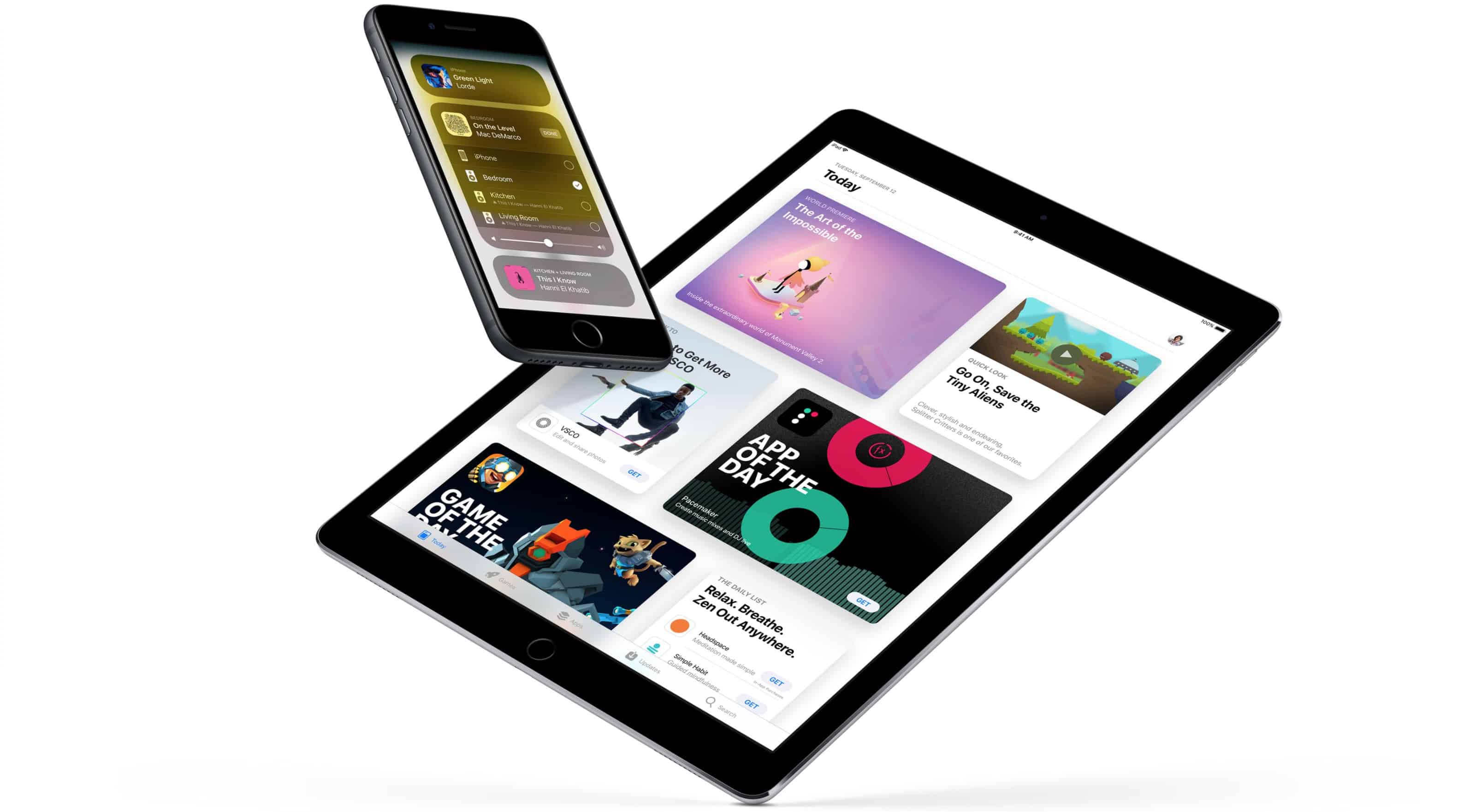
The redesigned App Store has been a boon for developers, based on new third-party data that shows getting a little promotion goes a long way when it comes to downloads.

With the launch of iOS 11, Apple made some big changes to how iPhone and iPad users browse apps in the App Store. App Store shoppers are now greeted by big promotions for the App of the Day and Game of the Day which has become worth a lot of money to developers if you’re lucky enough to be selected.

Paperlogix reads paper documents and files them for you

By

stack of Paperlogix
Scan and file your paper automatically with Paperlogix.
Photo: Ralf Steinberger/Flickr CC

Paperlogix is a yet another document scanner app for iPhone and iPad, but it has one big feature that really makes it stand out. Like all the other decent scanner apps, it uses the iPhone’s camera to capture scans, and then processes them, removing the background, squaring off your wonky framing, and rendering text in crisp black and white.

But Paperlogix goes one better. It can read your scans, and then file those scans based on what it finds. So, for instance, you could have it automatically file all your grocery receipts in one folder, or send all invoices to your accountant, all without doing any of the work yourself. It’s pretty neat stuff.

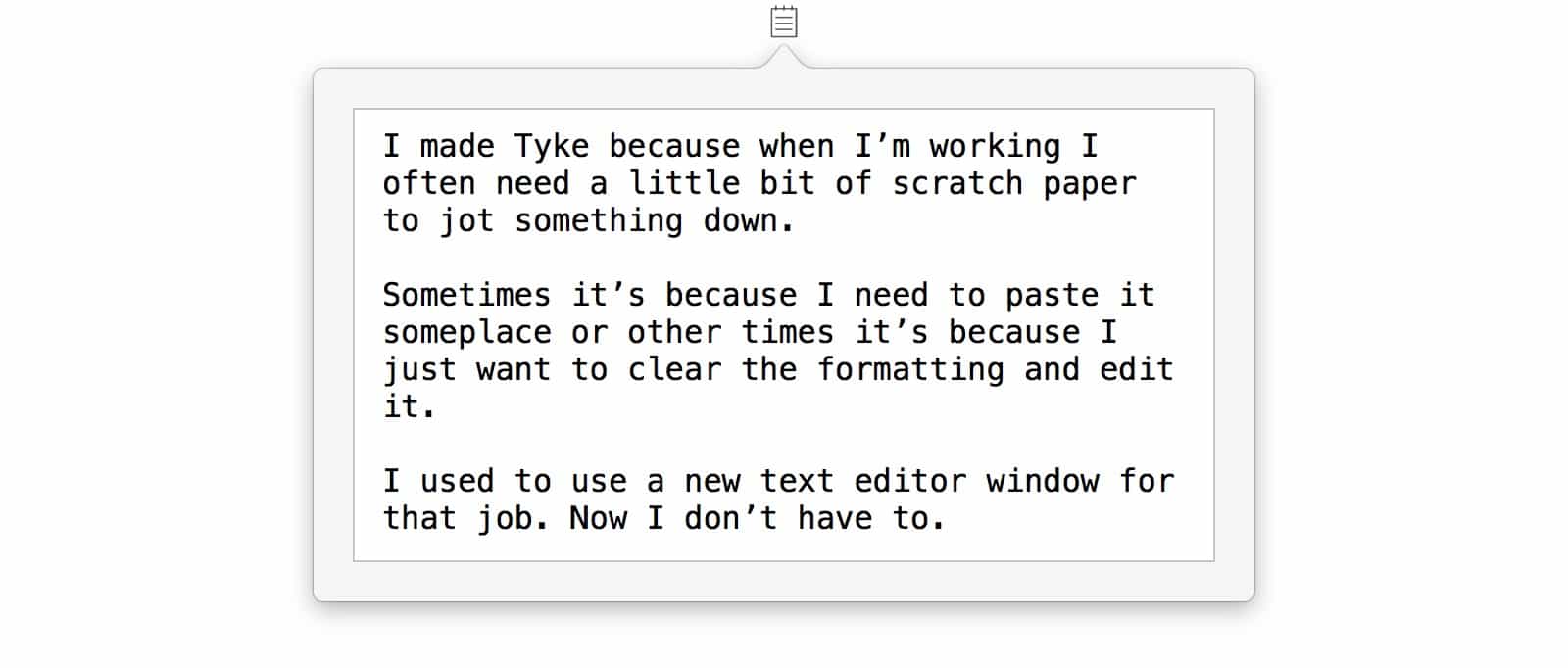
Tyke is the Mac’s simplest note-taking app

By

tyke
Tyke is ready to take a note whenever you need it.
Photo: Tyke

Tyke might be just about the simplest app you ever saw. It is also really, really useful. Tyke puts a little icon in your Mac’s menubar, and when you click it, it opens up a text scratchpad. You can jot in a quick note, or paste in some info. And that’s about it.

Apple tax forces Facebook to launch new tool only on Android

By

Instant Articles
Facebook's subscriptions are coming to Android but not iOS.
Photo: Facebook

Apple’s 30% tax on in-app purchases could cause iPhone and iPad users to miss out on the next big news feature from Facebook.

In an effort to help make publishers more money, Facebook plans to launch a tool that helps websites sell subscriptions. All of the sales transactions will be done on the publishers’ websites, but Apple won’t approve the app unless it gets a cut.

Undisturbed takes control of your Mac’s Do Not Disturb mode

By

Undisturbed
Undisturbed turns off those annoying red badges.
Photo: Cult of Mac

Do you know how to turn on your Mac’s Do Not Disturb mode? That’s right, you open up the Notification sidebar, pull down, and toggle the switch. It works great. Right up until you look at the Dock, or the app switcher, and see a bunch of big red badges hassling you to read your email or check your boss’ Slack messages.

That’s where Undisturbed comes in. It’s an app that improves Do Not Disturb, so you really don’t get disturbed.

Apple forms new app partnership with General Electric

By

GE
Two of America's titans of industry are teaming up.
Photo: Bubba73/Wikipedia

Apple and General Electric (GE) are teaming up to allow iOS apps to take advantage of the predictive data and analytics from Predix, GE’s industrial Internet of Things platform.

“GE is an ideal partner with a rich history of innovation across the industrial world in areas like aviation, manufacturing, healthcare and energy,” said Apple CEO Tim Cook. “Together, Apple and GE are fundamentally changing how the industrial world works by combining GE’s Predix platform with the power and simplicity of iPhone and iPad.”

Streamline your keyring, passwords, and lots more [Week’s Best Deals]

By

This week's best deals include a 21st century key keeper, top shelf apps, and more.
Photo: Cult of Mac Deals

Another week, another round of great deals on top shelf gear, apps, and learning resources. This time, we’ve got a bundle of 5 premium Mac apps, and a keyring designed to never be lost. Additionally, we’ve got a powerful password manager and comprehensive course in iOS 11 development. Read on for more details:

How to use Spark’s amazing advanced email features

By

spark header
Spark works everywhere.
Photo: Readdle

Apple’s own Mail app is pretty amazing in iOS 11 and macOS High Sierra, and is more than good enough for most people. But Cult of Mac readers aren’t “most people,” and that’s where Readdle’s Spark comes in. If you’re looking for more features, like scheduled sending, automatic follow-ups, and integrations with third-party apps and services, then Spark is the place to look. Today we’ll look at how to use these great new features.