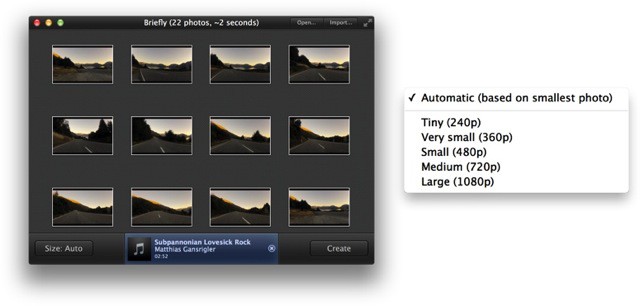
Briefly gets the award for most-appropriately-named app of the week. It lets you create neat little videos from your photos, and it does it really, really briefly.
Briefly, The Fastest Way To Turn Your Photos Into A Short Video
Briefly gets the award for most-appropriately-named app of the week. It lets you create neat little videos from your photos, and it does it really, really briefly.
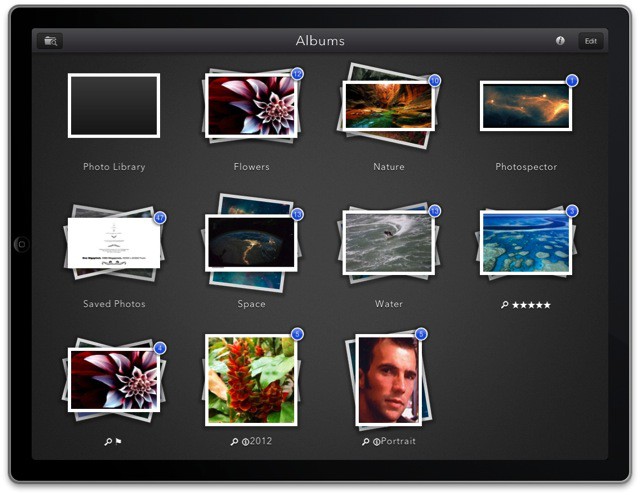
I’m on the verge of giving up on using my iPad as my main photo machine, but one brand new app is keeping me from switching back to the Mac. It’s called Photospector, it lets you organize and edit your pictures, and it’s pretty much the iPad photos app Apple should have made all along.
One of my most-used Mac apps is Rogue Amoeba’s Airfoil, a utility which hijacks the audio from any app you like and pipes it to your AirPlay speakers. It synced audio and video over AirPlay before Apple added the feature (back when it was called AirTunes), and is a great way to send the same music to every one of the stack of wireless speakers I’m testing at any one time (it’s like a bad disco in here).
Now, there is Airfoil Remote, which lets you control Airfoil for Mac from your iPhone.
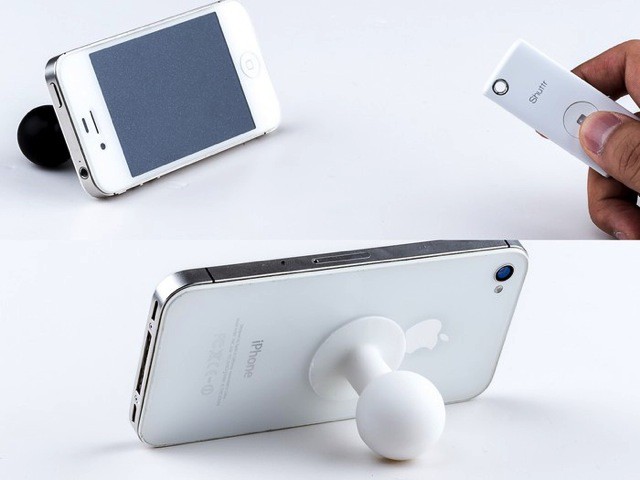
Muku Shuttr is a tiny, keychain-sized (and keychain-mountable) remote shutter release for your iPhone. OR your iPad. Or your giant Android “phablet.” For just $29, you’l never have to see another “selfie arm” disappearing from the side of your self portraits ever again.
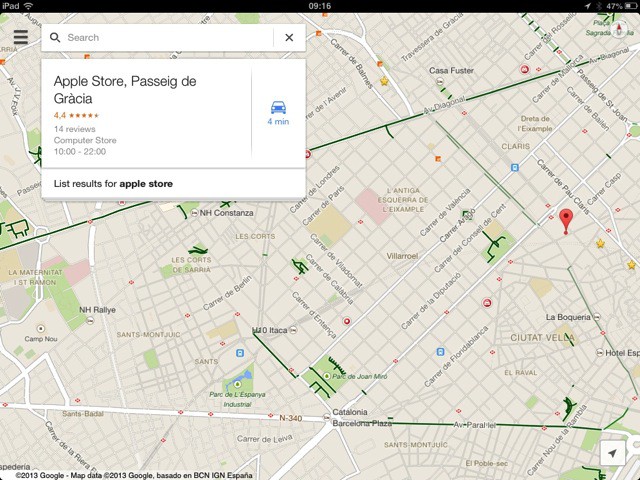
Google Maps has been updated to 2.0 for iOS, which means that it finally has a native iPad interface. No longer will iPad users have to deal with stupidly-oversized navigation elements on the 2x pixel-doubled screen.
Spendee looks like the kind of finance-tracking app I might actually use: It’s dead simple, great looking and works great with cash. It even has a nice flat design that’ll be at home in iOS 7 – although that icon will have to go — it’s 100% Forstallian.
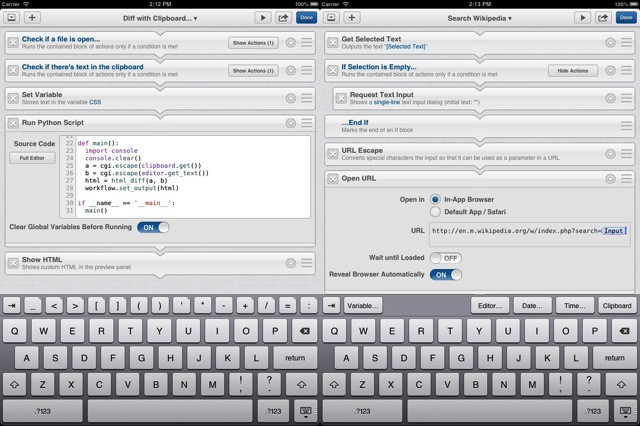
Ole Zorn, the super-villain[1] behind the amazing Pythonista for iOS, has just started teasing his newest app – a Markdown text editor for the iPad. Only unlike all the other Markdown editors, this one is looks like it’s as programmable as Pythonista. I’m getting pretty excited.
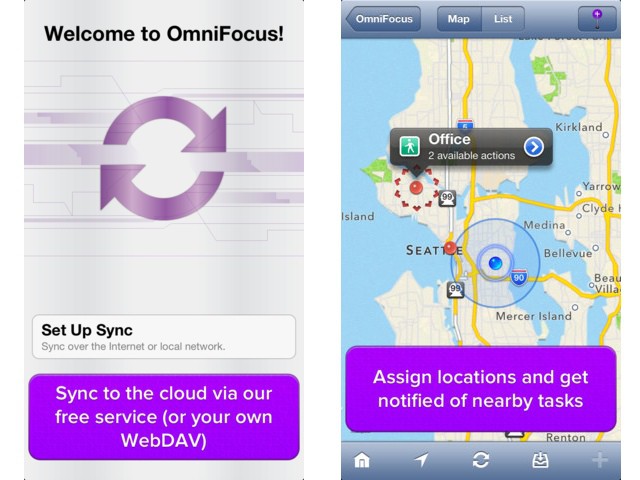
OmniFocus for iPhone got an update today which lets it refresh itself in the background, in what is probably a foreshadowing of things to come in iOS7. It uses the now-familiar workaround of location-based updates, which lets an app download data in the background when you arrive or leave a predefined location.
They say that the kids these days don’t listen to vinyl records, nor CDs. And apparently they don’t even use Rdio or Spotify. They use – get this – YouTube.
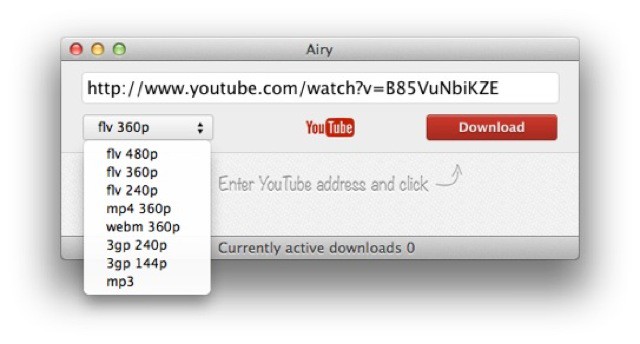
Which is presumably why Eltima software has made Airy, an app for downloading YouTube videos and extracting the audio to an MP3 file.
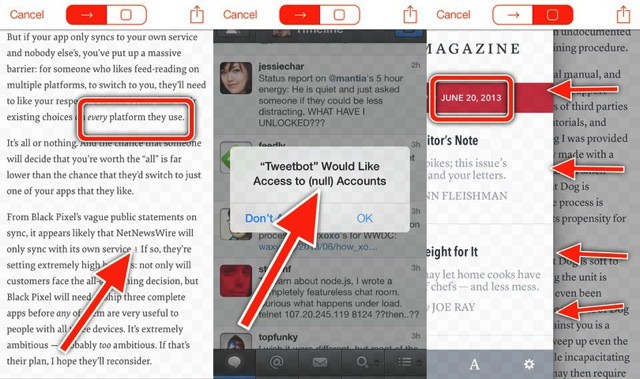
Remember how simple Skitch used to be before Evernote bought it and ran it through its UI-mangling machine? So does Instapaper’s Marco Arment, which is why he made Bugshot, an app whose “sole purpose is dealing with screenshots better.”
Any.Cal is the new iPhone calendar app from Any.Do, and it brings an ultra-clean UI to your iOS calendar, complete with some rather useful extras. Plus it uses the same account you already have for Any.do, which ties everything together.
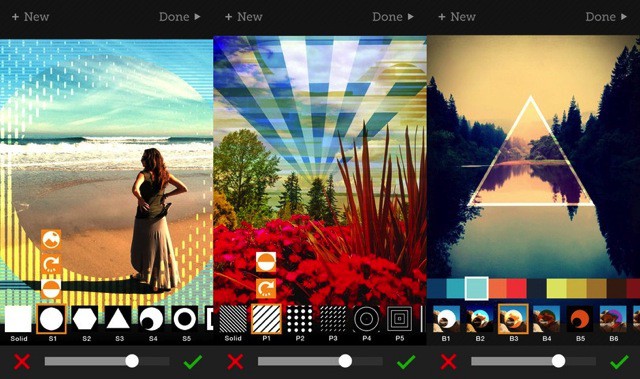
Tangent is a new iPhone app for dickering with your photos. It comes from Ben Guerrette, the brains behind Deco Sketch for the iPhone and iPad, and it is similar in intent. Tangent overlays geometrical patterns onto your photo, and then lets you adjust them.
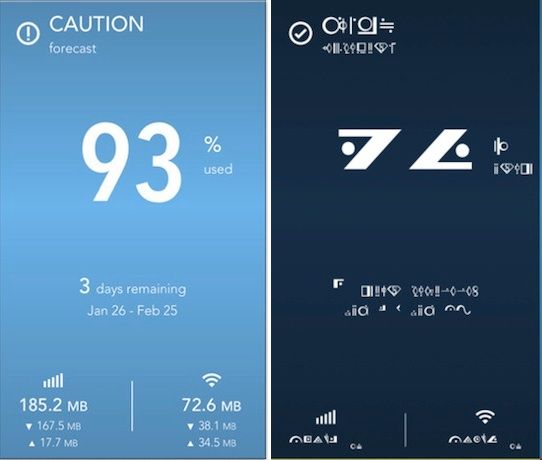
As if Dataman Next isn’t already superpretty and superuseful, it’s now available in a Kryptonian font. Supermen and geeks everywhere, rejoice.
Deus Ex: The Fall came out yesterday, and the much-anticipated cyberpunk game was immediately met with lukewarm to mostly negative reviews for being a very bland game indeed. But that’s not the least of Deus Ex: The Fall’s problems. If you have a jailbroken device, the developers won’t let you play it at all… even if you’ve purchased it legally!
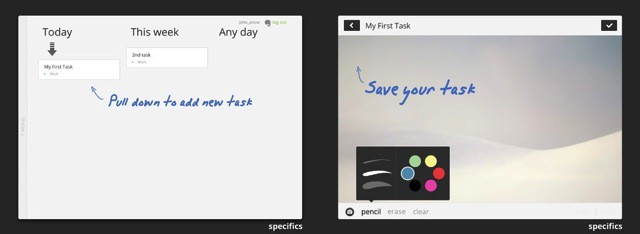
Quick, grab your ice skates: we’re going for a spin on the frosted lakes of Hell. Yes, that Hell. Why? Because the App Store just recommended me an app that’s actually good. It’s called Specifics HD, and it’s a note-taking task manager.
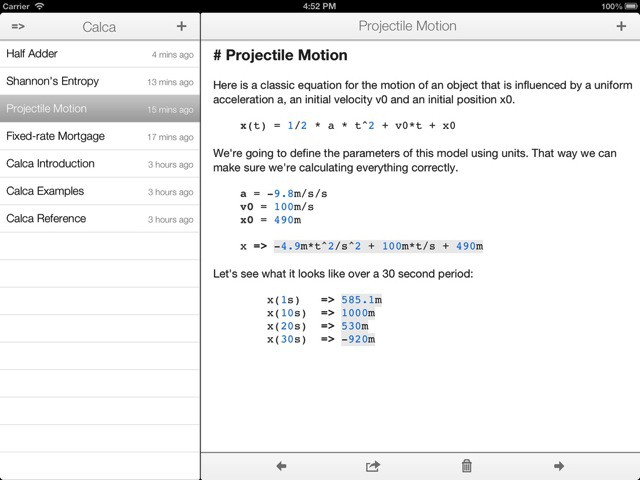
Roll up roll up roll up folks, and get ready for the Nerd-o-Rama. In today’s edition we bring you Calca, a “text editor for engineers.” Imagine that somebody took Soulver and Markdown and left them together in a survival pod for nine or ten months with lots of booze and no contraceptives, and — eventually — you’d get Calca.
Fact: The photographer never appears in group photos. It used to be that we’d hand the camera off to a stranger to snap a picture of us and our friends, but while I was happy to give my camera to a person picked almost randomly on the street, there’s no way in hell I’m giving them my iPhone.
And so does the march of technology further distance us from our fellow human beings. The latest tool of alienation? Groopic, an app which puts the photographer back into group shots.
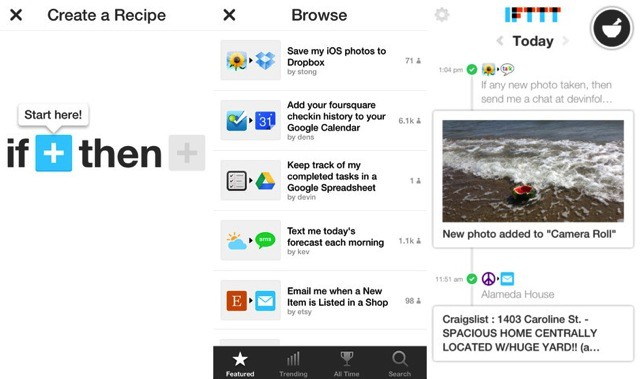
IFTTT (If This Then That), the do-anything glue that hooks up all your favorite web services autmatically, now has an iPhone app. Not only that, it has three brand-new iOS-only channels which tie into photos, reminders and your contacts.
I’ve been testing it for a few days, and it’s pretty damn cool.
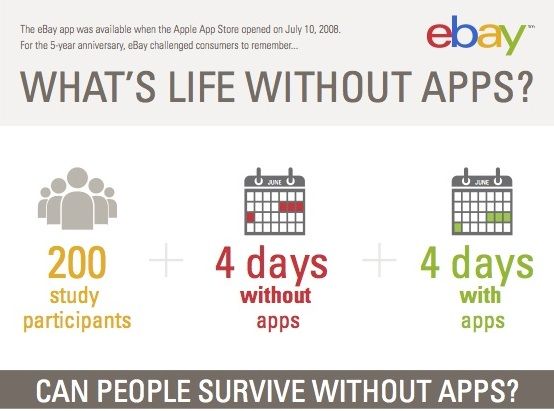
Auction giant eBay conducted an informal little experiment for the App Store’s fifth anniversary yesterday, to see whether people could survive O.K. without apps. Yeah, you’ve already guessed the answer.
I might be a lapsed Englishman, but there’s something that can never be bred out of me wherever I dwell: my love of a nice cup of tea. Unfortunately, even the Brits are getting lax when it comes to brewing God’s favorite beverage [1], relying on teabags instead of loose leaves and even (the horror!) letting the water sit off the boil for whole minutes before pouring it into the pot (I have seen my own brother do this).
It’s enough to get George Orwell turning in his memory hole.
Luckily, there’s an app for that.
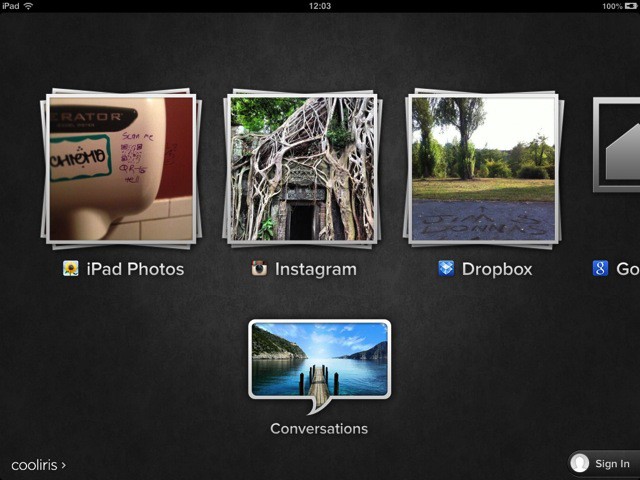
Those looking for a great alternative way to browse their photos on an iOS device might think about Cooliris, an app which has been around in various forms (I think I first saw it as a browser plugin) for some time. Cooliris’ gimmick is its endless wall of photos which you can almost throw around the screen, but recent versions have added so many sources that it might well become your iOS photobrowser of choice.
This week, the app has gotten support for Evernote images, plus more. And it still works great with Dropbox photos.
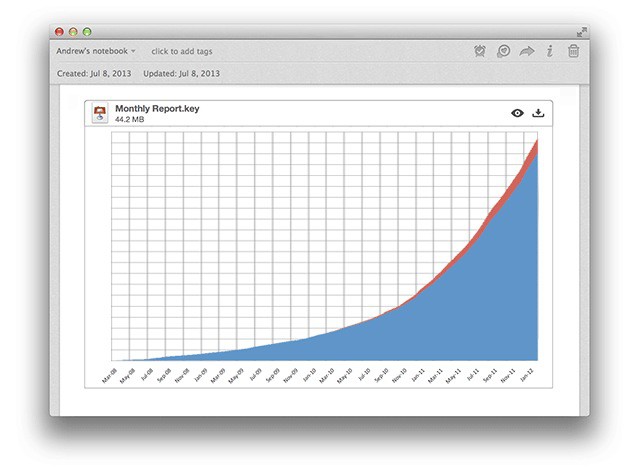
Evernote for Mac – my favorite I-don’t-quite-hate-it-enough-to-delete-it everything bucket – has gotten quite a big feature boost Not only does it now integrate Skitch, it lets you highlight text files and view files inside the note editor.
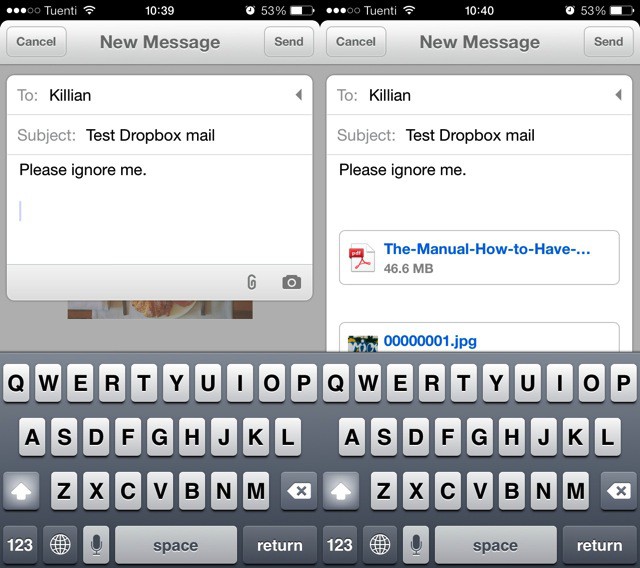
Mailbox, the miracle mashup of mail and to-do lists, has just seen the first fruit of its Dropbox ownership – Dropbox Attachments. Thought the release notes don’t make a big deal of this at all – they read “Dropbox attachments integration,” and there’s not even a new screenshot to show it – it’s actually a pretty great new feature.
Diamond Scale is what looks like a kind of fake novelty app which purports to turn you iDevice into a scale. The best thing is to just describe it to you.
Do you snap pictures for your blog using your iPhone, and then do the actual blog writing on your Mac? Or some other combination of devices? Then PUPS is for you. It’s a new iPhone app from the makers of crash-happy blogging app Blogsy, and it has one purpose – to upload pictures from your iDevice to your blog’s media library.