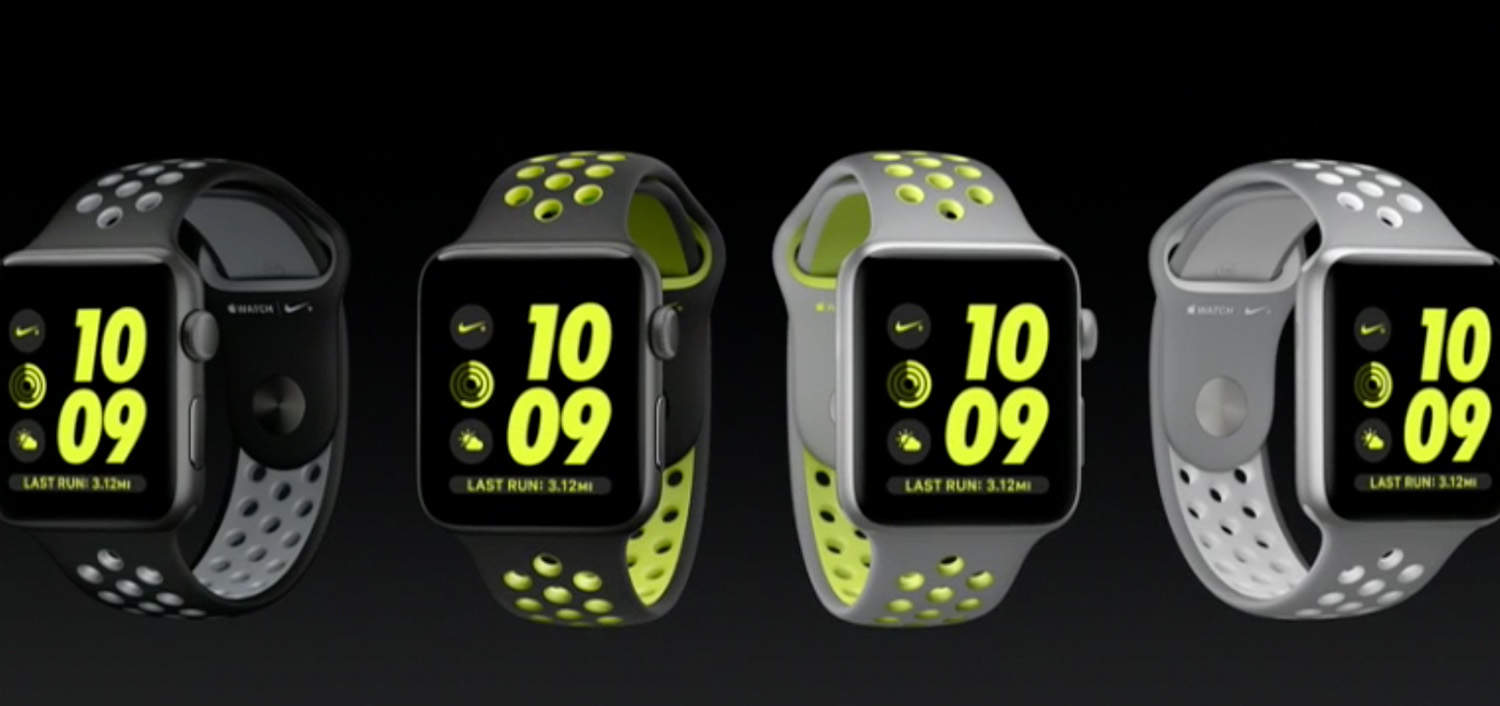
With the addition of GPS, you might imagine Apple Watch is now a credible runner’s watch. Not so fast.
It may have made a big splash with swimmers, but to appeal to runners, there are more issues that Apple needs to address. Like a screen that stays on while you are running, and controls that still work when you get really sweaty.
Built-in GPS puts Apple Watch back in the running
My biggest gripe with the original Apple Watch was that its run tracking was not accurate if you left your iPhone behind. That’s because, without the phone’s GPS, it had to guesstimate your pace and distance by measuring movements in your wrist. This imprecise method resulted in estimates that could be out by as much as 45%.
Which meant you had little choice but to take your iPhone with you, which kind of defeated the whole purpose of a running watch.
This all changes with Series 2, announced this week, which now includes built-in GPS. Apple has even tacitly admitted that the original Watch was not precise, by crowing that thanks to on-board GPS, the new model can now “record precise distance, speed, and pace.”
Apple is even suggesting that not only has it caught up with other GPS watch makers – it’s actually leapt ahead. One big problem with most GPS watches is that they take a long time to locate a satellite signal, leaving you standing around waiting when you want to start a run. Apple claims to have solved this problem with Series 2 watches, which almost instantaneously pick up a signal — “so you don’t have to wait.”
GPS is not just about accuracy – it is also great for mapping your runs, and with route maps now saved to the iPhone’s Activity app in iOS 10, fewer users will need to resort to third-party apps such as Runkeeper and Strava.
The introduction of GPS in Series 2 clears a major hurdle for Apple Watch’s adoption by serious runners.
Even a brighter display is not a bright idea for runners
Apple’s beautiful Retina displays are all very well, but for most runners, what really matters is legibility in daylight. That’s why practically every other GPS running watch on the market uses reflective LCD displays that are easy to read, even in direct sunlight. (Think Kindle display, as opposed to iPad).
Apple Watch relies on a backlit transmissive display, which is great at night and indoors, but useless for running outdoors in daylight. In direct sunlight, it is impossible to see. And even on an overcast day, you still have to squint at it, especially when your wrist is jiggling around as you run.
Apple claims to have solved this with Series 2 by making the display brighter. The trouble with this is that Apple is trying to solve the problem with more of the same. Even if it is easier to see, it is still unlikely to ever be as good for runners as a reflective display.

Photo: Graham Bower / Cult of Mac
That’s because backlighting drains batteries. So, to conserve battery life, Apple only activates the display when you raise your wrist, and there is a brief lag while this happens. That may not be a big issue when you’re sitting indoors. But when you are out running on a busy sidewalk, the last thing you want to be doing is staring at your watch waiting for the screen to light up, when you should be keeping an eye on where you are going.
This is a fundamental issue with Apple Watch for runners, and it seems Cupertino is no closer to solving it.
Get ready for #SwimGate
Another fundamental problem with Apple Watch for runners is multi-touch. As brilliant as this innovation was for smartphones, it is the last thing a serious runner wants on their watch.
The problem is that you have to look at the display in order to operate multi-touch controls. You need to see the virtual buttons on the display in order to know where to tap. That is why most runners’ watches rely on good old fashioned physical buttons. You know, the ones you can press. You can feel them under your finger, so you can operate your watch without even looking at it.
The TomTom Spark, for example, has a four-way rocker button. A push to the right starts a run, and a push to the left pauses it. A second push to the left ends the run. And you can do all this without looking – you even get haptic feedback to let you know your watch got the message.
Another big advantage of physical buttons is that they work even when your watch is covered in rain, sweat or water from the pool. That is just not the case with Apple Watch’s capacitive touch detection system, which relies on conductivity of the skin. The trouble is that the minerals in water are also conductors, which confuses the sensors.
Not being able to operate your watch when it is wet will be a major problem for Apple’s new swim workout feature – it could even turn into #SwimGate when the first Series 2 owners first dive into their local pool.
In watchOS 3, Apple attempts to address this by allowing you to pause a workout by pressing the digital crown and side button simultaneously. But this is a little tricky to do, especially when you are running. The truth is that Apple Watch has run out of buttons.
I can totally get that Jony Ive does not want to clutter the clean lines of his beautiful Watch with loads of clunky buttons. But if he really wants to follow the “form follows function” mantra, he probably should.
There’s still some milage in the Apple-Nike partnership
Apple and Nike have grown apart in recent years. Nike flirted with Samsung, while Apple pinched Nike’s fitness guru Jay Blahnik and developed Apple Watch which kinda killed Nike’s FuelBand. Which is a shame. Because great things have come out of this partnership in the past.
So it’s good to see Apple and Nike going steady again, with a newborn expected in October (as I predicted last year.)
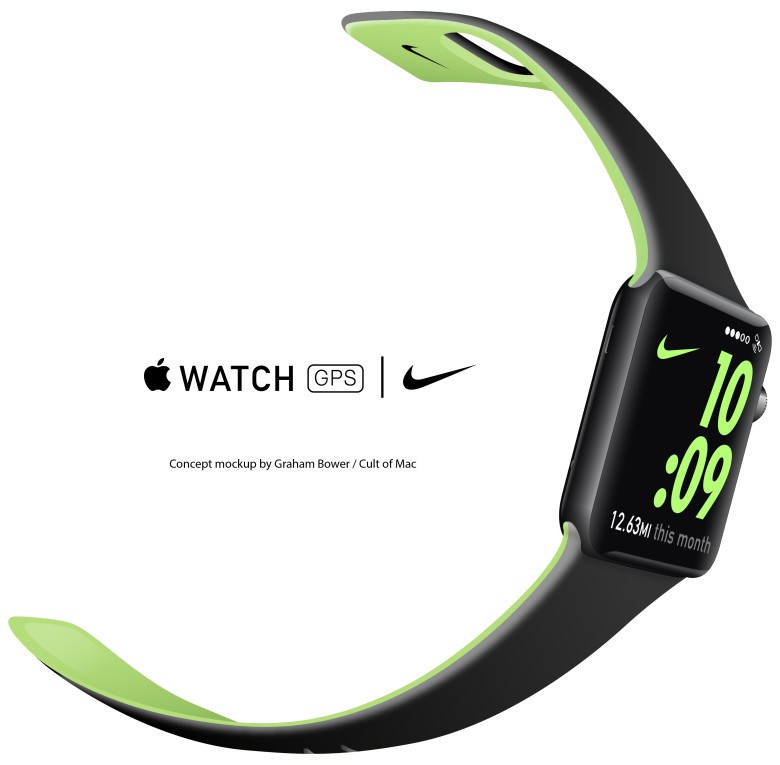
This certainly shows just how serious Apple is at attracting runners, but unfortunately it has come at a rather bad time for Nike. The recent update to its iPhone and Apple Watch Nike+ Run Club app is a horrible update. It is dogged with bugs and has plummeted from a healthy 4.5 star App Store rating to an embarrassing 1.5 stars. This may be why the launch of Apple Watch Nike+ is being held back until October, to give Nike time to address these teething problems with its new software.
Great strides forward, but still a way to go
With the addition of GPS and a brighter display, Apple Watch Series 2 is a far more credible runner’s watch than its predecessor. For some serious runners, the lack of physical buttons, the display that takes time to wake and the multi-touch controls that don’t work in damp conditions could still be a deal-breaker. But if, like me, you love your Apple gadgets almost as much as your running, the Series 2 could prove irresistible.

Graham Bower is a designer, writer, fitness geek, and long-time Apple user. He is the co-host of Apple Core, a podcast about the history of Apple, and the developer of Reps & Sets, a fitness app for iPhone, iPad, and Apple Watch. Connect with Graham on Bluesky or at www.grahambower.com.


18 responses to “Is Apple Watch Series 2 a good option for runners?”
The one question I keep asking and no one seems to know and Apple not talking and that is.. what about the BATTERY????? How many hours between charges etc????
They claim the same 18 hours of battery life as first gen
With GPS, will be less for sure.
Remember… Apple Watch Series 2 is 1 mm thicker (MAYBE for a bigger battery, to maintain the 18 hour claim)
I really hope so.
The Apple Watch 2 is trying to do too much for it’s size. I can see someone heading out for a 2-4 hour bike ride with a fully charged watch using the GPS feature and the battery life not lasting the distance. Most dedicated sports watches with GPS will run for 10 days on a single charge and if you use GPS regularly they’ll run down in 3-4 days.
The whole section about displays in this article is predicated on assumptions from your experience with the original Apple Watch. You have absolutely no idea how the Series 2 is going to look in direct sunlight because you’ve never seen one in direct sunlight. I would understand if you wrote a more cautionary piece about it based on you experience with the original Watch, but you’re describing issues about the Series 2 as if you have real world experience with it. Cult of Mac writers can do better than this.
I can see my screen fine on a run in direct sunlight. Obviously not as good as a kindle but would hate the slow refresh rate of e-ink. Also, there are controls for swimmers to control the activity app. And with Watch OS 3 you can have more info on running screen at once: pace, distance, calories, heart rate so no need to touch the screen at all during a workout. Still no intervals or laps though.
A lot of negativity here. I use Strava with my watch and in Europe at least I’ve had very few instances of being unable to view the screen with the dimmer display. The update lag is tolerable, my need to do more than start and stop the app rare. I’m looking forward to GPS & heart tracking whilst running with music and no phone. I fully expect to have to charge my watch after a run and if all works as advertised then I’ll be pretty happy.
What about the heart rate monitor? Any changes? That’s important for any serious runner!
especially when you’re sweaty. None of these wrist HR monitors work when I sweat.
Use a color e-paper display. Battery life and readability is outstanding on my Garmin vivoactive.
Nike and Apple still like each other?!? I have run with Nike+ since 2011. I bought an Apple Watch last summer, I knew at the time Apple did not allows develops the API to access my heart rate so Nike+ still looked for a 3rd party bluetooth heart sensor.
Then Apple release Watch OS2 develops can access my heart rate, Nike+ doesn’t update their app until 3 weeks ago and I still CANNOT get my heartrate from my Apple Watch into the Nike+ app, they STILL want a 3rd party bluetooth heart rate monitor? WHY, if Nike and Apple are so close, won’t Nike+ app developers pull my fucking heart rate from my Apple Watch???
Unless the watch is disrobing, the caption for the Nike watch should read “Nike+ watch BEARS an uncanny resemblance…”
Oops – thanks :) That’s corrected now.
Does the new watch have running interval capability like the Garmin watches do?
What’s the increment on the GPS? If you’re doing any sort of sprint work, you want the GPS intervals to be more than once every five seconds. Is it at 1 second like the new Garmin watches?
Hi, can someone tell me whether the GPS can be accessed by third parties or only by the apple workout app? Thanks