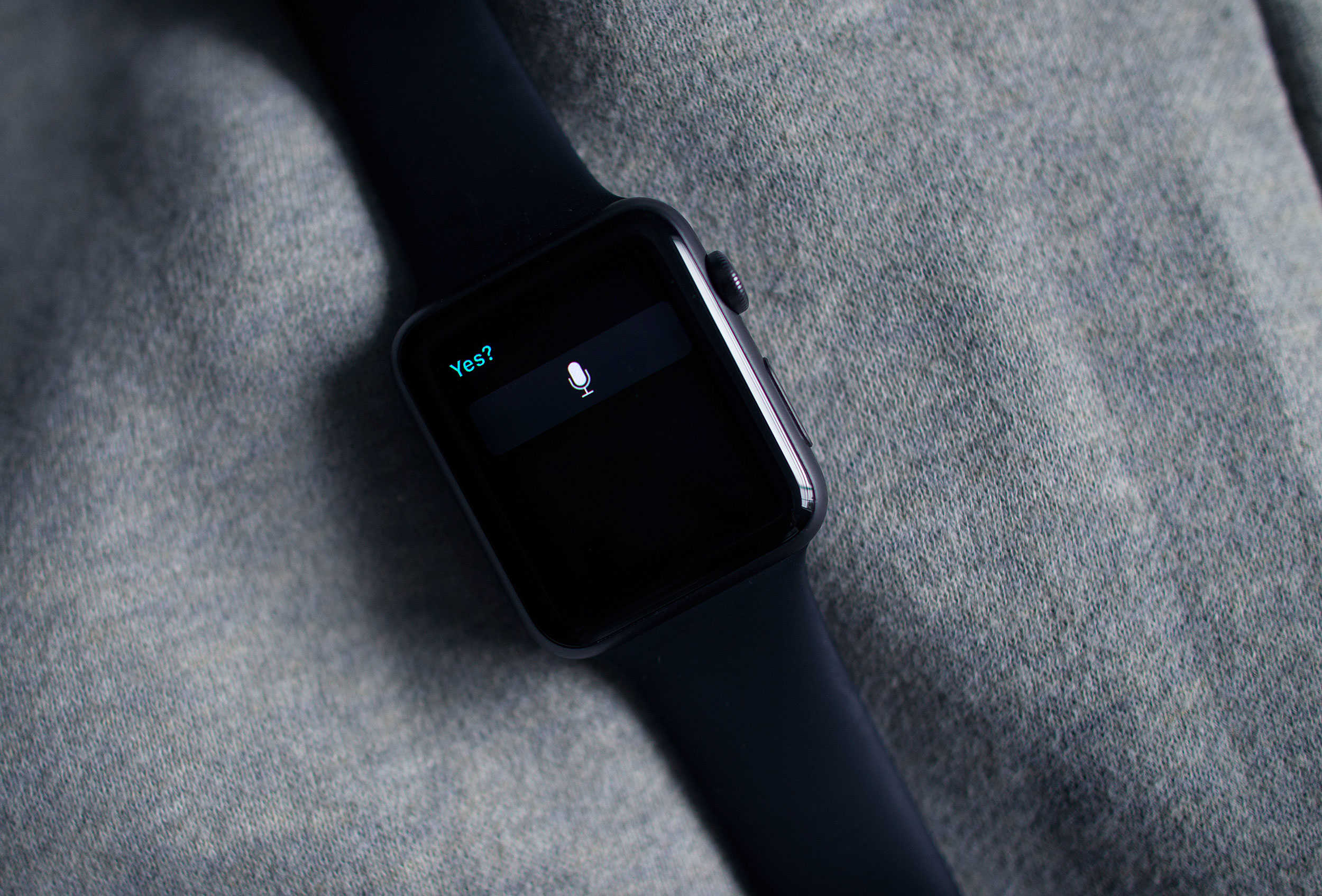
 This week’s release of watchOS 2 brings a much-needed security update to Apple’s wearable by adding Activation Lock to the device, and the great news is that you may not even have to do anything to add it.
Activation Lock has been around for a while for other Apple devices, and its purpose is to keep thieves from using them even if they manage to get ahold of your preciouses. The first version of watchOS only included basic locking features and a passkey, which wouldn’t keep smart evildoers from gaining access to sensitive data like your Apple Pay data.
Here’s how the feature shows up on the Apple Watch.
If you’ve activated Find My iPhone on the handset your watch is paired to, Activation Lock is already on your Apple Watch. If you haven’t, you just need to go to Settings > iCloud > Find My iPhone and switch the feature on.
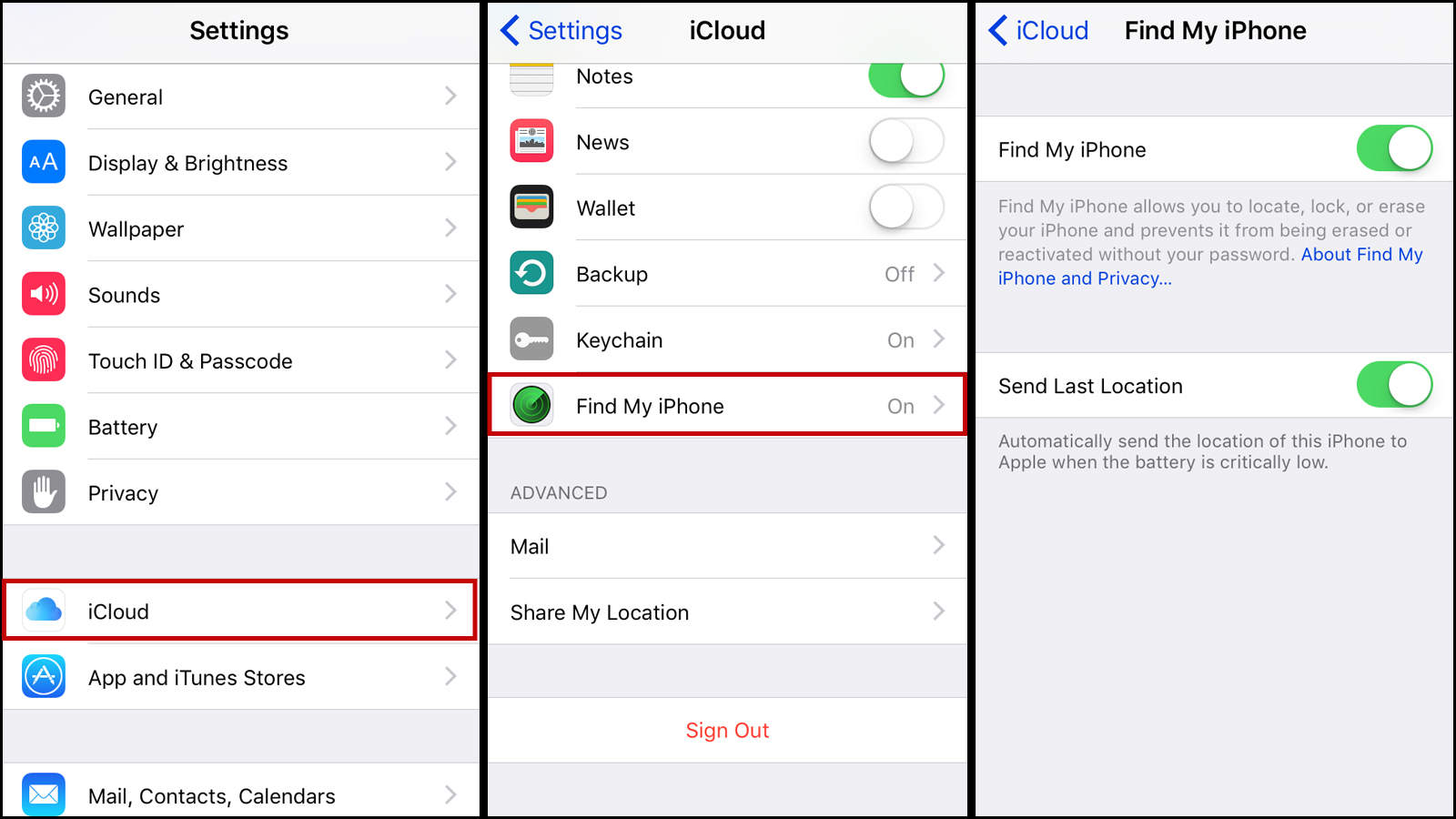
Photo: Evan Killham/Cult of Mac
If you’ve set up an iCloud password with your Apple ID already, you won’t have to do anything additionally; just flip that switch.
And what happens if your Apple Watch gets taken? Well, your iPhone’s Watch app now has a particular set of skills that will let you keep everything on your lost wearable secure. You can find it by going to the Apple Watch menu in your Watch app where you’ll see a new addition: Mark as Missing.
Tapping on that will unpair your Apple Watch from your phone, disable all Apple Pay information, and forbid anyone from re-pairing the device to another iPhone without entering your Apple ID and password.
If the thieves also got your iPhone (the bastards), then you can use Activation Lock for both devices from the iCloud website. After you sign in, you can find all of your devices under Settings. Just select whatever the villains have absconded with and click “Is this device missing?” for the Apple Watch or “Lost, sold, or gave away this device” for anything else. Activation Lock will take care of the rest.
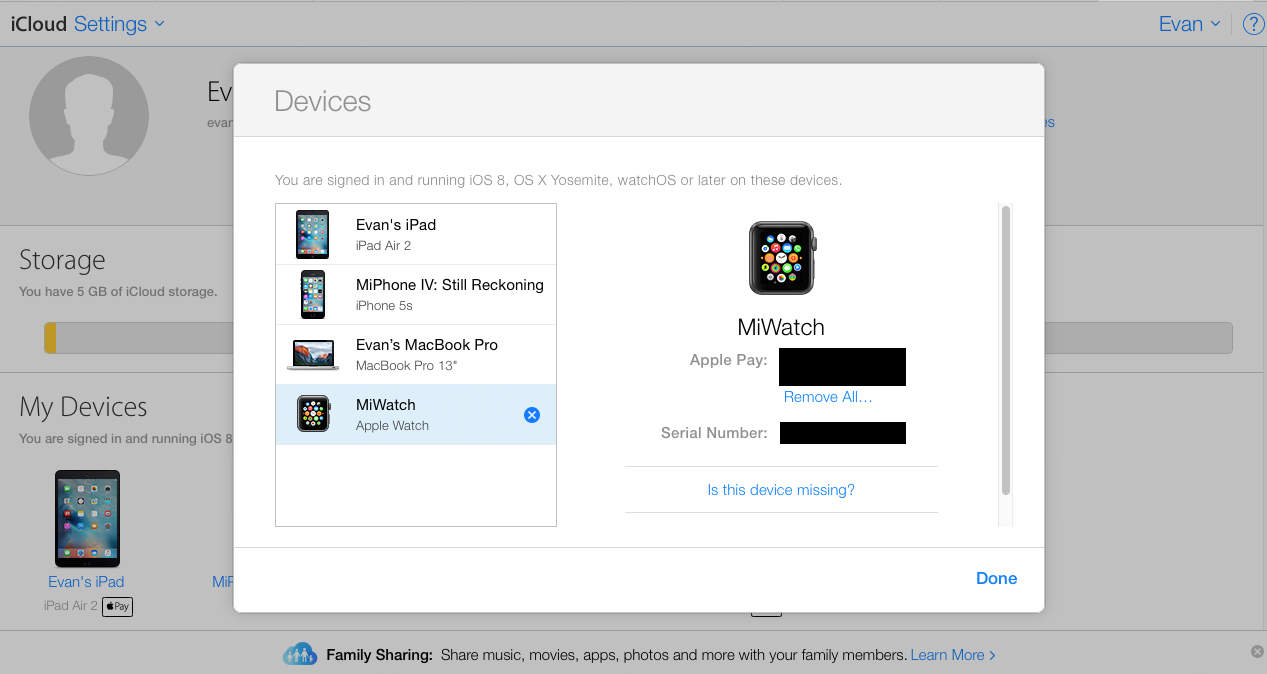
Photo: Evan Killham/Cult of Mac
Apple recommends you turn these settings off if you’re sending your devices in for service or passing them on to someone else. And that makes sense, but in the meantime, just keep them on. It’s safer.

Evan Killham is a freelance writer who lives in Nebraska and isn’t interested in football, so he has plenty of time to play and think about video games. He has written for Bitmob and GamesBeat and sometimes, he even goes outside. But not too often because he’s heard there are bees out there. Occasionally, companies send free units for review. Evan subscribes to Cult of Mac’s Reviews Policy and also does not keep the items he receives for possible coverage.


6 responses to “Pro Tip: Your Apple Watch’s Activation Lock may already be on”
i don’t see anything in apple watch app that says “marked as missing”, unless I’m supposed to unpair it first
IMPORTANT!!!!
if you do not see “marked as missing” in the watch app, you must turn off find my iPhone off and on again, this will turn on activation lock on your watch
if you do not see “marked as missing” in the watch app, it means activation lock is not turned on
Allow+ me to show you a suberb way to earn a lot of extra money by finishing basic tasks from your house for few short hours a day — See more info by visiting >MY____$DISQUS$____ID;}
Thanks Matt that was helpful and not so obvious. Take about 10-15 seconds to kick in after reactivating Find my iPhone
here i am pro tipping, cult of mac’s pro tip. lame
Allow me to show you a fantastic ways to$ earn a lot of extra money by finishing basic tasks from your house for few short hours a day — See more info by visiting >MY___{DISQUS}___ID::