
iOS 9 includes a new feature that desktop users have had for a while: content blocking. More conventionally known as ad blockers, this software cuts out all the advertisements and other cruft from web pages, allowing faster load times and a more streamlined experience.
Of course, most websites you read these days (including Cult of Mac!) rely on advertising to keep the lights on.
Luckily for all of us, most new content blockers let you whitelist specific sites so you can continue to help them pay their bills.
I’ve tested both Purify and Silentium Silentium— they both offer whitelisting, block ads, and keep ads from tracking you, though Silentium offers social media button blocking, and has some more advanced regional filters.
Update: Marco Arment, of Instapaper and The Magazine fame, has just revealed Peace, his own take on content blocking for iOS 9. Arment has removed Peace from the App Store.
Whichever app you choose, however, you’ll download and install it from the App Store like you would any other app.
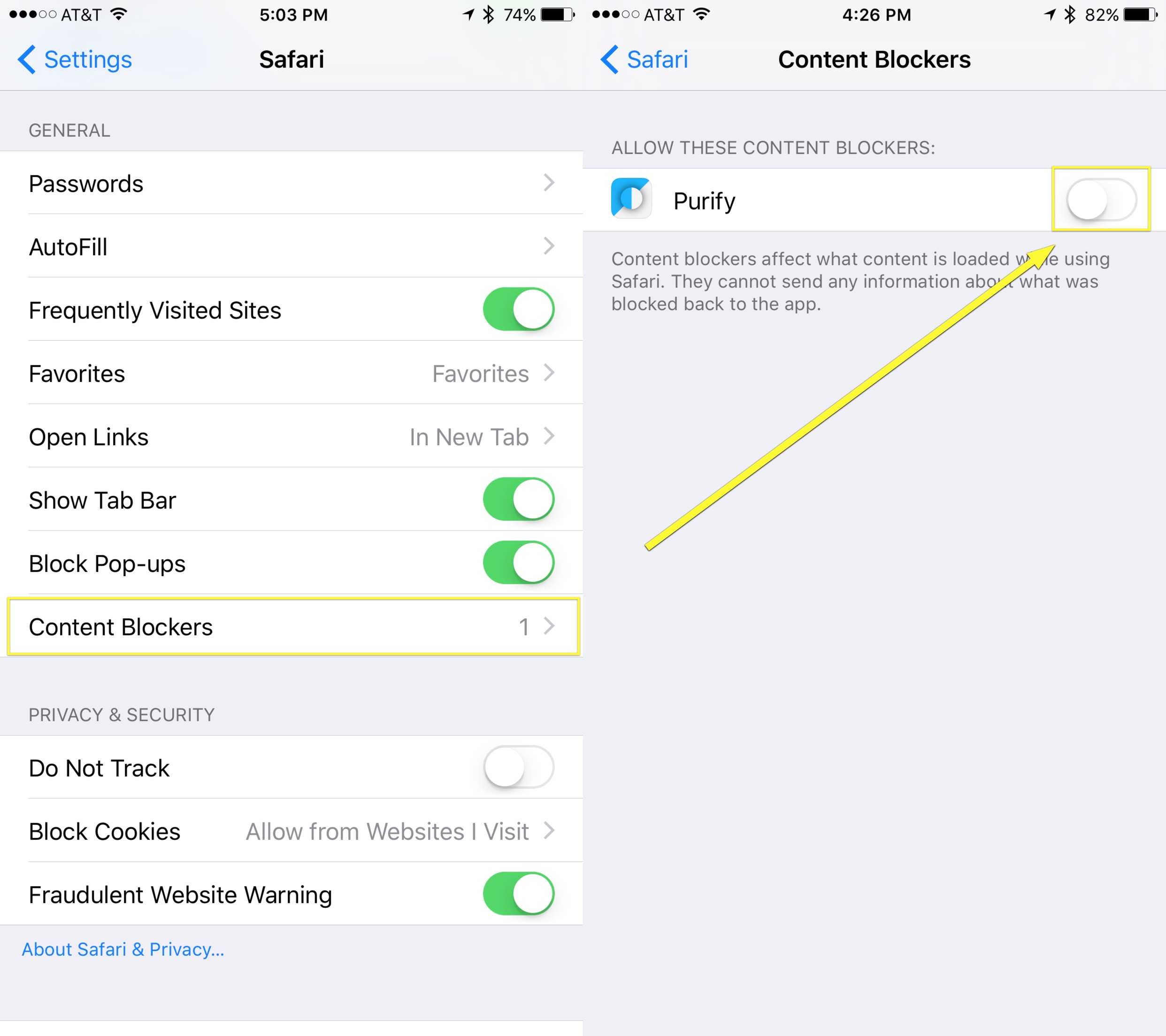
Photo: Rob LeFebvre/Cult of Mac
Once installed, you’ll need to launch Settings with a tap, then tap on Safari. Swipe down to the General section. At the very end, just under Block Pop-ups, you’ll see Content Blockers. You will not see this if you haven’t yet installed a content blocker app.
Tap on the Content Blockers area to see a list of all the ad-suppressing apps you’ve installed. Simply toggle the specific app you’d like to enable to ON, and tap out of Settings.
How to whitelist your favorite sites
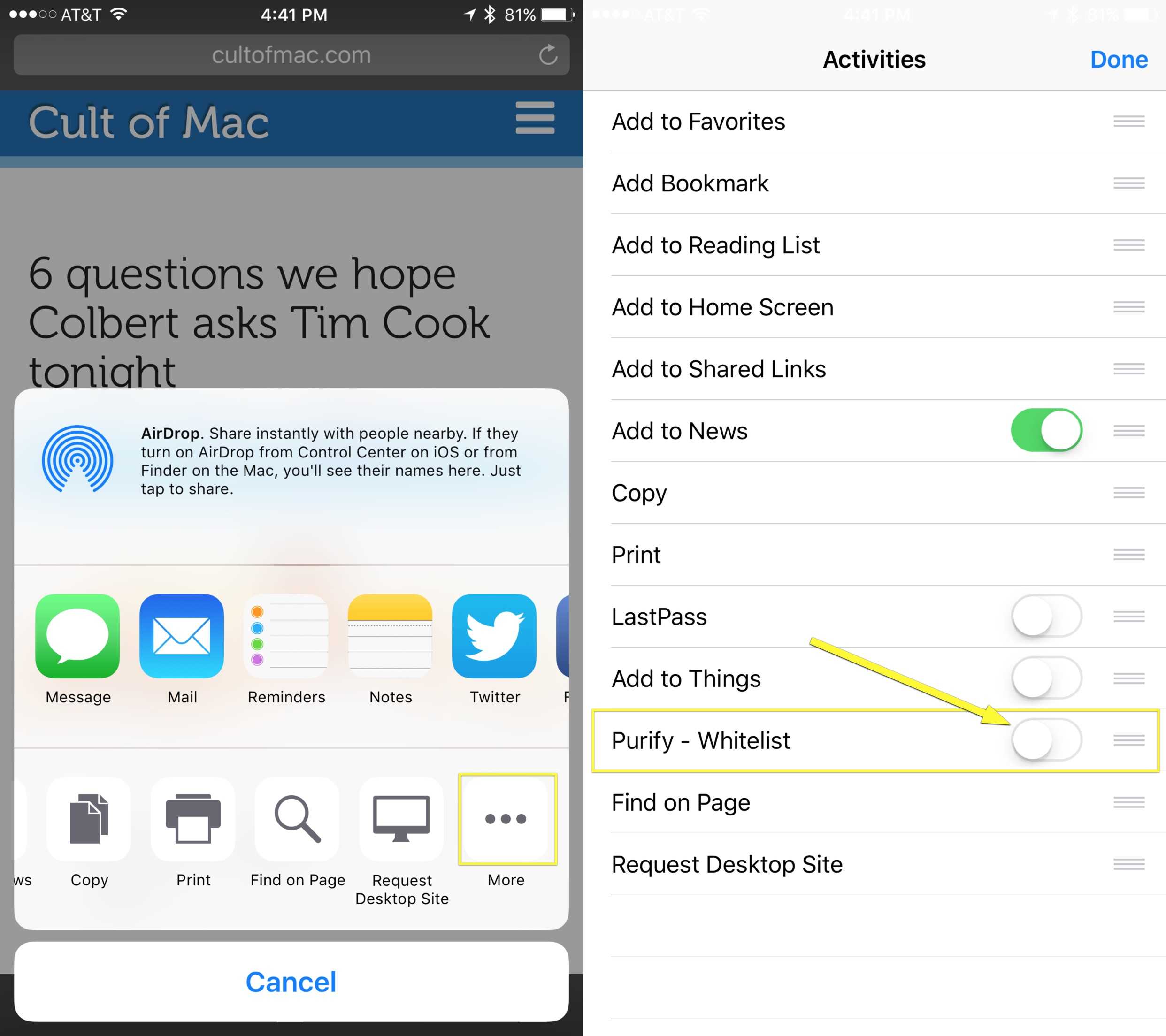
Photo: Rob LeFebvre/Cult of Mac
Next, open mobile Safari with a tap and navigate to a page you’d like to add to your whitelist. We suggest starting with Cult of Mac, of course.
Tap on the Share button at the bottom of Safari (the rectangle with an arrow pointing up out of it), then swipe along the bottom row to the More icon (three dots). Tap there, and then you’ll see, near the bottom of the Activities screen, “Purify – Whitelist.” If you’re using Silentium, you’ll see a toggle for that.
Toggle this setting to ON, and you’ll allow Cult of Mac (or whichever sites you add) to load advertising to help fund the amazing content you read daily. Hooray!
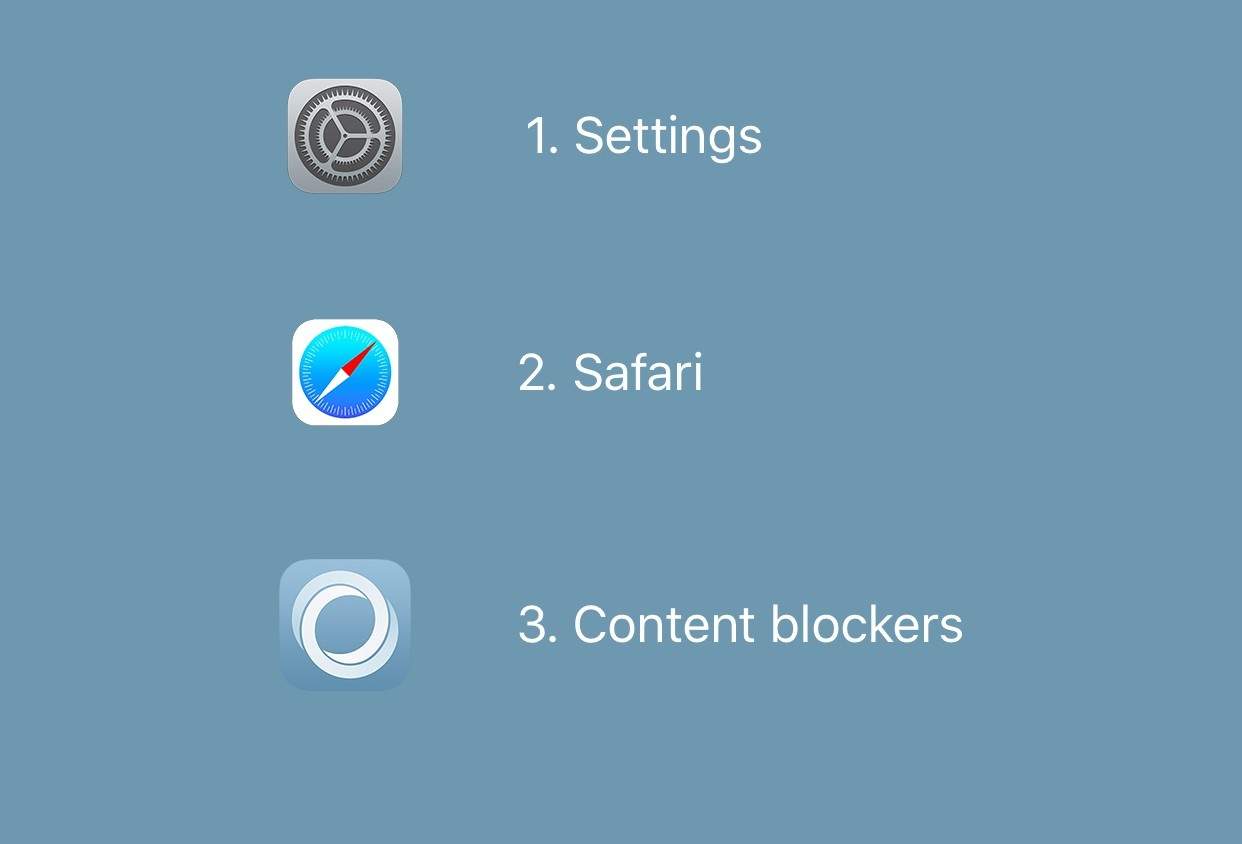
Photo: Silentium
We’ll continue to check out different content-blocking apps to see which are most effective and powerful, so stay tuned. Let us know if you find any you like — we’d love to check them out.

Rob LeFebvre is an Anchorage, Alaska-based writer and editor who has contributed to various tech, gaming and iOS sites, including 148Apps, Creative Screenwriting, Shelf-Awareness, VentureBeat, and Paste Magazine. Feel free to find Rob on Twitter @roblef, and send him a cookie once in a while; he’ll really appreciate it.


12 responses to “How to use content blockers in iOS 9 (and whitelist Cult of Mac!)”
Silentium is not available in US store and Purify is $4. I guess these are important than any of those things you talked about. :-)
Follow success of many* who are making profit monthly by doing an online job… Learn more on my~profile
The update to the App Store is pretty slow. I downloaded Crystal and it was ok but it interfered too much and it’s lack of user customization is annoying. Using Blockr right now and it’s testing our quite well at the moment.
Leander et al,
COM sure didn’t help itself in this regard with the take-over yogurt ads from the past couple weeks. I spend money on the deals posted, buy books, etc., but I almost quit the site. If that ever happens again, it’ll spell the beginning of the site’s premature death by ad blocker. Mark my words.
So which is the best content blocker?
It’s amazing how much better cult of Mac runs on mobile without the ads. If cult of Mac could make the ads not shift the website around so much I wouldn’t mind them. I downloaded purify and it is running great. Easy to whitelist and nothing noticeable.
I’ve got 1Blocker running on my iPhone 6 with ios 9.1 beta and its not working. I have everything set right. I’m assuming its an issue with 9.1 beta.
Frustrating to see no support for older iOS devices (iPad2, iPad3, iPad4) on any ad blocker yet these devices are all capable of running iOS9.
I read that the device must be 64bit.
Marco’s Peace is amazing.
And why should we whitelist CoM? Your ads/trackers are disruptive, invasive, and they require (relatively) massive resources to handle. Your ads are slowing down my connection, using up my data plan, and draining my battery. And they have little respect for my privacy.
Thank goodness for content blockers.
Don’t get me wrong: I don’t begrudge you the right to make a living. And I occasionally find what I read here to be informative or entertaining. But find a way to make a buck that doesn’t involve taking advantage of your readers.
Does this site have a quality of ads guarantee? No malware? No creepy trackers?
“We’re really nice” doesn’t matter if you expose your readers to the worst that the ad industry can offer…
whitelist Cult of Mac but not others, you guys should be ashamed say that.