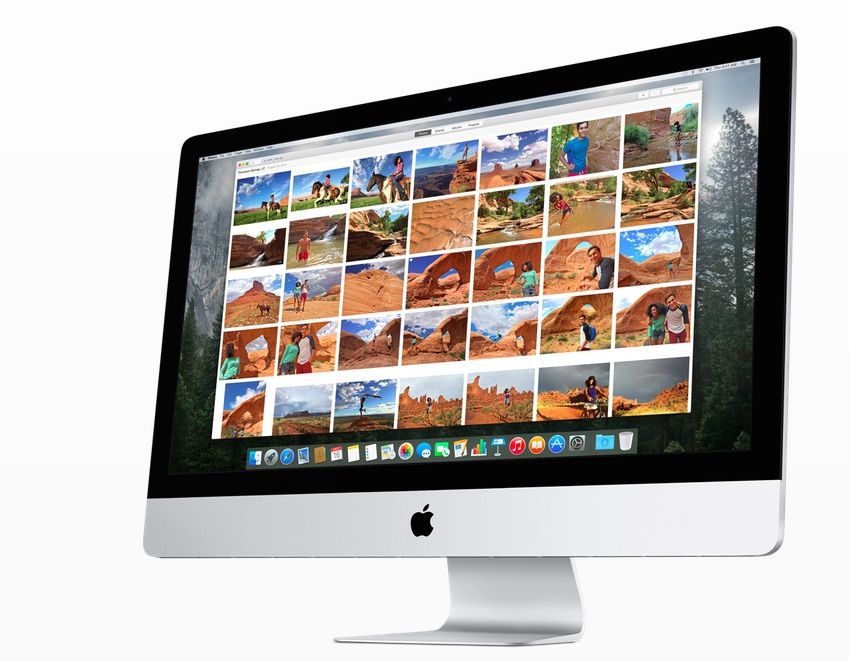
Apple has released OS X 10.10.3 to the public. The update includes the all-new Photos app, which has been in beta for the last several weeks.
Hundreds of new emojis have also been added, along with improvements to Spotlight, Safari, Wi-Fi connectivity and more.
The Photos app replaces iPhoto as the default photo-management solution on the Mac. Apple is also killing Aperture, but the app is curiously still listed in the Mac App Store.
Check out our hands-on video with Photos to learn more:
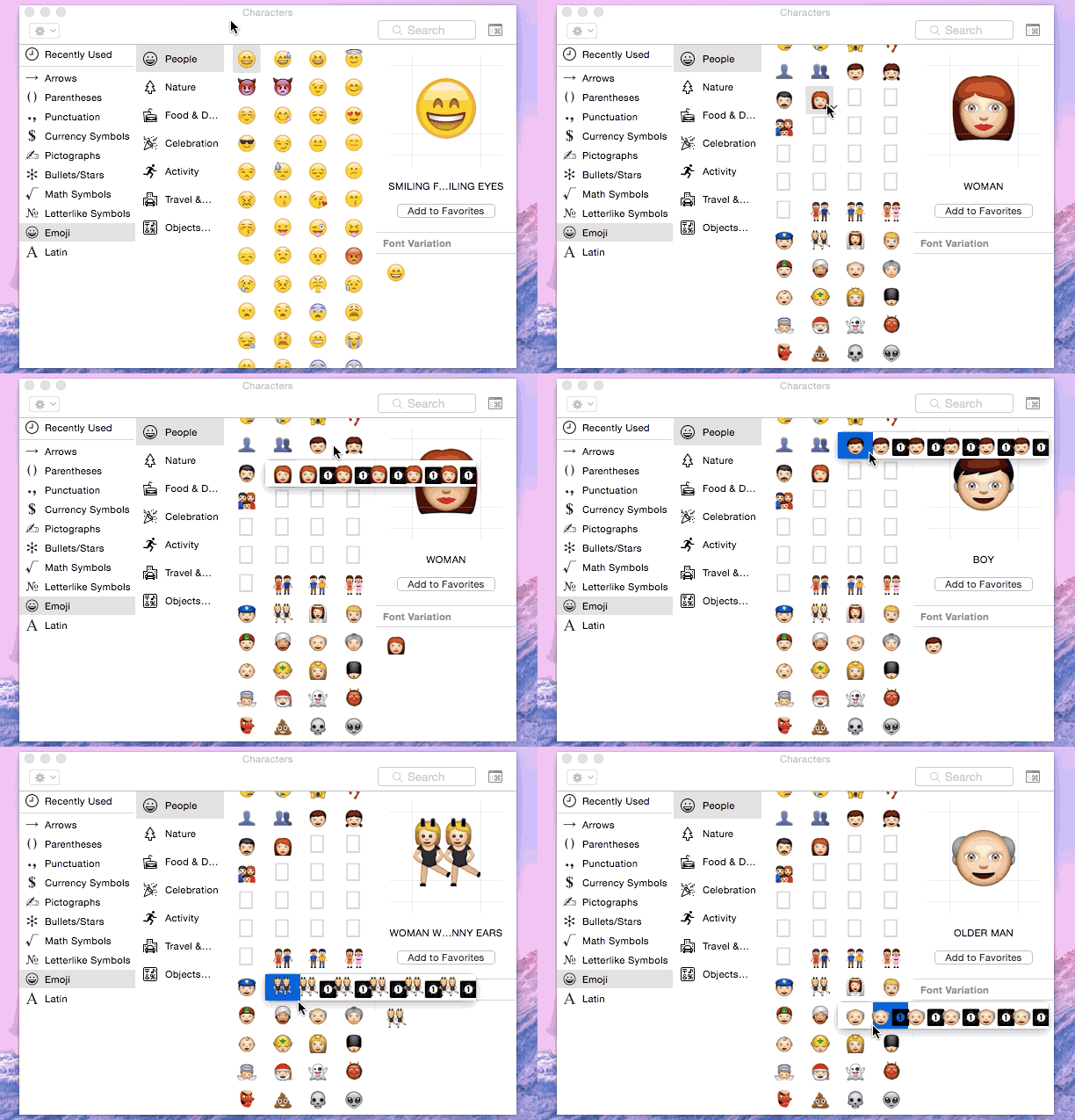
As already uncovered in the OS X developer beta, Apple has added tons of diversified emojis along with updated emojis for Apple devices and a new emoji selector interface.
Here is Apple’s full description of today’s update:
The OS X Yosemite v10.10.3 update includes the new Photos app and improves the stability, compatibility, and security of your Mac.
With Photos you can:
- Browse your photos by time and location in Moments, Collections, and Years views
- Navigate your library using convenient Photos, Shared, Albums, and Projects tabs
- Store all of your photos and videos in iCloud Photo Library in their original format and in full resolution
- Access your photos and videos stored in iCloud Photo Library from your Mac, iPhone, iPad, or iCloud.com with your web browser
- Perfect your photos with powerful and easy-to-use editing tools that optimize with a single click or slider, or allow precise adjustments with detailed controls
- Create professional-quality photo books with simplified bookmaking tools, new Apple-designed themes, and new square book formats
- Purchase prints in new square and panoramic sizes
It’s easy to upgrade your iPhoto library to Photos – just open the app to get started. To learn more about Photos, visit: https://www.apple.com/osx/photos/
This update also includes the following improvements:
- Adds over 300 new Emoji characters
- Adds Spotlight suggestions to Look Up
- Prevents Safari from saving website favicon URLs used in Private Browsing
- Improves stability and security in Safari
- Improves Wi-Fi performance and connectivity in various usage scenarios
- Improves compatibility with captive Wi-Fi network environments
- Fixes an issue that might cause Bluetooth devices to disconnect
- Improves screen sharing reliability

Alex Heath is a journalist who works for Tech Insider. He’s the former co-host of The CultCast. He has been quoted by the likes of the BBC, KRON 4 News, and books like “ICONIC: A Photographic Tribute to Apple Innovation.” He lives in Lexington, Kentucky. If you want to pitch a story, share a tip, or just get in touch, additional contact information is available on his personal site. Follow him on Twitter.


22 responses to “OS X update brings Photos app and hundreds of new emojis”
I would rather they just fix Yosemite’s instability issues, and let us mount iPad and iCloud as a drive. So tired of how Apple pretends there is no such thing as a file system, so we get loaded with all these stupid limited applications that handle just one type of file.
“Instability issues”? What ancient hardware are YOU running? Yosemite is the most stable OS I’ve ever run, period.
I purchased my new Mac on March 11, When I used Migration Assistant it crashed the new Mac totally and I had to bulldoze and repave. I shut down normally last night and when I started up the morning I got the multilingual “your mac restarted due to a problem message, a usb drive got disconnected due to a power supply problem and crashed the system. When I restarted the entire mailbox I had open was gone. I have had many crashes right out of the blue and as near as I can tell they were all due to things that would have created a warning or message of some sort in previous OS X systems. I was told at my Apple Store that the machine would not even run Mavericks or any other OS X, not very flexible. I love Macs and have never looked back after I converted from PCs about 10 years ago and have 3 others which I kept updated. OS X 10.10 is undoubtable the least stable OS since the release of OS 9.
You liar.
Yes, you no doubt know more about what I experience and know about machines and software that I do.
Unstable. Buggy. Nearly a disaster. Yosemite: honestly I really, really hate it…as an OS iuser since Apple OS 5, it is so nasty and buggy. Fail. Fail. One might hope this fixes the core instability of a really awful OS. Hope, but not holding my breath.
Mavericks and the last few versions of OS X have been great all the way back to Snow Leopard. However, when I installed Yosemite I was shocked and horrified. The whole new “look” is awful, cartoonish and awkward. The new system font is smaller and harder to read. The whole design is flat and dead looking. The colors and designs of the icons look like they were created by Hasbro for 5-year-olds, especially the goofy Finder icon. The whole interface just feels uncomfortable — sort of like a Windows designer’s idea of what the Mac OS should look like. I’m sticking with Mavericks for the time being.
Derp.
You MUST be trolling, or running some ancient hardware.
Hope you’re getting paid, because you are not fooling anyone that is even an advanced user of 10.10 that has previous experience.
Derp!
Emojis. Really? That is what we need?
Everyone seems pretty excited about the photos app but I’ve never really had any issues with iPhoto, so learning a whole new program doesn’t really appeal to me. I’m sure iPhoto will be deleted as soon as I upgrade though. Can anyone confirm that?
Thanks! That’s really good to know, I was holding off but I’ll upgrade tonight for sure now.
Already I hate the new Photos.. I am now unable to re-name my photos before I export them?! They export as the camera file name.. This is not good for me. Now I need to find a different photo import/file program. Macuser since 1985. Jim
Jim – I just tried Photos today, and I don’t like it at all. It took about two hours for Photos to prepare my main iPhoto library for use, and then it was a total disappointment. Customizing slide-shows is considerably more limited than in iPhoto, and the slick iPhoto slide-shows is the feature I used it for most besides as a photo organizer. Fortunately, I discovered that iPhoto still works. I keep my libraries on external drives so as not to hog space on my Macbook Pro’s HD. I use a separate app (iPhoto Library Manager) to easily manage and switch between libraries. So I wanted to see if it would still work with the new Photos app. Low and behold — iPhoto Library Manager continued to launch the good old iPhoto app. I’ve never used Aperture, but I’d suspect that its users are also quite disappointed with the new Photos app.
I don’t like it either. harder to create albums, harder to see/organize albums and when I tried to order prints it does not allow you to choose different orders for each picture the way iPhoto does. Completely unhelpful changes.
Glad to see “Smart Albums” exist in Photos but sure would like them to sync to iOS. Integration between platforms and bringing all my photos is a huge reason to get on board with Photos but albums based on date, keyword, location, etc has been the cornerstone of how I’ve arranged over 200,000+ family pics in Aperture. Sure would be nice to see this carry over to iOS now that they share the info in iCloud. :)
if you have a lot of photos in your library, and you have multiple apple devices, you may want to hold on updating to the latest update… its a big mess.. my photos get duplicated, time stamps change, old photos that are deleted long time ago are also being sync to your devices!!! this is a complete disaster waiting to explode i think! beta is much better.. complete mess up…
Great app. The application minimized to the dock. ( unused )
This is a joke??!?!
This narrator/presenter is on drugs. The new Photos is AWFUL. If you’re an Aperture user, stay with Aperture. I found it much slower. I found the ability to sort and categorize photos is slower and less customizable. The photo editing tools are awful. They are not smooth and there are no brushes to selectively edit portions of a photo.
What ticked me off the most was that once I had opened my main library in Photos, and went back to Aperture, it had emptied all my Aperture photos from that app. Now I have to reimport them or just make Photos suffice. The sliders in the adjustment tools are not smooth and I had to keep taking my eyes off the photo when I was making the adjustment so it was hard to tell how much change I was making.
In short, if Apple had really wanted to push me back to Lightroom and other Adobe products, it just did a great job.
Do not mind having a new app, as systems must progress – however there are some basics that are needed which seem to have been omitted from the New Photos app ( if I am wrong please let me know how to fix / access)
I cannot seem to be able to change the file name from within the app,
I cannot change or add location details (some details changed on migration from iPhoto to Photos).
I cannot seem to be able to file photos in albums photos alphabetically, the same with faces.
Additionally events seem to have vanished – replaced by moments or collections, however we do not seem to be able to merge different collections /moments together, we seem to be stuck with the systems pre-determined decision of what a meaningful moment is. – Help