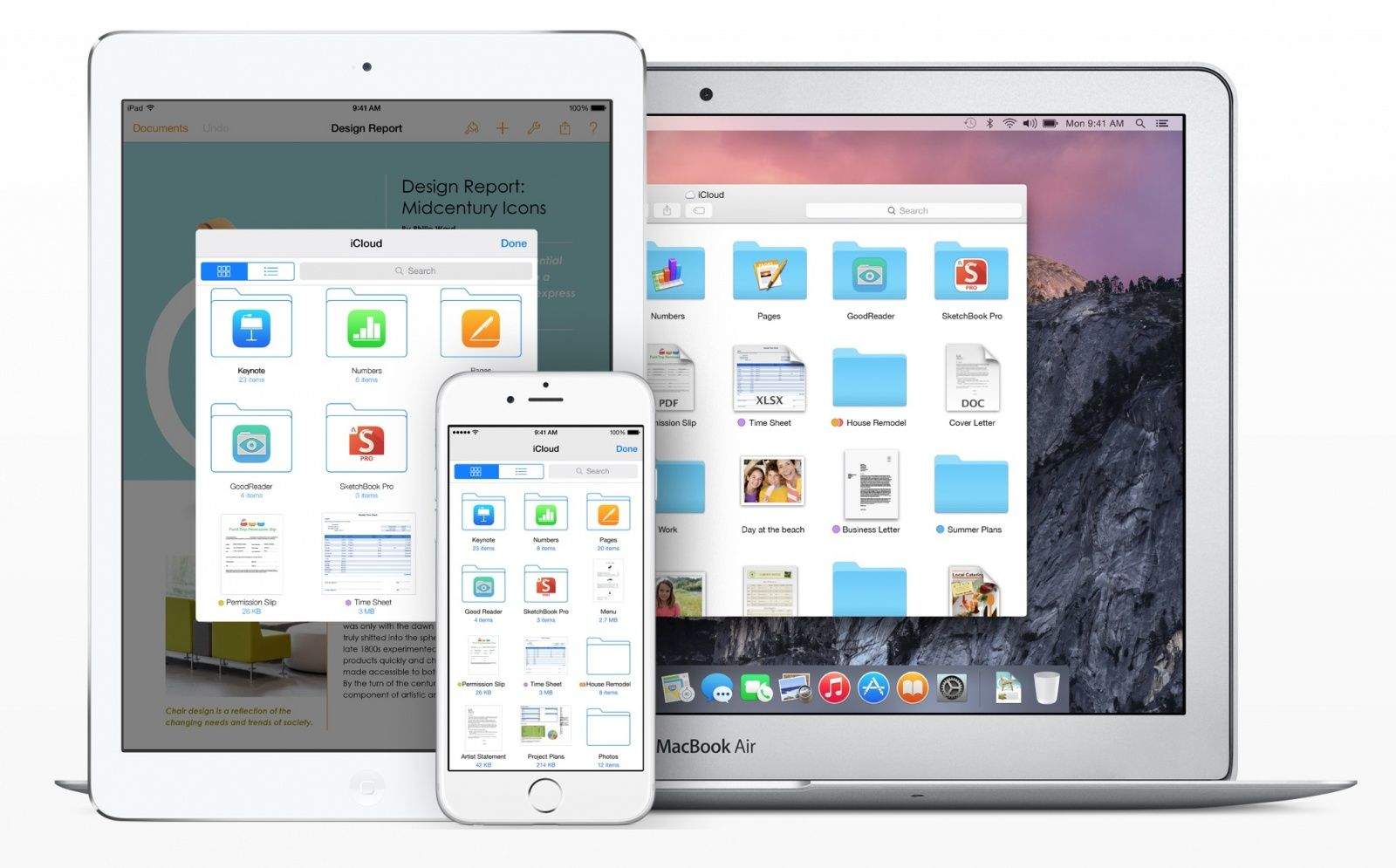
One of the many new features in iOS 8 is iCloud Drive, which is basically Apple’s take on Dropbox. Unlike how iCloud has functioned in the past, iCloud Drive acts as the hub for all of the files stored by your apps in the cloud.
It’s a great idea, but most people should avoid enabling it during the iOS 8 installation process today.
iCloud Drive is limited to iOS 8 and OS X Yosemite, so you won’t be able to access any documents stored in iCloud Drive unless you’re on either of those two operating systems.
That could mean a serious headache for anyone who’s not running both iOS 8 and the private or developer beta of OS X Yosemite. Unless you have Yosemite running on your Mac, iCloud Drive will do you more harm than good.
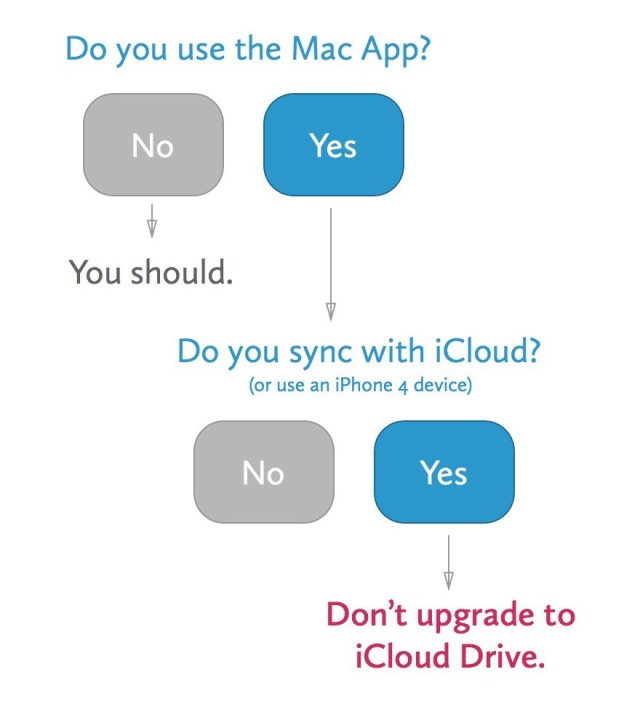
The developers behind Day One have laid out the scenario helpfully:
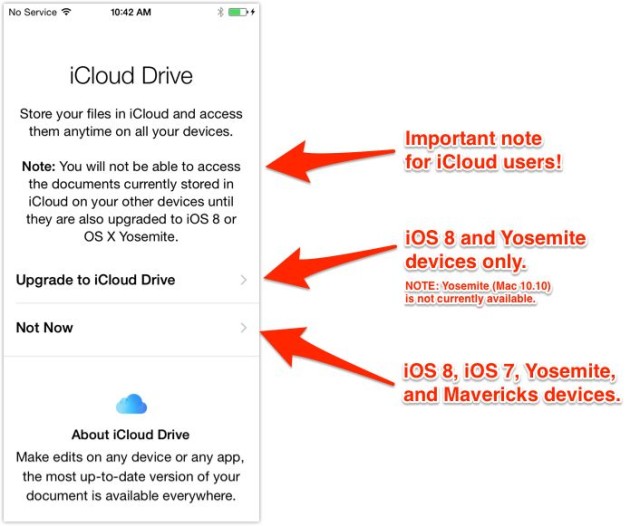
If you’re ready to take the plunge, iCloud Drive can be enabled in Yosemite under the iCloud panel in System Preferences. It can be turned on at any time in the iCloud section of the Settings app in iOS 8 as well.
It could be the case that you only want to use iCloud Drive on your iOS 8 device, and then you obviously have nothing to worry about. But the main benefit of iCloud Drive is the access it gives you to files on all of your devices, and that won’t apply for everyone on the Mac until Yosemite’s public release in October.

Alex Heath is a journalist who works for Tech Insider. He’s the former co-host of The CultCast. He has been quoted by the likes of the BBC, KRON 4 News, and books like “ICONIC: A Photographic Tribute to Apple Innovation.” He lives in Lexington, Kentucky. If you want to pitch a story, share a tip, or just get in touch, additional contact information is available on his personal site. Follow him on Twitter.


16 responses to “PSA: Why you shouldn’t upgrade to iCloud Drive on iOS 8 yet”
What is the “Mac App”??
It’s the iCloud in your Mac settings. I don’t know if I’d call it the “Mac App” either since it I don’t think it’s accessible with Launchpad, but it is in Mavericks at least. I don’t know if it’s on previous OSs.
Gotcha. Yeah, that’s an odd way to put it. Thanks for the reply.
The “Mac App” referred to is the app Day One. It’s not communicated very clearly in this post, but the screen shots are from the blog for Day One. In the sentence just above the images, they mention the blog and link to it. I was confused too until I visited the link.
So why shouldn’t you use it if you sync with iCloud?
Because if you are using Day One’s Mac App, or any other app that sync’s with iCloud, you will lose access to those sync’s on all but the iOS 8 device until the release of OS X 10.10.
So basically it is only accessible on iOS 8 atm
iCloud Drive will ONLY Function on iOS 8 and OS X Yosemite.
What if you don’t have a Mac?
If you don’t use a Mac, then you should upgrade to iCloud Drive right away. You’ll benefit on iOS 8 and you’ll be able to access iCloud Drive files on the iCloud website.
My problem is that I have my own devices and devices that the OS version is controlled by my employer. I could upgrade my own devices but then I would loose access to my iCloud on my other devices which I use for storing documents.
Also, why can’t Apple release an update that updates iCloud on older devices, at least go bat to iOS 7 and Mac OS 10.9. Shouldn’t be that hard.
Storing ANYTHING on the internet is a bad idea. This is just the start, lulling you into a sense of false security. I will not be long before, via their hyped-up false propaganda terrorist threat nonsense, your data will be: frozen / seized / blocked / filtered / searched / deleted / etc. / etc. / etc. Don’t do it, folks! Safeguard your safety! Protect what’s yours! Don’t give it to “them”! Ah, please, no I am NOT paranoid, nor a conspiracy theorist. I am a REALIST! Sh1t happens…
Wake up sheeple!
how to see all my documents on icloud drive from ios?
You can access your iCloud Drive files on iCloud.com just fine though, from any browser.
This kinda ticked me off today. Wrote some notes for an assignment in Pages on my iPad earlier. Usually I then go to my iMac and just go to the iCloud site to get at my files, because I paste them into Word for processing (my professor requires Word, bleh).
Anyway, I was given two options: Upgrade iCloud and lose compatibility with my Mac until Yosemite drops, or “Not Now.” Clicking “Not Now” took me back to the apps page on the iCloud site, but would not let me see my files. I tried a few more times, thinking maybe a server was overloaded or… who knows what. But no, there was just absolutely no way to access my iCloud files through Safari, even when I said I didn’t want to upgrade yet.
Luckily, I was still able to access the file through the Pages app on my Mac, so it ended up being okay. But it freaked me out for a sec until I calmed down and realized I still had plenty of ways to get my notes from my iPad to my Mac.
Obviously the smart thing would have been to just email the notes to myself, right? But I may not have been operating at full capacity today. Coursework, sleep deprivation, yada yada.
Anyway, tl;dr – browser iCloud is keeping my files from me because it sucks.
if you go to http://beta.icloud.com this should show you your iCloud Drive
You can use iCloud Drive right at iCloud .com