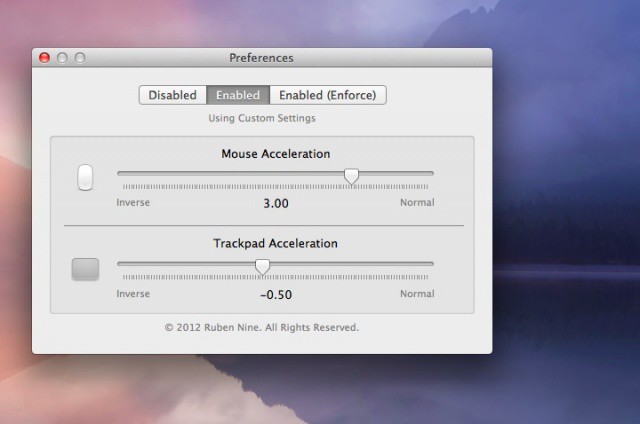
Sometimes, we need to speed up the response of our mouse or our trackpad, like for a First Person Shooter game. Other times, we might need to slow it down, so we can work with more detailed graphics files in a drawing program. SmoothCursor, from the folks at leftbee apps, is a simple little utility that does just that.
 SmoothCursor allows us to use Normal, linear acceleration, or inverse acceleration to make things work the way we want to.
Even cooler is the way the utility allows us to customize the acceleration settings of your mouse and trackpad separately. This might be helpful, for example, if we liked to switch between a drawing program and use our trackpad, but then hop over to a FPS shooter game and use our mouse. Hey, it’s not that out of the realm of possibility!
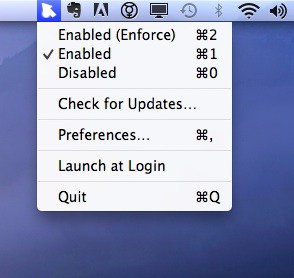
The app will allow users to enable or disable the settings from the menu bar. There’s even an option to protect your acceleration settings, even if another app (heaven forfend!) tries to change them.
The developer also mentions that “for the greatest accuracy in FPS games, you may want to use either linear or inverse acceleraion values.” Good to know!

Rob LeFebvre is an Anchorage, Alaska-based writer and editor who has contributed to various tech, gaming and iOS sites, including 148Apps, Creative Screenwriting, Shelf-Awareness, VentureBeat, and Paste Magazine. Feel free to find Rob on Twitter @roblef, and send him a cookie once in a while; he’ll really appreciate it.

