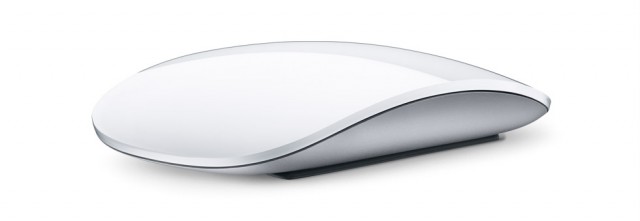
OS X Lion includes a plethora of new gestures to enhance the user experience. While the majority of these gestures are based around the trackpad, the Magic Mouse still has more than a few new gestures. In this video, I’ll show you how you can use Lion’s new gestures to make the most of your Magic Mouse.
51 responses to “Make The Most Of Your Magic Mouse In OS X Lion [Video How-To]”
I like the new option…but it is confusing going from my Mac Book Pro trackpad to my Magic Mouse. There are so many new gestures I can’t keep them all straight, especially since they are all different (very un-apple like)
Please show how does MagicPrefs impact the trackpad on Macbook Pro?
When Autodesk pays attention to both MM and the TrackPad i’ll use them.
Until …I use Maya allot.
Forget MagicPrefs. BetterTouchTool is where it’s at. Triggering gestures isn’t as buggy and unreliable (MagicPrefs was really problematic for me in that department), it has quite a few more gestures to choose from, and the overall interface is nicer. It also includes a load of other settings to tweak for the MM and trackpad. I still run MagicPrefs, though, because it provides a nice battery display in the menubar.
I would but I don’t have a MacBook.
tinyurl.com/2df4ccp
Great video! Thanks.
I tried magic prefs mainly due to it’s ability to set up a middle finger click but it seems only to register the clicks 1 third of the time. I hope Apple sorts out some official gestures that work all the time.
Magicprefs looks ok, but I can assure you it’s not as good as Jitouch. Some of you may notice that I harp on about it, but that’s only because it kicks ass! It has more customisable gestures and they look far more intuitive and effortless than the ones in this video. Dl the trial version.
ihave ji touch 2.2 and it doenst work anymore since i upgraded too lion =[ i miss it so much i need “maximise/left/right” gestures like aero snap
tinyurl.com/2df4ccp
Nice tutorial, thanks.
tinyurl.com/2df4ccp
Yea, BTT and Jitouch are in the same league there.
nice tutorial…thanks a lot for this…appreciate the hard work….best regards….
A great video. But one must study long and hard to be able to master all of these gestures. learning sign language could be easier. Another problem is using another person’s OS machine that has been customized to the point that almost nothing is familiar.
tinyurl.com/2df4ccp
tinyurl.com/2df4ccp
http://tinyurl.com/4skyaqr
tinyurl.com/2df4ccp
tinyurl.com/2df4ccp
tinyurl.com/2df4ccp
I agree. Michael’s contributions are becoming a better source of information, and the presentation continues to improve.
This was a really good and informative video. I like using both the Magic Mouse and the Trackpad on my new iMac. My only problem is that I downloaded MagicPrefs and it doesn’t recognize my MM or TP, even though they are both turned on.
tinyurl.com/2df4ccp
Pretty cool cultofmac. These are the articles we like to see, not all that fanboy and other opinionated stuff.
tinyurl.com/2df4ccp
anyone finding the mouse is not heavy enough?… my mouse does not always pick up the left-right motions, it’s just too uncomfortable.
anyone else?
vipforshopper.com
Cheapest Air Jordan Shoes,Tiffany Jewelry Company,Wholesale Hollister Clothing
Hi Michael, is here a way to go back and fwrd in the application? like on finder, to go back with a swipe, like in snow leopard? can u help me out brodah?
nope, just in Safari

