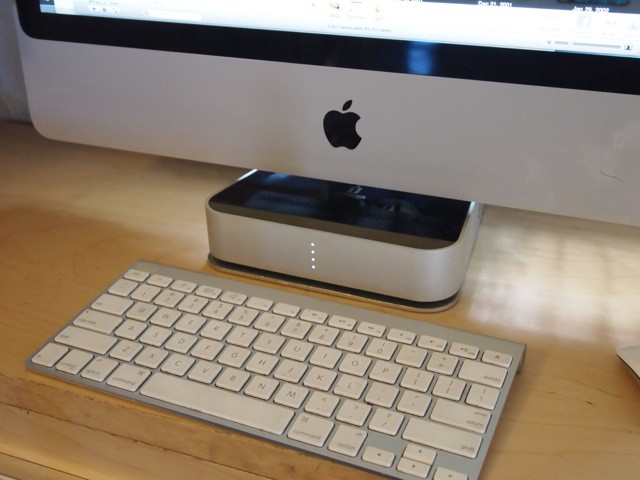
There’s a lot to like about Iomega’s Mac Companion Hard Drive, an external drive designed for flat-screen iMacs. It’s the fastest way to charge an iPad, for example.
Apple was so impressed by the Mac Companion drive, it ordered the first two production runs exclusively for its stores. It won’t be available anywhere else for several weeks, Iomega says.
The Good:
Our family iMac is only a couple of years old, yet its hard drive is already full. It’s mostly a gargantuan 500Gbyte iPhoto library with tons of fuzzy, out-of-focus photos of our kids that I’m forbidden from pruning.
Enter Iomega’s Mac Companion Hard Drive, an external drive designed just for flat-screen iMacs (or Apple’s new Cinema displays). With a capacity up to 3-TB, there’s enough room for many, many more photos.
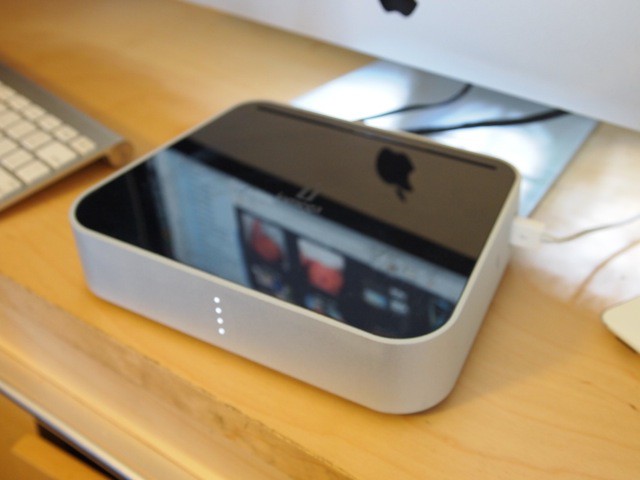
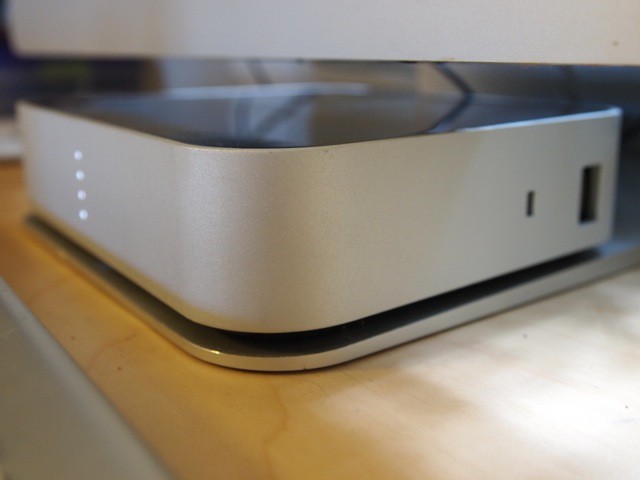
The Mac Companion is nicely styled. The aluminum-and-black-plastic drive complements the iMac’s design. It sits perfectly on the foot of the iMac’s pedestal, eliminating my biggest pet peeve with external drives — where to stash them. Turns out, the foot of the pedestal is a great place to park something like this. It’s accessible, but it’s also out of the way.
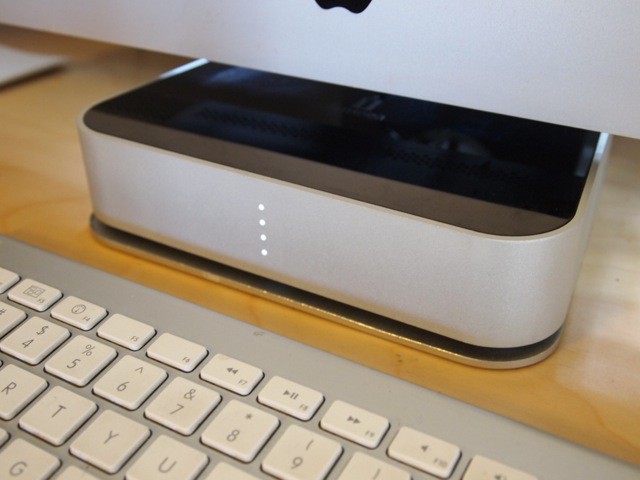
Outside, there’s a capacity gauge that shows how much storage is available. When all four white LEDs are shining, the drive is less than 20% full; one red LED says it’s more than 80% full.
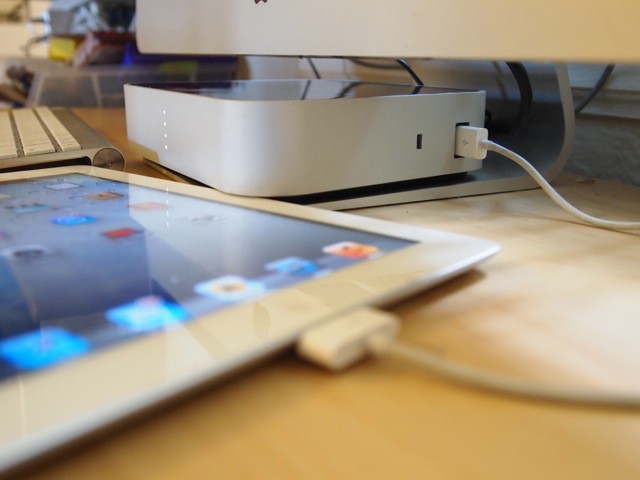
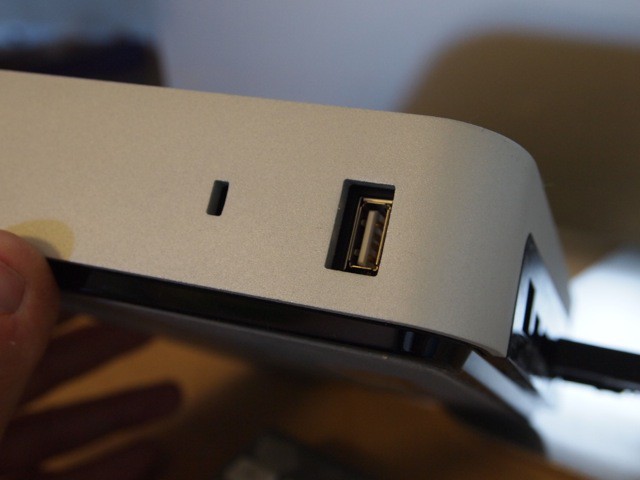
And then there’s the 2.1 amp USB charging port on the side of the drive. According to Iomega, it’s the quickest way to charge the big fat battery in an iPad (which charges painfully slowly with lower-power USB ports). The placement of the charging port is a big plus when using an iMac. I love this machine, I really do, but the USB ports on the back drive me crazy.
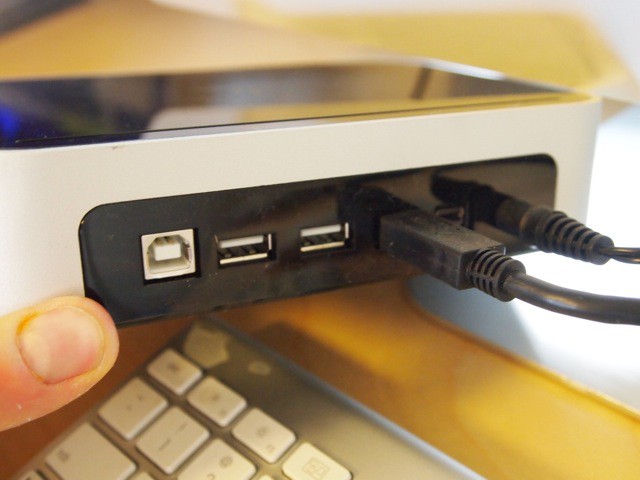
The Mac Companion Drive has the following ports:
- 2 FireWire 800 ports
- 2-port USB hub
- 2.1 amp USB port on the side
And it comes in two sizes:
- 2 TB for $239.99
- 3 TB for $369.99
Like the Helium Portable drive I reviewed yesterday, The Mac Companion drive carries a three-year warranty with registration.
One touch I really like about all Iomega’s drives, and this one is no exception, is that they come with all the necessary cables in the box — in this case: FireWire 800, FireWire 400-800 conversion cable and a USB 2 cable.
The Bad:
The only problem I’ve encountered so far is this: For the 2-port USB hub to function, the drive must be attached by USB. But for the 2.1 USB port to deliver the fastest charge, the drive must be attached via FireWire. I have it attached via FireWire to be able to use the side charging port, but can’t use the USB hub.
In addition, you have to download a Iomega’s Mac Companion Capacity Gauge Utility for the capacity gauge to work. It’s a minor inconvenience, but worth noting.
Verdict:
The Mac Companion Hard Drive is a really well-designed and thoughtful accessory to the iMac. It has a ton of room for digital storage but sits unobtrusively under the screen. I likey.
[xrr rating=90%]

Leander Kahney is the editor and publisher of Cult of Mac.
Leander is a longtime technology reporter and the author of six acclaimed books about Apple, including two New York Times bestsellers: Jony Ive: The Genius Behind Apple’s Greatest Products and Inside Steve’s Brain, a biography of Steve Jobs.
He’s also written a top-selling biography of Apple CEO Tim Cook and authored Cult of Mac and Cult of iPod, which both won prestigious design awards. Most recently, he was co-author of Cult of Mac, 2nd Edition.
Leander has been reporting about Apple and technology for nearly 30 years.
Before founding Cult of Mac as an independent publication, Leander was news editor at Wired.com, where he was responsible for the day-to-day running of the Wired.com website. He headed up a team of six section editors, a dozen reporters and a large pool of freelancers. Together the team produced a daily digest of stories about the impact of science and technology, and won several awards, including several Webby Awards, 2X Knight-Batten Awards for Innovation in Journalism and the 2010 MIN (Magazine Industry Newsletter) award for best blog, among others.
Before being promoted to news editor, Leander was Wired.com’s senior reporter, primarily covering Apple. During that time, Leander published a ton of scoops, including the first in-depth report about the development of the iPod. Leander attended almost every keynote speech and special product launch presented by Steve Jobs, including the historic launches of the iPhone and iPad. He also reported from almost every Macworld Expo in the late ’90s and early ‘2000s, including, sadly, the last shows in Boston, San Francisco and Tokyo. His reporting for Wired.com formed the basis of the first Cult of Mac book, and subsequently this website.
Before joining Wired, Leander was a senior reporter at the legendary MacWeek, the storied and long-running weekly that documented Apple and its community in the 1980s and ’90s.
Leander has written for Wired magazine (including the Issue 16.04 cover story about Steve Jobs’ leadership at Apple, entitled Evil/Genius), Scientific American, The Guardian, The Observer, The San Francisco Chronicle and many other publications.
Leander has a postgrad diploma in artificial intelligence from the University of Aberdeen, and a BSc (Hons) in experimental psychology from the University of Sussex.
He has a diploma in journalism from the UK’s National Council for the Training of Journalists.
Leander lives in San Francisco, California, and is married with four children. He’s an avid biker and has ridden in many long-distance bike events, including California’s legendary Death Ride.
You can find out more about Leander on LinkedIn and Facebook. You can follow him on X at @lkahney or Instagram.


31 responses to “Iomega’s Mac Companion Hard Drive Expands Your iMac (And Fast Charges iPad) [Review]”
No Thunderbolt? WTF?
You have to be a super moron to pay this much money to buy what it comes out to be a standard external hdd. MORON.
For that money you would expect a Thunderbolt port….
OH YES – I like the design. The price is very steep though. May be affordable to just buy a hideaway external that does the same thing. How about RAID? Does it have that function and can you have more than one?? The bigger the drive – the more you can loose. RAID should be a standard for large drives. 2 drives instead of one (RAID)
If it had thunderbolt it would be the 1 sell drive of the year. Every iMac user would want one. Looks good under the Mac
Speaking of which, does anyone know what the LaCie Little Big Disk with Thunderbolt will finally be released? I thought it was supposed to come out in June, but still no word. What gives?
I like the look, Love the FW800 and I really love where it is stored under the screen. But sad to say the price is too much so I would…..er did pass and bought a different drive.
> Apple was so impressed by the Mac Companion drive, it ordered the first two production
> runs exclusively for its stores. It won’t be available anywhere else for several weeks,
> Iomega says
Currently in stock and shipping today from Amazon.
Getting mine in the mail today.
Can’t wait to get off work.
Wait, can you clarify please —
Are you saying that in order to get fast changing you much have FW800
But to us the USB functionality (like for syncing) you need to have a USB connection
Is that right?
Can the drive be connect both ways to get the USB functionality AND fast charging?
looks a lot like an apple product . nice , shiny and pricy BUT …..
No, this don’t work…
Weird, right?
Iomegas drives are not very reliable. Just read some user reviews. The lights are a gimmick. This reads more like an ad than a review.
fast charging is supplied by powered hub i guess
If this was on sale a year ago it might stand a chance but for me any large drive should have RAID and Thunderbolt. I’d wait for the LacIe.
The shape is perfect though!
HAHA NICE MUSTARD IN YOUR FINGERNAIL MOTHERFUCKA….I COPPED MINE TODAY