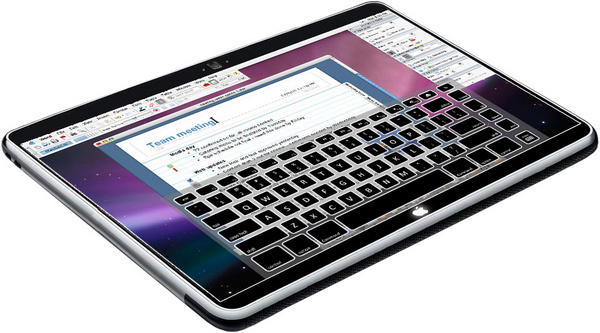
Rumor: Apple employee says Tablet UI has “steep learning curve”
By John Brownlee (6:24 am, Jan. 06, 2010)
While it probably won’t encompass a 3D interface, there’s been enough background murmurings about the method users will employ to interact with Apple’s forthcoming tablet to expect something new. What that “new” is? Only Apple knows… but if our tipster is right, whatever the Tablet’s UI is, it’s going to be different enough from OS X or the iPhone OS to require a significant learning curve.
According to reader Tom: “I just heard [to] be ready for a steep learning curve regarding the “new” Apple product about to be released [and its] interface. This person is an employee of Apple and had just had a meeting regarding some of the new things coming. He/She would not go into details, but did say that he/she hoped we liked learning.”
As a rumor, it’s vague, but it does engorge thought. Time and again, interfaces that require steep learning curves fail when compared to subtle evolutions of intuitively entrenched desktop metaphors. Browser gestures, for example, have never really caught on, since they require a lot of memorization to utilize properly, while multitouch was embraced without confusion by millions of people, due to the natural intuitiveness of touching an object to manipulate it.
Since Apple still does multitouch better than anyone else out there, presumably the Tablet won’t have too outlandish an interface, but talk of a steep learning curve is still eyebrow arching. My biggest worry is that the “learning curve” spoken of here applies to the biggest hole in the touchscreen experience: text entry. The specter of Palm Graffiti still haunts me, although in truth, if Apple chooses to do something new here (and I think they will), they’re more likely to adopt a more graceful and intuitive system like Swype.
All conjecture, certainly… as is any speculation about those interesting quotation marks hugging the word “new” in Tom’s email (we’ve asked him for clarification, since the quotes imply that Apple’s forthcoming product is both more and less different than we’ve been expecting). Still, food for thought. Let us know your thoughts on what Apple might have planned in the comments.
Posted by John Brownlee in Apple, Apple Tablet, News, Top stories | Comment on this article
If you enjoyed this article:
Subscribe via RSS or email, or follow us on Facebook and Twitter
![The Evolution of the iPod Nano [Infographic]](http://www.cultofmac.com/wordpress/wp-content/uploads/2010/09/ipodnano6g_evolution-250x150.jpg)


Apple’s implementation of multitouch in the iPhone and Touch are limited to scrolling, swiping & and pinch.
With the multitouch pads on their notebooks they’ve added 2d rotate and a slight variant on swipe with 2, 3 or 4 fingers.
This is by no means the limit of potential gestures, just probably the 4 simplest ones to comprehend.
I’ve seen 3d gestures using a finger on one hand to provide an origin point whilst 3 fingers on the other hand can rotate an object in all 3 dimensions. I’ve also seen a variant on pinch using 2, 3 & 4 fingers on each hand to resize the working surface.
As Apple has added new gestures they’ve provided video instructions to educate customers.
This claim of hoping customers like to learn is just an indication that the gesture interface is stepping up a notch. I fully expect you’ll be able to perform 95% of the functions using the existing repertoire we know. It just might take a while for us to wrap our heads around a couple of 3d multitouch gestures, which i’m sure have been added sparingly.
M.
Mike, on January 6th, 2010 at 8:16 am
Is it possible that the tipster was meaning “learning” in the sense of getting educated (tablet targeting schools and textbooks)? Just guessing
Alpay, on January 6th, 2010 at 8:24 am
Yes, text entry is the Achilles heel of touch UIs but it’s not simply a technical issue. Human factors play a big role in this challenge. Most digital keyboards use the QWERTY layout which was designed to avoid key jamming in physical typewriters. Consequently, QWERTY is sub-optimal as compared to the DVORAK layout. The human factor preventing wide use of the superior DVORAK layout is the human aversion to change.
There are keyboard layouts that have been optimized for stylus input. One excellent example is the Fitaly layout (http://www.fitaly.com/). It was available on the Newton back then and is available for Palm today
So, what would a keyboard layout optimized for touch look like? And even it it was superior to current options, could we get people to actually adopt and use it? History suggests a “no” answer.
Frank Lowney, on January 6th, 2010 at 8:56 am
The huge advantage of a multi-touch keyboard is that Apple, or perhaps an independent ap developer, could let us switch between a QWERTY and a DVORAK keyboard layout whenever we liked.
mikhailovitch, on January 6th, 2010 at 9:49 am
Might this be the product where the whole entire surface is useable… IE the screen, the back, the sides etc.. How cool would that be eh?
Brad, on January 6th, 2010 at 10:34 am
The odds of an Apple employee being briefed on future products when they are not actively involved in the development of said products is zilch. Even those involved in the development of products aren’t shown the entire picture as it were. This was discussed in detail following the development of the iPhone.
BillH, on January 6th, 2010 at 10:49 am
Hold on – isn’t a steep learning curve is a good thing? [neardy comment alert] The typical y-axis on a ‘Learning Curve’ is ‘understanding’ and the x-axis is ‘time’. Thus with a steep learning curve you get up the understanding scale in a short time.
Jeff, on January 6th, 2010 at 10:58 am
Hopefully that steep learning curve is added on top of the standard functions you’d find on an iPhone or Touch. Maybe for the advanced functions there is a steep learning curve. Maybe there is also switchable modes for simple and advanced. Using four or five fingers with multitouch might be a bit of a bother for some. Well, I use a mouse with five or six functions and it didn’t take all that much time to learn. Either way, I’m up for the game.
I was hoping the interface would be simple so you could just hand it to any child that was used to a Touch UI and they could use the tablet with no problem. However, children can adapt fairly quickly and if the UI is intuitive enough, they might be able to adapt faster than an adult. Human fingers and hands are pretty useful items and maybe this Apple tablet will put them to the test.
iphonerulez, on January 6th, 2010 at 11:04 am
Where did “steep learning curve” and “significant learning curve” come from? It sounds like this is a misinterpretation of what the “tipster” actually said.
If what was actually “said” was in essence, that he/she (the tipster) “hoped we like learning”, I would take that to mean that there many NEW things in the tablet UI that we’ve never seen before. That doesn’t necessarily mean a “steep” or “significant” learning curve at all.
DaveM, on January 6th, 2010 at 11:09 am
“So, what would a keyboard layout optimized for touch look like?”
Chords. There are text-input chording keyboards that are the most efficient in terms of button use and space taken up. 7 keys can input 144 characters or act as modifiers like shift, control, page up, etc. If offered in addition to the normal on screen qwerty it could be quite a learning curve.
Yacko, on January 6th, 2010 at 11:18 am
The link below is to a story about the tablet interface patent that was traced back to Apple. It seems like its going to be a 3D interface where you touch objects to bring them to the foreground (quote “wherein the animated transition includes enlarging and substantially centering the first three-dimensional virtual object on the touch screen display”), and then you can rotate and manipulate them with swipes and gestures. The gestures mentioned include a double tap with two fingers, a single tap with a single finger, a single tap with two fingers, single finger swipes, twisting gestures, multi-finger de-pinch gestures, and several others. This seems a bit convoluted to me but maybe they can be incorporated in a way that makes them feel intuitive over time.
http://weblogs.baltimoresun.com/news/technology/2010/01/apple_tablet_3d.html
Barrett, on January 6th, 2010 at 11:19 am
Shouldn’t this read ‘soon-to-be former’ Apple employee?
LH, on January 6th, 2010 at 11:27 am
While the “steep learning curve” may well be true, my intuition tells me that, like anything, you get what what you give. In other words, based on past Apple products, the device (and software) accommodate two distinct groups: The Paris Hiltons and the John Grubers.
Interacting with the device will be simple if you require simple outcomes (e.g play video, open ebook). Yet if you requite more of your device, then it’s plausible and understood, that you must give more of your time in order to accomplish that.
It’s no different than 1984.
Kelly Nelson, on January 6th, 2010 at 11:29 am
This could also be a way that Apple narrows down who is leaking info. Spread a few dissimilar bits of info and see where it turns up.
John Harlow, on January 6th, 2010 at 11:34 am
The more I hear about this fiasco of a platform the more it sounds like a steaming pile of runny iCrap.
Ric, on January 6th, 2010 at 12:18 pm
“All conjecture, certainly… as is any speculation about those interesting quotation marks hugging the word “new†in Tom’s email”
Did you not just get this poor guy fired?
roontoon, on January 6th, 2010 at 12:30 pm
I think a tablet would allow one to draw diagrams, take notes, mark up documents, query data bases and surf the Web. Gestures are not just for pinchinging and swiping and typing but also for commands and for during hand drawn shapes into pretty graphics and geometric objects.
Murray Burke, on January 6th, 2010 at 12:48 pm
Perhaps the steepness of the learning curve will be the “unlearning” that has to be done. How many times have we heard people exclaim that it’s impossible to use a computer without a “real, physical keyboard,” …
sjc, on January 6th, 2010 at 12:59 pm
Can you say “FingerWorks”?
http://www.fingerworks.com/
Apple purchased them years ago but never implemented the full technology. I’ve tried one of their keyless keyboards and it IS very hard to get used to!
Laurie, on January 6th, 2010 at 1:06 pm
Did the author just win a bet to use the word ‘engorge’ in a post today?
Phil McThomas, on January 6th, 2010 at 1:09 pm
Nobody knows the finger better than the geniuses in Cupertino.
If anybody can make a user friendly tablet (aka iSlate) it is Mr. Jobs and his fellow engineers at Apple.
Make no mistake about it, this new device will be a game changer !
woot.
Geek Out.
Zack Lee Wright, on January 6th, 2010 at 2:15 pm
@Ric
“The more I hear about this fiasco of a platform the more it sounds like a steaming pile of runny iCrap.”
You mean the more it sounds like Vista, or maybe Windows Seven, exactly what inferior PC platform were you referring too? Because Os has been a winner since, I don’t know maybe 1985!
Cab, on January 6th, 2010 at 3:05 pm
Please bring back graffiti, I am so tired of having to use Windows Mobile for its handwriting recognition which far surpasses anything Uncle Steve has ever created. Multitouch is hype, Useful but simply one of many different ways to get these machines to do what we want them to do.
Kevin, on January 6th, 2010 at 3:23 pm
@ Kevin.
Grafitti is owned by Palm and isn’t going to be on any Apple product anytime soon. Grafitti actually predates the palm os.
Hammer, on January 6th, 2010 at 3:59 pm
Who cares? As long as the thing has a snazzy color display, a USB port and supports .cbr and .cbz I’m all over it!
Kirby, on January 6th, 2010 at 4:11 pm
I call troll.
FRED, on January 6th, 2010 at 4:44 pm
Hmmm. A reader named “Tom” has a “friend” who gave him obscure information. Among folklorists, this is called a “FOAF” tale: it was told by a “friend of a friend.” In this case, however, the “friend” who told you this story isn’t even a friend. His name “Tom,” in quotes, indicates that may not even be his true name.
In short, this is a wild, undocumented, unproven, unsupported rumor. It’s nothing but FUD. Is Microsoft paying you to spread this crap so their backward-looking tablet might sell a few thousand copies?
There was a time when real journalists had to have multiple sources before a paper would print claims like this. Congratulations, John, for contributing to the destruction of journalism.
Hey, everybody, a friend of mine named “joe” told me that a friend of his saw John Brownlee and Tiger Woods doing ecstasy and then having sex!
{And that’s about as true as this crap.]
Don, on January 6th, 2010 at 4:58 pm
This is FUD put out by Apple to lower expectations. Then when you see it demoed, you’ll marvel at the simplicity.
Tom Strong, on January 6th, 2010 at 6:11 pm
Yes, it will be a steep learning curve for those who can’t master the iPhone or iPod Touch. If you buried your Treo stylus into the screen of your iPhone, the iTablet will not be for you, and here’s your Etch-A-Sketch.
Erin's Dad, on January 6th, 2010 at 6:32 pm
I have been thinking all along the issue of tablet vs laptop is physical keep board. Sure digital thumb keyboard and multi touch is nice on Iphone, but do you want to type on top of tablet screen?, how to do you hold it if you are using thumbs because its bigger and if you go with a physical qwert keyboard, you are just a laptop.
My vote is they are going to present alternative to QWERTY keyboard, a good one, but one that will take some learning. Like maybe way to type with both hands holding the side edges, from the back…so yeah, you have to learn the input from memory, no hunt and peck equivalent, that’s a learning curve but worth it.
Here’s hoping that is what they are hinting about…I have thought for some time that Apple would be the only e company with the vision, guts and following to make a challenge to qwerty typing…and I’m not talking stylus or voice, I’m talking two handed typing, and the tablet makes perfect sense to be the device to introduce it on, too radical to bother with laptops and desktops, and phones/ipod touches are maybe a bit too small for this alternative.
Ding dong the Qwerty is dead….
kanister, on January 6th, 2010 at 7:23 pm
Someone mentioned chords. I like that idea, but on the back of the device. Almost like playing a musical insrtument. Keys are pressed sight-unseen. A learning curve to be sure, but made available for power users. On-screen keyboard still available as on the touch for novices.
Mark Vickers, on January 6th, 2010 at 9:07 pm
Mark, yep, I think chords as an alternative to qwerty with buttons on back of tablet…that has to be one of the better ways to type…some combo of eight fingers should cover most everything you need to write and thum buttons on front side could do things like return, space bar, caps, Mac control key etc…bet it could be fast…I think this is also something that could be further adapted for desktop key boards eventually.
You say sight unseen, but with some kind of digital feedback in a learning mode, that’s a bit like sequentially showing available letters that phone number pads do, until you pause, and then it leaves letter you wanted…. it could give you enough feedback to make learning a bit less frustrating, a version of hunt and peck…if you guess at wrong chord, you can see that and you can just keep guessing…once you learn it, no need for to pause to get letter to “stick”
think how quickly people learned to type with their thumbs, shoot people learned to text pretty fast on number pads…Apple would know their customers are more inclined to learn something new like this if it makes the experience better. Mac had huge following for moused computers for years when MS felt the need to develop solitaire to get people to know mouse. Apple customers are easier to push envelop with..
I think also navigation with some slider/pad type things on front edges, where thumbs (or on back where fingers would be) would make sense for something you would likely hold with both hands rather having flat on table and using multi-touch.
I think chords would be so much easier to use with other alphabets and character languages like Chinese than keyboards.
kanister, on January 6th, 2010 at 10:08 pm
Dvorak fanboys: there is approximately zero evidence that your preferred layout has any advantage over QWERTY even for novice users, and lots of evidence that those already familiar with QWERTY are slowed down significantly by trying to switch to Dvorak. So in case you’re wondering why your favorite layout hasn’t taken the world by storm… that’s why.
Re: graffiti: damn, I loved Graffiti – at least, the original version. It was way faster than trying to type on the iPhone “soft” keyboard, and I learned it in approximately 2 minutes.
Sean Peters, on January 6th, 2010 at 10:59 pm
so much fretting over text..
millions have gotten accustomed to the tiny soft keyboard on the iPhone. I myself even get around fine on my G1 (though I still go for the slide-out physical keyboard if i’ve got a couple hands free)
it seems apparent to me that all of your concerns about text-entry will dissipate rapidly, due to the much larger tablet surface. Most people probably just want a comfy tablet to curl around on couch. Those that do heavy work will acclimate to heavy typing on the larger soft keys, or stick to physical keyboards
Apple will likely have a winner, and it will probably cost too much for me, so I’ll see what’s in the works for Android-based tablets
memesage, on January 6th, 2010 at 11:08 pm
Think outside the box. Why do you need to touch the screen? That’s so 2007… Technology for eye-tracking and face-tracking has been around for years, and getting better all the time. How about a pad with a camera that tracks where you’re looking, and you just “blink to click”. Not sure how it’d work for people with glasses, but that’s a solvable problem. Anyway, to me, this sounds more like something Apple would do – something game changing that would leave everyone else scrambling. Well, that’s my bet anyway.
Jonathan, on January 7th, 2010 at 1:33 am
Steep really means that learning is FAST! that sounds like a good thing!
I explain it in depth here: http://www.simple.lu/2009/?p=449
Bob Reuter, on January 7th, 2010 at 4:37 am
“engorge thought”, that’s a good one
rob, on January 7th, 2010 at 10:06 am
Why cant they use voice for text/commmands? Google seems to understand that!
Fred, on January 7th, 2010 at 12:08 pm
The reason Apple waited until now to release the tablet instead of last year is because the needed time to refine the way you enter text on this new machine. Apple has been working for years to create a way to easily just think text, but couldn’t figure out how to make it practical. So now you will have an optional accessory that resembles a blue tooth device. It will read your thoughts and put those thoughts onto the tablet. The high learning curve comes with learning how to concentrate enough to not just put random thoughts onto your screen. It is pretty cool technology. I saw a version of it 2 years ago, but it required a helmet the size of a football helmet to work. I can’t wait to see how Apple pulls it off with something less cumbersome.
Scott, on January 7th, 2010 at 12:44 pm
Well, all I know is that when i use a PC I want the gestures and expose features that are on the mac. I constantly move my mouse to the top right of the screen to show the desktop and swipe my fingers on both the mouse (magic mouse with BTT) and track-pad. I absolutely hate to have to move the mouse and click on things that can be done with simple gestures.
Macs have changed the way I communicate with the machine and I can only imagine how awesome the iSlate (or whatever) is going to be like. If the price is reasonable, I will buy one without even thinking about it.
The “learning curve” was surely a hint to these being used in schools. (you can quote me on that)
paul, on January 7th, 2010 at 1:13 pm
Why not use voice commands? Because the current technology, as good as it is, is still woefully inadequate and inaccurate. Google is a prime example – my accuracy with it is about 75%, and to be truly useful, it needs to be somewhere between 99 and 100% accurate.
Also, most people don’t “compute” in places that are quiet enough, or solitary enough, to use voice. For businesses especially, voice is a non-starter.
Tim, on January 7th, 2010 at 2:01 pm
The new device will require a half-hour visit to the dentist;
this means that an intelligent non-human could be fitted
with proper electronics and thus communicate to any other
species so interested in knowing the needs, thoughts, &
desires of anything on Earth not solely humanoid…
Think of the marketing and advertisements this can generate;
and to allow non-humans into the economy could give the
rest of us a boost. Imagine the few cats who keyboard at night
would be able to have more company; paypal, ebay, craigslist,
and other larger commercial interests will be eager to please!
The mind-reader technologies could also boost those few
multi-taskers ability to drive a car and twitter-tweet. Almost
as good as birds can fly, or jet fighter pilots with real skill.
(And the interface can be adapted to other devices, just like
firewire, usb, 802.11, and other apple technologies.) ~ Drrool!
in a small town…
in a small town..., on January 7th, 2010 at 3:06 pm
Huh? “…but it does engorge thought”
Cause thought to swell?
Bob P., on January 7th, 2010 at 11:21 pm
Would be amazing if this came out
I want one
Reece Samani, on January 8th, 2010 at 11:15 am
I’m guessing the new interface is one of two things…
1. Voice commands operating a LOT of stuff. Can you imagine telling your islate to “shhhh” and it lowers the volume? What about smacking it and getting a squeal? I think it could be really cool like that.
2. A new arrangement of the keyboard – similar to a DVORAK keyboard or something that makes it easier to type on a flat panel. When thousands of people DO get up to speed they’ll credit Apple with finally bringing a better keyboard into our hands and FORCING us to all get used to it. QWERTY is horribly inefficient.
Vern, on January 9th, 2010 at 2:01 am

