Review: Logitech’s Anywhere Mouse Really Does Work Anywhere (We Tried It)
11:58 pm, October 25th, 2009, Chris Kahney

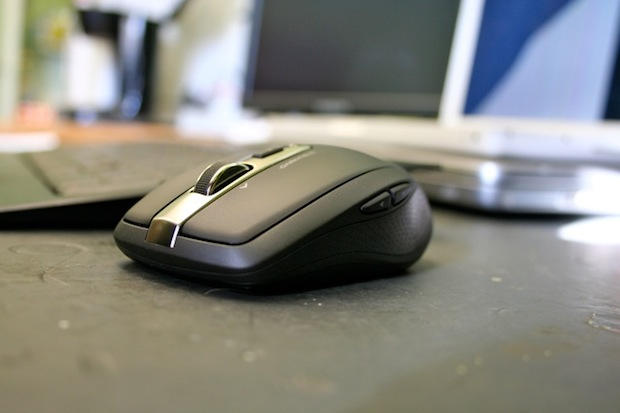
Logitech's Anywhere Mouse MX works on any surface, even glass.
The main selling point of the Logitech Anywhere Mouse MX is that it works anywhere, even on glass.
It does as well. It even worked when I scrolled it over my construction hard-hat.
Full review after the jump.
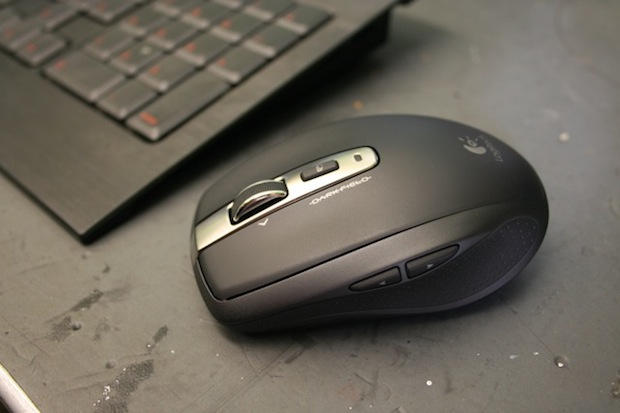
The Logitech Anywhere Mouse MX has a slick scroll wheel and several programmable buttons.
Logitech’s $79.99 Anywhere Mouse MX pretty much works on any surface you care to try, just in case you happen to be stuck using your MacBook in a field of grass. Actually, don’t try it on grass, I don’t want to be inundated with people demanding I owe them a new wireless mouse. Anyway, the point is it did work on every surface that I tried, including a glass table.
Overall, everything about operating this mouse is super smooth, from the scroll wheel to the satisfyingly fluid glide of the on/off button. The mouse features two programmable side buttons for jumping backwards and forwards through web pages. There’s also a handy button below the scroll wheel that can be programmed to show the Dashboard or Expose. It can be set for different functions in different programs.
The other main feature of this mouse is the excellent Unifying Receiver which you just plug into your USB port and then simply forget about.
It is small enough that you can leave it plugged into your MacBook when traveling. Its low profile doesn’t interfere with laptop sleeves or catch on the insides of bags.
You can also add up to six compatible devices total to the one receiver (wireless keyboard, etc), which means you don’t have to block up all of your USB ports.
If you need to remove it from the USB port, it fits snugly into a holder within the battery cover of the mouse. If you want to split hairs, you could argue that it’s so small it could be lost easily. But that’s probably being too picky.
To summarize, it didn’t really strike me how good this mouse really was until I returned it to the Cultofmac HQ and went back to work with my old bog-standard, hard-wired mouse. As with many things in life, you don’t don’t miss it until it’s gone.
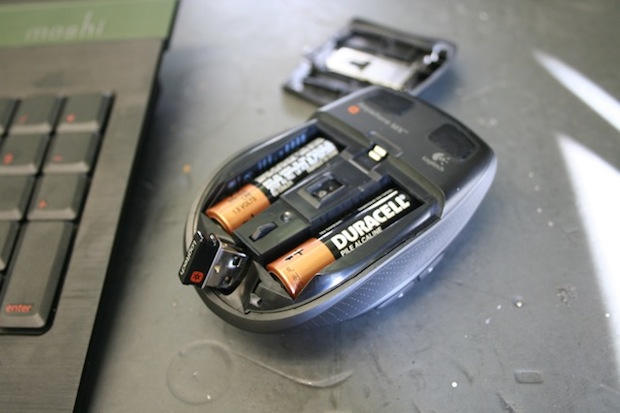
The excellent Unifying Receiver can be stashed inside the mouse for safe keeping.

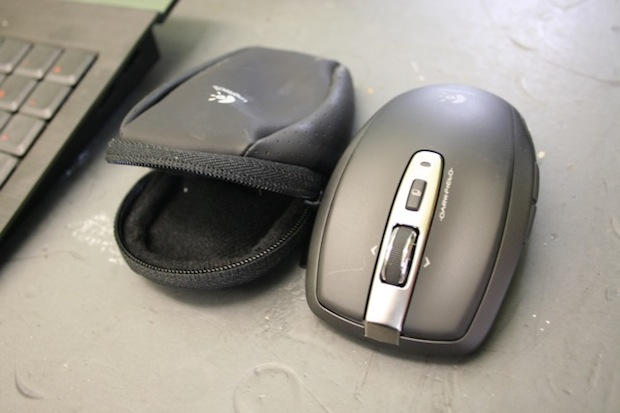
There's even a nice traveling case included.
Posted by Chris Kahney in Hardware, Macbook, Macintosh, Reviews | Comment on this article
If you enjoyed this article:
Subscribe via RSS or email, or follow us on Facebook and Twitter


Unified receiver is an improvement, but if I’m using a wireless mouse I’m most likely on a laptop and that means that one RF receiver is more than i want to have taking up the already limited USB ports… especially when i have a bluetooth antennae sitting in my computer which is suited perfectly to connecting a mouse.
Garrett, on October 26th, 2009 at 12:05 am
That’s one thing that I love about the Logitech G5 that I use with my Mac. I can use it on any surface and it works flawlessly. Glass, acrylic, wood, paper with lines, Keyboard, you name it, it’ll mouse on it. Absolutely lovely.
This one looks like it’d be great to throw in a bag if you don’t want to fuss with the wires of the traditional mouse. The only thing that bugs me a bit is the receiver. I would prefer it to be bluetooth, but this doesn’t look like it’d be too in the way though, so it might not be too bad.
ghostshadow, on October 26th, 2009 at 12:42 am
I have a very decent kensington bluetooth mouse. No way i´m losing an usb port just to put a receiver i can live without.
Of course, for desktop pc´s, this would be fine. Just not in my laptop.
mariov, on October 27th, 2009 at 7:16 am
@ Mariov
I completely agree! I had a wonderful Logitech Bluetooth mouse for what had to be over four years. When it broke I started searching for a replacement, only to find that no one made decent BT mice anymore! All I could find were little tinny ‘mini’ travel mice. Nothing big enough for my man hands.
In the end I bought a Microsoft mouse (the shame).
What is the deal with companies forcing you to use a receiver all the time? Especially now that most laptops and computers come with Bluetooth!
Joshua Zimmerman, on October 27th, 2009 at 11:09 pm
Logitech has followed a smart racing kit G27 introduced two no less smart wireless computer mouse – Performance Mouse MX and Anywhere Mouse MX. The main difference between the product from others is that the data manipulators are using the latest technology Darkfield Laser Tracking, developed in the bowels of the company. With this technology, gadgets can be used for absolutely smooth, glossy surfaces and even glass. See the features mentioned here – http://www.techarena.in/review/17417-logitech-anywhere-mouse-mx.htm
Jignesh, on November 18th, 2009 at 12:01 pm
I woud suggest you to go with Logitech Anywhere Mouse MX because mouse focuses on the mobile user, according to Logitech Anywhere where you should take it as literally as possible. It also has small mouse with left and right beside the two side buttons, an extra button below the scroll wheel and a scroll wheel. With scroll wheel that can not be clicked, but pressing it switches between the stairs or in vertical scrolling continuously, Logitech’s called free-scrolling technology. For more details check out http://www.techarena.in/review/17417-logitech-anywhere-mouse-mx.htm
techguru, on November 18th, 2009 at 7:34 pm

