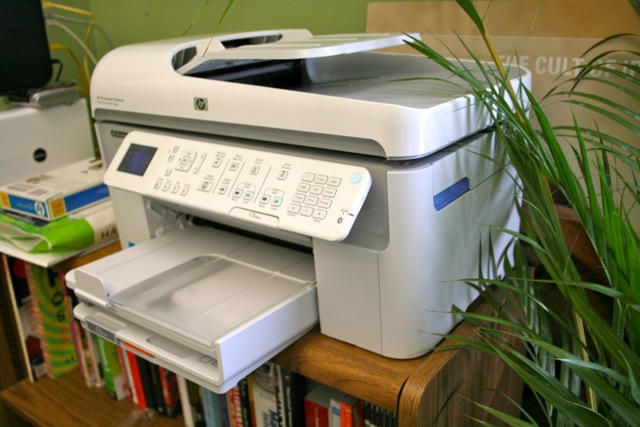
The best thing about going to the office is having access to the copier in the mail room. Sneak in at the weekend, roll off hundreds of color copies for your secret art project.
But HP has a fantastic home-office alternative: the Photosmart Premium Fax All-in-One Printer, Scanner, Fax, Copier. It does everything the industrial ones do, yet costs less than $200. A snap to set up and prints from the iPhone. It’s the best printer I’ve ever had. Weird, I know, but I really do love this baby.
Hit the jump for the full review.
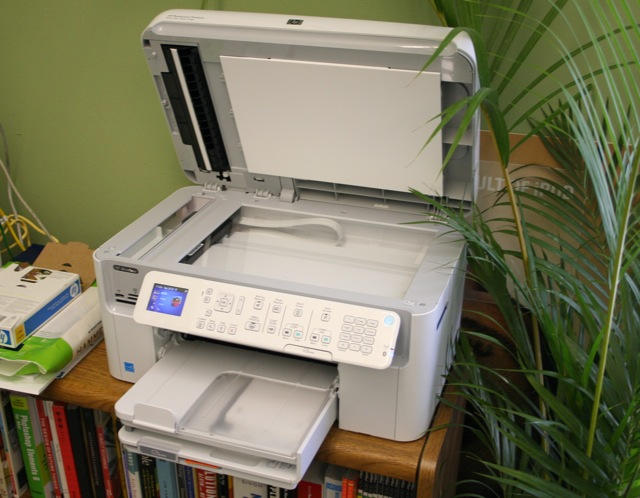
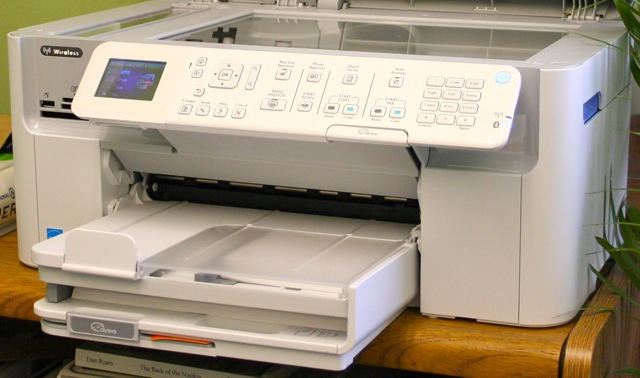
What it is: This baby is what it says: an all-in-one printer, scanner, fax and copier. Its print everything, from envelopes to photos and printable DVDs. The built-in sheet feeder is great for hands-free copying and faxing multipage documents. There’s several separate paper trays so you don’t have to swap photo paper in and out when you’re printing snaps. And it has every connection on the planet: Bluetooth, WiFi, Ethernet and USB.
Why it’s cool: Ever since my fanzine days, I’ve fantasized about my own sheet-fed color copier. It’s everything you get at the office, but for a fraction of the price. The Photosmart Premium used to cost around $370, but it’s now $199 at Apple’s retail stores and about $165 from Amazon.
First thing you notice is how well-built it is. There’s no flimsy paper trays that will snap easily. Even the pull-out paper guides feel beefier than average.
Then you’re impressed by everything it does. This Photosmart is pretty versatile, great for home or a small office where you’re printing one day and faxing the next. It whips out black-and-white Word docs in a jiffy, but also does a great job printing snaps. Photos are as good as lab prints, especially if you’re printing iPhone snaps of the kids to put on the fridge. It even prints on printable CDs and DVDs, so chuck the Sharpie.
Set-up over Wi-Fi and Bluetooth was the easiest ever. So too was putting it on a small Ethernet network. I gotta admit though, set-up over USB was initially a horrible nightmare. The install disk gave me a couple of errors. Then printing worked, but scanning over USB didn’t. I don’t know if it was the long string of connected USB cables I used (it’s across the room); a cheapo USB hub; a flaky connection on my ageing Mac Pro; or all the above. It works fine now — thanks, I suspect — to Snow Leopard auto-downloading the latest drivers.
To my surprise, wireless printing was so easy, I thought I was dreaming. I flipped open my MacBook and hit print. I didn’t have to install any drivers — OS X detected the Photosmart on the WiFi network and installed the drivers itself. Even scanning works wirelessly.
Printing from the iPhone is even easier. I downloaded HP’s free iPrint app, and I can now print snaps wirelessly from within the Photos App by hitting a button at the bottom of the screen. The App auto selects the printer, and the printer auto selects the photo paper tray. Easiest print job I’ve ever done.
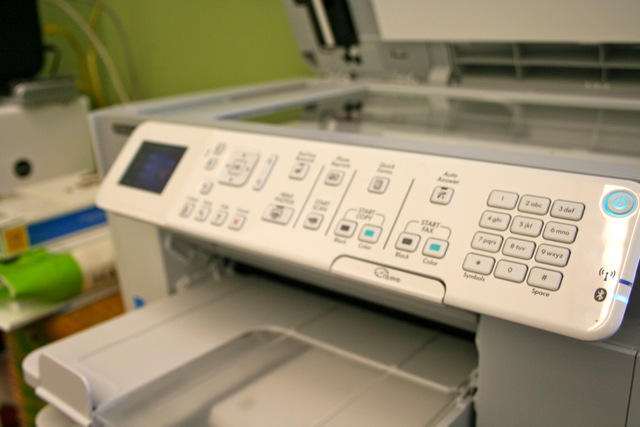
The interface is dead easy and well-laid out. The buttons have a nice, quality clickiness to them. And it makes pleasing beeps and bleeps when it’s finished a scan or turning on and off.
What’s not cool: I’ve had a couple of sheet-feeder problems. It doesn’t like slightly glossy sheets. And it ate half the color ink on the first big photo print job: a 16-page blow-up mosaic. The black ink tank seems to be holding up pretty well though. Still more than half-full after several weeks of light/medium usage.
I’ve got to say, HP’s Photosmart Premium All-in-One is my favorite piece of office equipment. Better even than the coffee machine. I actually enjoy using it, and I get pleasure sometimes just seeing it sitting there, ready to print out an envelope.

Leander Kahney is the editor and publisher of Cult of Mac.
Leander is a longtime technology reporter and the author of six acclaimed books about Apple, including two New York Times bestsellers: Jony Ive: The Genius Behind Apple’s Greatest Products and Inside Steve’s Brain, a biography of Steve Jobs.
He’s also written a top-selling biography of Apple CEO Tim Cook and authored Cult of Mac and Cult of iPod, which both won prestigious design awards. Most recently, he was co-author of Cult of Mac, 2nd Edition.
Leander has been reporting about Apple and technology for nearly 30 years.
Before founding Cult of Mac as an independent publication, Leander was news editor at Wired.com, where he was responsible for the day-to-day running of the Wired.com website. He headed up a team of six section editors, a dozen reporters and a large pool of freelancers. Together the team produced a daily digest of stories about the impact of science and technology, and won several awards, including several Webby Awards, 2X Knight-Batten Awards for Innovation in Journalism and the 2010 MIN (Magazine Industry Newsletter) award for best blog, among others.
Before being promoted to news editor, Leander was Wired.com’s senior reporter, primarily covering Apple. During that time, Leander published a ton of scoops, including the first in-depth report about the development of the iPod. Leander attended almost every keynote speech and special product launch presented by Steve Jobs, including the historic launches of the iPhone and iPad. He also reported from almost every Macworld Expo in the late ’90s and early ‘2000s, including, sadly, the last shows in Boston, San Francisco and Tokyo. His reporting for Wired.com formed the basis of the first Cult of Mac book, and subsequently this website.
Before joining Wired, Leander was a senior reporter at the legendary MacWeek, the storied and long-running weekly that documented Apple and its community in the 1980s and ’90s.
Leander has written for Wired magazine (including the Issue 16.04 cover story about Steve Jobs’ leadership at Apple, entitled Evil/Genius), Scientific American, The Guardian, The Observer, The San Francisco Chronicle and many other publications.
Leander has a postgrad diploma in artificial intelligence from the University of Aberdeen, and a BSc (Hons) in experimental psychology from the University of Sussex.
He has a diploma in journalism from the UK’s National Council for the Training of Journalists.
Leander lives in San Francisco, California, and is married with four children. He’s an avid biker and has ridden in many long-distance bike events, including California’s legendary Death Ride.
You can find out more about Leander on LinkedIn and Facebook. You can follow him on X at @lkahney or Instagram.

