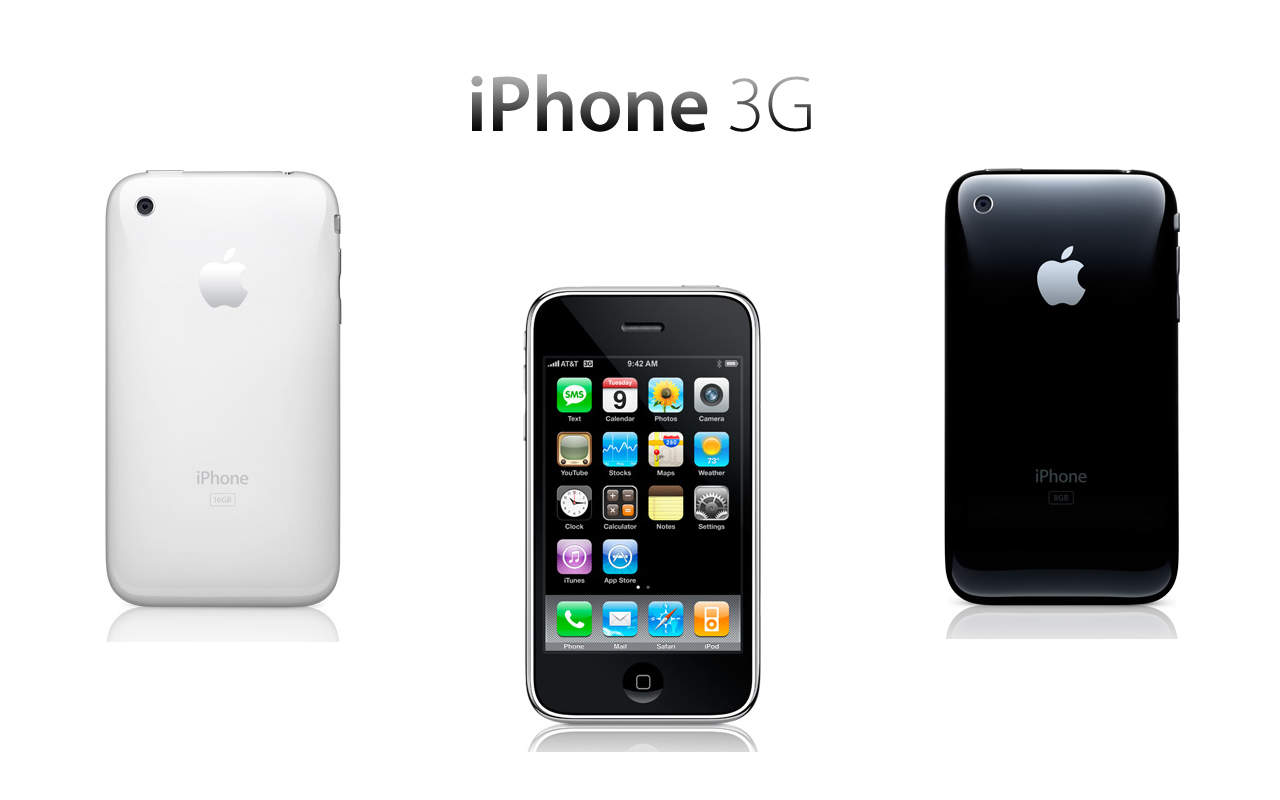
iPhone 3G

Full category list for displayed posts: Hardware, News, iPhone 3G, iPhone 3G S

Finally, Viagra For Your iPhone

1590_iphone_3gs_telescope_2

Well, no. It’s actually an 8x fixed optical telescope that attaches to the iPhone’s lens.

The package (ahem), available from USBFever.com, includes the scope, a stand and an iPhone hardcase that is used to attach the scope to the lens.

What could it be used for? A handy promotional video seems to suggest perhaps spying on your neighbors in the pool, and a Mashable post wonders if the telescope could be used by “predators with less-than-pure motivations.” Although with its bulky length — the scope looks like it’s almost the length of the iPhone (4.5 inches, in case you were wondering) — it’s probably not something a budding James Bond could easily…uh…whip out of his pocket.

The scope kit runs $28.99 and the site says it’ll ship “on or before 25 Nov 2009″

There’s also a 6x version available that’s $10 cheaper and ditches the stand. Although, with all the hand-shake jitteriness displayed in the video with the 8x, the stand is probably a good idea to save yourself an eyestrain headache — even though the 6x’s susceptibility to hand shake is probably reduced.

[via Mashable]

Review: V-Moda Vibe II Earphones With Microphone (Verdict: Tasty Ear-Candy With A Purpose)

Vibe 2 cover  31

Entia non sunt multiplicanda praeter necessitatem.

According to Wikipedia, which is where I’ve learned 92 percent of the useless stuff I know, the phrase in Latin above means something along the lines of “don’t make things more complicated than they should be, dumbass.”

The V-Moda Vibe II with Microphone fits this explanation so exquisitely, you might well see them being whipped out as a teaching aid by your Latin instructor when the above phrase comes up.

Carpe diem. (Seize the day. Best way would be by clicking on the link for the rest of the review.)

Read the rest of this post »

Malicious iPhone Malware Steals Private Data From Jailbroken iPhones

iPhone ‘worms’ haven’t been much of a threat till now. However, things have changed with a new malware, discovered by Mac security firm Intego. Identified as iPhone/Privacy.A, it is a major threat for the privacy of many jailbroken iPhone users who have installed and activated SSH. Note: Non-jailbroken phones are not affected by it.

This malware acts through the SSH just like the others. It infects through client software installed on an attacking Mac, PC or even iPhone, which scans for jailbroken iPhones nearby. If they are vulnerable, they are then injected with the malware using the default filesystem password.

Previous exploits like iKee just changed the lockscreen background but after injection, this new malware copies private data, such as contacts, e-mail, contacts, SMSs, calendars, photos, music files, videos, which it then sends back to the source machine. It is even possible to send it as a malware to a Mac or PC which will then scan and copy the information from nearby jailbroken iPhones or iPod Touch and then send back to the source.

Even though it is not widespread yet, the amount of information it steals is a great deal. Intego currently recommends it’s own solution, Virus Barrier X5, which detects and removes this malware from a Mac but as far as other platforms are concerned, there’s currently no solution. This means that there is a high chance you can be affected as well. Therefore, we recommend you to take a simple precautionary step by changing the filesystem password on your jailbroken iPhones with SSH installed or turning SSH off when not in use with the help of SBSettings available in Cydia.

You can also have a look at our guide on how to change the filesystem password.

iPhone Augmented Reality App Helps You Find Car, Monuments, Friends

Picture 3

LocFinder is an augmented reality app that boasts it will always let you see which direction is home or find your car, even if you’re halfway across the world.

LocFinder costs $0.99 on iTunes and while isn’t the first augmented reality app to tackle parking lot amnesia — we recently wrote about Car Finder — it sounds like a compass on steroids.

It has a bevy of features that may end those ping-pong SMS messages to set up a meeting, make stopping to ask for directions a non-issue even when you’re lost in Paris — or let you know exactly how far away you are from Cupertino at all times.

More on what it does with video after the jump…

Read the rest of this post »

How To: Change Your iPhone’s Default SSH Password

ikee_iphone_wallpaper

If you jailbreak your iPhone, the first thing you ABSOLUTELY MUST DO is change the default filesystem password.

When you jailbreak, the filesystem’s password is set to the common password “alpine.” As people usually don’t bother changing this password after performing a jailbreak, it’s really easy for hackers to get access to any jailbroken iPhone/iPod Touch on a public network.

EDIT: Just confirmed with GeoHot and it seems that at least blackra1n doesn’t install SSH by default, therefore this should not be a problem if you used blackra1n to jailbreak, unless you installed the OpenSSH package from Cydia.

An Australian hacker called Ashley Towns demonstrated this by circulating the first known iPhone worm, known as Ikee, which replaces your lockscreen wallpaper with an image of Rick Astley. Luckily Town’s Rickrolling is benign. He wrote the worm to demonstrate how easy it is to break into jailbroken iPhones.

Changing the password is quick and easy — after the jump is a tutorial showing how to change the SSH password.

Note: There is no need to follow this guide if you haven’t jailbroken your iPhone/iPod Touch.

Read the rest of this post »

Getting More iPhone Home Screens – And Keeping Them

Extra iPhone screens in iTunes.

Extra iPhone screens in iTunes.

A couple of weeks back, I wrote Temporarily Get More iPhone Home Screens Via Cunning Bug Exploit, but had heard staying away from the iTunes Applications tab within my iPhone was probably a Very Good Idea. Reader Larry Pressnell noted that since the most recent iTunes update, his extra screens have been accessible in iTunes.

Since I needed to add some apps to my device, I decided to take the plunge earlier and, sure enough, my experience mirrored Larry’s: 11 home screens were shown, and extra ones were dimmed—see the grab above. Interestingly, items could be dragged from these ‘extra’ screens to the standard ones, with no problems, and a full sync didn’t find my extra pages vanishing into the ether. Whether this has anything to do with Voice Memos (the app used to get extra screens in the first place) being the last app on my final page, or the fact I’ve yet to update my iPhone OS to the latest point release, I’ve no idea.

Are you having fun with extra pages and managing to successfully rearrange your apps in iTunes? If so, let us know in the comments!

Cult of Mac Favorite: MobileStacks Is the Best Reason To Jailbreak. Period.

MobileStack v3

I really like Stacks on my Mac. Stacks makes it fast and easy to find files, folders and apps right from the Dock. It makes managing a Mac pretty slick with all sorts of little UI tricks. That’s why I recently gave MobileStack a go on my jailbroken iPhone.

I must say that it lives up to the challenge of making an interface that is intuitive and user friendly enough for the small iPhone screen. In fact, it’s definitely the best excuse to jailbreak.

Read the rest of this post »

How To: Jailbreak and Unlock Your iPhone / iPod Touch Using Blackra1n

blacksn0w+blackra1n-0

George Hotz a.k.a GeoHot has released blackra1n RC3, which is an update to a 1-click jailbreak that adds activation options and an add-on blacksn0w, which unlocks latest iPhone 3G and iPhone 3GS baseband version 05.11.07. To use blacksn0w, make sure you have this new baseband (check under Settings –> General –> About –> Modem Firmware) and if not, then update to a stock 3.1.2 firmware.

It is pretty easy to use and worked perfectly with my iPhone 3G. Besides the tool, there’s a blackra1n application that gets automatically installed on the iPhone after jailbreak, which gives you option to install Cydia and some other alternatives like RockYourPhone and the ’sn0w’ option to use blacksn0w unlock solution as well.

Please note that if you have an iPhone 2G, you can still jailbreak using blackra1n but blacksn0w will not unlock for you. You must use BootNeuter available in Cydia for that purpose. Also, if you purchased an iPhone 3GS or iPod Touch (any capacity) in October or later, there is a high probability that you have a new model. Blackra1n currently performs only a tethered jailbreak for these new devices, which means you need to use blackra1n every time you boot the device, otherwise all your jailbreak data gets wiped.

Here’s see how it works.

Read the rest of this post »

Blacksn0w Add-on For blackra1n Unlocks Any iPhone 3G / 3GS, Enables Tethering

blacksn0w2

GeoHot, creator of the famous blackra1n jailbreak tool has now released blacksn0w. Blacksn0w is a full fledged software unlock solution for iPhone 3G and iPhone 3GS, having baseband version 05.11.07 found in firmware version 3.1.2. Unlocking the phone enables you to use it with any carrier in the world.

This means if you have older firmware, you can now upgrade to a stock 3.1.2 and still have the ability to remain unlocked. Blacksn0w also enables the tethering option on these iPhones for you to share the data connection with a laptop or desktop computer.

blackra1n_update

The blackra1n application for iPhone installed as a result of the blackra1n jailbreak process then allows you to run blacksn0w and finally unlock the phone. However, those who already have the old version of blackra1n application installed on the iPhone can upgrade to the latest version by selecting the new ‘ra1n’ option inside the application. After installing the updated version, tap ’sn0w’ in the application to unlock. For those who used the DevTeam’s PwnageTool to jailbreak, blacksn0w will soon be available on Cydia.

To accompany blacksn0w, there is a new hacktivation feature added to blackra1n, which activates the iPhone to be used without the iPhone specific plans from carriers like AT&T, O2 etc. But, if you have an officially activated phone already, this won’t interfere. The update to blackra1n tool also makes it  a lot faster, enabling it to jailbreak the iPhone / iPod Touch in just 15 seconds. It also adds support for Mac OS X Tiger and PPC Macs along with the existing Windows and Intel Mac support.

Please note that if you have an iPhone 2G, you can still jailbreak using blackra1n but blacksn0w will not unlock for you. You must use BootNeuter available in Cydia for that purpose. Also, if you purchased an iPhone 3GS or iPod Touch (any capacity) in October or later, there is a high probability that you have a new model. Blackra1n currently performs only a tethered jailbreak for these new devices, which means you need to use blackra1n every time you boot the device, otherwise all your jailbreak data gets wiped.

The new version of blackra1n is available to download at blackra1n.com

Check out our guide on how to jailbreak and unlock using blackra1n and blacksn0w here.

iPhone Launch in China: Little Buzz, No WiFi

The official iPhone launch in China was greeted with shorter lines than expected  due to lousy weather and because about a million early adopters have already bought them on the gray market.

People did stand in line, just not super long ones — check out the empty red ropes — and a persistent drizzle certainly didn’t entice buyers to be the first to get their hands on an official iPhone.

Also contributing to a less than hysterical welcome were the fact that the official market 8G iPhone has no wi-fi (a bow to the country’s regulatory demands) and costs about $730 dollars without a service contract.
From there, prices levitate to a heady $1,024 for the iPhone 3GS.
Gray market versions, found in many electronic marts, cost about 20% less, with wi-fi.

China Unicom has said any handset that supports its 3G mobile standard will be able to use its network, so gray-market iPhone users can buy service contracts just like users of the official handset. The carrier refused to provide info on how many customers had reserved iPhones.

Via MacWorld

iPhone Clone Gets Fugly Qwerty Keyboard

Desperate, but not serious. The clone's keyboard. @pocket-lint.com

Desperate, but not serious. The clone's keyboard. @pocket-lint.com

This iPhone clone found by a reporter at a trade show in Asia comes with about as ugly an add-on as possible: a squashed qwerty keyboard with keys that look like veneers gone wrong.

It’s pretty ingenious, as much as lacking in aesthetics, since the keyboard is integrated into a protector case (which also looks fittingly hideous) with a custom connector for the phone.

For those of you who want an external keyboard for your iPhone, would  you want it badly enough to use this one?

Via Pocket Lint

How To: Jailbreak Your iPhone/iPod Touch Using Blackra1n

blackran1n-mac-0

George Hotz a.k.a GeoHot has released the Mac version of blackra1n, his 1-click jailbreak solution. Just like the Windows version, it is pretty easy to use and worked perfectly with my iPod Touch 2G and iPhone 3G. Besides the tool, there’s a blackra1n application that gets automatically installed on the iPhone after jailbreak, which gives you option to install Cydia and some other alternatives like RockYourPhone and Icy.

Here’s see how it works.

Read the rest of this post »

DevTeam Updates PwnageTool for Mac, iPhone 3.1.2 Now Supported

PwnageTool for Mac has been updated to version 3.1.4 by the DevTeam. This new update basically adds firmware 3.1.2 jailbreak support. It currently supports jailbreaking all the devices except iPod Touch 3G.

Pwnage_3.1.4_3.1.2

PwnageTool is currently compatible with Intel Mac only. The reason some would prefer it to blackra1n is that it allows you to ‘hacktivate’ the phone (use it without AT&T’s iPhone data plan) and the unlock is preserved even through firmware updates. However, to unlock an iPhone 3G or iPhone 3GS, make sure that you have a firmware 3.0 (or 3.0.1) baseband on the phone.

Read the rest of this post »

iPhone App Unlocks, Starts Your Car — for $500

Picture 4

iPhone users can now go keyless, if they want to spend $500 for the Viper SmartStart system.

The app is available, gratis, on iTunes. But you need a Viper receiver that costs half a grand to be able to say goodbye to your keys. (If you’ve already got a Viper system, you can add on the iPhone SmartStart module for $299.)

SmartStart lets you lock or unlock  your car, set the alarm, start it from remote, unlock the trunk and there’s a “panic or car finder” for those parking lot nightmares. You can also manage more than one car on it and assign more than one user per car — which the company says is great for families but somehow I imagine more “War of the Roses” shenanigans.

Cool idea, but I can’t imagine paying that for it. How much would you spend to control your car from your iPhone?

Blackra1n for Windows Is Released, But Unlock Not Supported

blackra1n_win_release

Blackra1n, iPhone hacker George Hotz’s software for 1-click jailbreaking, has been released for all existing iPhone and iPod Touch devices. However, it will NOT unlock the device, enabling it to be used with different GSM carriers worldwide.

Blackra1n is currently compatible with Windows only — or “all Windows that matter,” in GeoHot’s words. I am supposing that means Windows XP, Windows Vista and hopefully Windows 7 RC. Currently, there is no word on a Mac version — but it should be released soon as well.

What blackra1n does is…

Read the rest of this post »

Buy Inside Steve's Brain Buy from Amazon.com Buy from Barnes & Noble