Author archive: Tim Cox
2:18 pm, November 10th, 2009

This is the last week to purchase The Mac Sale’s newest bundle, so if you were thinking about picking this one up, do it before Friday.
For the typical bundle price of $49.99, you can pick up some quality software that would normally cost a lot more. Classic Apps like MacJournal and HoudahGeo make the bundle great, but I reviewed a couple of other apps like Picturesque and Searchlight that are simple and ultra effective.
The Mac Sale Bundle includes the following apps:
* CrossOver Games – Play a good number of Windows games on your Mac
* Opacity Express – Great drawing app for tinkering or serious design.
* Vinoteka – Organize your booze with this pretty app
* MacJournal – The ultimate blogging and journaling tool by Mariner Software.
* Stor – New MySQL editor that’s easy to use.
* Stone iMaginator – Powerful Core Graphics powered image editor.
* Picturesque – Great tool for web graphics. I use this regularly.
* Searchlight – Search and send files remotely using the iPhone or your desktop.
The great thing about bundles is that while saving you cash you get the apps that you want plus you can try out a few you didn’t know you needed. The Mac Sale Bundle (affiliate link) is a steal at $49.99, and while reading developer interviews you can listen to their crazy The Mac Sale Bundle song. The Mac Sale ends Friday.
Posted by Tim Cox in News | No Comments »
3:20 pm, November 5th, 2009

Sure, I could write a whole How-To on rolling your own “Back To My Mac.” It involves port forwarding, obtaining a Dynamic DNS, blah blah blah.
Or you could use the iPhone app LogMeIn Ignition [iTunes Link] to remotely access to your Mac or PC in three steps.
Read the rest of this post »
Posted by Tim Cox in Reviews, iPhone | 15 Comments »
3:23 am, November 3rd, 2009

Nick Duarte's Winning Workspace Photo
We might not be the biggest fans of Apple’s new Magic Mouse, but we know you want one anyway. Cult of Mac Facebook fans the world over submitted pictures of their workspaces that allowed us a look deep into their souls. New Macs, old Macs, and Macs wading in saltwater tugged at our hearts in a battle for a wireless peripheral that could truly drive each to creativity and productivity.
For a full gallery of what we were working with, consult the Cult of Mac Facebook Page. We’ve also posted a gallery of cool workspaces that might inspire you to tighten up.
In the end, it was Nick Duarte’s optical illusion of an office that clinched the Magical Mouse. It could be that Cult of Mac was displayed on the screen, or the haphazardly hung pictures, but it was probably the wireless keyboard horribly paired with a USB mouse.
We can’t and won’t let you deal with this any longer, Nick. Your mouse is in the mail.
Posted by Tim Cox in News | 14 Comments »
4:05 am, November 2nd, 2009

It’s App bundle season, and MacZot! has put together a nice software package that has a variety of apps at a great price. The Mac Sale Bundle covers 10 apps for $49.99.
If you want legitimate rounded corner shadowed header images for your blog post, this App bundle has what you need. Want to play PC games on OS X? That’s bundled too. Let’s take a look at some of the super star apps in this pack, and maybe the MacZot! bundle will add a little strength to your Applications folder.
Read the rest of this post »
Posted by Tim Cox in News, Reviews | No Comments »
12:42 pm, October 30th, 2009

As you can see from our newly designed menus, Cult of Mac has it’s very own Facebook page. It’s a great place for you to keep tabs on what articles are on deck, take a look at some behind the scenes product unwrapping, and complain in our Discussions. Even better, it’s another chance for you to pick up some free schwag.
Speaking of, why not become a fan and post a pic of your workspace at its best on our wall? On Sunday, we’ll pick our favorite pic and send them a brand new Magic Mouse.
Pro Tip: We’ll also be doing another giveaway exclusively on Facebook next week so if you don’t pick up the Magic Mouse, you still could win some other cool stuff.
Posted by Tim Cox in News | 4 Comments »
3:53 am, October 16th, 2009

Last week, we published The Complete Guide to Unlocking and Jailbreaking your iPhone and iPod Touch. Here’s a list of must have apps and tweaks that you’ve enabled by following our guide. Through Cydia, you can download and install each item below and add new functionality and usefulness to your iPhone. I give you the Top Ten Must Have iPhone Jailbreak Apps:
Read the rest of this post »
Posted by Tim Cox in News, Reviews, iPhone | 29 Comments »
4:56 pm, October 2nd, 2009

You’ll have to read through and decipher if this update applies to you but the Dev-Team has released Pwanage Tool 3.1 for the iPhone 3GS and iPod Touch 2G.
Using Pwnage Tool 3.1 you can upgrade your iPhone 3GS or iPod Touch 2G to firmware 3.1 as long as your device is currently running a custom (jailbreak) 3.0 or 3.0.1 firmware.
Those of us who are not able to jailbreak because our phones shipped with 3.1 or hastily ran the update to 3.1 and can’t go back will have to wait a while longer for freedom.
On Monday, Cult of Mac release a handy and complete guide to jailbreaking your device, which can help you use this newly released Pwnage Tool to update your device.
Posted by Tim Cox in News | 11 Comments »
11:59 pm, September 27th, 2009
With Apple’s recent ridiculous app store refusals, now is the perfect time to free your phone. Jailbreaking your device might seem too difficult to take on, but by following the steps below you can easily add a video camera to your 3G, or tether your Macbook to your 3GS. This How-To will guide you through jailbreaking your specific device using either Pwnage Tool or Redsn0w. Also included are simple instructions to unlock your device, letting you use it with different carriers.
Note: 3GS, 2nd gen and 3rd-gen iPod Touch owners who have recently updated to firmware 3.1 cannot jailbreak their phones unless they revert back to 3.0.1.
Posted by Tim Cox in How-To, Top stories, iPhone, iPhone 3G, iPhone 3G S, iPod, iPod Touch | 23 Comments »
1:04 am, September 22nd, 2009

Get your laws off of my iPhone App
As a result of this Cult of Mac interview, Trichotomy Media attributed our coverage of the iPhone app promo code refusal as instrumental in their reinstatement. In celebration, we posted a weekend giveaway contest where the winner gets a single download code of the controversial app.
On second though, naughty dice are more fun for two, so let’s give away two codes!
Freebies go to Freddys Garcia and CG for their randomly chosen comments.
Posted by Tim Cox in iPhone | 1 Comment »
3:00 am, September 18th, 2009

News of Apple’s refusal to allow 17+ app promo codes broke with this Cult of Mac interview with James Miller, Director of Marketing for Trichotomy Media. Naughty LOADED Dice, a foreplay game with a secret menu to dictate dice rolls, snuck past the Apple censors and made its way onto our iPhones and into our bedrooms.
In a recent email to Cult of Mac, Trichotomy Media attributed our coverage of the promo code refusal as instrumental in their reinstatement. To celebrate free love and free iPhone apps, we’re giving away a Naughty LOADED Dice promo code.
Just comment on this post with your favorite dictator, fascist, suppressor of freedom, book burner or other comment and you’ll be entered to win. Contest ends midnight, September 20th.
Posted by Tim Cox in Interviews, Top stories, iPhone | 65 Comments »
1:10 am, September 16th, 2009
Kirikae, a free jailbreak app switcher/launcher for the iPhone, is yet another forbidden app that shows exactly how simple power features can drastically improve the iPhone user experience. With two clicks of the home button you can switch between apps while automatically backgrounding the app you leave. Kirikae was initially released on September 7, and the recent update (version svn.r49) adds more great features to an already killer app switcher.
Read the rest of this post »
Posted by Tim Cox in Reviews, iPhone | 6 Comments »
3:57 pm, September 9th, 2009

After learning of iTunes 9 becoming available by repeatedly clicking ”Check Now” on Software Update for the past couple of hours, I installed the update and immediately went for the Genius Mixes feature.
It wasn’t there.
Turns out, and yes this is an obvious tip, you have to “Update Genius” in the iTunes to activate the Genius Mix.

At this point, I’m not really impressed with mixes. It seems to be based off of the track music genre, so I have a mix called Blues Mix 4 including Sigur Rós, Explosions in the Sky and Frou Frou: definitely not Blues but that’s what I have listed in the track info. I’m still playing with the bubble wrap, so I’ll post more thoughts soon.
Posted by Tim Cox in News | 19 Comments »
12:00 am, September 7th, 2009

Make free calls on your iPhone with Fring and Google Voice. CC-licensed pic by damienvanachter on Flickr.
If you have a Google Voice account, you can make free VoIP calls on your iPhone. You’ll need to sign up for an account at Gizmo.com and download the free Fring app for your iPhone, but after that you’re done. You can make free outgoing calls to (up to three minutes) and receive unlimited incoming calls through Google Voice.
Hit the jump for instructions.
Read the rest of this post »
Posted by Tim Cox in How-To, Tips & Tricks, iPhone, iPhone Apps | 30 Comments »
12:00 am, September 6th, 2009

Since I mount my iPhone on my windshield for easy access to my music, I thought it would be appropriate to drill a hole in the plastic to let me take pictures and video while driving. It wasn’t difficult to do. If you have a dremel or a drill you can crank this out in 3 minutes. The plastic is durable enough to handle the pressure of the drill and there isn’t any cracking.
I have the Griffin WindowSeat which comes with adapters for ipod touch and the 1st gen iPhone. It’s a great deal/gift for someone who has an aux input in their car.
Hit the jump to see a video showing the DIY dash cam at work.
Read the rest of this post »
Posted by Tim Cox in Tips & Tricks, iPhone | 8 Comments »
12:00 am, September 5th, 2009

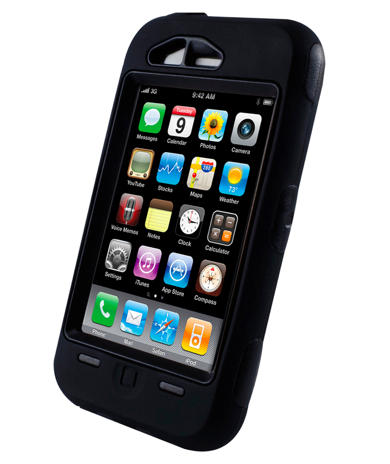
Never put your iPhone in a case, like this highly-protective metal Exovault. http://exovault.com/
When I first went to pick up my iPhone 3G, I was scared. I know what my hands are capable of: Horrible, unthinkable acts of clumsiness. I’ve hurt myself. I’ve hurt others. I’ve even hurt my kitties. So why would I want to put this salvific piece of tech gold into harm’s way? I need to protect this treasure, specifically because I don’t have another $600 to spend on a replacement. And I will be needing one soon.
But I don’t put my iPhone in a case. You shouldn’t either.
Read the rest of this post »
Posted by Tim Cox in Opinions, iPhone | 53 Comments »