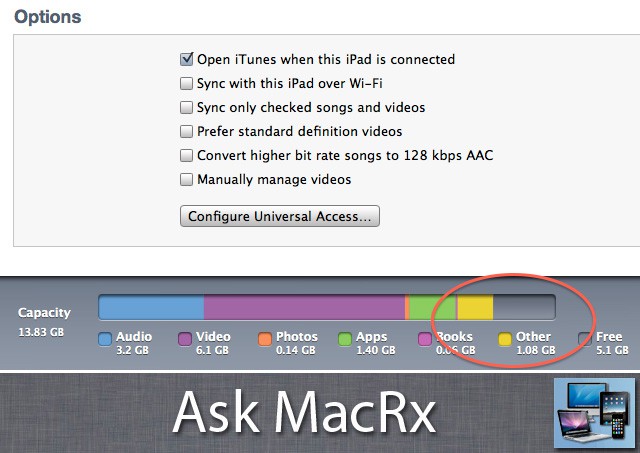
Along with music, movies and photos, many people have some mysterious “other” data on their iDevices, which seems to increase over time. One reader is wondering how to get rid of this data and free up space:
When I look at my iTunes summary of my iPad it shows that there is 2.9GB of “Other” stored on my device. I haven’t put much stuff on my iPad and have no idea what is taking up so much space. I only have a 16GB iPad and like to put movies on it for when I travel, so space is a premium. How do I find out what is taking up so much space, and what is the best way to maximize storage space on my iPad?
Thanks, Kyle
Hi Kyle,
I get asked this question often by my clients, and unfortunately I haven’t found one single answer. Sometimes it may be app data, album art, etc., other times it may be bad storage disk optimization or caches not getting cleared after the system has been in use for a while.
You can usually reclaim the space by making a backup of your iPad, then doing a Restore to the latest version of iOS. After the process completes reload from your backup, and in most cases the “Other” data is gone.
Thanks, it worked like a charm.
Readers, have any additional suggestions on this topic, or corrections/clarifications on the advice above? If so, please leave your thoughts in the comments.

Adam Rosen is an Apple certified IT consultant specializing in Macintosh systems new and old. He lives in Boston with two cats and too many possessions. In addition to membership in the Cult of Mac, Adam has written for Low End Mac and is curator of the Vintage Mac Museum. He also enjoys a good libation.


23 responses to “How Do I Get Rid Of The “Other” Data Stored On My iPad Or iPhone? [Ask MacRx]”
I solved this problem for myself by changing my “Mail Days to Sync” settings on my iPad from No Limit to 1 Week. After restarting the iPad this cleared up 9 GB of storage. Deleting texts/apps etc didn’t do much.
You should Zero Out your personal data with the programs/apps like Safe eraser ( http://ow.ly/xeNGX ) which supports both non-jailbroken and jailbroken devices OR ishredder If you want to erase data permanently from your iPhone/iPad , so that no one can recover your deleted data by using various iOS recovery programs available in the market. This is true for both Jailbroken and non-jailbroken devices.
P.S – I was also looking for something to erase my iPhone 4S (jailbroken) data permanently before selling it.
Worked for me, thanks. Down to 800MB instead of 3GB
So happy I decided to finally look this up. I had 11GB of Other!!! That took up serious room. I was able to get rid of most of it with the backup and restore. I think all that is left is email based on usage. I can’t figure out how to get to the attachments that are stored on the device though??