‘OPlayer’ for iOS Supports Impressive List Of Media Formats

‘OPlayer’ for iOS Supports Impressive List Of Media Formats

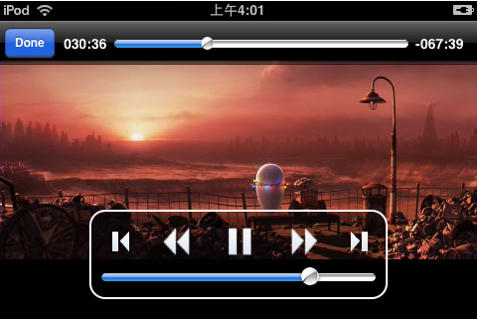
OPlayer, from olimsoft, is an iOS application for both iPhone/iPod Touch and iPad, that claims to boost your device’s media capabilities by allowing playback of a huge list of audio and video file formats.

The list of supported formats is pretty impressive, and will save you a great deal of effort if you often find yourself having to convert movies to watch on your device while you’re on the move. A fairly big video file can take a while to convert and it’s not the most exciting of tasks. But with OPlayer conversion isn’t needed – simply transfer your media to your device.

The full list of supported formats includes MP3, WMA, RM, AAC, WMV, AVI, MKV, RMVB, XVID, MP4, MOV, 3GP and MPG.

You can transfer files to your device using the File Sharing feature within iTunes or you can download them using the built-in browser from your computer, from the internet or from an FTP server. It’s also possible to stream media to your device over Wi-Fi and 3G.

The release of OPlayer, and of CineXPlayer last week, in to the App Store certainly suggests that Apple is relaxing some of its restrictions on app approvals, most likely in a bid to discourage users from jailbreaking their devices. Will this open the doors for other third-party media players?

DON'T MISS
Here, File File! lets you access and stream your Mac’s files to your iPhone

Get OPlayer for your iPhone & iPod Touch from the App Store here, or get the HD version for your iPad here.

About the author

Killian BellKillian Bell is a freelance writer based in the U.K. He has an interest in all things tech and also writes for TechnoBuffalo. You can follow him on Twitter via @killianbell, or through his website.

(sorry, you need Javascript to see this e-mail address)| Read more posts by .

Posted in iOS, iPad apps, iPhone Apps, iPod Touch, News | Tagged: , , , , , , , , , , , , , , , , , , |

  • http://ljp.co.uk Laurie Jeffery

    Remember when Mac stuff “just worked?” I do. I bet 99.99% of all consumers really don’t care about formats which include… MP3, WMA, RM, AAC, WMV, AVI, MKV, RMVB, XVID, MP4, MOV, 3GP and MPG.
    When you press the “play” button, that’s what should happen. It plays.
    Think simple.

  • Bob Penn

    Bought the HD version. It plays back .avi files with a jerky motion. Not acceptable.

  • Swenman

    What we really need is to be able to play small media clips in different formats that are Emailed to us. I get 10 or 12 small movies sent to my Email every week and I have to export them to a computer and re-import them back to the iPad to play in one of these players. Why not inegrate the player to the email program?

  • Swenman

    I spoke too soon. Just purchased the HD version for my iPad and it does open Email attachments. Been waiting for a program that does this for months. Thanks to the Developer

  • Nic

    What no Ogg?

  • Video Beagle

    I grabbed the light version last nite and did some preliminary runs. It plays an impressive number of formats, but it does have some jerky playback. But it’s early yet for the program (and the platform) so I have high hopes of improvements with updates.

    The developer is super responsive. I sent a comment last night and head back from him this morning (I wasn’t even asking a question). I like that kind of feedback in a developer. It’s a nice sign of things to come.

  • King

    I don’t get it
    Apple don’t want people to jailbreak their ipads because they will not download from itunes?
    But if they let such media players be available , then people will STILL not buy from iTunes
    they will just download off the net,
    so they just saved them the jailbreaking step

  • nominal

    Just convert the video to a format that is hardware-accelerated on an iOS device or offload the conversion process with something like AirVideo.

