MacBook Owners Enraged As Apple Blocks Some Displays
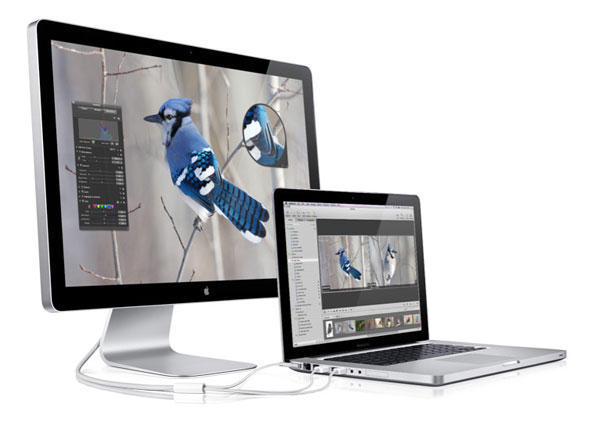
MacBook fans are in an uproar after discovering the new laptops contain hardware-based copyright protection that prevents the viewing of iTunes movies on some external displays, such as a second monitor or a projector.
“This movie cannot be played because a display that is not authorized to play protected movies is connected,” is the warning MacBook users receive when using an external display that doesn’t support the High-bandwidth Digital Content Protection (HDCP) protocol.
The HDCP technology is part of Apple’s Mini DisplayPort Content Protection built into MacBooks. Hollywood studios looking to protect their movies appreciate the 128-bit copy protection measures included in DisplayPort, according to reports.
Since late October, MacBook owners have used Apple’s discussion boards to deride the hardware copy protection scheme.
After plugging Apple’s mini Display Port adapter to his 19-inch VGA external display, one laptop owner wrote he could not view any movies he rented from iTunes.
An owner of Apple’s just-updated MacBook Air reported being unable to view any episodes of high-definition television series on his Apple 23-inch Cinema display. (However, his older MacBook Air displayed movies fine with the Cinema screen.)
“This is unacceptable. Here I have pure Apple products, with a digitally linked Apple display (displayport to DVI) and I cannot play video I legally purchased through iTunes. What gives Apple,” asked the user, ‘doh_eb.’
Prior to the MacBooks, Apple included the copy protection method in its AppleTV box.
So far, Apple had not responded to questions from Cult of Mac about user concerns.
More from Cult of Mac
- Apple Pushes For Wider Adoption of Mini DisplayPort
- Video: 27-Inch iMac in Action as External Monitor
- Well, Shoot… You Can’t Daisy Chain A Mini DisplayPort Monitor Off A Thunderbolt Cinema Display
- Hook Your Mac Up To Pretty Much Any Display With Kanex’s New Adapters
- Cinema Display with Thunderbolt Coming Soon

![Read "How The iPad Is Revolutionizing Branding [Exclusive Book Excerpt]" Read "How The iPad Is Revolutionizing Branding [Exclusive Book Excerpt]"](http://cultofmac.cultofmaccom.netdna-cdn.com/wp-content/uploads/2012/02/marcolina-250x150.jpg)


![Read "EA Sports Gearing Up For The Super Bowl, Discounts MADDEN NFL 12 To $0.99 [Deal Alert]" Read "EA Sports Gearing Up For The Super Bowl, Discounts MADDEN NFL 12 To $0.99 [Deal Alert]"](http://cultofmac.cultofmaccom.netdna-cdn.com/wp-content/uploads/2012/02/maddennfl12-640x313-250x150.jpg)


![Read "ZAGGFolio Keyboard Case Is Tough, Stylish And A Delight To Use [Review]" Read "ZAGGFolio Keyboard Case Is Tough, Stylish And A Delight To Use [Review]"](http://cultofmac.cultofmaccom.netdna-cdn.com/wp-content/uploads/2012/02/P1020394-250x150.jpg)
![Read "If iBooks Author Is Overkill For Your Simple eBook Project, Try Book Creator For iOS Instead [Review]" Read "If iBooks Author Is Overkill For Your Simple eBook Project, Try Book Creator For iOS Instead [Review]"](http://cultofmac.cultofmaccom.netdna-cdn.com/wp-content/uploads/2012/02/bookcreator-250x150.jpg)
![Read "Stuck On Earth, Perhaps, But Not Stuck For Lovely Photos To Look At [Review]" Read "Stuck On Earth, Perhaps, But Not Stuck For Lovely Photos To Look At [Review]"](http://cultofmac.cultofmaccom.netdna-cdn.com/wp-content/uploads/2012/02/stuckonearth-250x150.jpg)
![Read "How To Type Like A Hacker On Your iPad [Review]" Read "How To Type Like A Hacker On Your iPad [Review]"](http://cultofmac.cultofmaccom.netdna-cdn.com/wp-content/uploads/2012/02/hackertyper-250x150.jpg)

![Read "Use A Screensaver As Your Desktop Wallpaper [Video How-To]" Read "Use A Screensaver As Your Desktop Wallpaper [Video How-To]"](http://cultofmac.cultofmaccom.netdna-cdn.com/wp-content/uploads/2012/01/033-250x150.jpg)
![Read "I Can’t Reinstall Snow Leopard After Installing Lion [Ask MacRx]" Read "I Can’t Reinstall Snow Leopard After Installing Lion [Ask MacRx]"](http://cultofmac.cultofmaccom.netdna-cdn.com/wp-content/uploads/2012/01/mac_os_x_lion_install-250x150.jpg)
![Read "Customize Notification Center To Fit Your Every Need [Video How-To]" Read "Customize Notification Center To Fit Your Every Need [Video How-To]"](http://cultofmac.cultofmaccom.netdna-cdn.com/wp-content/uploads/2012/01/Notification-250x150.jpg)


