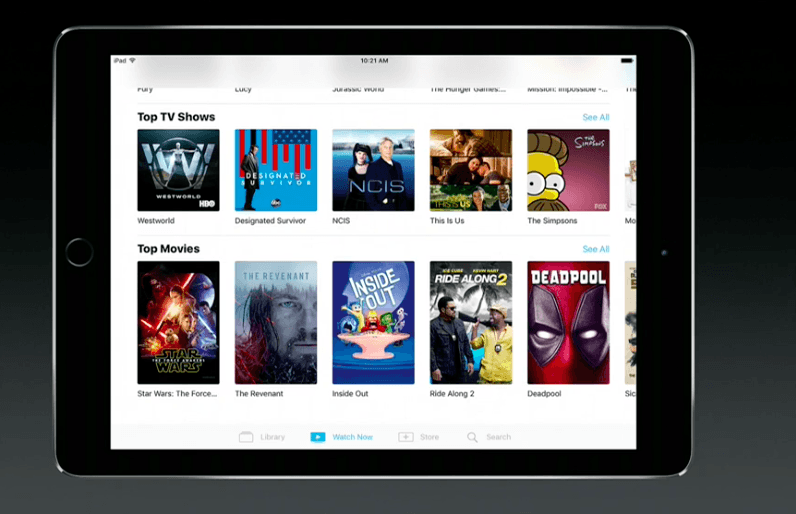
iOS 10.2 is preventing users from playing videos that they have ripped from DVDs and other sources and loaded into iTunes.
It’s unclear whether this is just a bug or a conscious move by Apple, but there is a trick that has allowed some users to get around the problem.
Getting movies from DVD onto your iPhone or iPad has been a fairly simple process up until now. You simply place the disk inside your Mac, copy the video to your hard drive, and then import it into iTunes before syncing it to your iOS device.
However, with iOS 10.2, Apple removed the Videos app and replaced it with TV, which doesn’t seem to like ripped content. Apple’s Support Communities forum is now being littered with complaints from users who can no longer enjoy their favorite movies and TV shows on the go.
Some users report that adding the new TV widget to the Today page causes ripped content to show up inside the TV app, which suggests this is just a bug in iOS 10.2, rather than an intentional block. However, the workaround doesn’t appear to have been successful for all users.
To try it out for yourself, swipe right on your first Home screen to access the Today page, then scroll all the way to the bottom. Tap the Edit button, then tap the green plus icon that appears alongside the TV app. Once the widget appears, you might find your ripped content inside TV.
If this doesn’t work, the only thing you can do for now is wait for Apple to address this issue — if indeed it is just a bug. It seems unlikely the company would prevent users from playing content ripped from other sources on their iOS devices since it could be perfectly legal.

Killian Bell is a freelance writer based in the U.K. He has an interest in all things tech and also covers Android over at CultofAndroid.com. You can follow him on Twitter via @killianbell.


18 responses to “iOS 10.2 won’t let you play ripped DVDs from your iTunes library”
“You simply place the disk inside your Mac, copy the video to your hard drive, and then import it into iTunes before syncing it to your iOS device.” This is incorrect. You have to convert the video file to something the your iPhone can understand, most people use Handbrake or one of the many DVD conversion utilities advertised on your website. If this is how you’re doing it then it’s not surprising you can’t see these videos on your phone.
So no drag and drop on iOS?
I’m not sure I understand your question. Are you asking if you can drag and drop a DVD into an app on iOS? You can’t do that. Not sure how you’d even connect an optical drive to an iOS device. If you mean converting a DVD on a Mac, no, you can’t drag and drop the way you can with a CD. Apple doesn’t provide any native DVD conversion software.
My best guess is a lack of metadata in the DVD rip is causing the TV app to not index it.
In line with this, I haven’t tried moving any of my 1000+ ripped movies and shows (from DVDs and Blu-rays I own) to an iOS 10.2 device yet… however I know there have been issues with iTunes in the past related to metadata, such as whether movies showed up as Home Videos rather than Movies caused by Apple changing what the default “movie” metadata tag meant (from a Movie to a Home Movie). I’d not be surprised that Apple went one further and is now requiring Copyright info or some of the more obscure (undocumented) iTunes App Store Library metadata.
I’d not be surprised… however I would be quite disappointed. This “anti-piracy” overstep nonsense needs to stop, and Apple aligning itself with the content producers in stealing “fair use” rights away from the consumer cannot and should not be accepted,if it is determined that is what it is, rather than a bug… but I’m very very suspicious because this is really a use case that should be tested for, and obviously it is either NOT being tested or being purposefully, maliciously ignored.
It seems to be a bug. I record TV over the air and compress to .mp4. I just tested and sometimes the video shows up and sometimes it doesn’t. I don’t think it is a anti-piracy thing.
yeah. so this is a problem with the WIDGET and not the actual TV AP.P??? I clicked on tv , library, home videos, picked on something that i ripped and it plays.
Not having this problem since I’m using handbrake to convert my dvd’s. I’ve never known anyone just copy the disc onto the hard drive and import into iTunes.
Or use VLC and be done with it.
This is completely false. When you transfer your own content to your iOS device, the video is found under the section, ‘Downloaded’. It shows both TV shows and Movies that have been transferred. No problems at all. https://uploads.disquscdn.com/images/0ddbe23a345dee5e6649184ea1d29239bf8dc9294c03163e98b19b814f023b3b.png
My ripped DVDs are in the Home Movies of my TV app, and all of them play without problems.
I live in Hungary, and we don’t have the TV app, we still have the Videos app instead in iOS 10.2.1 public beta. Ripped DVDs are still fine. I guess it’s a bug then.
Works fine for me. Watched one today on my iPad Pro on 10.2.1
I think iTunes should allow Siri to search my movies on Apple TV. But Apple does not seem to “approve” of anything they do not completely control. I have over 3000 dvds with many seasons of tv shows and yet Siri ignores them I have to “type” in on the awful remote to get them to play. Apple let’s get back to Steve Jobs quality!
Or just use one of the free or cheap video apps that are way better and easier to use. VLC player or Air Video HD come to mind.
Simply use VLC. Load videos using PhoneView. It is way better than using the Videos or TV app. You can even set the playback speed to save time or if the video is too boring or slow paced.
I gave up on iTunes years ago…Plex is amazing.
I have this problem. Ripped videos with tags properly formatted residing in iTunes – can be viewed in iTunes – don’t show up in my TV app, which infuriantly tells me I have no videos in my library when clearly I have several. Adding the widget did nothing.