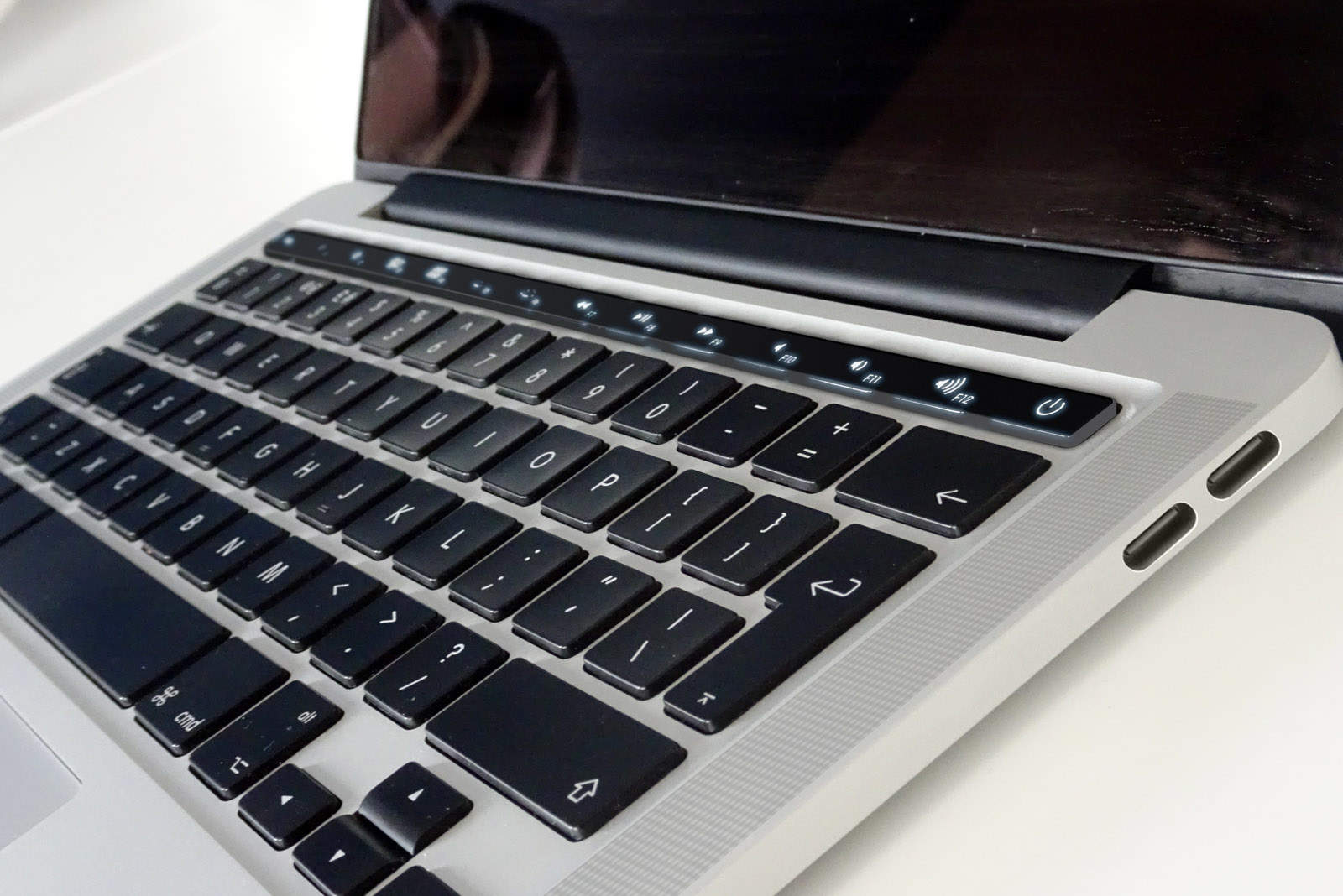
If you aren’t already stoked for this year’s big MacBook Pro upgrade, perhaps this concept will help. The video imagines the rumored OLED touch bar that all the rumors have been promising, and all the incredible functionality it could bring.
Reliable KGI Securities analyst Ming-Chi Kuo was first to promise the OLED touch bar in a note to investors, while pictures of the new MacBook Pro’s chassis that were obtained by Cult of Mac all but confirm it will happen.
The touch bar takes the place of the physical function keys we have now, and offers more flexibility. In the “iKeys” concept video below, which was actually published back in 2014, we get an idea of what kind of functionality that touch bar could provide.
By working closely with the software powering the MacBook Pro, the touch bar in this concept quickly adapts to become more useful when you’re carrying out different tasks. For instance, after opening Safari, it presents a bunch of links to your favorites.
When you’re viewing a video on YouTube, the touch bar then displays playback controls, a search shortcut, and buttons for things like fullscreen and comments.
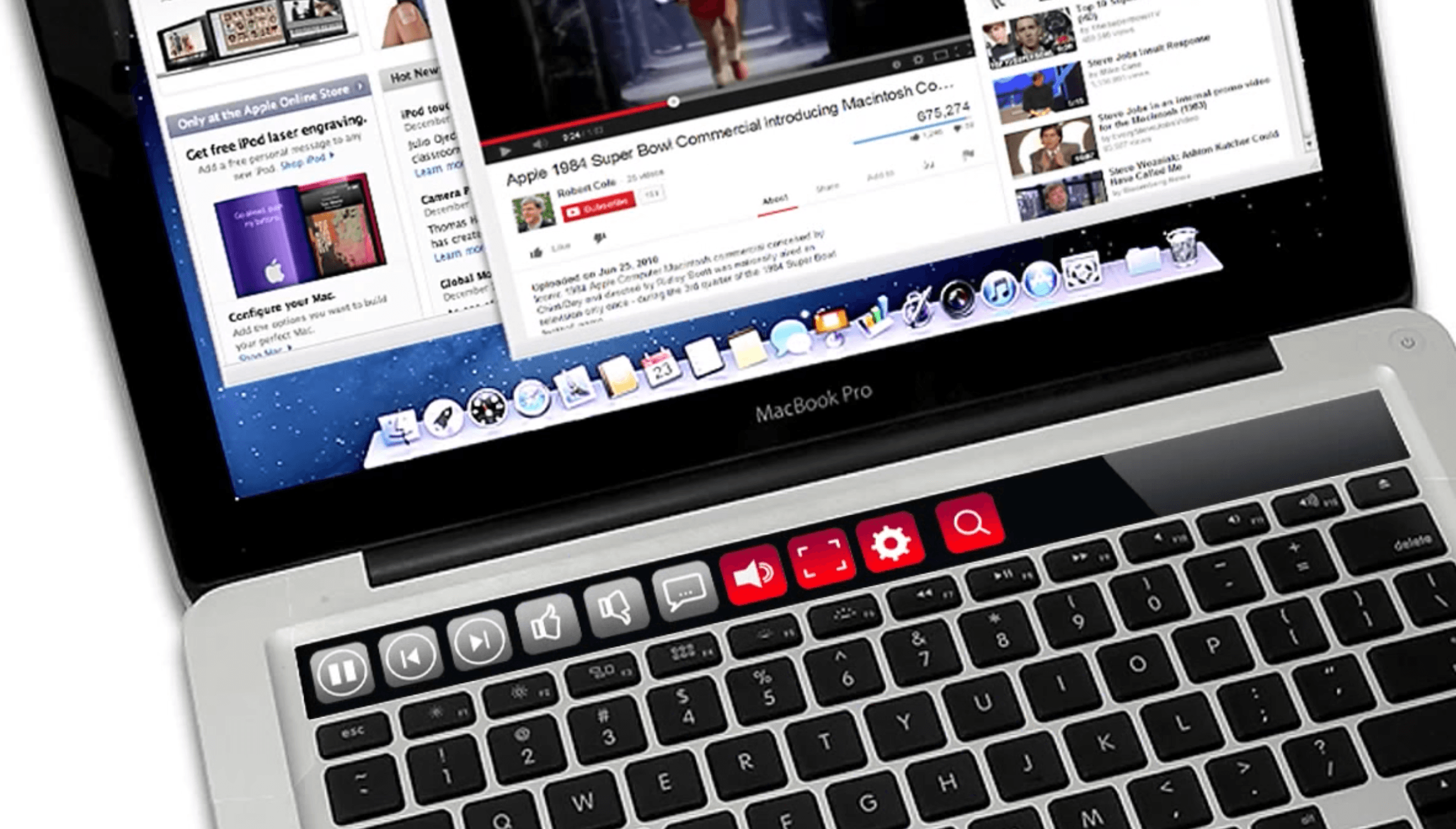
Photo: Lukasz Majer
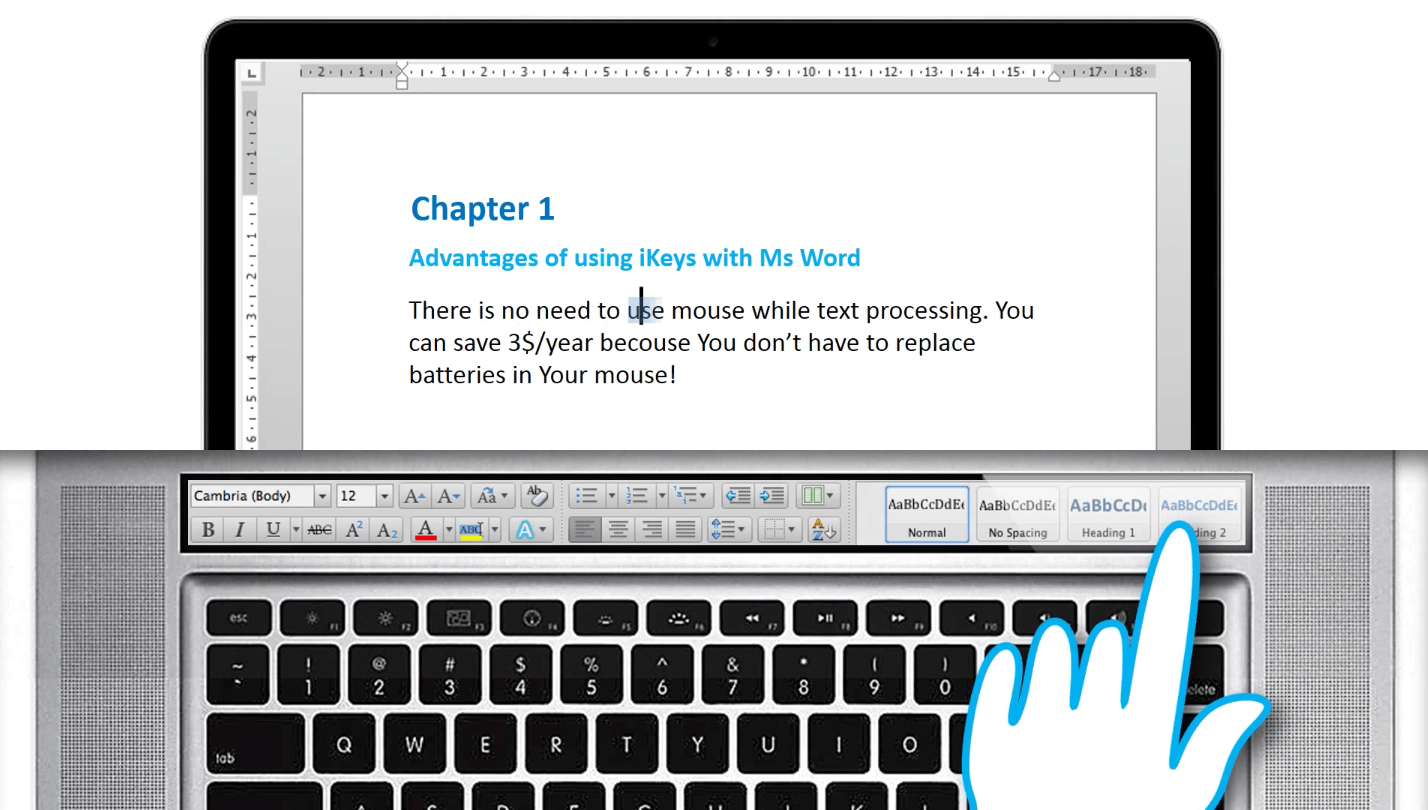
The concept imagines ditching the mouse and moving all the tools you’ll need to the touch bar when using a program like Microsoft Word. This doesn’t just make common functions super easy to access, but it also frees up space on the primary display.
The same happens inside applications like Photoshop and CAD. While watching a movie, the progress bar and all controls move into the touch bar to prevent anything from getting in your way. Notifications can appear here, too, so you’re not distracted.
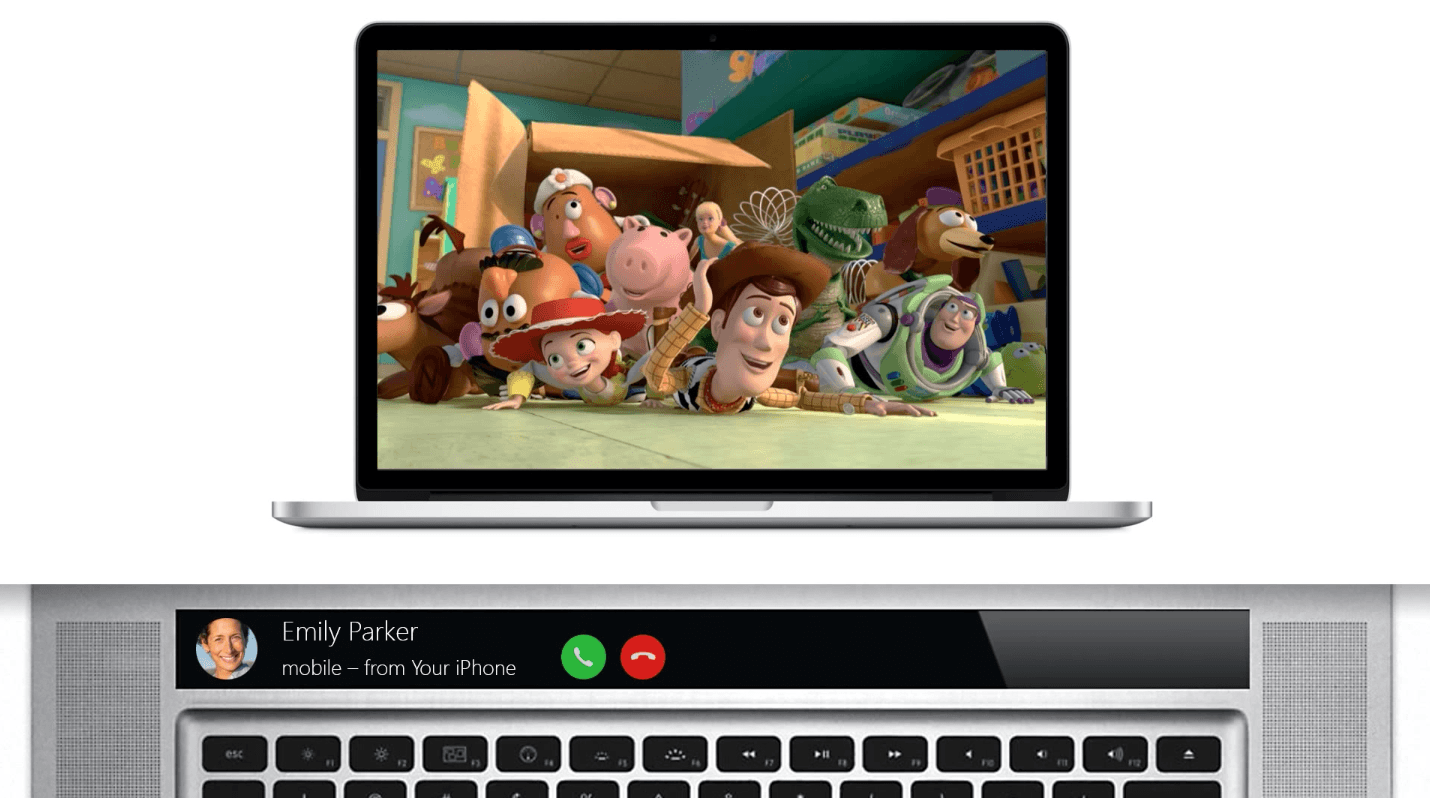
Photo: Lukasz Majer
The touch bar doesn’t just recognize the applications you’re using. When you plug in headphones, it automatically displays shortcuts to relevant apps — like iTunes and iBooks — recent albums and podcasts, and volume controls.
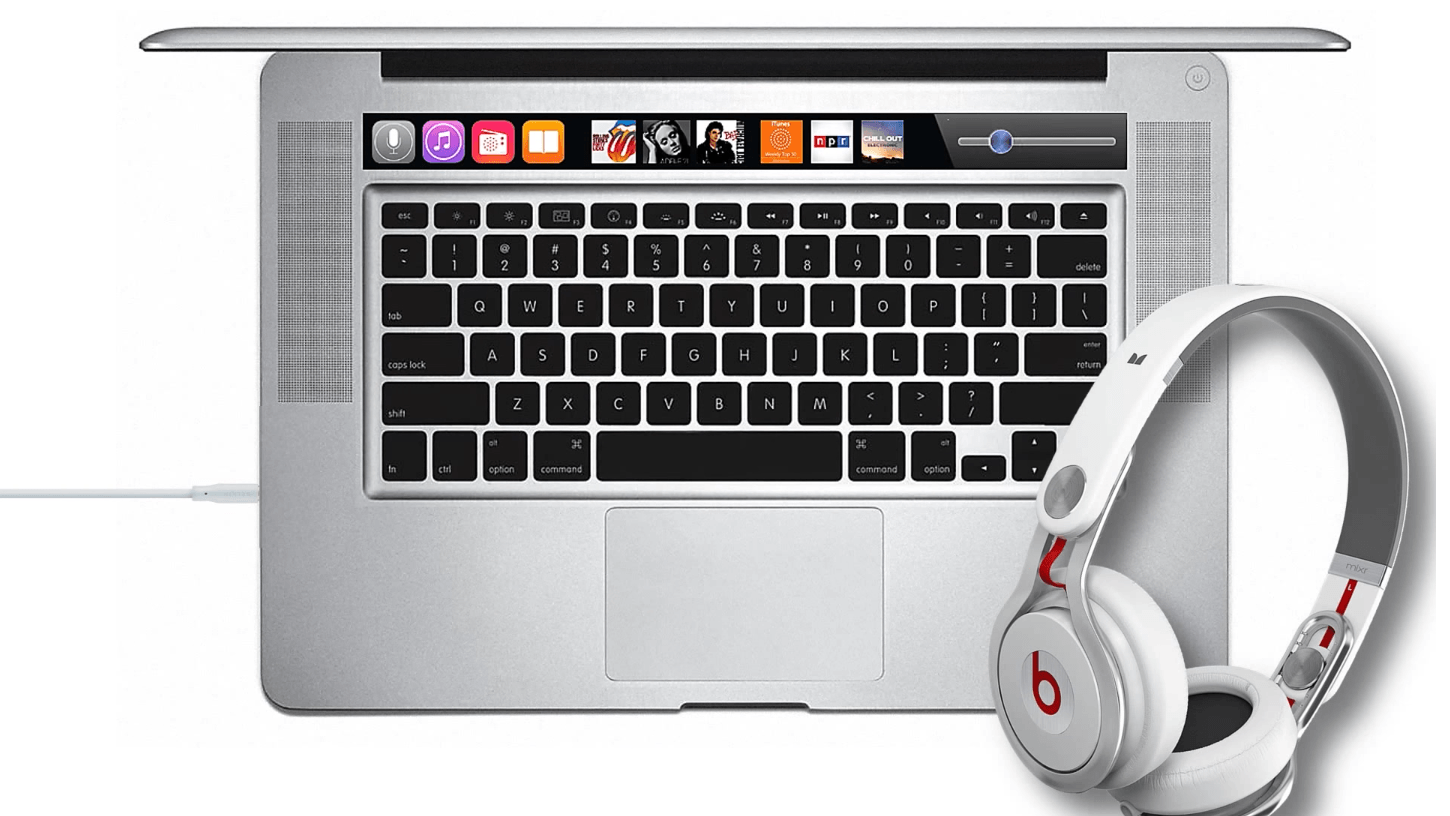
Photo: Lukasz Majer
In the image below, the touch bar also acts as the function keys — as we expect from the new MacBook Pro. It’s also where you’ll find toggles for things like Wi-Fi, Bluetooth, and display brightness.
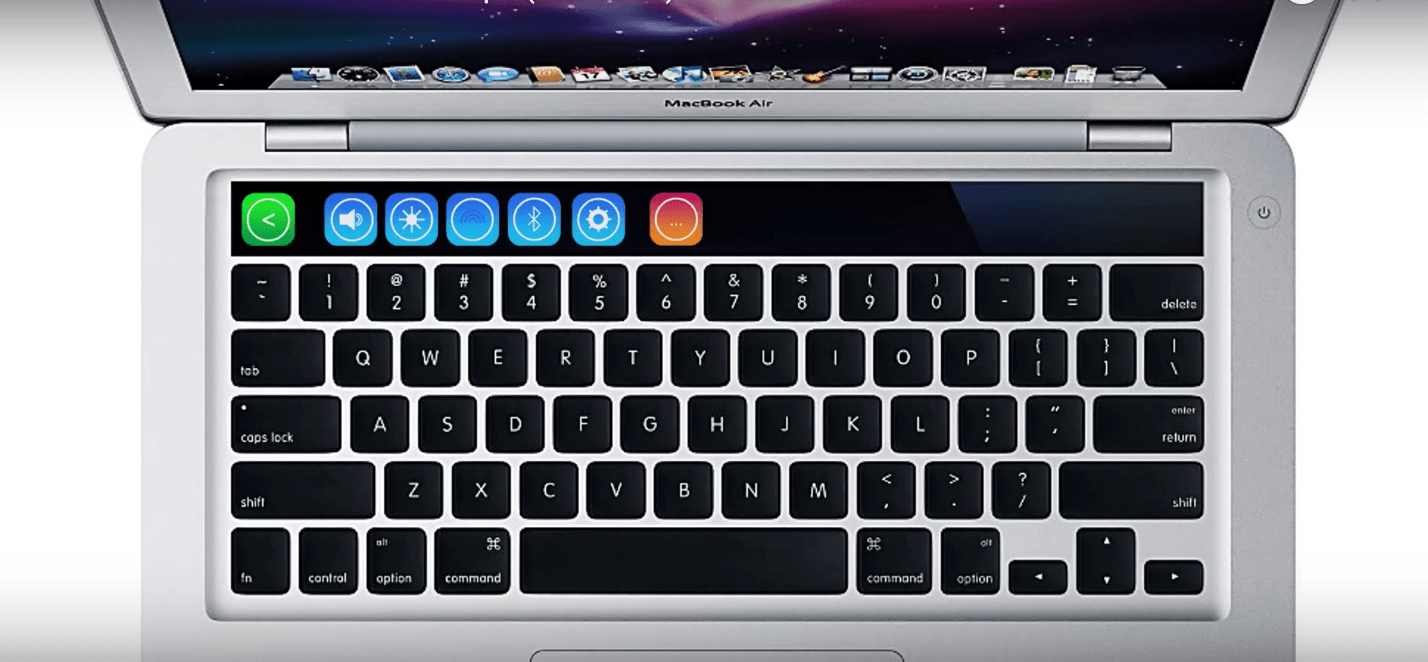
Photo: Lukasz Majer
I mentioned a few of these functions for the touch bar in my post on why bringing this feature to the MacBook Pro is a great idea. There are plenty of other uses for it, too, and if Apple opens it up to third-party developers, it will become even more powerful.
Via: MyApple

Killian Bell is a freelance writer based in the U.K. He has an interest in all things tech and also covers Android over at CultofAndroid.com. You can follow him on Twitter via @killianbell.


7 responses to “Concept imagines the magic of MacBook Pro’s OLED touch bar”
Must have hardware power button!!!
That’s actually the worst concept i’ve seen, and it’s no longer valid anyway since the chassis leaked with much smaller OLED bar. I think the one by Martin Hajek is much more plausible – and actually looks much better.
Truly truly horrendous!
“You’ll want that touch bar even more after seeing this.” hmmmm… NO! This can only be described as stupid. When I use computer, I do not look at keyboard, and should not have to. This concept introduces features that is totally redundant and gimmicky. I am absolute certain Apple won’t introduce anything like this.
I agree with you regarding looking at the keyboard. I always look at the screen. But why do you think they introduce the oled touch bar?
On any laptop keyboard (especially my Mac) I’m used to being able to turn up or down brightness/volume without having to look down at the keyboard no problem. I can’t imagine being able to do the same with a touchscreen.
This was already done by Razer a long time ago