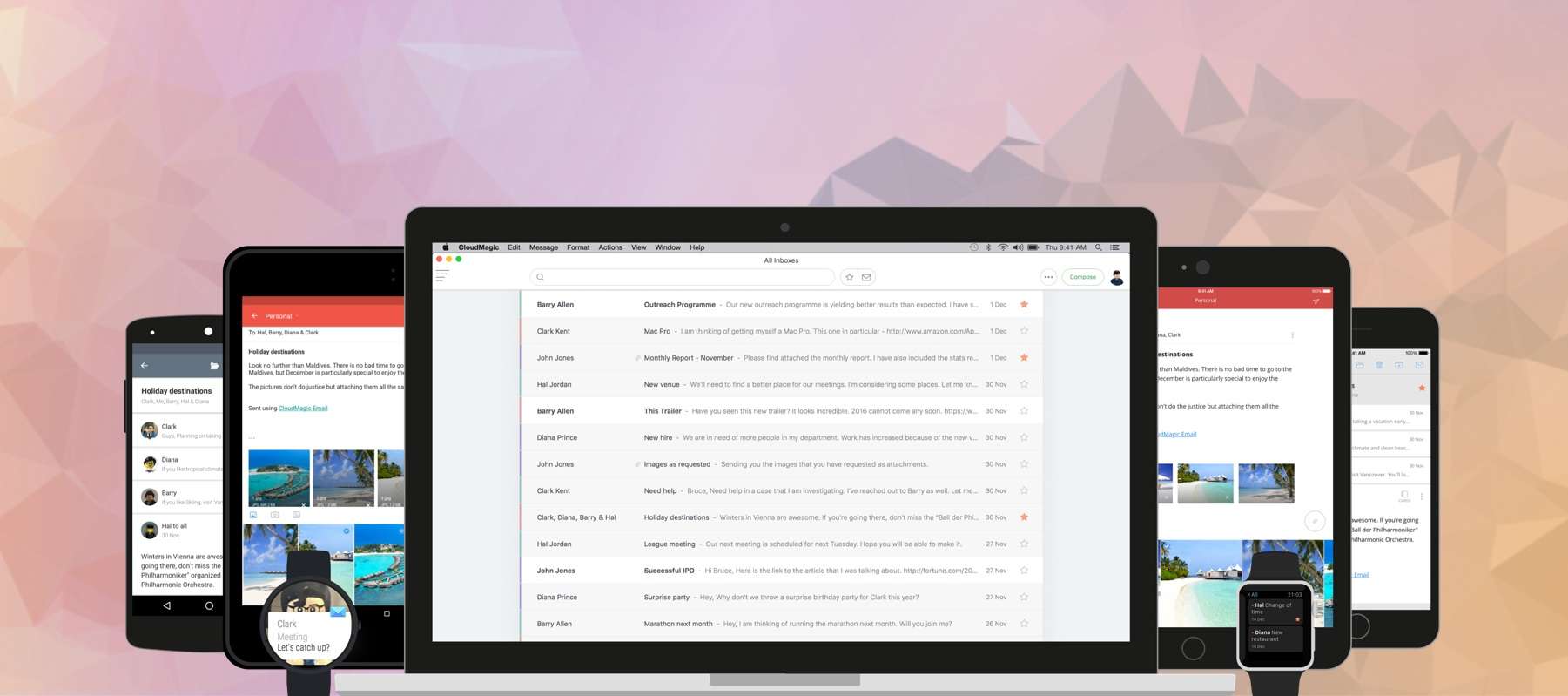
For managing multiple mail accounts on the go, nothing beats the brilliant CloudMagic. It packs everything you need in an email app — and a whole lot more — and supports almost every mail service you can throw at it. And now it’s finally available on your Mac!
Since making its debut on Android and iOS in November 2013, CloudMagic has attracted more than 3 million active users, and that figure continues to rise each week. It has a 4.5-star rating on the App Store and Google Play, and it has picked up various awards.
What makes CloudMagic great is its clean and simple user interface, support for almost all mail services, and its many features — such as app integration, which ties CloudMagic to third-party services like Evernote, MailChimp, Todoist, Instapaper, Wunderlist, Dropbox, and more.
CloudMagic also boasts a unique infrastructure. All of the hard work takes place on CloudMagic’s servers, which means you get your latest emails as quickly as possible, and the app is kind on battery life and resources.
All of the things that make CloudMagic the best mail client on mobile can now be found inside the new Mac app. It’s beautifully designed, distraction-free, and incredibly intuitive. If you’re already a CloudMagic user, this is the desktop solution you’ve been waiting for.
CloudMagic for Mac supports Handoff, so you can seamlessly move between OS X and iOS devices and continue where you left off — and all of your email accounts and preferences are synced across your devices. That means you don’t have to set up all of your accounts manually; just sign in with your CloudMagic account and you’re good to go.
Other features include a unified inbox, an unread badge count, quick filters, HTML signatures, Remote Wipe, useful keyboard shortcuts, and more.
CloudMagic for Mac is priced at $19.99, and you can download it now from the Mac App Store. If you aren’t already using CloudMagic on mobile, you can get it on Android and iOS now for free.

Killian Bell is a freelance writer based in the U.K. He has an interest in all things tech and also covers Android over at CultofAndroid.com. You can follow him on Twitter via @killianbell.


8 responses to “CloudMagic, the best mail client on mobile, comes to Mac”
Is it capable of using Gmail shortcuts? (e.g. C for Compose new email or Y for Archive etc?)
It has keyboard shortcuts, but I don’t believe they’re the same as Gmail’s:
A = archive
R = reply
E = reply all
S = star/unstar
U = mark as read/unread
If you’re a Gmail user (which is A LOT of people), using any of these third-party apps really is disadvantageous. None of them have all of Gmail’s features like marking as important, muting, filtering similar messages, blocking, reporting phishing, built-in translator, chat, text, call, undo send, one-click unsubscribe, package- and flight-tracking detection, powerful filters, lab features, themes, offline mode, aliases, etc, etc, etc.
Another major disadvantage is that Google’s spam-detecting algorithm gets better only if you mark such emails within Google’s own web app. Marking them in a third-party app has zero effect on the algorithm, in other words, Google never learns what you just marked as spam.
Is there an official Gmail app for the Mac?
No. But do try Mailplane app. It’s the closest you’ll get to having a proper Gmail app.
Does it have a procrastination function? Because until it does, until I can shove an email into tomorrow or in a month, neither version will be as convenient as the soon-departed Mailbox or Outlook.
Try Spark by Readdle. It snoozes emails nicely and has awesome search capabilities – much, much better than Mailbox ever had. I love it. iPhone app out now, iPad beta coming soon, Mac version this year – which is inconvenient, but the app is so good I’m willing to make web Gmail on my computer work for now.
Its worth noting that the integrations that you mention — a key feature of the iOS app — are not available on the Mac app!