Apple issues patches for Aperture 3 users

Apple issues patches for Aperture 3 users

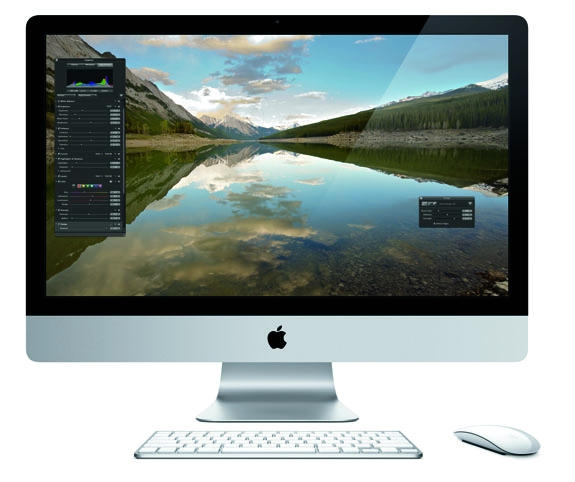
Apple’s update to its professional photography application, Aperture 3, was met with excitement by OS X shutterbugs when it was unceremoniously released on February 16th, but since then, complaints that the program will suck up pretty much all of the free space on your hard drive during the library upgrade process have been widespread.

A new Aperture 3 patch addresses some of the issues that users have been having with the program, including fixes for:

• Upgrading libraries from earlier versions of Aperture
• Importing libraries from iPhoto
• Importing photos directly from a camera
• Memory usage when processing heavily-retouched photos
• Face recognition processing

DON'T MISS
Apple Releases Aperture 3.1.2 Update, Here’s What It Fixes

Unfortunately, though, Apple is still warning that Aperture 3 may eat up your entire hard drive during the upgrade process, claiming that users experiencing problems need to temporarily shift their library to a different hard drive with more space. Since I’ve talked to some people who’ve seen terrabyte drives fill up completely during the Aperture 3 upgrade process, this isn’t entirely welcome news.

About the author

John BrownleeJohn Brownlee is news editor here at Cult of Mac, and has also written about a lot of things for a lot of different places, including Wired, Playboy, Boing Boing, Popular Mechanics, Gizmodo, Kotaku, Lifehacker, AMC, Geek and the Consumerist. He lives in Cambridge with his charming inamorata and a tiny budgerigar punningly christened after Nabokov's most famous pervert. You can follow him here on Twitter.

(sorry, you need Javascript to see this e-mail address)| Read more posts by .

Posted in Apple, News, Software |

  • فواز العساف

    V,UIHJD

  • Padraig O’Rourke

    I upgraded from Aperture 2 to Aperture 3 two days ago and haven’t been able to work since! I have a rotating whatsit telling me that the system is crunching face recognition. Can I re-install Aperture 2 without destroying my library?
    I have been a strong advocate of apple products for years, but now I’d like to get my hands on the guys who released this update in such an un-usable state.

  • David Lamplighter

    I had unfortunately become lulled into a false sense of security since converting from PC (25 years) to Mac (3 years). All was well until I installed Aperture 3 on my two Mac Pros. Nothing but trouble since – I haven’t seen so many crashes since I first installed Windows Vista! Fortunately my Macbook Pro is still running version 2 or I’d be out of business.

  • Gerry

    We’ve been waiting for this upgrade for some time, as A2 did not tether with a Canon 5dmii. Very disappointed that it still doesnt properly tether, as this was a fabulous feature in A2 (on another older Canon camera). Hoping that the patch might help, but, of course, downloaded it and it wont install on the 30 day trial. Apple’s history with their pro software makes me very wary to actually purchase their products any more as their support is just not there. And if I cant confirm that something works in A3 demo, I certainly wont be buying it. Anyone able to help re tethering patched A3 to a 5Dmii. Much appreciated. Why is Apple always one byte short of the whole apple? G

  • http://www.oscarzagal.com Oscar

    I have used aperture since it first came out but with this new version I have had nothing but problems with the new Aperture 3. The computers is super slow and crashes or freezes in one of two operations. It just recently added another problem to the mix, it changed my images to this weird green color and I can not get rid of it. I tried upgrading from the master but the master seems to be somehow changed as well. Anyone out there knows of a possible solution to this? (and all the other problems).

  • Lindsay

    I have the exact same issues as Oscar! I love the new features and think it will be an outstanding upgrade from A2, but I can hardly work on this. The more processing I do, the slower it becomes and the more it freezes up! I cannot export my photo’s to photoshop or Nik software. Portions of my photo’s turn green after much editing. When uploading to costco for prints, it uploads the unedited versions.. i hope apple is working hard at getting these things figured out soon!
    L

  • Emilio Garcia

    It is now almost the end of August of 2010 and started to have the same problems described by Oscar and Lindsay back in April. i wonder if someone can tell me if some of these problems have already addressed by Apple? Help would be much appreciated!
    E

