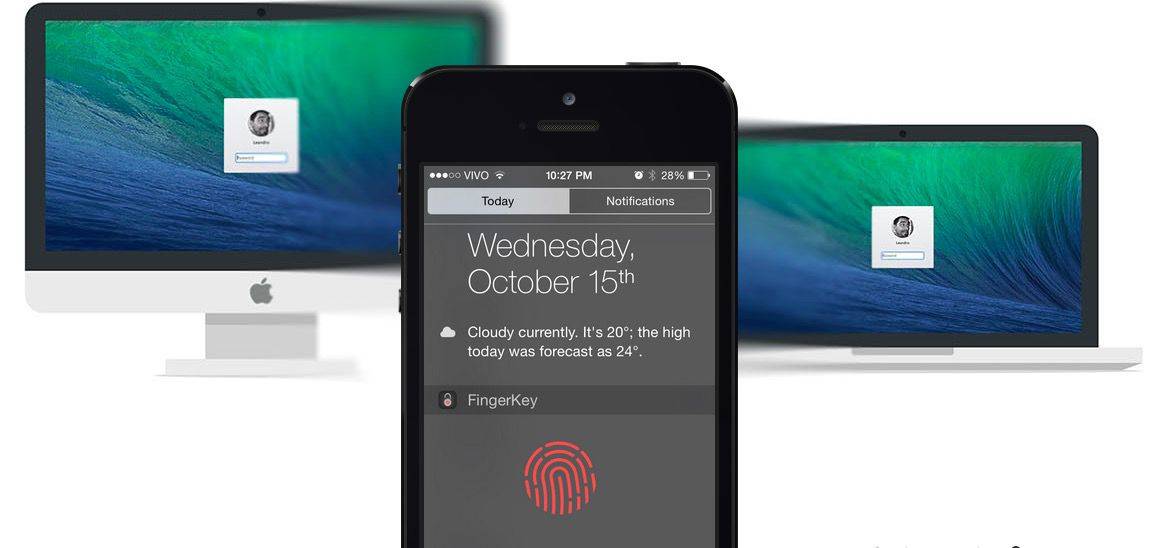
First introduced with the iPhone 5s, Apple’s Touch ID fingerprint sensor is one of the easiest and most convenient ways to unlock your iPhone and iPad. And now, thanks to a new app, it’s also one of the easiest and most convenient ways to unlock your Mac.
Called FingerKey, this new utility works by using Bluetooth 4.0 (what else?) to pair with your Mac, then forms a low latency, low energy wireless connection with an extra layer of 256-bit AES encryption on top to keep things secure.
Once you’ve got things paired, unlocking your Mac is as simple as getting into Bluetooth range, opening up the app, and putting your finger against the home button. There’s also a Notification Center Widget that makes things even easier, and FingerKey can actually unlock multiple Macs at a time.
Unfortunately, there’s a caveat. Right now, there appears to be an issue with the iPhone 6 and iPhone 6 Plus that prevents the app from properly working under some circumstances. The developers say, though, that an update is on its way that will fix the issues for good.
You can download FingerKey from the iOS App Store for just $1.99.

John Brownlee is a writer for Fast Company, and a contributing writer here at CoM. He has also written for Wired, Playboy, Boing Boing, Popular Mechanics, VentureBeat, and Gizmodo. He lives in Boston with his wife and two parakeets. You can follow him here on Twitter.


16 responses to “This app lets you unlock your Mac with Touch ID”
the app doesn’t work at all on my 6.. yes I know there was a ‘caveat’ but hey, its nearly 2015, I thought hype was reserved for EA, and the pitch of a quicker way to get into my macbook retina was akin to selling candy to a (gullible) child :) please sort it out guys.. email to support also sent.
apparently there is issue an issue with iphone 6 and 6+ , the bluetooth connection is being blocked by something !
According to the reviews it’s crap at the moment. They do the unlock by Touch ID, redo it, and have to wait up to a minute for the unlock.
Might be faster to just use your password.
I use Knock app and it’s beautiful not problem at all
thanks Bub, just bought the app
+1 For Knock, it just works.
I use it too. It is great.
From a security standpoint, especially a laptop, I guess this makes sense. For home use on my desktop, it seems like more trouble than it’s worth.
Doesn’t work with my 5s and mid 2012 MBP. Had it connected once to register my laptop and then it was unable to connect to unlock. Deleted the profile and tried again but nothing……
Doesn’t work at all on iPhone 6 :(
I wonder if BioUnlock is iOS App Store soon.
http://www.cultofmac.com/262807/biounlock-lets-use-touch-id-unlock-mac-jailbreak/
I’ve been waiting for an app like this but until they get the iPhone 6 issues resolved I won’t bother. Hopefully they can address this sooner rather than later.
I don’t mind paying $2 bucks for the app but it’s gotta work. I’m okay with free having issues but not when I’m laying down cash.
http://www.knocktounlock.com
Sounds like more work than entering the password on the Mac lock screen.
And just like with Yosemite’s Handoff feature, my late-08 MBP is left out in the cold. At least mine runs better than the couple generations that came after it. And the convenient battery door is still a plus!
They totally stole my idea!