The Secrets Of Steve Jobs’ iPad Presentation

The Secrets Of Steve Jobs’ iPad Presentation

Amazingly Zippy Words.

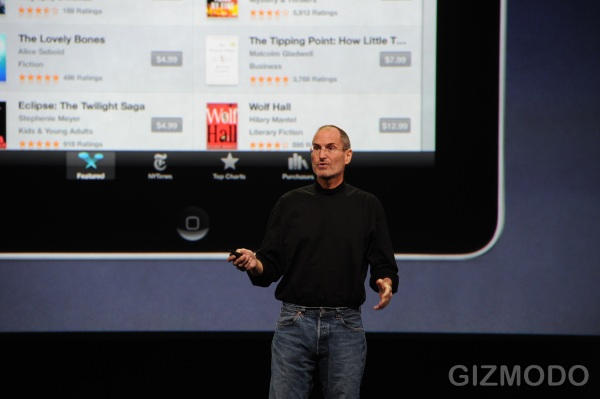
Steve Jobs uses descriptive, emotive language that appeals to your right brain. Some critics say it borders on hyperbole, but better to use emotion to convey excitement than stale, jargon-laden buzzwords that rarely, if ever, creep into a Jobs presentation. Here are some examples from the iPad launch:
“It’s so much more intimate than a laptop and so much more capable than a SmartPhone.”
“It’s the best browsing experience you’ve ever had.”
“It’s a dream to type on.”
“It’s that simple.”
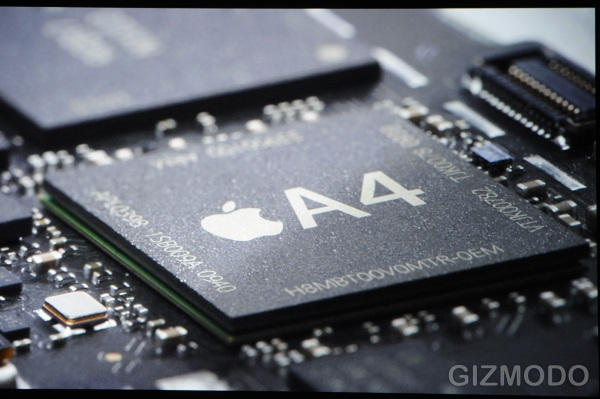
“It’s a screamer” (describing the A4, Apple designed chip)

DON'T MISS
The Presentation Secrets of Steve Jobs: The Real Deal Behind The Reality Distortion Field

Pages: 1 2 3 4 5 6

About the author

Carmine GalloCarmine Gallo is the author of The Presentation Secrets of Steve Jobs. He is the communication skills coach for the world’s most admired brands, including IBM, Nokia and Chase. He writes a weekly leadership and communications column for BusinessWeek.com. More about Carmine Gallo at his Gallo Communications website.


(sorry, you need Javascript to see this e-mail address)| Read more posts by .

Posted in Apple, iPad, News, Steve Jobs, Stevenote, Top stories |

  • http://apple-world.com Serag Ajaj

    Thank You Very Much

    Really Great Post ..

    Looking Forward To Get Your Book Which i will Buy After Adding My Comment ..

    Thanks You Again .. Hope This is not Your Last Post In CultOfMac

    & Steve … i Have Noting To Say .. i nearly red all The Books about steve .. all Audio Books … Really The Most Brilliant Person i Have Ever Saw .

    My Best Regards

    MY Best Regards

  • Namhar

    i just want to now how he displays the ipad on the large screen. does the ipad have a TV out if so then the quality must be really good

  • Hawman

    If the presentations are rehearsed so carefully, I would guess it was no mistake that Steve surfed to the NY Times website to illustrate the lack of Flash on the iPad without actually saying anything.

  • iGenius

    I read the first few paragraphs, and then gave up. Why do you put only one paragraph on each page? Is this a secret to presenting web pages? Constantly interrupt and annoy the reader?

    This ain’t a PowerPoint Presentation, it is a feature news article on the ‘web. Different presentation styles are appropriate.

    If you format your web presentation in a more user-friendly manner, I’ll finish reading it. Otherwise, it is too much work. I dunno, but my goal when I write is to make it as easy as possible for the reader to grok my message. I’m not sure why you think it is better to constantly interrupt the flow.

  • Kerry O’Donovan

    Well structure his presenttions might but does that include those couple of moments he navigated to NYT pages with picture slideshows shown as Flash error symbols? You know that thing Apple refuses like arses to support properly? I say this as a devoted Apple fan who believes that he iPad exists because enough wanly fanboys made enough noise to convince them to make one. A product I can barely see a need for especially with thy underpowered processor. If I could run Logi and Maintage off it in a live situation I might consider one for th form factor alone. Until it’s not a giant iPod touch though I will consider it going the way of the Newton. Except it’s not nearly as shockingly inventive. Apple has officially started to regurgitate the aluminum series ideas.

  • http://www.timecenter.com/ Daniel The Scheduling Wizard

    I didn’t think about the presentation being Twitter-friendly, but you are absolutely right. But maybe it was always the part of the simplicity that Apple strives for. The 3 rule is also golden, I’ll use it more often when presenting stuff.

    Thanks for the article!

  • http://www.metrokids.ca Conrad

    @Kerry

    Jobs sure knew that the little Lego piece would be there on the iPad. He proudly displayed it. Apple isn’t being stubborn, they are being smart and holding their ground.

    The iPhone continues to garner market share worldwide, and the iPhone/iPod Touch combo have little dominated the mobile web. And both have done it without Flash, and both have done it without Java.

    I would go as far as to say that you don’t actually need Flash for anything. And, of course, you’ll reply “Hulu! Won’t somebody think about Hulu!” Well, first of all, no one outside the states can actually watch the darn thing. And secondly if Hulu was smart they would make their site available (not that hard to provide access to the source file instead of wrapping it in a Flash container) to iXxxx owners.

    In any case your froth-at-the-mouth hate is unwarranted. This device simply is not for you. You are coming into a discussion off-topic simply to spew your venomous hate all over the intertubes and to what end?

  • http://www.appfreakblog.com appfreak

    Very good observations, I’ve seen your video on Amazon and your book presentation has convinced me to get it! Fantastic, I always thinks of Jobs when I prepare one and get nervous.

  • Nirmit

    Good observation/analysis. he is a pro!

  • ged

    This was not the best presentation Steve Jobs ever gave, but it was pretty good.
    Some have been much more complex, and even smoother.
    I think it is great he is alive, and obviously getting back to health.

  • http://mobilepov.wordpress.com R. Paul Singh

    Nice article. Steve is great and every time I see him it reminds me of Bob Metcalfe the founder of 3Com. He is also a genius at presentations which he used to create with his own ideas and Steve seems to do the same (certainly both got the help from their graphic designers). Before the 140 characters became the new mantra, he insisted, 20 years ago, we should shrink all of the communication within one screen for it to be viable. On presentations especially in front of a crowd, don’t have too much text as anyone can read that and then there is no need for you.

  • http://www.redhat.com KJordan

    Excellent synopsis. I just finished Carmine’s book and it was awesome! A must read for anyone who needs to give frequent presentations and would like to overcome standard boring PowerPoint presentations.