Notifications in iOS 6 can be annoying, for sure. To dismiss them takes some funky gestures, which we tipped you on a while back.
In iOS 7, however, notifications look different, and — thankfully — are a little easier to dismiss. Here’s how it works.
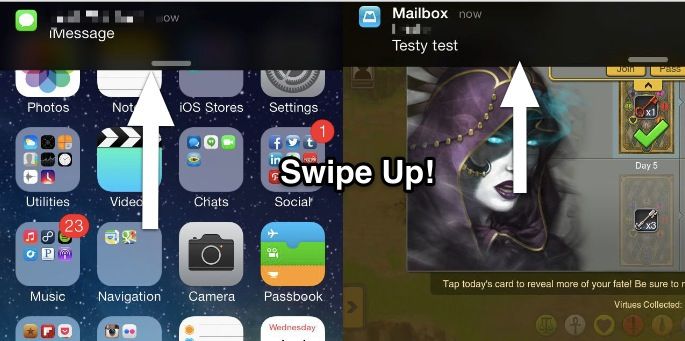
When a notification drops down on your iPhone or iPad in iOS 7 beta, it’s a black bar with white text. You can tap on the notification to go right to the app that issued it, as per usual.
To dismiss it, you can simply swipe the notification up, and it will go away. The end. Pretty cool, right? It mirrors the way you can dismiss the Notification Center, so it should make more sense than the previous “pull down, then up” sort of weird gesture.
Now when you get a notification on your iPhone, if you’re running iOS 7, you can just do what comes naturally and slide it back up where it came from. Hooray!

Rob LeFebvre is an Anchorage, Alaska-based writer and editor who has contributed to various tech, gaming and iOS sites, including 148Apps, Creative Screenwriting, Shelf-Awareness, VentureBeat, and Paste Magazine. Feel free to find Rob on Twitter @roblef, and send him a cookie once in a while; he’ll really appreciate it.

