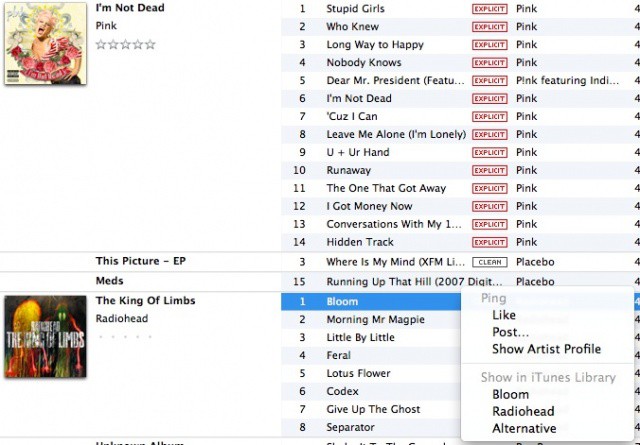
If you’ve ever clicked on the Ping menu next to a song you have selected in iTunes, you’ll have noticed the option to Like or Post via Ping. You may have also noticed the option to show the song, the artist, or the genre of the currently selected song in the iTunes Music Store. But what if you want to find all the songs by that artist in your own iTunes library? Today’s tip shows you how, with a little bit of Terminal magic.
Be sure to quit iTunes first, then launch Terminal from the Utilities folder, which is located inside the Applications folder. Once launched, type or paste in the following:
defaults write com.apple.iTunes invertStoreLinks -bool YES
Now when you click on the Ping button, you’ll see “Show in iTunes Library,” instead of store, and iTunes will switch to a column view to list your choice, whether you chose to see all songs from the artist, the album, or the genre of the current song.
If you want to put it all back the way it was, then simply replace YES with NO, above, and all will be well (be sure to quit iTunes before you issue any Terminal commands like this).
Got an OS X tip? Need help troubleshooting OS X? Drop me a line or leave a comment below.
Source: The Mac Observer

Rob LeFebvre is an Anchorage, Alaska-based writer and editor who has contributed to various tech, gaming and iOS sites, including 148Apps, Creative Screenwriting, Shelf-Awareness, VentureBeat, and Paste Magazine. Feel free to find Rob on Twitter @roblef, and send him a cookie once in a while; he’ll really appreciate it.

