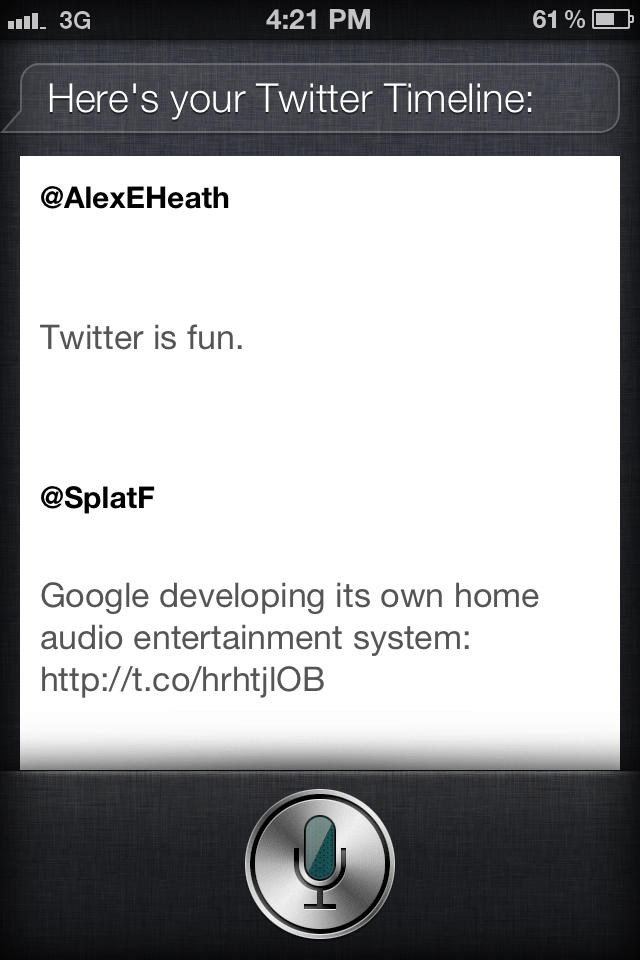
We’ve already shown you jailbreak tweaks like AssistantExtensions that let you tweet using your voice and Siri, and now there’s a way to easily read your Twitter timeline with Apple’s digital assistant. Using a simple keyword, you can have Siri show your recent tweets from within its linen window.
TweetLine is a plugin for AssistantExtensions that loads your Twitter timeline inside Siri’s interface. To trigger TweetLine in Siri, simply say the word “timeline.” The last 5 tweets from your timeline are displayed in plain text, but you can’t open links or specific profiles. It’s all very basic, but kind of neat if you have a quick second to kill and you want to see your most recent tweets.
I noticed a slight lag with TweetLine queuing up my recent tweets. It’s a shame that you can’t open links or actually interact with profiles, but that leaves room for improvement. The spacing between tweets also seems to be a little too much, so hopefully that will be fixed in a future update.
TweetLine is free and available in Cydia now, and you’ll need to also install AssistantExtensions to make it work.

Alex Heath is a journalist who works for Tech Insider. He’s the former co-host of The CultCast. He has been quoted by the likes of the BBC, KRON 4 News, and books like “ICONIC: A Photographic Tribute to Apple Innovation.” He lives in Lexington, Kentucky. If you want to pitch a story, share a tip, or just get in touch, additional contact information is available on his personal site. Follow him on Twitter.

