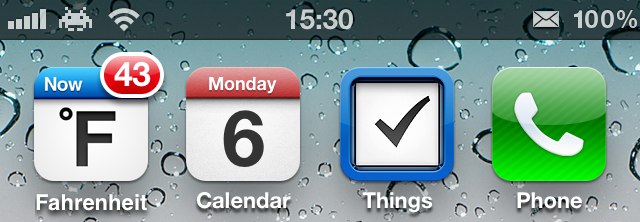

Those handy weather widgets commonly found on Android-powered devices aren’t available to iOS users, thanks to Apple’s tight control over third-party software. But you can find some weather apps in the App Store that will display the current temperature on your home screen using the “app badges” feature built into iOS.
My favorite is called Fahrenheit. Here’s how to get it set up and get the temperature displayed on your home screen.
First, download Fahrenheit from the App Store. It’s a $0.99 app from International Travel Weather Calculator, and it’s well worth its price tag. (There is a free version, though this is ad-supported and its features are restricted.) If you prefer to see the temperature in Celsius, be sure to download the Celsius app (from the same developers) instead. You cannot use Fahrenheit to display the temperature in Celsius, and vice-versa.
Once installed, open up the app and allow it to use your location. It will then find your local weather.
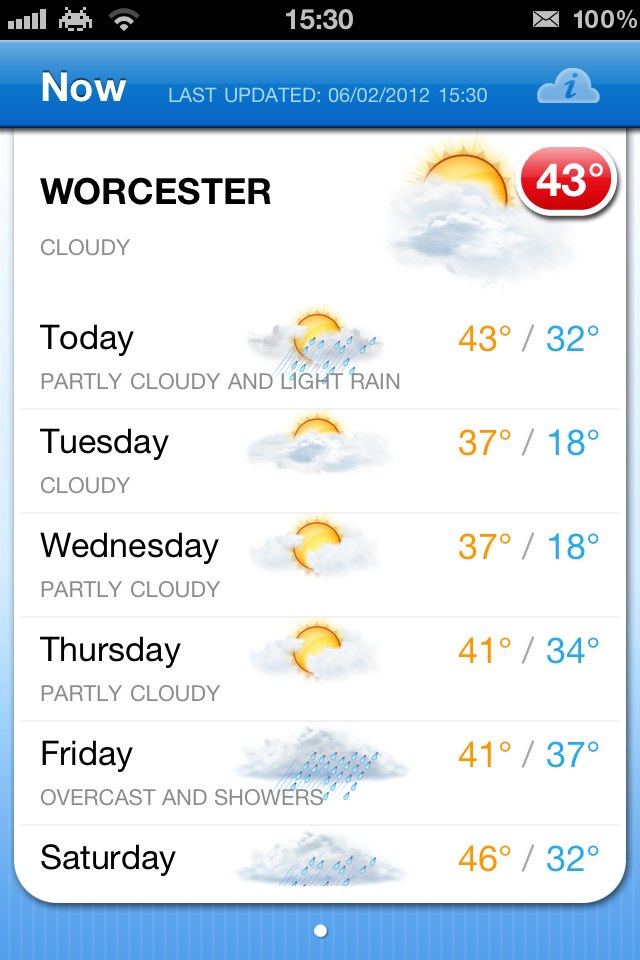
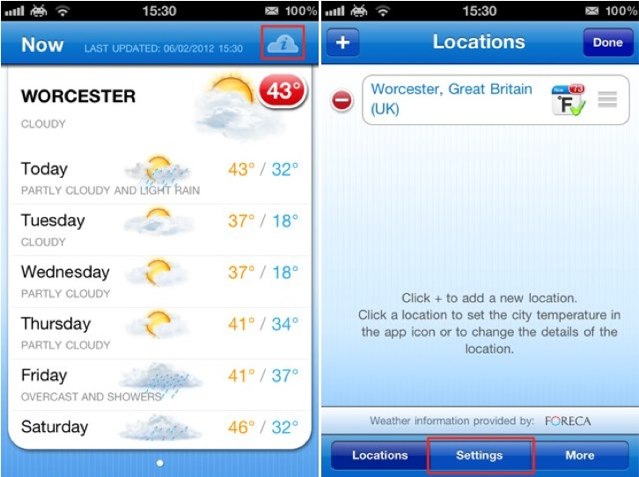
Fahrenheit should also begin displaying the current temperature on your home screen automatically, but if it doesn’t, tap on the little “i” icon in the cloud in the top corner, then tap the ‘Settings’ tab at the bottom.
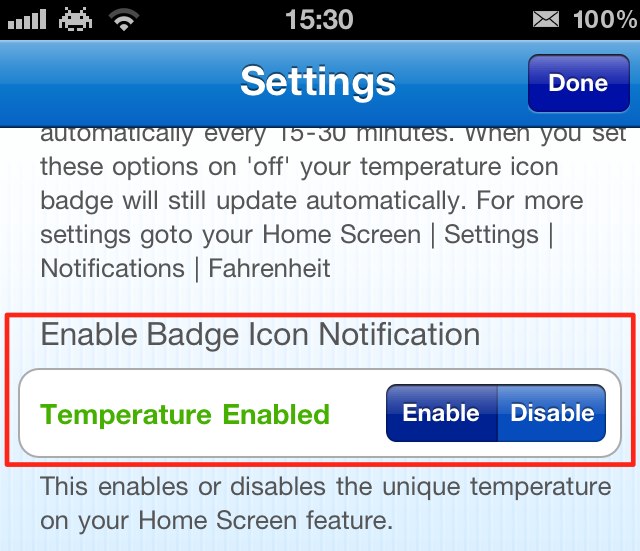
Scroll down to the “Enable Badge Icon Notification” option and ensure that it is set to ‘Enable’. Now exit the app to see the current temperature on your home screen.
Awesome, right?

Killian Bell is a freelance writer based in the U.K. He has an interest in all things tech and also covers Android over at CultofAndroid.com. You can follow him on Twitter via @killianbell.


13 responses to “Use Fahrenheit To Display The Temperature On Your Home Screen Without Jailbreaking [iOS Tip]”
cue the “Fandroids”.
Said it before, I’ll say it again. Fairly new to the iPhone (4s launch) and I’ve found many of these tips very useful. Thanks and keep up the great work!
I use Fahrenheit and its pretty awesome. They’ve made the app itself much faster over time, and its actually useable now. The temp on the home screen is great too. The only drawback is the maps. They kinda suck.
*looks around for them*
And I’m sure this won’t provide any additional drain on your battery life? LOL!!!!
Bad UI: The “Enabled / Disabled” switch is difficult to interpret (wait, which one is active? The blue, or the slightly-different blue?)
Instead, why not simply a “Badge icon displays temperature: On / Off” STANDARD control?
Figures they would name it “Fahrenheit” when no one outside of the USA has even heard of that term for about twenty years. I always laugh when I hear someone from the USA say that it’s over a hundred degrees outside or some such nonsense. Totally medieval.
What is the little bug in the top left hand corner of the screen?
You could try the Celsius App linked in the article…..
The Fahrenheit system is still used in Belize and the Cayman Islands. So people out side of the United States have heard of it.
Zeppelin. It’s a jailbreak tweak that allows you to put a carrier picture.
*crickets*
I always laugh when I hear someone like you open their mouth. Totally medieval, indeed.