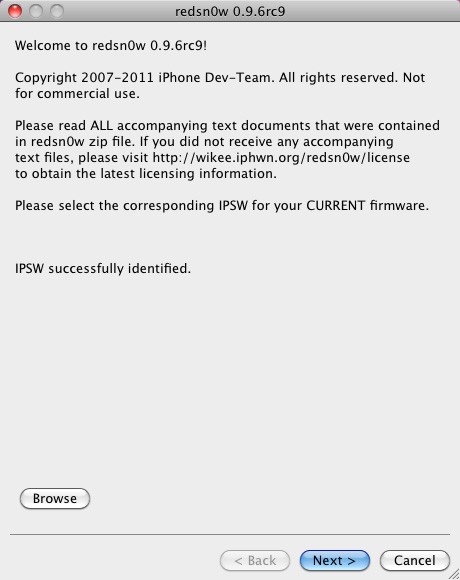
Finally! Possibly the most anticipated jailbreak has finally been released. The iPhone-Dev Team came through once again, and has released updated version of both redsn0w (version 0.9.6rc9 for both Windows & Mac OS X) as well as PwnageTool 4.3 for Mac OS X. While it doesn’t work for the iPad 2 (no jailbreak is available for it yet), it still works for every other device. Download links and more information after the break!
This jailbreak is compatible with the following devices:
- iPhone3GS
- iPhone4 (GSM)
- iPod touch 3G
- iPod touch 4G
- iPad1
- AppleTV 2G (PwnageTool only for now)
The untether exploit comes from Stefen Esser (@i0n1c). The iPad 2 is jailbroken, but the tools and exploits aren’t released yet. They simply aren’t finished.
I’ll briefly describe the 2 available jailbreak tools.
redsn0w 0.9.6rc9
Mac | Windows (Run with XP SP3 compatibility mode if on Vista or Windows 7)
This tool is able to jailbreak your iDevice on-the-fly, meaning you don’t have to restore your device. As long as you’re on iOS 4.3.1, you can run redsn0w to give your device an untethered jailbreak. It’s very straightforward, and takes just a couple of minutes to do.
PwnageTool 4.3
Mac (PT is a Mac-only tool)
PwnageTool allows you to create your own customizable jailbreak package. It does this by taking a stock IPSW file, modifying it to whatever you choose from PwnageTool (root partition size, pre-installed Cydia packages, etc), and then gives you a pre-jailbroken IPSW file that you can restore to with iTunes. This is for advanced users, or users who wish to prevent their basebands from gettings updated.
If you have any questions, please leave them down below in the comments section and I’ll try my best to help you out.
Feel free to follow Brian on Twitter!

Brian Sweet is a young 20-year old student who loves technology (PCs, Macs, iPhones) and auto racing. Brian also writes for JailbreakZone, and is the host of the This Week in iPhone podcast (not affiliated with TWiT). Follow Brian on Twitter (the quickest way to get in touch), or visit his website.

