Mobile menu toggle

reviews - page 20

Quick-Tunes Makes Playing Music A Breeze [Review]

By

quick-tunes

Let’s face it — for a multi-purpose device heavily weighted toward music, the iPhone’s music-player interface is crap. Dealing with those tiny buttons crammed onto the bottom of the screen is bad enough under most conditions, worse for meaty-fingered users and infuriating when the iPhone is docked or when movement is involved.

Enter Quick-Tunes, a $1 app that replaces the iPhones native chintzy soft controls with a big, meaty, attractive buttons. It also adds cool additional functions around the main play/pause button that let the user play more songs from the same artist, genre or album.


Essential App #12: Facebook Feeds The Connection Addiction

By

facebook

There are a few Essential Apps that handle themselves so well on the iPhone they quickly eclipse the website they evolved from; apps that, once installed on the iPhone, completely replace their browser-based ancestors.

Essentials Yelp, The Weather Channel and Twitter clearly fall into this category. But Facebook’s app is different. It doesn’t just replace — it hooks.

Essential App #11: Twitter’s App Comes With A Backstage Pass

By

twitter

Last week, Twitter announced a serious overhaul of their website. It might mean diddly to iPhone users though, who usually access Twitter through any one of a growing heap of mobile Twitter apps — all of which are equipped with a vastly superior set of features compared to Twitter’s site (at least, currently).

Now, I’ve always held that selecting a Twitter app is a highly subjective, personal process, kind of like picking out a bicycle saddle — you just sort of squish around on it for a few days and see if it feels right. Personally, I currently tend to favor HootSuite over any other Twitter app, even though I’ve installed, and sometimes use, half a dozen or so others. But one Twitter app has foisted itself to essential status: Twitter’s own official app. And it’s above the rest for one key reason, really.

Essential App #9: Yelp Will Find Anything, Anywhere, Anytime

By

yelp

My dad was a magician at sniffing out great places to eat. We’d drive by some hole-in-the-wall we’d never seen before, and he’d point and say, “that’s where we’ll  eat, it’s good.” Then I’d scramble to check out the hole-in-the-wall’s rating using the Yelp app on my iPhone, to see if he was right. The result was always the same: me shaking my head in disbelief as Yelp’s vast community of raters would invariably agree with him.

Unfortunately, most of us don’t have a magic nose. But that’s ok — we’ve got Yelp.

Essential App #8: The Weather Channel, Your Own Personal Weatherman

By

TWC

Ever tried asking a cow about the weather?  Because they’re not really the most informative beasts (about the weather, anyway).

“Cow, it looks like it might rain sometime today — any idea when?” Cud-chewing.

“How strong d’you think the wind will be later?” More cud-chewing, accompanied by blank staring.

“Look, cow, can you at least tell me if there are any severe weather advisories I should be aware of?” Cud-chewing stops, then resumes a few seconds later; blank stare may or may not actually be a look of terror.

Using the iPhone’s native Weather app is like asking a cow about the weather: it’s cute and harmless, but not very informative. Unless you’re exceptionally partial to cows and/or don’t mind walking off into the occasional surprise thunderstorm, it should be banished to the back page and replaced with The Weather Channel’s app.

Essential App #7: Simplenote

By

simplenote

Number seven in our series is free, streamlined, an absolute joy to use — and here’s the biggie — syncs seamlessly with one of several desktop companions (which are also free); it’s also the first essential in our series that fully replaces a native app.

Essential App #6: Wikipanion

By

wikipanion

It’s said Odin gave one of his eyes in exchange for a drink from the Well of Wisdom. Luckily for us, quenching our thirst for knowledge is somewhat less dramatic — all it takes is the punch of a button and bam, we’re at Wikipedia. Question is, which button to punch?

With its dizzying collection of features, Wikipanion is that button.

Essential App #3: Dropbox

By

dropbox

Regular visitors to this blog will probably have noticed that we mention Dropbox a lot. I mean, we won’t shut up about it. Why? Because it’s so ridiculously useful.

The way it works is simple: It’s a portal for files from your iPhone to your Dropbox account, a free service that gives you your own 2GB cloud to store files and media, and if you want to, lets you share those files and media.

Essential App #2: Meebo

By

meebo

There’s no shortage of choices available for gabbing with buddies these days, but instant messaging remains a favorite (I’ve actually worked in at least one newsroom where the primary method of communication was IM).

There’s no lack of IM iPhone apps either; but a clean interface, wealth of features, ability to connect with practically every IM service in the galaxy and availability for free makes Meebo the best of these.

CultofMac’s 23 Essential iPhone Apps Series Begins Today With #1: Bing

By

bing

So you’ve just bought a shiny new iPhone, and now you’re itching to plaster apps all over that pretty wallpaper. Well, we’ve come up with a few suggestions; in fact, we’ve come up with 23 of them.

Through the rest of this month or so, we’ll be listing apps we think no iPhone user should be without — apps that almost anyone should find useful — which will fortify your iPhone with just over an extra screen’s worth of valuable apps. And since most of these are free — with a few costing no more than three bucks — there’s really no reason not to own all of them. And this series isn’t just for noobs; we’re willing to wager there’ll be at least one app on our list that’ll surprise even the old-schoolers.

So fire up the App Store and prepare your iPhone for incoming apps as we launch the series with our first essential: the Bing app, in the running for the best Microsoft product I’ve ever used.

The Big App Show Video App Reviews for iPhone [Review]

By

BigAppShow


There are over 200,000 apps in the iTunes App Store now and everyone can agree that wading through all those apps trying to find the real gems is a big problem. We all muddle through somehow and find an app gem or two usually by word of mouth, a Cult of Mac review, or other means. I’m happy to announce that I’ve found another way to find good apps and this solution is entertaining to boot — Adam Curry’s Big App Show app.

Fruit Ninja Satisfies Your Inner Sensei [iPhone Game Review]

By

post-42644-image-1f36eeda6d727d5bba724e1a1578dfcc-jpg

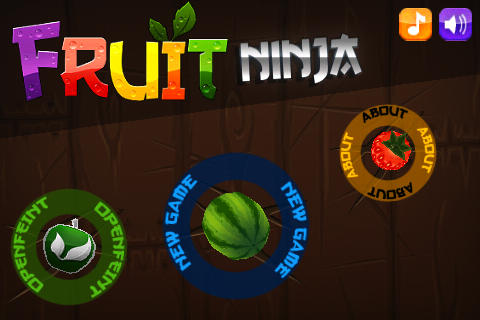
Fruit Ninja is a super fun game from Australian developers Halfbrick Studios that is impossible to put down!

Fruit Ninja incorporates the speed and simplicity of games like Doodle Jump with an innovative control method that makes the game addictive. I love this game. The graphics look like crap but the game proves the old adage — gameplay is king!