You know what’s really easy? Holding the iPad. You know what’s even easier? Not spending $100. Which is why the XFLEX has its work cut out: it’s a flexible, heavy-footed iPad stand which costs more than a crappy pre-pay Android phone.
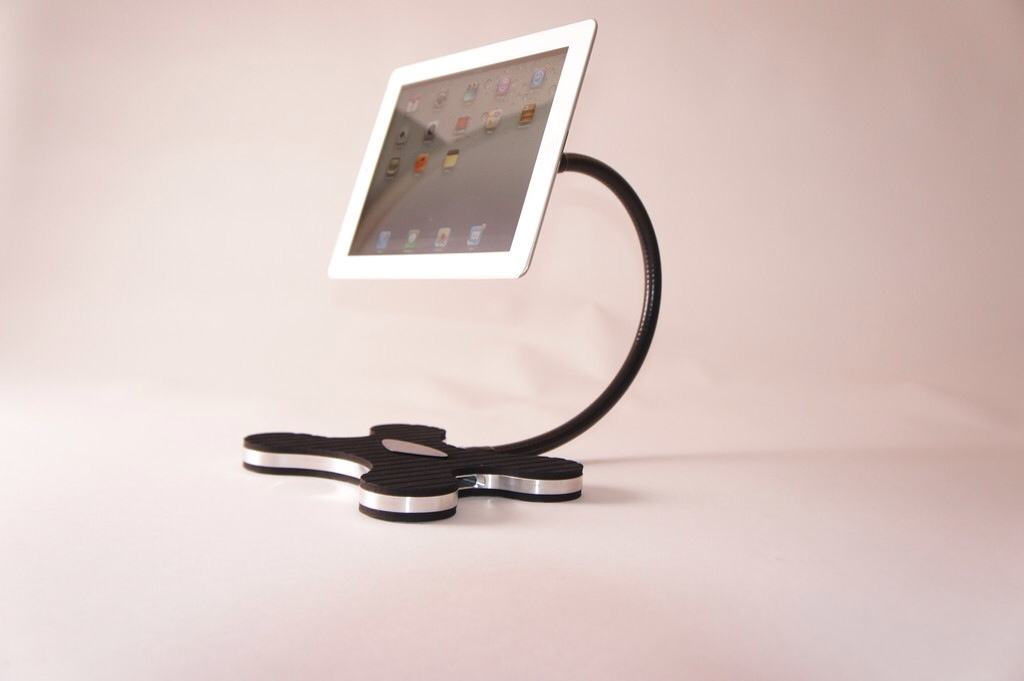
You know what’s really easy? Holding the iPad. You know what’s even easier? Not spending $100. Which is why the XFLEX has its work cut out: it’s a flexible, heavy-footed iPad stand which costs more than a crappy pre-pay Android phone.

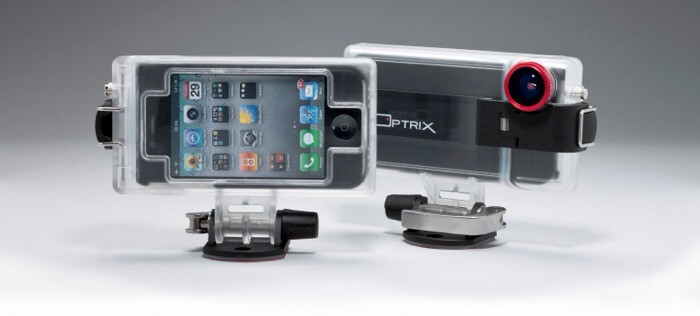
Optrix’s XD camera case for the iPhone looks like just another ruggedized box, but it distinguishes itself with a low price ($100), a whole bagful of included accessories, and one unique feature.
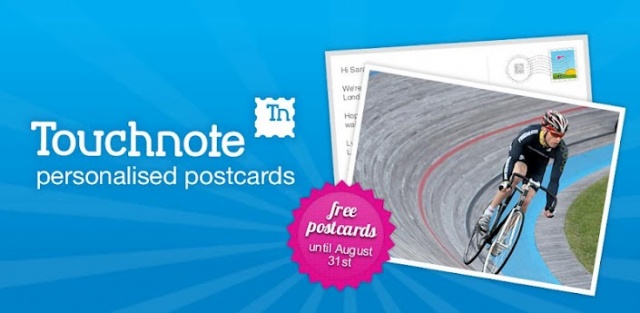
Once a staple of any vacation, the postcard has since faded into obscurity due to the advent of technology and instant sharing. One company meshing the best of both worlds, Touchnote Ltd., has a popular app on both Android and iOS that allows users to turn photos into personalized postcards and have them sent for around a $1.49 per postcard. In celebration of the 2012 Olympic Games, both Touchnote and Samsung want users to have the luxury of sharing their amazing moments via a postcard without having to visit a local London gift shop. That’s why Samsung is sponsoring a promo that will allow users to send free Touchnote postcards up until August 31st.
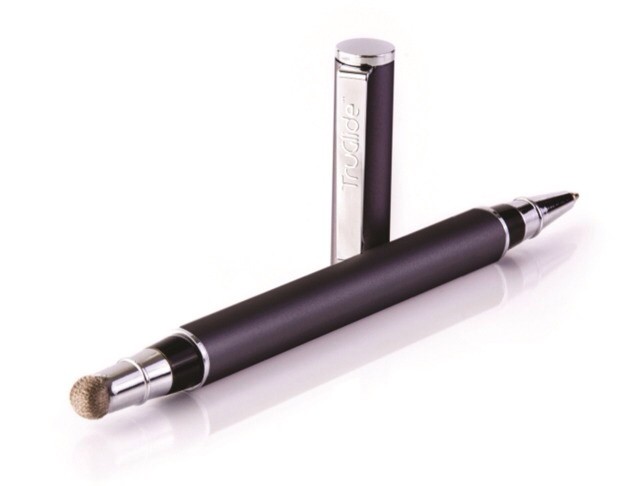
If you carry a stylus for your iPad, it’s fair to say you like writing (or at least doodling). And – by extension – it’s likely that you also carry a pen. Now one of our favorite styluses – – the metal-mesh-tipped TruGlide from Linktec – has been turned into the Duo, a single stick with a different writing technology at each end.
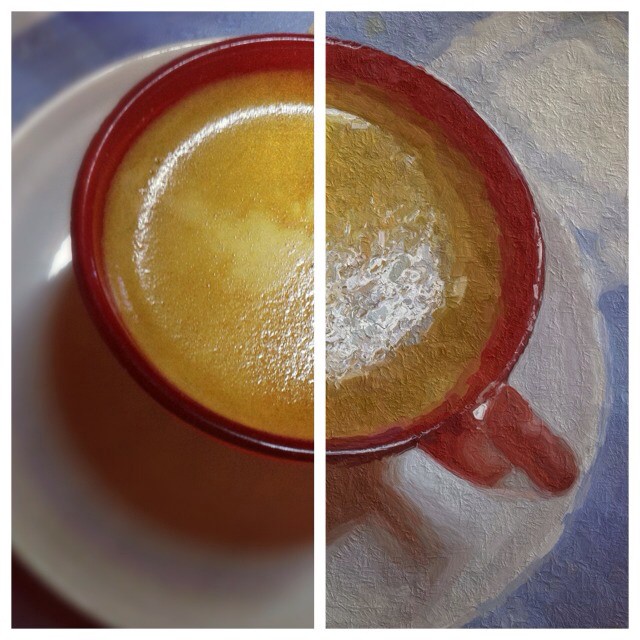
If you thought that all apps that turn photos into “paintings” and “drawings” were total gimmicky junk, you’d be dead right. Applying a “find edges” filter and desaturating the result into grayscale doesn’t make a picture look like you drew it. It looks like you’re a dummy for even using it.
But things have changed: Glaze is an iPad app which actually makes faux paintings that look good.

The 2012 Olympic Games are set to kick off in less than 2 hours, so we wanted to make sure you had some apps and links to ensure you don’t miss a single lap, dive, punch, or round-off. You’ll find a list of the top apps and a few websites to keep you on track and in the game. Feel free to check them out, or if you have any other suggestions, throw them up in the comments. Now let the games begin!
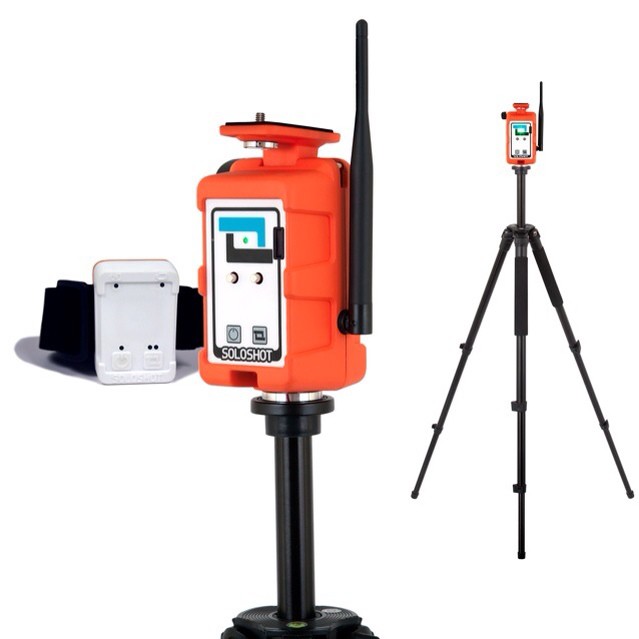
The Soloshot is not, as you might suspect, a wipe-clean target aimed at the adult video market. Instead, it is a motorized stand for a sports camera, although its target customer is likely the same lonely soul that would be interested in the (mythical) pop-shot tracking gadget I mentioned above.

You know those big fat puzzle books you used to buy before you went on vacation? They’d be full of so many crosswords, word-searches and other mindless diversions that you could spend an entire week in a foreign country without seeing a single thing but the rough, badly-printed pages.
Now that wonderfully reclusive experience is available on the iPad, in the first game to be sold in the iOS Newsstand.

If you’ve ever searched for a wallpaper in the Google Play Store, chances are you were met by a never ending list of results. That’s because the word “Wallpaper” just happens to be the number one most frequent word in an Android app title. In fact, 26,900 Android app titles contain the word “Wallpaper” according to a list compiled by app discovery site App Brain. App Brain decided to create the list after a similar one consisting of the top most frequent words used in iOS app titles was released by Appsfire.
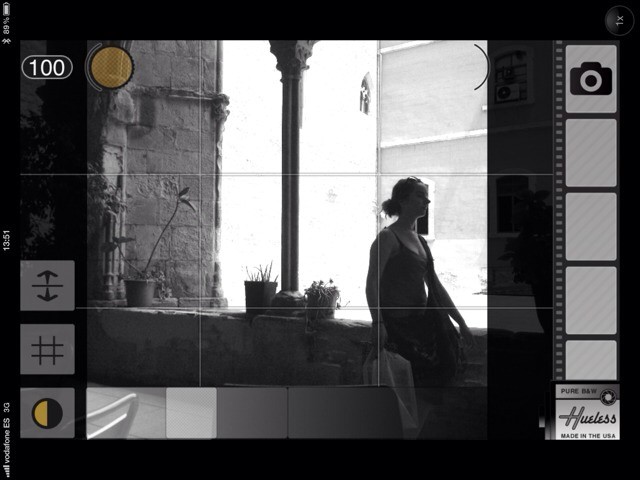
Hueless, the excellent monochromatic iPhone photography app, has just launched its v1.2 update. And despite the pedestrian-sounding version number, it packs in quite a lot of new features. Let’s take a look.
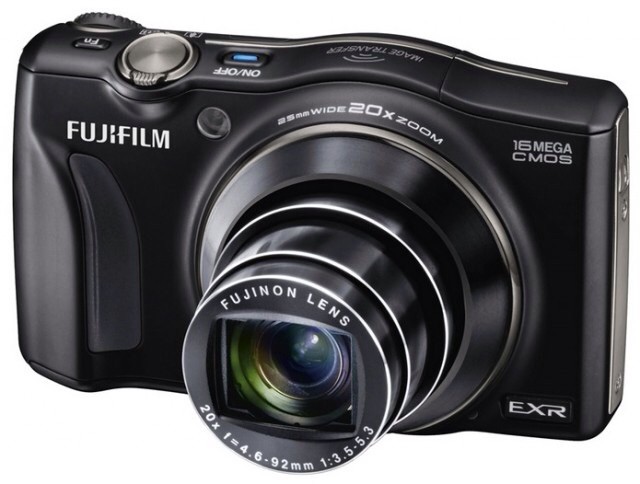
It’s official: Wi-Fi is the new megapixels. Or something. What’s certain is that the camera phone market has forever mixed up the regular camera world, and in order to offer some form of uploading and editing convenience for their dumb offline boxes, camera makers are adding Wi-Fi. Specifically, Wi-Fi that will connect to your iPhone or Android device.
The latest is the Fujifilm FinePix F800EXR, a compact superzoom which will cost you $380.

Okay, this probably isn’t what you were hoping for from the company that brought us titles such as Final Fantasy XIV and Lara Croft and the Guardian of Light, but Square Enix’s next mobile release is none other than SolaRola. If you haven’t heard of it, don’t worry — most of us haven’t. This cute mobile puzzler platformer was actually launched on Java back in 2007, and believe it or not, happens to be among a handful of games to secure a perfect 10 score and Platinum Award from Pocket Gamer.
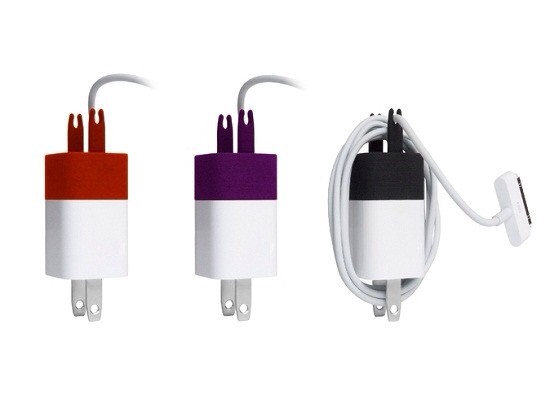
I’m totally against the wrapping of wires, ever since being shouted at on a movie location for over-enthusiastically coiling audio and power cables around my thumb and elbow. Apparently that’s not how it’s done by the pros, and the experience has made me wince every time I see somebody stretching their headphone cables around their iPod.
Still, I’m clearly in the (superior) minority, and the The Wrap proves it. It’s a plastic 3-D printed widget which wrangles your cable into order.
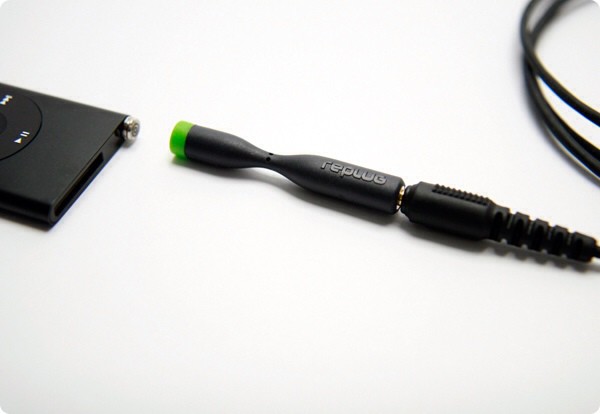
Replug is a gadget that could – if it had existed a few years ago – would have saved me a fortune; literally hundreds of dollars. It is a simple and excellent idea: a magsafe connector for your headphones, only without the magnets.
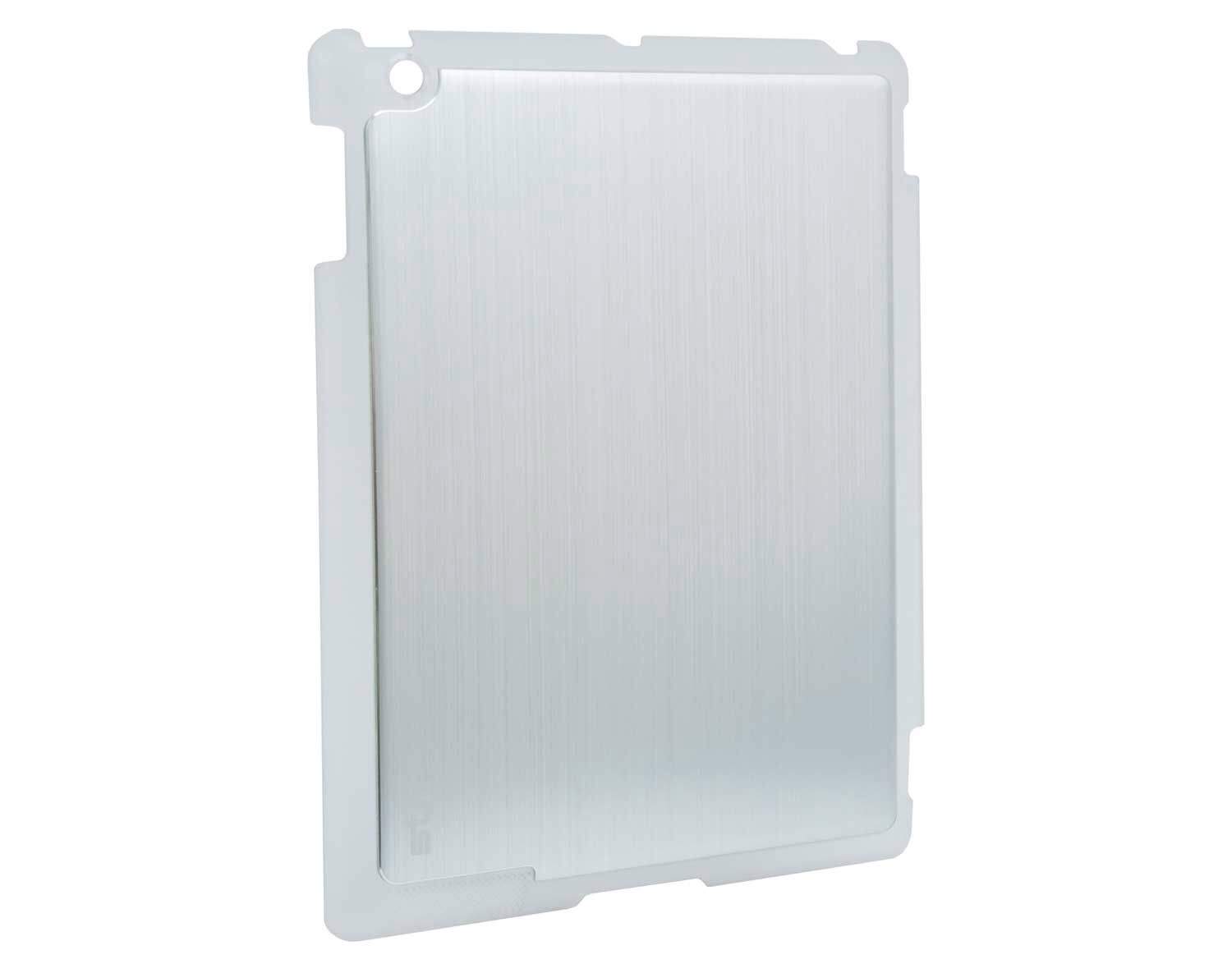
This smart iPad case from Aussies STM Bags is called the Half Shell, so let’s get the TMNT jokes out of the way now. Done? Good. Let’s continue, because this case has an interesting little secret.

A new update to the private social network app Path brings a curious secret feature: you can now automatically import your Facebook, Instagram and Foursquare updates without doing anything. But there’s a catch: you’ll need to sign up for a new account to do it.
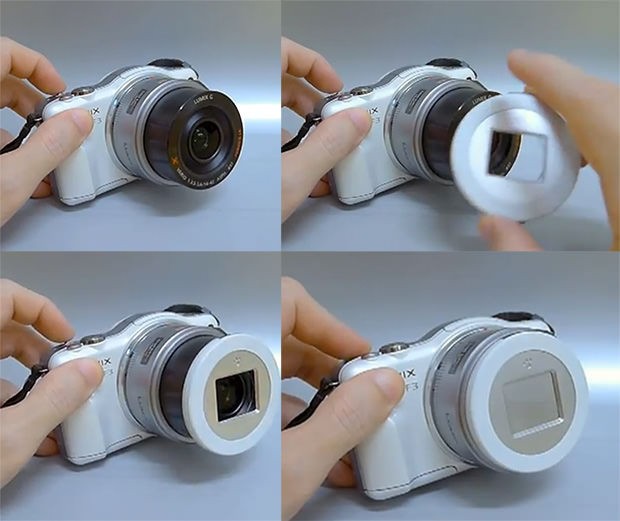
This is the X-Cap, a prototype self-opening lens cap for compact cameras. It’s a straight replacement for the removable lens caps increasingly found on higher-end point-and-shoots, and turns them into low-end point-and-shoots.
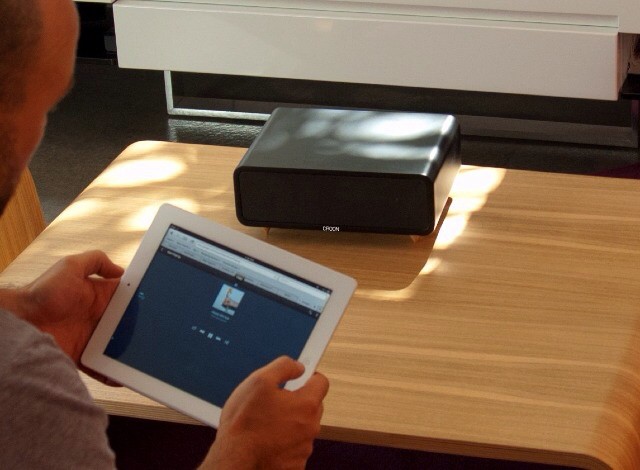
If you have been desperately seeking a Bluetooth speaker which looks like a video projector, or a small, mains-powered electric fan heater, then your search is over! Behold: the Croon, the wireless/wired
speaker of your twisted dreams.
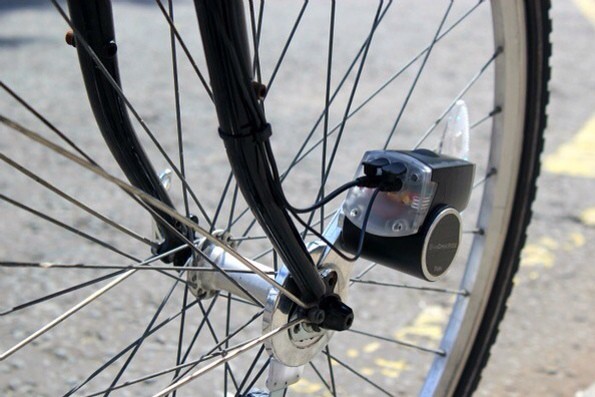
There are a few ways to keep your phone juiced as you ride. Those with foresight will have specced a wheel with a dynamo hub and USB adapter. Those who live in sunnier climes might opt for a solar panel. ANd those who lack both good weather and good planning skills can grab the Tigra BikeCharge, an iPhone charger that will fit any bike.

We showed you how to switch on Power Nap on your Mountain Lion-running, SSD-equipped Mac, but just what does this new feature do?
We know that you Mac enters a kind of robotic REM sleep, where it’s brain activity spikes and the network connections power up to download various bits of data, just like Newsstand on iOS. But a new Apple Knowledge Base article outlines the surprising number of tasks which are going on under the sleepy-lidded hood.
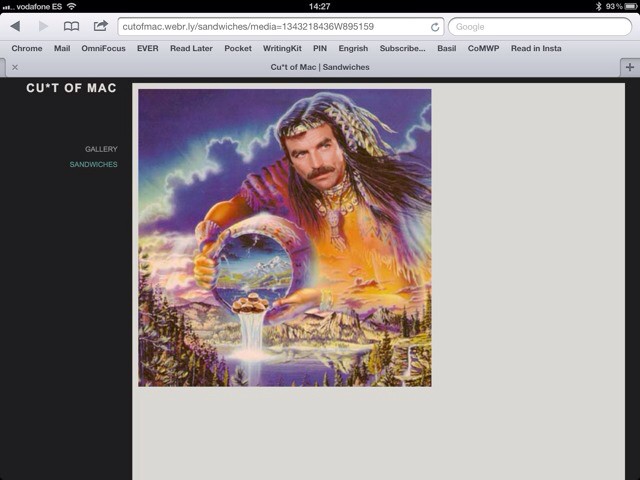
It’s not exactly hard to make a website these days, but Webr makes it just about as easy as could be. It’s a free iPhone app which lets you create and publish a website in just a couple of minutes, and it’s pretty impressive.

FileBrowser, the – uh – file browser app for iOS, has gotten a slew of new features in a recent update, one of which will make movie-downloading iPad owners very happy: Now the app can not only browse network-attached drives (like the Time Capsule), it can stream movies of any format to other apps on your iPad.

Before you go ahead and upgrade to OS X 10.8 Mountain Lion, spare a second to check whether or not your favorite and most essential apps actually work with it. Sure, it might be nice to have notifications, a VIP inbox and direct Twitter integration, but it won’t do you much good if your text editor or to-do list app won’t even launch.
Luckily, there’s something you can do about that.

Back in the time of the OS X Leopards, the Finder became a whole lot more useful for anyone with photos and videos on their Macs (ie. everybody)/ We got Quick Look, which let us watch slideshows and movies right there on the desktop, and the Finder itself was good enough to use as a lightweight photo viewer.
Then Lion came along and broke one essential tool: the little slider in the bottom right of Finder windows had its functionality removed. It used to let you zoom file thumbnails defaults write Finder trackpad zoom, but in Lion the tool remained, but did nothing.
Thankfully in Mountain Lion the slider now works again. And happily for the photographers out there, the Finder has some other new tricks you’re going to love.

“Welcome to the ultimate virtual cadaver dissection experience!” So begins the pitch on McGraw-Hill’s Anatomy & Physiology REVEALED app for the iPad, a teaching app which overlays photos of real dead people onto rendered models of the underlying gristle.