It’s official. Spotify — that wonderful streaming music service that operates like the most fully packed iTunes library in the world — is finally coming to the United States.
Spotify Is Officially Coming To The States
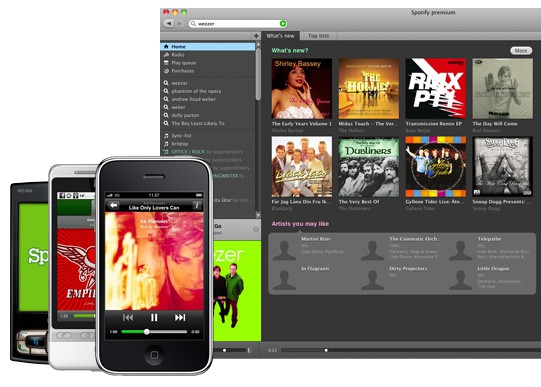

It’s official. Spotify — that wonderful streaming music service that operates like the most fully packed iTunes library in the world — is finally coming to the United States.
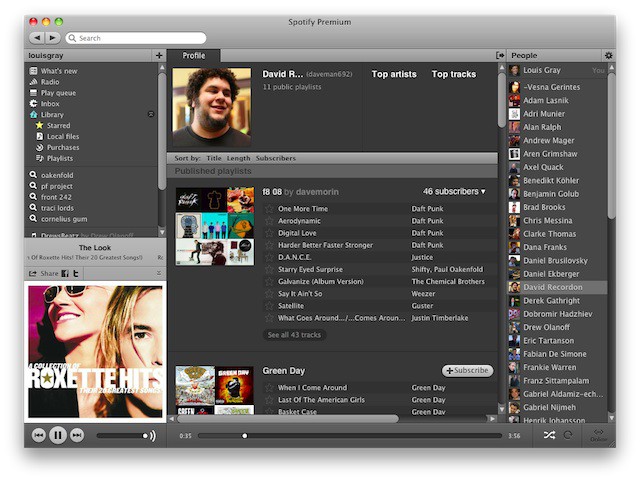
Much beloved Spotify has been trying to launch in America for years now. During that time, they’ve faced considerable challenges in convincing a music industry worried about alienating Apple to give the greenlight to their excellent all-you-can-stream subscription service.
But it’s finally come together, and now there’s even a firm date being thrown around: the freemium music service will launch in the States between July 5th and july 15th.
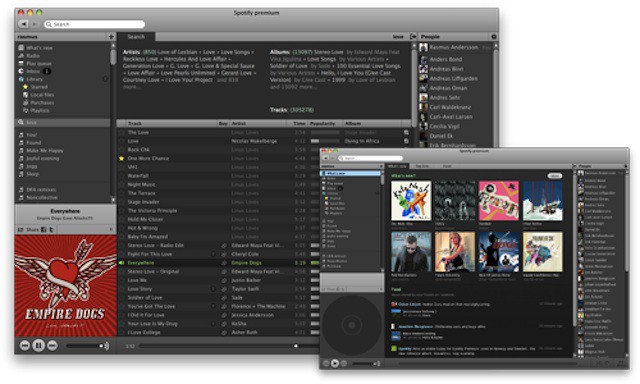
Oh, man, finally. Years after showing Europe how a streaming music service ought to be done, and just a couple of weeks after Apple made it clear that their own iTunes-In-The-Cloud service wouldn’t do streaming at all, Spotify has officially confirmed that it will be coming to the United States within a matter of weeks.
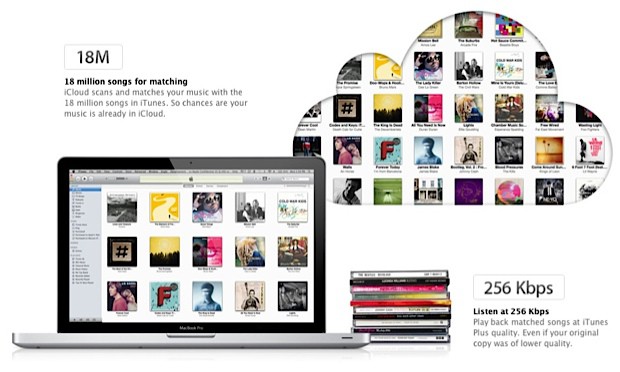
No matter how many months of rumors and insider reports precede an anticipated Apple announcement, it’s probable that, when Steve Jobs actually reveals the product on stage, it’s going to be radically different than what people are expecting… but iCloud could be the most radical deviation yet between the fancy of pre-announcement hype and the reality of Apple’s finished product.
What people expected from iCloud was a streaming cloud locker for your media collection: iCloud would scan your iTunes library and automatically mirror them on a central server, allowing you to stream any song you owned to any device you owned without being bothered with local storage.
What people got? iTunes Match. It scans and matches your iTunes library in the cloud, sure, but there is no streaming: any time you want to listen to an album that’s not on your iPhone or iPad, you’ve got to download it from the cloud onto your device.
No streaming? What was Apple thinking?

Next week, Apple will finally confirm years of rumors of taking iTunes to the cloud and unveil iCloud, their media locker service that will automatically scan and match your existing iTunes library for streaming to any iOS device.
In some ways, though, iCloud’s taken too long to get here. The era of unlimited bandwidth is over. In the last year we’ve seen both mobile carriers and ISP broadband providers impose severe data caps on their users. The vast majority of iPhone and iPad customers only have 2GB of data per month to play with. How much media can you really stream with a 2GB data cap?
Let’s find out!

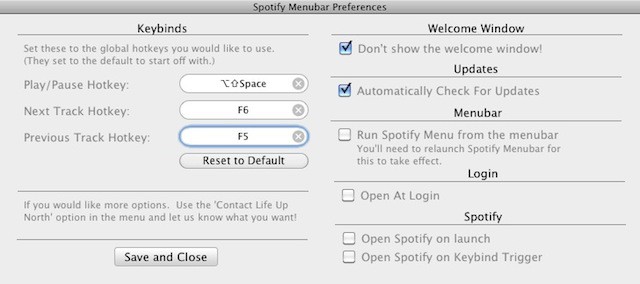
SpotiMy is a tiny Menu Bar widget for controlling Spotify without having to switch to it.
If you use online streaming service Spotify, you’ll know that the client software required for controlling it is pretty good.
It’s simple to use, and not too cluttered with controls and extras. Since I started paying £5/month for Spotify’s advert-free Unlimited service, I’ve been listening to it for many hours on end, and found only one problem: I have to switch back to Spotify to control it.
Now it’s true that Spotify can be controlled with your Mac’s existing dedicated iTunes buttons – F7 for previous track, F8 for play/pause, and F9 for next track. But this only works well if iTunes isn’t running at the same time. If both apps are open, they both respond to these commands, and audio chaos ensues.
Spotify Menubar is a simple free utility that solves this problem by allowing you to set up your own system-wide keyboard shortcuts for Spotify, so you can avoid the conflict with iTunes and still have easy keyboard access to your favorite songs.
It would be nice if Spotify Menubar had some clickable controls of its own, which would better justify its position on the Menu Bar in the first place. But for those of us who spend hours a day with our heads inside Spotify playlists, it’s a useful little widget to have around nonetheless.
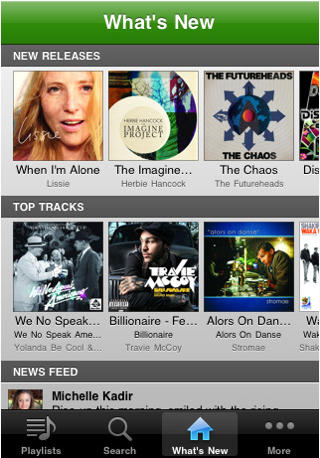
The popular Spotify music application for iPhone & iPod Touch has been updated to version 0.4.7 today for the iOS 4 software. This update brings with it the eagerly awaited multitasking support which now allows you to listen to your favourite music whilst using other applications on your device.
The update also features a new “what’s new” tab that displays new releases, the top 100 tracks in your country and a social news feed that displays Facebook posts. As well as the ability to use your headset remote, the multitasking dock buttons and the lock-screen buttons to control playback.

The full list of changes as listed in the description are:
- iOS 4 multitasking! Play Spotify tracks while doing other things with your phone. NOTE: Only iPhone 3Gs, iPhone 4 and iPod Touch (3rd generation) support multitasking.
- Use the headset remote and lockscreen buttons to control Spotify playback
- “What’s new” tab has been added showing you newly released albums, the top 100 tracks in your country, and the social feed
- Share tracks and albums to your Spotify friends!
- Battery consumption is improved when the app is in the foreground or paused.
You can find Spotify in the App Store here (U.K.), but please note; you need a Spotify Premium account to use the iPhone & iPod Touch application.