Mobile menu toggle

Search results for: apple tv

MacDock Pro Connect Everything To Your Retina Or Vintage MacBook Pro

By

1363006762.jpg

Ever wish you could connect all your Thunderbolt accessories to one single box and then just hook that up to your MacBook? No, of course not. Because you don’t have any Thunderbolt accessories. Nobody does, unless they like spending double for a hard drive or have picked up one of Apple’s nice Thunderbolt displays. Which include the dock anyway.

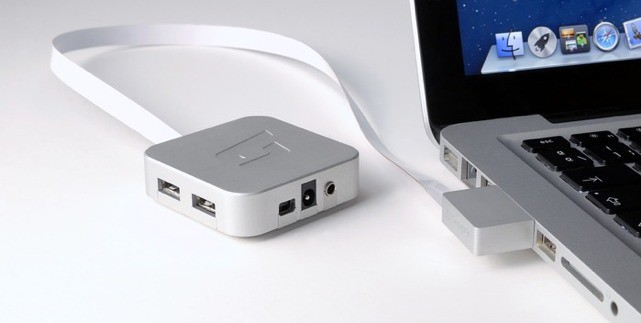
No, what you need is the MacDock, a neat little Apple-TV-like box which connects a wealth of accessories to your vintage MacBook via it’s Mini DisplayPort and USB ports.

Turn Off Mail.app’s Automatic Attachment Preview ‘Feature’ [OS X Tips]

By

I didn’t really want to see what that photo was, anyway.

One of the cool things I loved about Apple’s Mail.app was the way it provided a visual preview of the attached files that came in my email. It was nice to be able to see exactly what was sent along with the email.

Some folks, however, might not dig this feature, and might want to turn it off. Maybe it helps them feel better, or they don’t need the visual preview. For whatever reason, if you’re one of those people, here’s how to turn it off.

Ending Soon: The Mac Essentials App Bundle [Deals]

By

CoM- Essentials Bundle

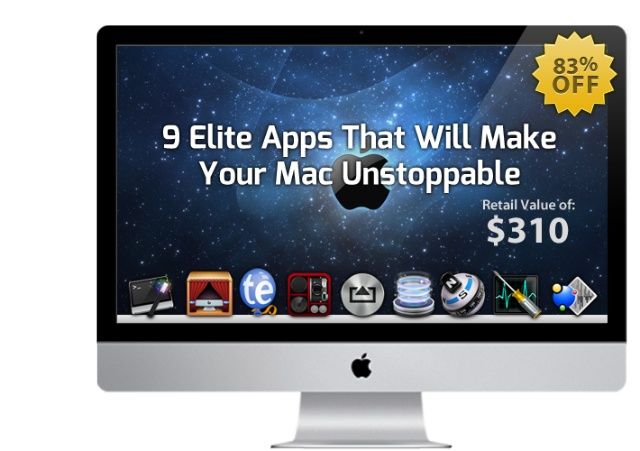
Got a new Mac? Trying to get the most out of it – or perhaps the one you’ve had for a few months? There are countless tools out there than can help – but rarely can so many of them be found in a bundle such as this: The Mac Essentials Bundle.

Cult of Mac Deals has assembled 9 apps that can take your productivity on your Mac to the next level…and we’re offering it at a fraction of the regular price. You can get The Mac Essentials Bundle for only $49.99 for a limited time – that’s 84% off the price you’d pay for all of these apps separately!

Real Racing 3 Finally Lands In The U.S. App Store With Mind-Blowing Graphics

By

RR3_iPhone5_656x369

After saying that the highly anticipated racing game would launch in 2012, EA and Firemonkeys have finally released Real Racing 3 in the U.S. App Store. The Real Racing franchise has been a staple part of the App Store since 2009, and the third installment was demoed onstage at Apple’s iPhone 5 event last September.

Real Racing 3 is perhaps the most visually stunning iOS game ever, and it’s free to download. However, there is one catch…

The Best New Gadgets Of Mobile World Congress [Feature]

By

1362055107.jpg

mwc2013bug-coaBARCELONA, MOBILE WORLD CONGRESS – This year’s Mobile World Congress in Barcelona was pretty disappointing from a gadget-lovers point of view. Samsung was there, but didn’t announce anything new. Microsoft didn’t even have a stand, and even the once-great App Planet section is little but a business-service wasteland (albeit with the best tea, coffee and beer in the show).

Still, even a pile of crap has variations in its texture, and so we bring you the “Best” of Mobile World Congress 2013.

10 Amazing Jailbreak Screens That Will Make You Drool [Contest Winners]

By

jailbreakscreenscontest123

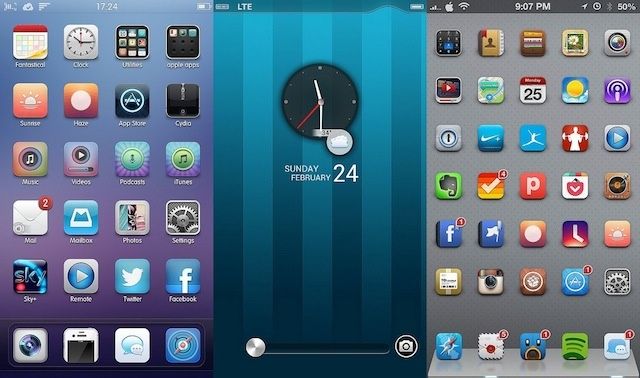
Last week we asked you guys to show us just how amazing you can make your iPhone look with tweaks and hacks for the homescreen and lockscreen, and boy were we impressed. We received over 100 entries in the jailbreaking contest and pretty much all of them were spectacular.

To celebrate the launch of our new Flickr and Instagram groups, we’re giving the 10 best jailbreak screens a free copy of Kuvva Wallpapers. After some serious deliberation, we think we’ve got some drool-worthy winners.

Here are the 10 most amazing jailbreak screens:

Make Your Mac’s Mouse Cursor Huge And Never Lose Track Of It Again [OS X Tips]

By

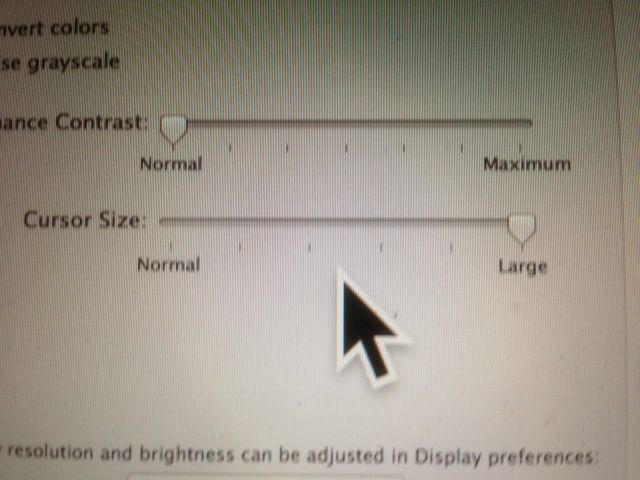
Obviously, not a Retina display, but you can't get that big mouse cursor into a screenshot.

You ever do that thing where you have to move your mouse around, jiggling the little thing just to find the dang cursor? I do it all the time these days, with my smaller screen Macbook Air and the Mac Mini that’s connected to the HDTV across the room from me, since there’s so much going on onscreen that I often lose track of it.

There’s an easy way to fix this problem, and it involves the Accessibility options that come built right in to your Mac OS X system.