Mobile menu toggle

Search results for: apple tv

Cameo Is Vine, But All Grown Up With Muscles, A Flashy Wardrobe And A Hip Music Collection [Daily Freebie]

By

cameo-1


I remember a few tech bloggers going nuts over Vine when it hit the street back in January. I wasn’t convinced; it seemed too limiting, felt too gimmicky. Vine turned out to be a more creative tool than I’d imagined — at least for others. But the concept never really hooked me enough to want to use it.

Cameo, on the other hand, had my juices flowing almost immediately. Like Vine, Cameo shoots short, six-second HD (720p) clips that can be uploaded to Cameo’s website or shared via social media and email. Unlike Vine, multiple six second shots can be combined into a two-minute (maxiumum) clip, with light editing tools, effects and music added to the mix. And Cameo even lets you collaborate with friends.

iPhone 5s & iPhone 5c To Reach Another 35 Countries On Friday, October 25

By

iphone5sallthree

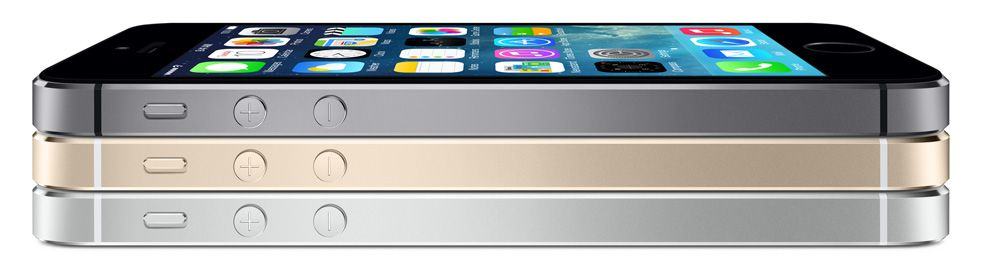
Apple has today announced that the iPhone 5s and the iPhone 5c will both reach another 35 countries on Friday, October 25. Italy, Russia, and Spain will be included in the second phase of the new iPhone rollout, along with a number of other countries across Europe and Asia.

The devices will then reach India, Mexico, and more than a dozen more countries on Friday, November 1.

Bicycles for our Minds: Memorable Demos, Quotes and Speeches of Steve Jobs

By

Apple Logo with Steve Jobs Profile

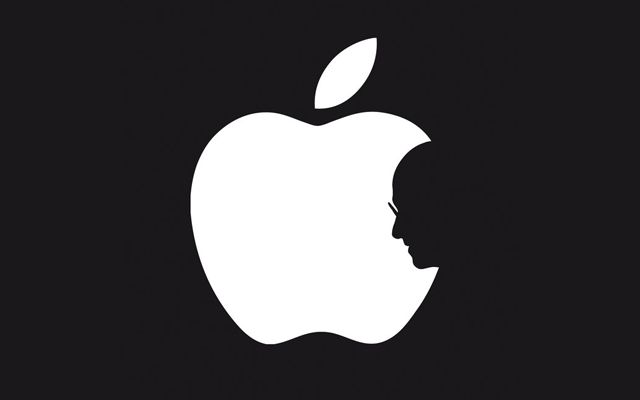
Among his many talents, Steve Jobs was one of the great orators and inspiring speakers of our time. Part sage, part showman, Jobs combined the wizardry of a magician with the skills of a master salesman. On this, the second anniversary of his death, we take a video look back at some of his memorable demos, quotes and speeches.

We begin with one of the most influential demos of all – the unveiling of the Macintosh. While many people have seen the 1984 TV commercial, far fewer saw the event in person. Giving a hint of keynotes to come, a tuxedo-clad Jobs and his magical child steal the show on January 24, 1984.

Steve Jobs, Newsmaker

By

sj_news


We had the sense that in some ways, we’re talking even more about Steve Jobs than we ever did. Then again, we’re called Cult of Mac and our vision of things has a certain, shall we say, focus.

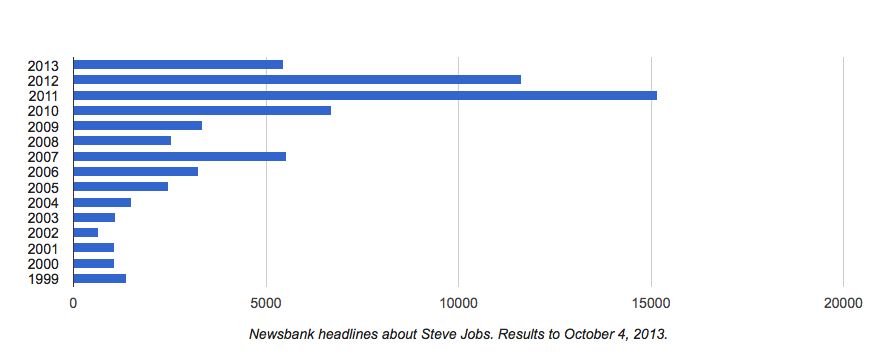
So we checked out a database called Newsbank to see if our hunch was right. After searching nearly 70,000 U.S. publications from 1999 to 2013 (just up to October 4, mind you) to see how many articles featured Steve Jobs in the headline, we feel pretty vindicated.

Back in 1999, the year Jobs introduced the new Power Mac G3 and the color iMacs and “starred” in TV movie Pirates of Silicon Valley, the Apple co-founder headlined about 1,000 articles.

The number remained steady with about a thousand articles a year until 2005, when it bumped up to around 2,500. That was the year when iTunes expanded to include TV shows and music videos and Steve unveiled the new fifth-generation iPod that plays music, photos and video.

The number of news articles dedicated to Jobs nearly tripled by 2007, with the advent of the iPhone. In 2011 with his passing, it peaked to over 15,000 articles. That number hasn’t dipped to under 5,000 articles since. And we have a feeling it won’t for some time to come.


Fact vs. Fiction: Steve Wozniak, Dan Kottke & Andy Hertzfeld Discuss the Film Jobs

By

John Wants Answers
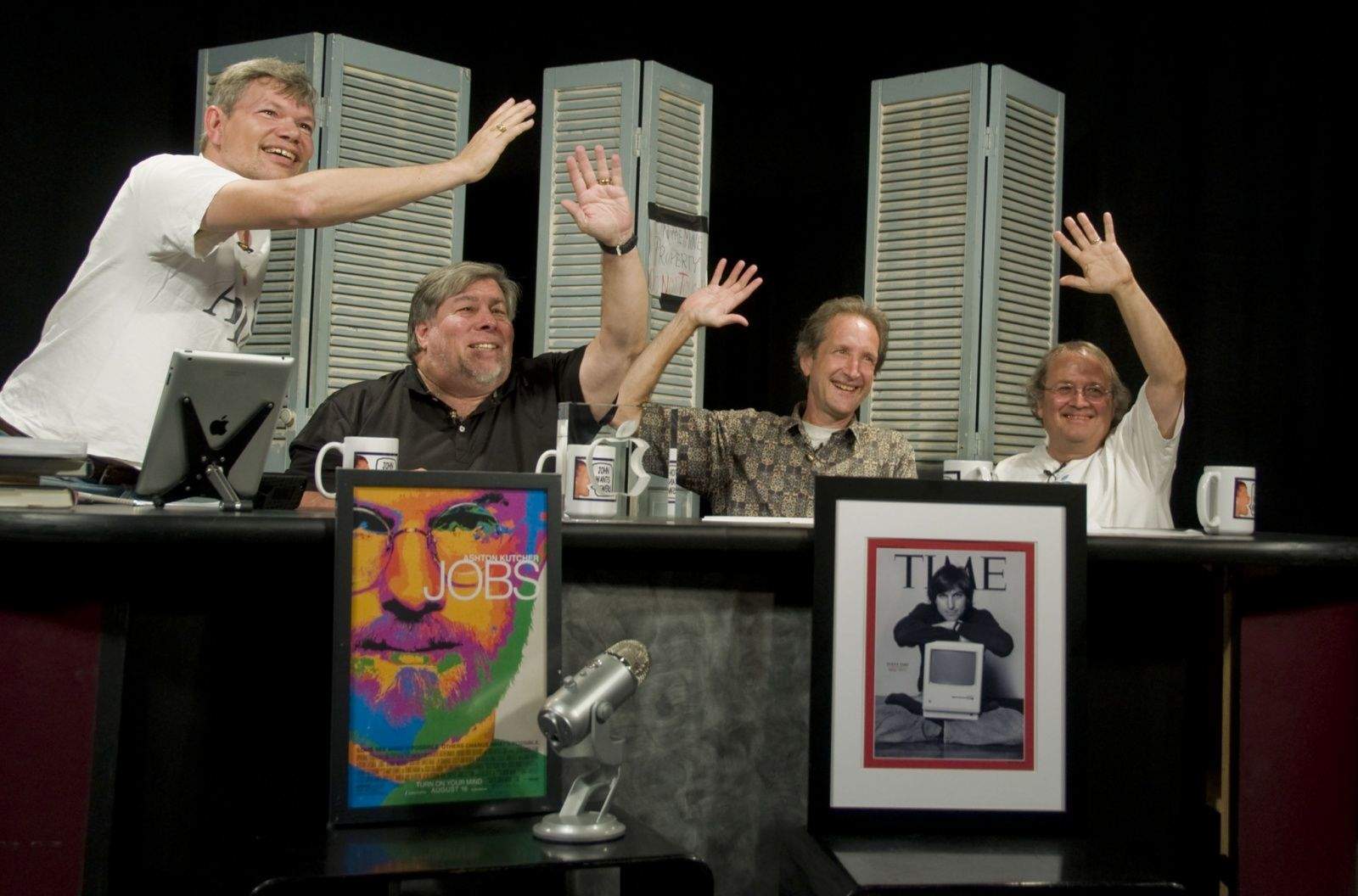
John Vink interviews Steve Wozniak, Daniel Kottke and Andy Hertzfeld (photo: Jeff Lee)

The big screen biopic Jobs opened this summer to mixed reviews, primarily over the film’s lack of accuracy in depicting events from Steve Jobs life and Apple’s history. It’s not the first movie out about Jobs and it definitely won’t be the last as filmmakers strive to tell a celluloid version of the life of the mercurial Apple co-founder.

A lot of Apple old-timers have commented on the accuracy of the movie, but it took a Mountain View, CA local-access TV show called John Wants Answers to get Steve Wozniak, Daniel Kottke and Andy Hertzfeld together to dish fact from fiction. Host John Vink has a long history with the Cupertino company; he was an engineer at Apple from 1996 to 2012 and currently heads Macintosh desktop engineering for Nest Labs.

The two-hour discussion went through the film scene by scene, peppered with entertaining banter and some surprising recollections from the panel. Dan Kottke, who also worked as a script consultant on the movie, noted that “in making that film, it was a huge choice of where to start it and where to end it…I thought the movie did a pretty good job of getting the emotional notes right.”

Read on to know more about why no one ever got fired over kerning, had to ask what a Macintosh was and why you should watch TV movie Pirates of Silicon Valley.

Fact Versus Fiction

The general consensus was that events, dates, facts and fiction were occasionally conflated to tell a better story. Many scenes were partially correct, but key details were altered. Some events portrayed were complete fiction, and the chronology wasn’t always right.

One example is the story of the Apple I and the Homebrew Computer Club. In Jobs the film, a young Steve Jobs stumbles across Wozniak’s new creation – a computer with a keyboard and screen – and becomes mesmerized staring into the TV monitor. He then sells the idea of a computing revolution to a reluctant Woz and convinces his shy companion to bring his system to the Homebrew Computer Club.

Woz spoke at length about what really happened:

“Steve and I both had gone over to a friend’s house, Captain Crunch, John Draper of the old blue box phone phreaking fame,” recalled Wozniak. “He sat down at a terminal, a teletype, and he started typing. Then he began playing chess with a computer in Boston.” Woz and Jobs were dumbfounded.

“Whoa!” said Woz. I thought: “this is just like Pong. I have to have this ability.”

Woz got some chips, an expensive keyboard ($60 – uppercase only) and wired the thing into his TV set. “This was not a computer, this was a terminal,” said Woz, “But it was a very short step before that terminal just got a little addition that made it a computer.”

Soon Woz made those additions and while Jobs was off at college, he started going to the HomeBrew computer club. Every two weeks, Wozniak hauled his TV set in the car, set up everything on a table in the lobby and started programming in earnest. Soon crowds began gathering and he started showing off his creation.

The buzz was growing, so Woz recalled that during one time Jobs was back home, “I pulled him to the club and showed him all the people around me. And he got the idea that we could sell them. I would have given them away for free.” The HomeBrew computer club already was full of people who wanted to change the world and Woz wanted to help.

“This is the complete opposite of the movie,” interjected show host John Vink. “In the movie we had Steve Jobs trying to convince you [Woz] to come to HomeBrew and you said ‘Nah, I don’t wanna go.'”

“Oh no,” replied Wozniak, “I’d been there since day one.”

What’s a Macintosh?

The development of Lisa and Macintosh were seminal events for the future of Apple. The group concurred that the scene where the Lisa team was chewed out for not having multiple fonts in the word processor was complete fiction. Nobody was fired for a lack of typefaces or kerning, but they did note that a different engineer at Apple was fired around that same time for not wanting to undertake the effort to build a mouse for the system.

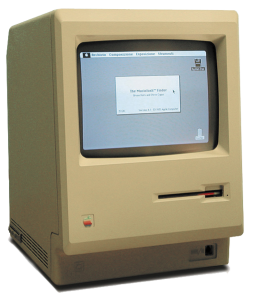
511px-Macintosh_128k_transparencyMany of the celluloid scenes did portray parts of events accurately, with dramatic effect added for flair. One clip included in the trailer portrays Jobs drafting a young Andy Hertzfeld for the Macintosh team. When Hertzfeld asks for more time to continue working on his Apple II project, Jobs yanks the computer off his desk and says “you’re working on the Macintosh team now.” Then a quick cut to Apple employee Bill Fernandez, who asks “What’s a Macintosh?”

Via email I asked the panel if that was how things really happened, or just good theater?

All three agreed that the Mac project was not a secret around Apple engineers and management at that time.

Nobody would ever have asked “What’s a Macintosh?” That line was just tossed in for dramatic effect, and Fernandez was actually working in Japan at that time. But Hertzfeld did confirm that he lost his computer in the transition.

“[Jobs] came by my desk and said “you’re working on the Mac now’,” said Hertzfeld. “I had just started this new OS for the Apple II, DOS 4.0… and I wanted to get it in good enough shape that someone else could take it over. Steve said ‘Are you kidding? The Apple II’s obsolete, the Apple II’s gonna be dead, you gotta work on the Mac!”

Hertzfeld pleaded for more time, but ultimately to no avail. “Then he unplugged my computer and carried it away. So I had no choice but to go after him!”

The Mac Failed Terribly

Some of the most animated discussion centered around Jobs departure from Apple in 1985 and the initial failure of the Macintosh project. They felt the movie didn’t accurately portray why Jobs was removed from the Mac team.

Woz: “The real situation was that the Mac failed terribly. Totally. We built a factory to build 50,000 of them and we were selling 500 a month. Steve had cancelled projects because they could only sell 2,000 a month.”

“I think he was taking it real hard that he’d failed for a third computer he’d tried to create and his vision really didn’t understand you have to build a market, it takes time, you aren’t going to sell 50,000 on day one. And meanwhile, we had to save the company.”

Jobs wanted to cancel or hamstring the Apple II in favor of the Macintosh, but it was important to continue selling and marketing the older system for a few more years. It generated most of the revenue. That was the primary business decision.

Hertzfeld chimed in: “I tell that story a little bit differently. The Mac did sell a lot of units initially, because of its novelty, because of its positive qualities. In June of 1984 it sold over 60,000 units. So they upped the forecast because Christmas was the big time and they thought they’d sell 80,000 units.”

But sales fell off steeply after the back-to-school rush in early fall, and by the end of the year sales were down to about 1,000 a month.

“When the Macs weren’t selling, a major mistake they made was trying to focus it on the office market,” recalled Hertzfeld. This was the time of the Lemmings commercial, a disastrous followup to the wildly successful 1984 spot. “The whole Macintosh Office thing never really got developed. The Mac needed a hard disk, that was really the biggest single design mistake that we made.”

Kottke: “And meanwhile Lisa had a hard drive.”

Woz: “Patience, patience, patience. Don’t put out a machine when it’s not a good enough machine for the price you’re selling this year. Work on it, work on it, work on it, and put it out when it is a good enough machine to sell at the price you’re offering.”

Steve Jobs and Apple clearly learned that lesson in the post-NeXT period.

Woz: “The Lisa was the right machine, with the right amount of RAM, but it was the wrong year for pricing. We finally got the Lisa back when we got OS X, actually, that’s what I like to say.”

Summing Things Up

The panel generally thought the that TV movie Pirates of Silicon Valley was a better portrayal of events of this period. Regarding Jobs, “there was no sense of suspense about this movie” said Wozniak. It didn’t show Steve’s thought process, how he reasoned and argued with people.

Hertzfeld noted that both movies had good acting, but Pirates had the better script. He felt that Jobs often felt like a laundry list of incidents instead of something which would show a deeper meaning.

Kottke said the producers of the film faced many decisions about what to put in and what to leave out, such as details about Pixar and NeXT. He said the filmmakers had tried very hard to get things right.

But one of Kottke’s most surprising memories might have been a quick quip to Woz: “Did you not love the Apple III? Because we all thought it was great!”

John Wants Answers 2
John Vink, Steve Wozniak, Daniel Kottke and Andy Hertzfeld wave goodbye (photo: Jeff Lee)

For more fascinating details, you can watch the entire two hour episode of John Wants Answers on YouTube. Source: John Wants Answers

Image: Photos: Jeff Lee

A Security Expert Goes Hands On With Touch ID

By

iPhone-5s-touch-ID

From a security standpoint, the most interesting addition to the Apple’s iPhone 5s is its integrated fingerprint scanner, called Touch ID, which enables you to unlock the phone with the touch of a finger, rather than a passcode. You’ll also be able to make purchases from iTunes with a fingerprint scan rather than having to enter your Apple ID password.

But despite the believed uniqueness of fingerprints, using a fingerprint scan as an authentication credential isn’t a panacea for security problems. It’s worth taking a little time to understand the technology, what it can do, and how it will integrate with your digital life.

How does a fingerprint reader work?

Fingerprint recognition technology has been around for decades. It’s a form of authentication, the term used to describe the process of proving you are who you say you are. In this case, the technology scans the provided fingerprint, compares it to a database, and, if there’s a match, allows access just as a password or passcode would. While fingerprint recognition technology can technically identify you as well as authenticate you, most systems still require a username to speed up fingerprint matching and reduce errors. However, since the iPhone stores your Apple ID username, this won’t be an issue for most users.

Fingerprint readers can rely on a variety of scanning technologies. The two that can be best integrated into a mobile device are optical readers and capacitance sensors. Optical readers are conceptually simple, using what is essentially a digital camera to take an image of your finger surface.

Capacitance sensors are more complex, instead creating an image of your fingerprint by measuring the differences in capacitance between the ridges and valleys of your fingerprint. They leverage the electrical conductivity of your sub-dermal skin layer, and the electrical insulation of your dermal layer (the one where your fingerprint is). Your fingerprint is effectively a non-conductive layer between two conductive plates, which is the very definition of a capacitor. The fingerprint reader senses the electrical differences caused by the varied thickness of your dermis, and can reconstruct your fingerprint from those readings.

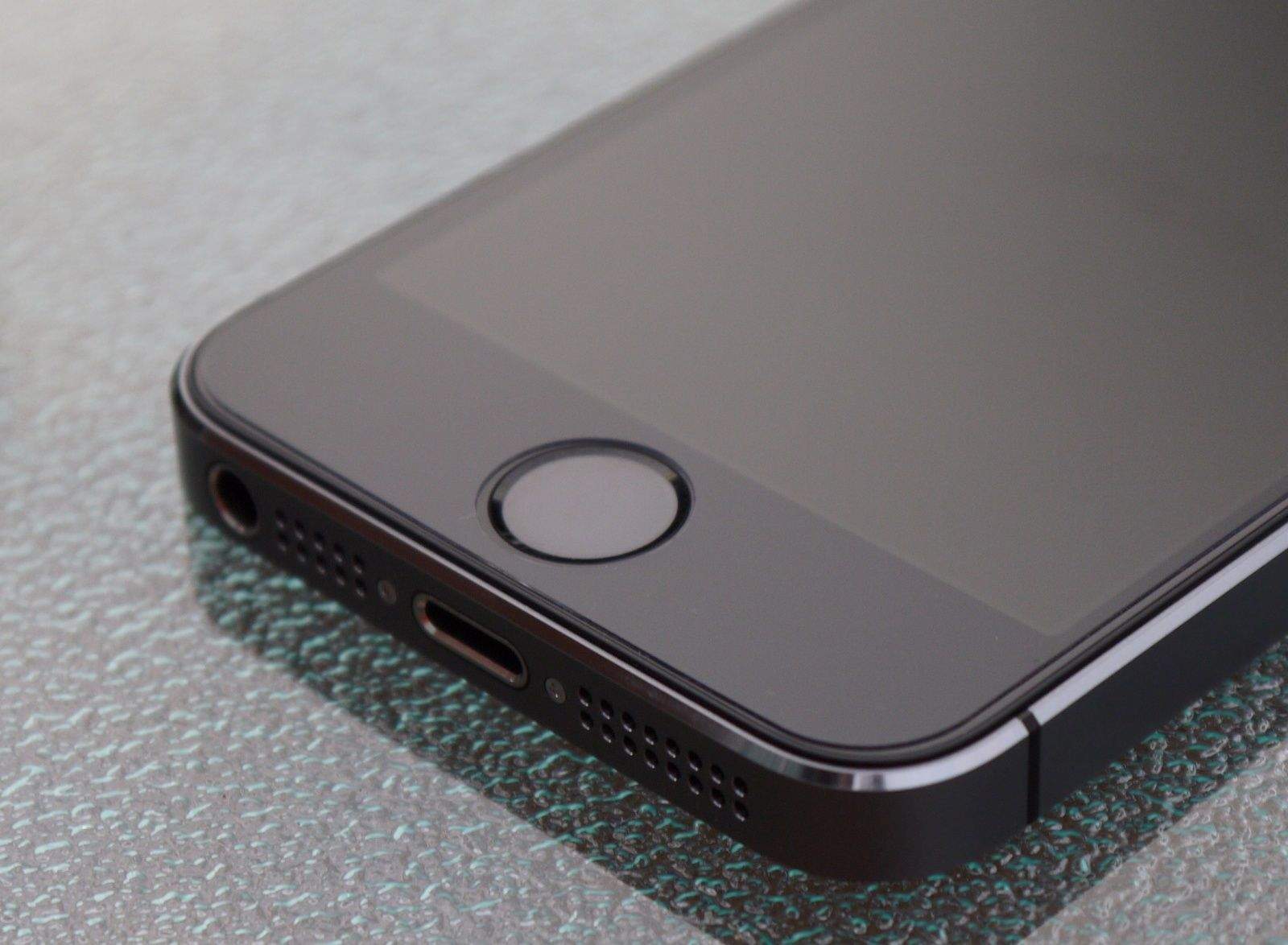
The Touch ID sensor in the iPhone 5s is a capacitive reader, embedded in the home button. That was a good choice on Apple’s part, since capacitive scanners are more accurate and less prone to smudgy fingers, and can’t be faked out with a photocopy of a fingerprint.
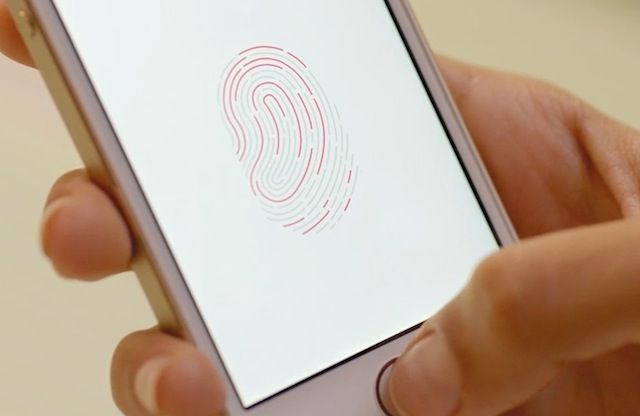
TouchID Screenshot

So the reader takes a picture of my finger and looks it up in a database?

Not quite. Comparing complete images is a complex — and computationally intensive — task that even powerful computers struggle with. Instead, the image from the reader is run through an algorithm that pulls highlights from your fingerprint and converts them into a digital summary — a template — that is easier to work with. This template represents your fingerprint, and varies based on the algorithm used.

The template is then stored in a database, ideally after being run through a cryptographic hashing function, just like your passwords. Passwords themselves are never stored; instead they are converted by a one-way encryption algorithm, with the result being stored in the database. Done properly, this means your password can never be recovered, even if a bad guy gets the database.

Although details aren’t yet known, we expect that Apple uses each iPhone’s unique device code as part of the hashing algorithm. Since it’s embedded in the iPhone’s hardware, it’s effectively impossible to attack off the device with more powerful computers; on-device attacks are much slower and more difficult.

When you use your fingerprint to log in to a device, the technology images your fingerprint and runs the image through its algorithm. Then it compares the result with the value stored in the database. If the two match, you are let in just as with a password.

Apple made it a point to note that your fingerprint will never be uploaded to iCloud or any Internet server. Instead, it will be encrypted and stored in what’s called the Secure Enclave within the A7 chip itself.

Is a fingerprint more secure than a password or passcode?

Not necessarily. In the security world, there are three ways to prove that you are who you say you are, with something you know, something you have, and something you are. Something you know is a passcode or password; something you have is a token, key, or even your phone; and something you are is a “biometric identifier,” like your fingerprint.

Using any one of those identifiers is known as single-factor authentication, and it’s considered strong authentication when you combine two or more factors. If you think about it (or watch enough TV), you can easily imagine ways to fool a fingerprint reader, ranging from a photocopy to a fake finger made from gelatin. Every fingerprint reader can be deceived, and doing so doesn’t necessarily require high technology.

Plus, if you have physical access to the database, you can run attacks against it just as though it contained passwords, by generating and testing fake templates. Not all algorithms and hashing functions are equally good, and it is easy to end up with a system that is weaker than the well-known ways we manage passwords.

In short, nothing is perfect, and a fingerprint alone isn’t necessarily more secure than a password. Worse, you can’t change your fingerprint. That’s why super-secure systems usually require a fingerprint and either a password or smart card.

Doesn’t my phone count as a second factor?

Sort of. Many of you may use your phone as a second factor to log in to services like Dropbox. In that scenario, you log in to the site with your username and password, and then Dropbox sends a one-time code to your phone, which it has on file. Since you know your password and have your phone, this counts as two-factor authentication.

Unfortunately, unlocking your phone is different, since the phone itself is the target. Thus, a fingerprint alone is still single-factor authentication, and not really more secure in a strict sense.

However, you are much less likely to loan someone your fingerprint, and while a bad guy might guess your passcode, the odds of someone stealing a copy of your fingerprint in the real world are very low, unless you are a high-risk target.

If it isn’t more secure, why switch to a fingerprint?

Practically speaking, for most consumers, a fingerprint is more secure than a passcode on your iPhone. It’s definitely more secure than a four-digit passcode.

But the real reason is that using fingerprints creates better security through improved usability. Most people, if they use a passcode at all, stick with a simple four-digit passcode, which is easy for an attacker to circumvent with physical possession of your iPhone. Longer passphrases, like the obscure 16-character one I use, are far more secure, but a real pain to enter repeatedly. A fingerprint reader, if properly implemented, provides the security of a long passphrase, with more convenience than even a short passcode.

As I wrote over at Macworld, Apple’s goal is to improve security while making it as invisible as possible.

Does this mean the death of passcodes on my iPhone

Not at all. First of all, iOS isn’t about to get rid of passcode support since only the iPhone 5s will have a fingerprint reader.

Second, as you can see in this image, you will always have the option of inputting a passcode instead of scanning a fingerprint.
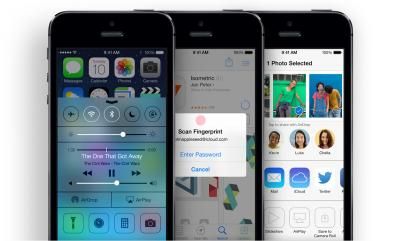
tn_iPhone5s-scan-fingerprint

Third, while many of us share our iPhones with our spouses and children, Apple officially supports only a single user per device. However, Apple has said that Touch ID will allow you to set up fingerprints for trusted friends and family, so they can easily access your device.

If someone steals my phone, does that mean they have my fingerprint? — Almost certainly not. There’s no reason to keep the fingerprint itself, just the template. And as mentioned previously, your fingerprints are encrypted on the iPhone 5s (we suspect Apple really means “hashed”).

Can someone gain access to my phone with a copy of my fingerprint? — Probably. As I mentioned earlier, unless you combine your fingerprint with another authentication factor, like a passcode, an attacker needs one piece to pretend to be you.

Realistically, almost no one needs to worry about this, although I fully expect there to be a number of articles written about the efforts of amateur spies to make fake fingers. I will also start being more careful when I attend certain hacker conferences, given my prankster friends.

Will I be able to log in to my bank with my fingerprint, instead of a password? — Using your fingerprint to log in to Web sites and apps, like those from your bank, might happen eventually, but not right away. Apple must first open up API support for it, then developers need to integrate it into both their apps and the back-end authentication databases. Apple said that other apps can use the fingerprint reader, but that your stored fingerprint won’t be available to those apps. Thus we suspect initial support will be using Touch ID to access a password stored in the iOS keychain, using API support of some sort.

App makers and cloud services who want direct fingerprint access, if Apple even supports it, will also need to redesign their systems to deal with scenarios like someone’s fingerprint being compromised, or a user who also logs in from a Windows-based computer that has a different fingerprint scanner. They can’t simply switch everyone to Apple-only fingerprint templates. (And as much as having an open standard for generating the templates might sound like a good idea — there’s even an industry organization called the FIDO Alliance to promote such interoperability — who knows if Apple would eventually support it.)

But again, I highly suspect Apple will, at least for a while, mostly rely on securing credentials on the phone using the venerable Keychain, perhaps adding a feature or API support that asserts the fingerprint for that registered user was authenticated.

Also, banks are legally required to use two forms of authentication. That’s why you likely have to enter a PIN when you log in from a different device, or you must do the email confirmation dance when you log in from a new computer. Technically, though, your phone could count as a second factor, and banks could update their systems to combine the fact of having your phone with your fingerprint for access.

Will I be able to use my fingerprint to log in to my work network?

Not right away. Although Apple is adding enterprise-level single sign-on (SSO) support in iOS 7, your work network and applications will still need you to authenticate using your existing username and password. SSO merely means you don’t have to re-enter those credentials for every work system. Over time I expect to see vendors offer tools to allow you onto your work network after you authenticate using your fingerprint on your iPhone, assuming your IT department approves.

Why is this so important?

Apple isn’t the first company to add a fingerprint reader to a phone. I’ve tested laptops with fingerprint readers and seen phones with embedded readers. The real excitement is that Apple will make this technology accessible to many millions of consumers.

Doing so will dramatically improve the security and usability of the iPhone 5s for average users. I hate needing to enter a strong passphrase on a tiny keyboard, especially when I’m walking around. A fingerprint reader will be far more convenient, and essentially eliminate the less secure four-digit passcodes most people use, if they use one at all.

Combine this with the fact that many users now use their phones as a second factor when logging in to a variety of cloud services, and you can see that improving the security of the iPhone 5s could generally improve the security of significant aspects of the Internet. That won’t happen overnight, but improving security at any access point improves security for the entire system.

Once we see usable fingerprint authentication made widely available for consumers, life for the average attacker is going to get a lot harder.

Author Rich Mogull has been working in the security world for 17 or so years, and breaking computers (usually by accident) even longer. After about 10 years in physical security (mostly running large events/concerts), he made the mistake of getting drunk in Silicon Valley and telling someone he “worked in security.” Article reprinted with permission from TidBITS.
iOS 7 Revs Up Gaming With New Controllers, Developer Tools

By

Apple Controller Specs bottom

iOS 7 provides two new features under the hood that will blow the lid off mobile gaming: game controllers and a sprite animation and particle physics engine. While these may not sound super sexy, they have the potential to revolutionize the way we play games on our mobile devices. The first is a recognition that many games really need physical buttons to provide high-end gaming experiences, while the second is a step toward supporting game developers in the way that development engines like Unreal and Unity already do, but built right in to the operating system. Together, these two developments are nothing less than—forgive the pun—complete game changers. Mobile gaming is already a big business for game developers, publishers, and Apple. And while Apple has never put gaming front and center before, that’s going to change with iOS 7. Gaming is already huge; now it’s going to get even bigger.

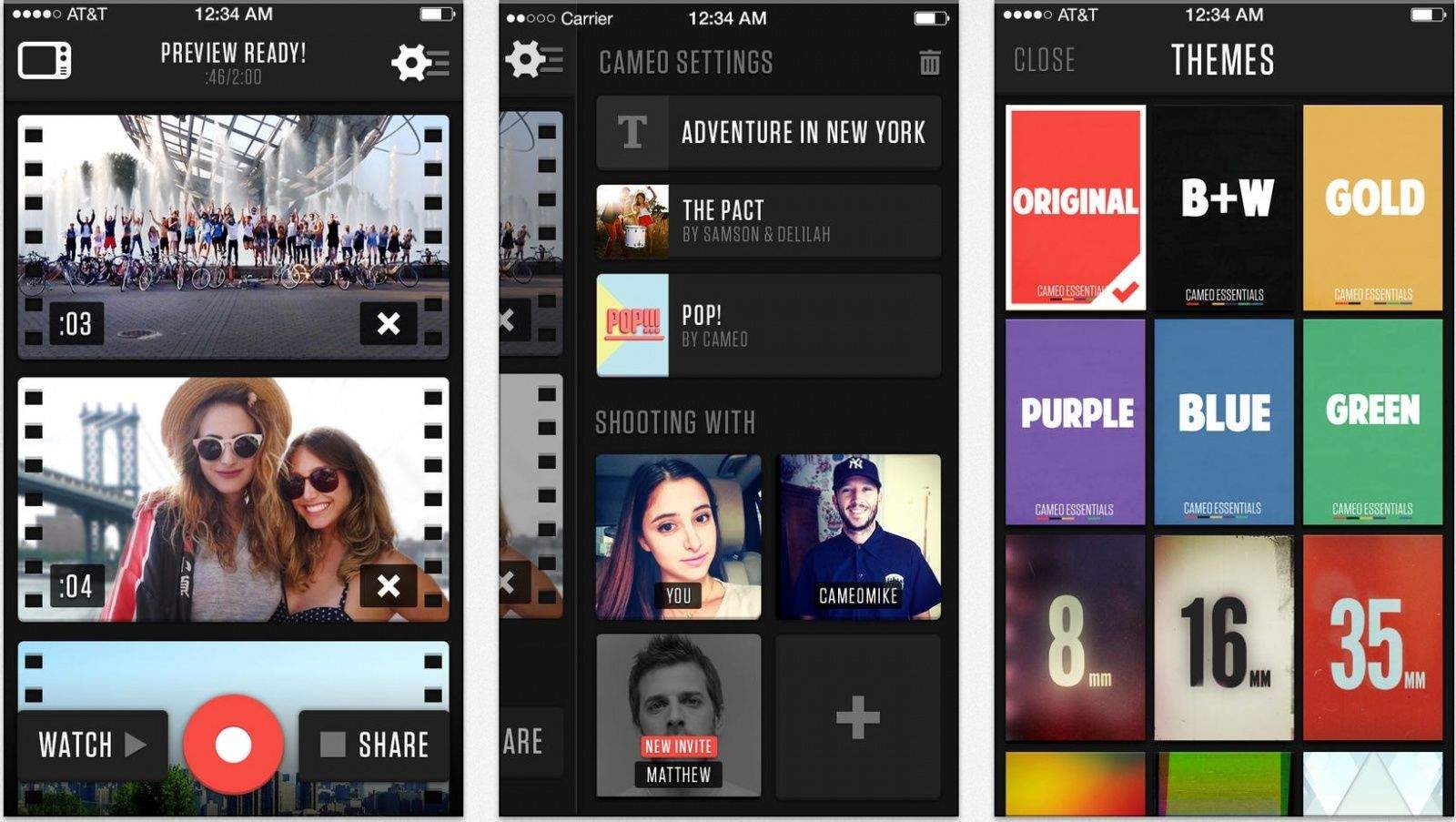
What Your Favorite Apps Look Like Designed For iOS 7 [Gallery]

By

Screen Shot 2013-09-18 at 3.43.27 PM

iOS 7 is out, and all of your favorite apps are being updated with new designs and features. We’ve been posting about big updates as they come out, but it’s impossible to keep up with everything.

We’ve collected big app updates for iOS 7 worth mentioning in a handy roundup. Take a look at how some of your favorite apps have changed: