Mobile menu toggle

Search results for: apple tv

‘Old gamer’ goes with M1 Pro MacBook and Steam Deck [Setups]

By

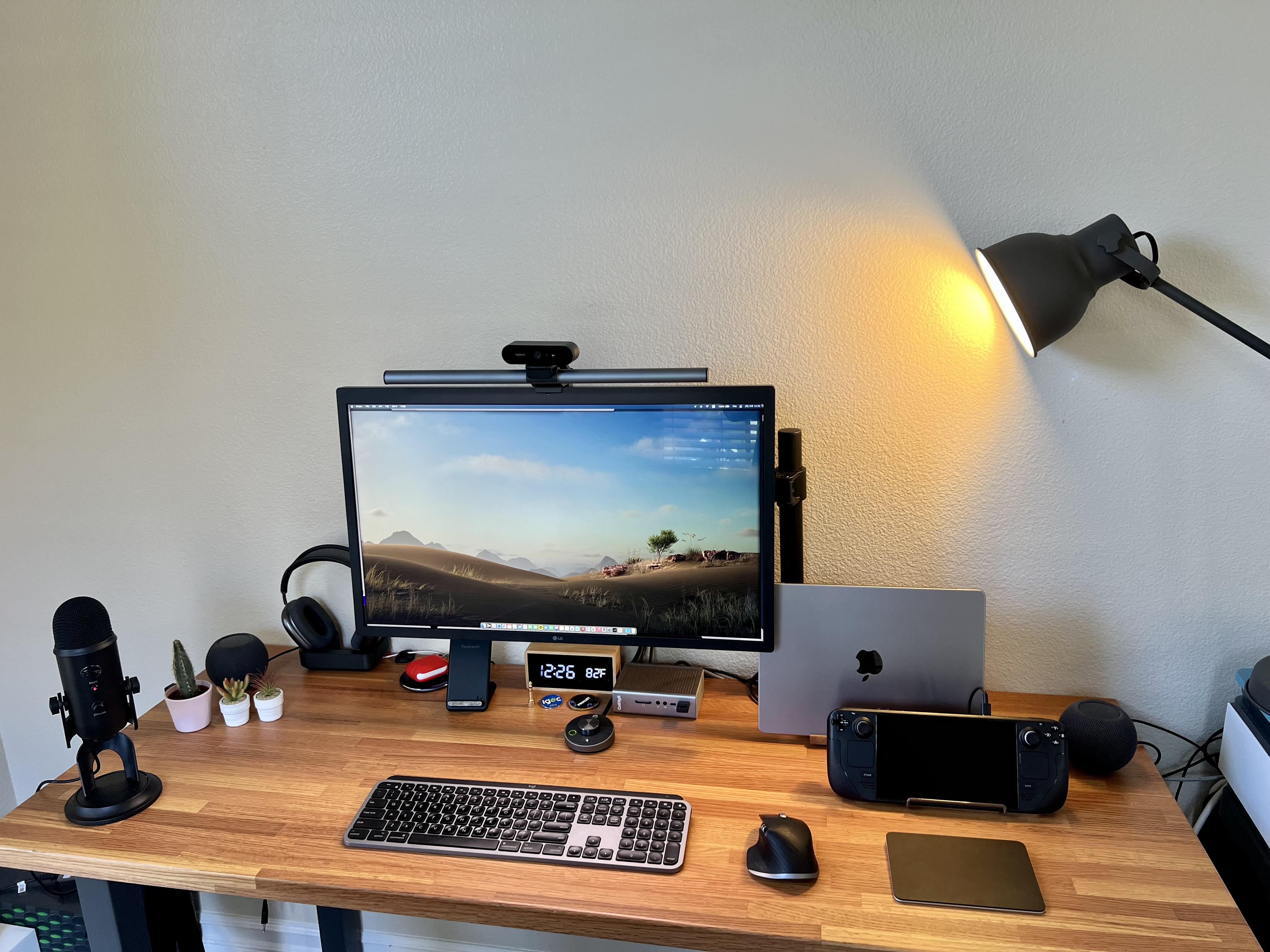
Two computers live here: a 14-inch M1 Pro MacBook and a Steam Deck for gaming.
Photo: [email protected]

Everybody knows Macs don’t set the gaming world on fire, though Apple silicon has made some inroads. So while plenty of Mac users enjoy Apple Arcade and use Apple hardware to play games, many turn to other means. We’ve seen plenty a hybrid Mac – PC computer setups out there.

But today’s featured setup takes another course to gaming satisfaction. It’s owner, who describes himself as an “old gamer,” divides his time between work via an M1 MacBook Pro and gaming on a Valve Steam Deck.

3 great apps to make your life a little bit easier [Awesome Apps]

By

Planta, Plex, and Pretzel app icons
Awesome apps to try All starting with letter P This haiku ends here
Image: Ian Fuchs

Another week has passed, and even more of you have come through with your app recommendations and suggestions! This week, a bit of a grab bag of new apps, new features, and new discoveries. From a shopping app to simplify your life to an excellent replacement to Apple’s infuriating TV app, we’ve got some awesome apps for you. And as always, if you have an awesome app to share, email your suggestion or tweet them to me!

Oh no! Ted Lasso won’t get a fourth season

By

Bumbling coach Ted Lasso is back, and headed for Apple TV+.
Jason Sudeik stars in Ted Lasso, a fish-out-of-water comedy for Apple TV+ that's coming to an end soon.
Photo: Apple

Update May 2023: The end of season 3 certainly seems to have wrapped up the show, though Apple CEO Tim Cook would like a season 4.


There’ll only be three seasons of the massive Apple TV+ hit Ted Lasso. One of the series writers and stars says the plan is to end the show with the upcoming season three.

That’s bad news for fans. And for Apple too, which needs every successful show it can get for its streaming service.

iOS 16 beta reveals clue about unknown HomePod model

By

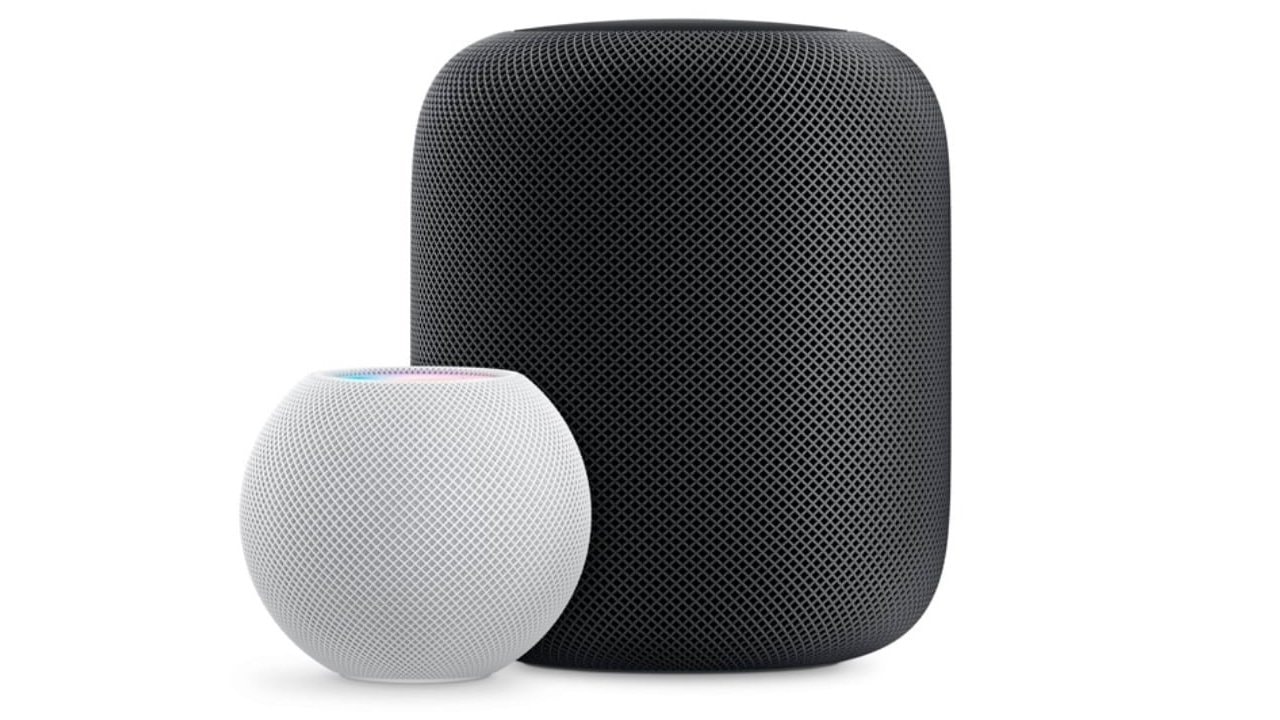
Could the clue refer to a new version of the discontinued HomePod?
Photo: Apple

Folks noticed Monday that the new iOS 16 beta for developers contains a tantalizing clue about an unknown, unreleased HomePod.

Could it be a new version of the discontinued large HomePod Apple dropped in favor of the better-selling HomePod mini?

Massive Home app makeover brings Matter support and more

By

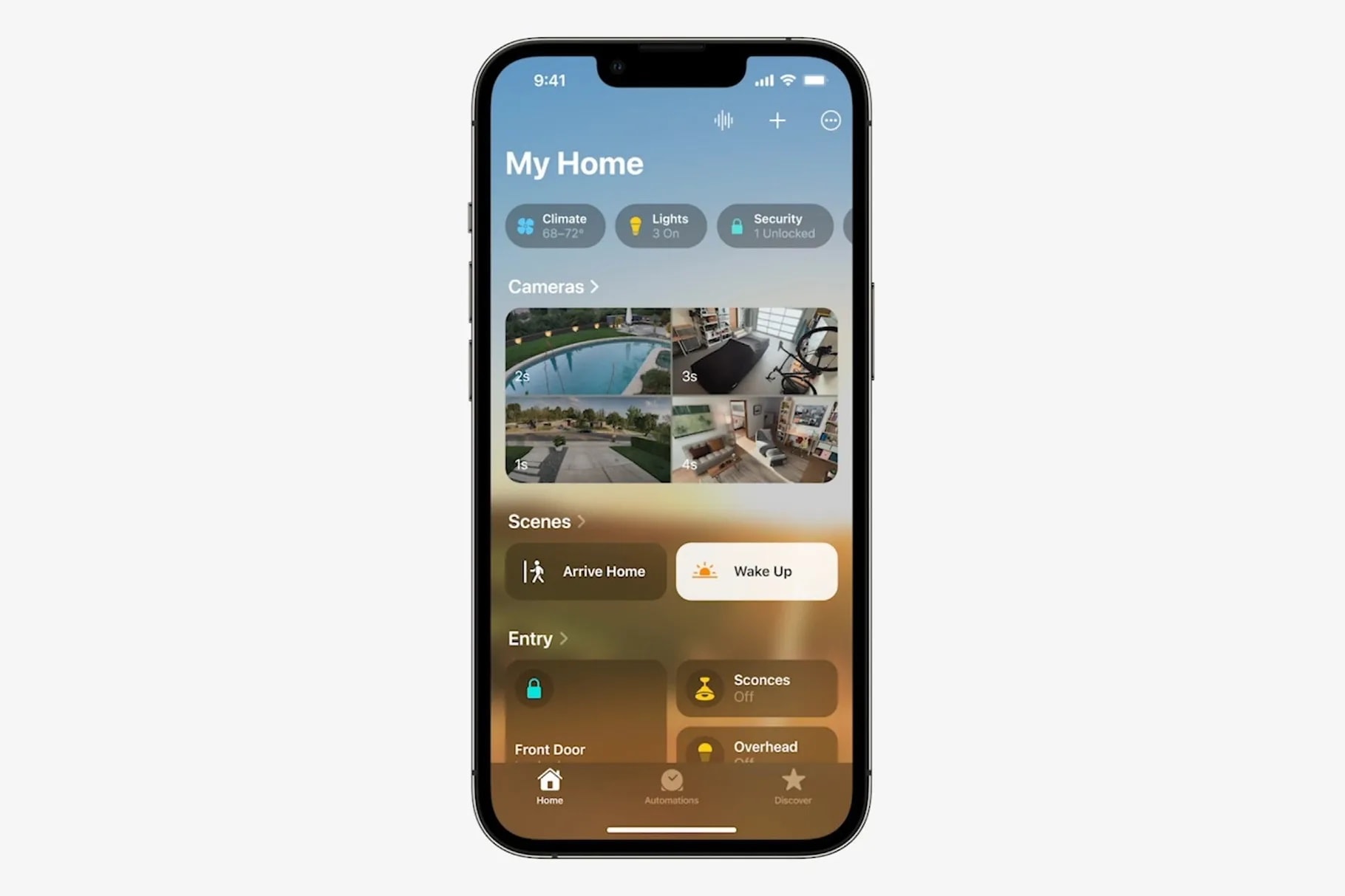
The Home app has been rebuilt from the ground up, Apple said at WWDC22.
Photo: Apple
WWDC22 - Brought to you by CleanMyMac X

Among the many new products and features Apple showcased at WWDC22 came news of a revamped Home app for the HomeKit smart-home platform.

Arriving with iOS 16 later this year, the app is rebuilt from the ground up. Apple said it will be more efficient and reliable, especially for homes with many accessories. And it will support the new Matter smart-home technology standard.

iPad finally gets floating windows in Stage Manager on iPadOS 16

By

iPad finally gets floating windows in Stage Manager on iPadOS 16
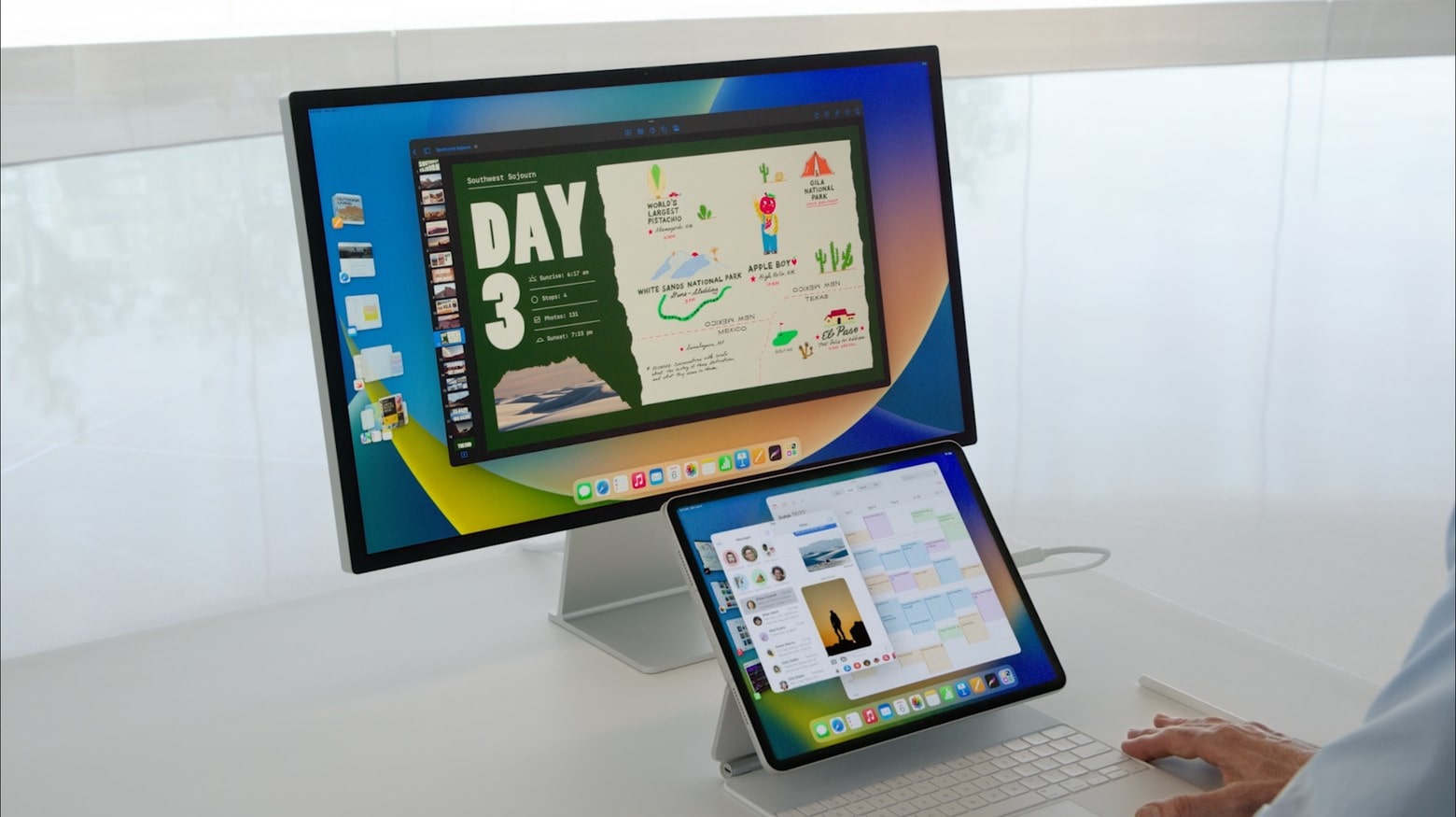
iPadOS 16 brings some of the most-requested iPad features, including floating app windows and full external display support.
Screenshot: Apple
WWDC22 - Brought to you by CleanMyMac X

The wraps came off iPadOS 16 during the keynote for WWDC22 on Monday, and Apple fulfilled the requests of many iPad power users by adding support for resizable, floating app windows. And there’s also full support for external displays. There are many other changes as well.

“Our vision for iPadOS is to create a distinct experience that’s built on the best of iOS with powerful capabilities from macOS, combined with features that are uniquely iPad,” said Craig Federighi, SVP of software engineering. “All of this comes together to deliver our most versatile release this year in iPadOS 16.”

macOS Ventura will supercharge Macs with innovative features

By

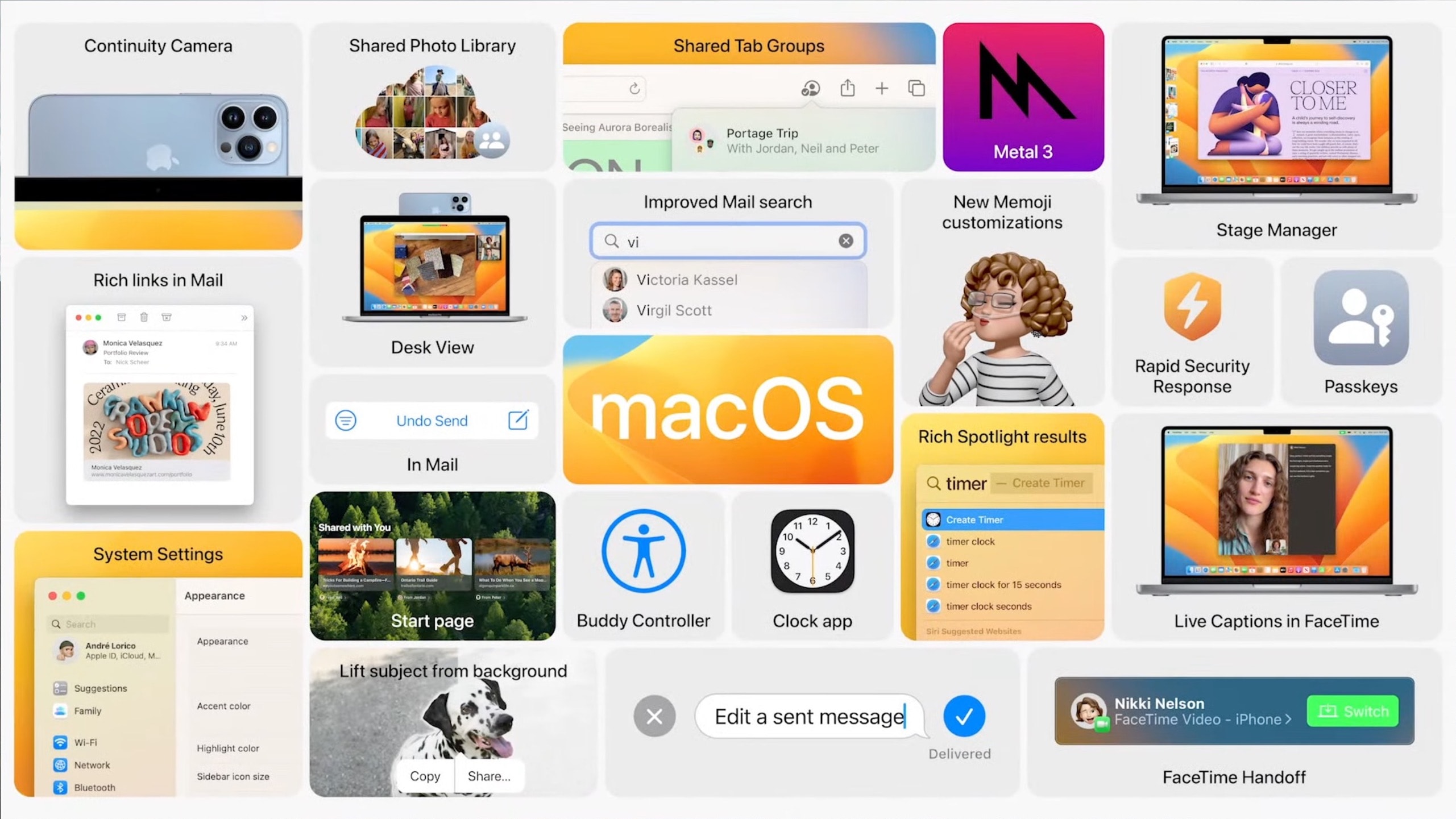
macOS Ventura is packed with features.
Photo: Apple
WWDC22 - Brought to you by CleanMyMac X

Apple announced macOS Ventura at WWDC22, focusing on better window management, enhanced system apps, new Continuity features, smarter Spotlight, better gaming performance and more.

The first developer beta of macOS Ventura is already out for developers, with the public beta set to start next month.

PC gamer converts to all-Mac rig plus PS5 and gaming handhelds [Setups]

By

Plenty of oohs and ahhh were uttered over this setup on social media.
Photo: [email protected]

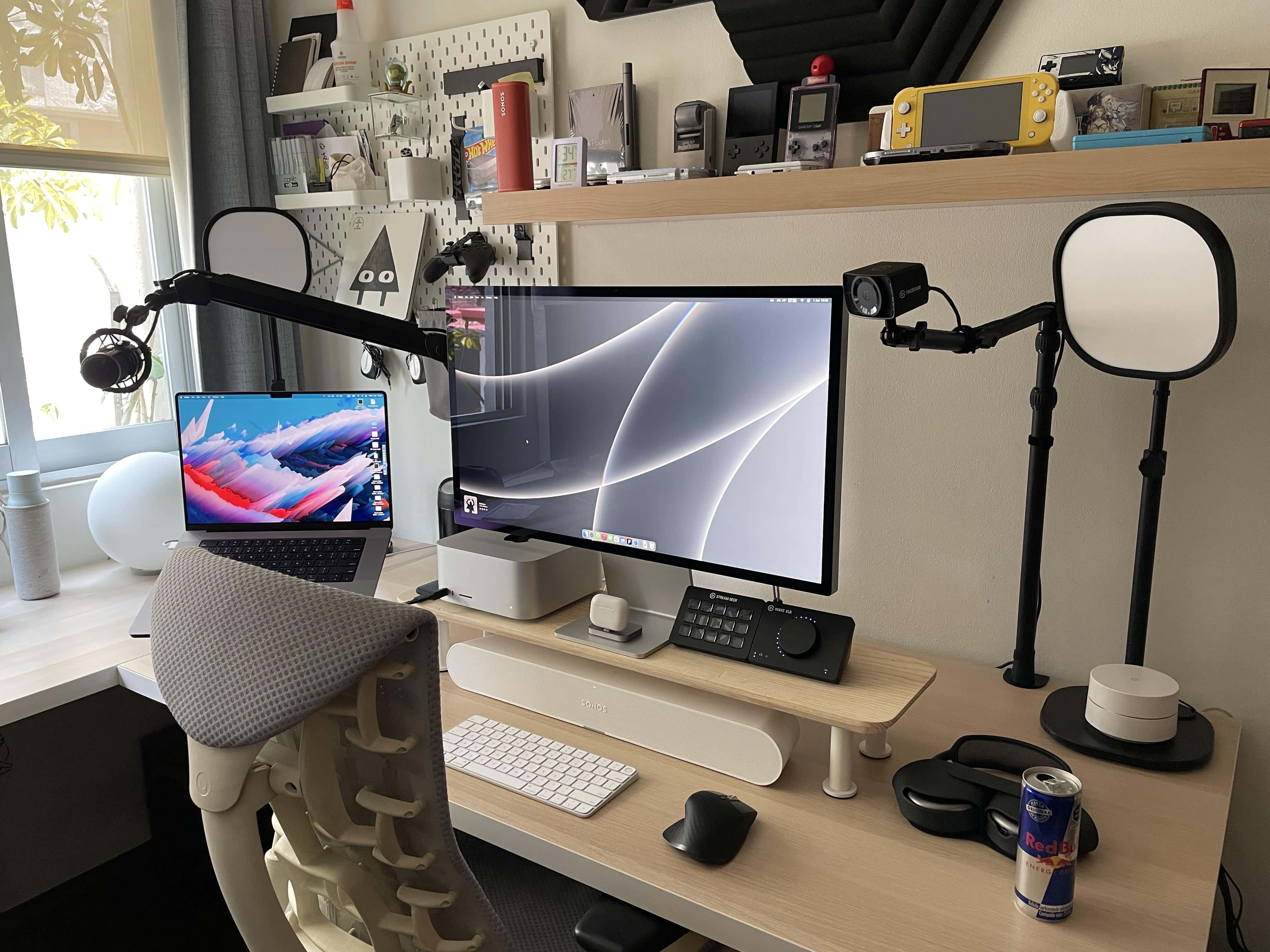
We’ve seen a fair number of PC gamers converting to one or more of the new Macs lately, including some who let go of their main gaming machines entirely.

Today’s featured setup fits that bill. It belongs to a UI designer who ditched a gaming PC and got himself a Mac Studio and Studio Display to go with his work-provided MacBook Pro.

But he kept a few gaming devices around, along with a suite of Elgato AV streaming gear and a new Sonos Ray Soundbar used, strangely enough, as a wireless desktop speaker.

Mid-year sale: Buy lifetime genuine Windows 10 for $13 and save up to 90%

By

Get ready to grab great savings on genuine Microsoft software.
Photo: CDKeylord.com

This discount software activation keys post is presented by CDKeylord.com.

In CDKeylord.com’s Big Sale heading into June, you can get great savings on software, games and gaming accessories. The software activation key provider offers big discounts on genuine products from Microsoft and other developers, whether you’re buying them for someone else or for yourself.

For example, Cult of Mac readers can get 30% off the regular price of a Windows 10 Pro key. Also, when you buy a Windows 10 key, you can get a free upgrade to Windows 11! Just enter the special discount code CULT when you check out to secure the great savings below.

Make switching between 2 laptops on an external display a breeze [Setups]

By

No need to always be plugging and unplugging.
Photo: [email protected]

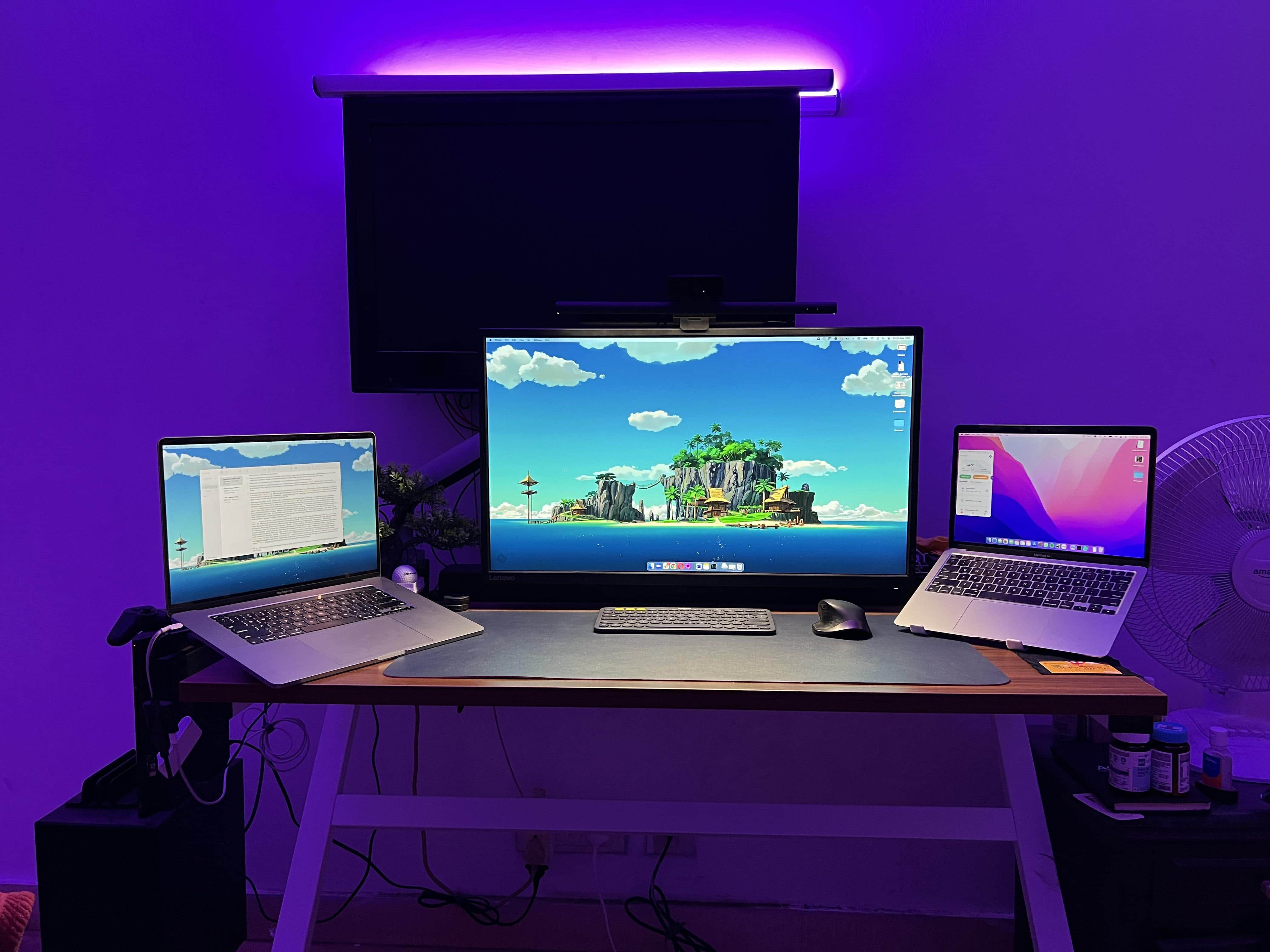
These days, more people than ever have more than one computer. That’s because many people work from home or do the “hybrid” work thing, toiling at an office part time but working remotely, too. And that means they probably tap away on both a work laptop and a personal one.

Today’s featured setup follows that trend. And its owner succinctly explained how they go about switching between the two machines on the same external display with the press of a button.