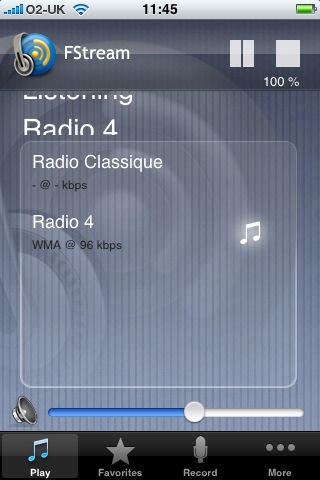
I’m one of those freaks who much prefers listening to radio than watching TV. Consequently, I like to have radios around me. I have one in my office, one in the kitchen, and one in the bedroom. I really need to get hold of one for the bathroom.
Users of Apple’s online MobileMe service are once again the target of false e-mails sent by phishers attempting to persuade Mac users to divulge private information.
The e-mail purports to come from Apple, offering some friendly assistance with renewing MobileMe subscriptions; all that’s needed is your credit card information.
“Attempts to charge your credit card have failed,” the false e-mail mourns.
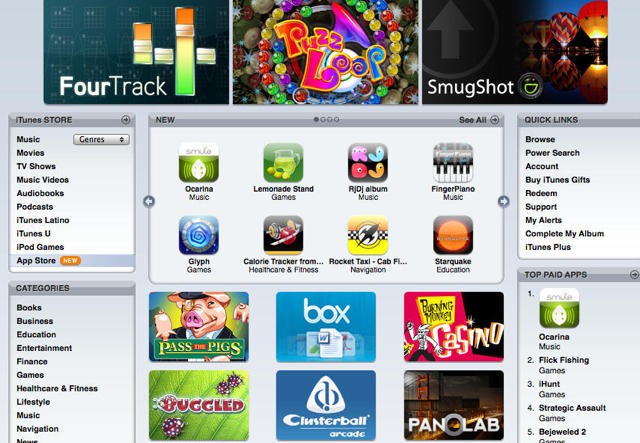
Apple’s App Store has reportedly crossed the 20,000 download mark, suggesting the popular site has added 5,000 iPhone and touch applications since mid-January.
Apple refused to comment on a report the figure was reached less than a month after the Cupertino, Calif.-based company announced 15,000 App Store entries. The update was reached Tuesday, according to the Apptism site.
As of Wednesday morning, the App Store held 20,410, according to Apptism.
British thriller/crime novelist Christopher Fowler (“Psychoville,” “Disturbia”) claims he doesn’t even know what a PC is, he’s so in love with his “awesomely cool MacBook Air.” Fowler’s been using his MacBook to upload clues in a treasure hunt in London for signed first-editions of his books.
More from his love letter to Apple:
How has the MacBook improved your life?
It’s super-light, fast, and I always have it with me so that I can blog via my local Wi-Fi coffee shops. Except it means I drink waaaay too much coffee.
What additional features would you add if you could?
A push-down track-pad, like on the Pro. Easier uploading of video footage from my mobile, cross-region DVD functionality, and someone to sort out the Blu-Ray mess. Nobody knows what plays where.
What piece of technology would you most like to own?
A good eReader that looks cool (so, not the Kindle, then).
Ecamm’s Call Recorder plug-in for Skype is an easy-to-install, easy-to-use solution for enabling voice and video call recording in Skype, well worth the $15 cost – a highly recommended plug-in for anyone with a Mac who wants to keep records of their Skype voice and video calling history.
I ran into a situation over the weekend where I had scheduled what I knew would be a long interview, something I wanted to be able to refer to later this week when I’m writing up a profile of my subject for a project I’m working on.
The thought of once again trying to cobble something together using a cassette recorder with my iPhone on speaker had finally become too much to bear: how many times in the past had a conversation been too garbled to interpret, or had I forgot to press the record button until several minutes into the conversation? Once I even did an entire interview having forgotten to put batteries in the cassette recorder, and had to face the ignominy of asking my interview subject to let me re-conduct our whole conversation the next day.
Of course, the simplest thing might be for Apple to enable (or at least approve) a comprehensive recording mechanism for iPhone calls, but since that’s not the case at present – and may or may not be grist for another post – I decided to use Skype for our call once I found Call Recorder and installed it.
Ecamm’s Call Recorder has been around for a while, but gets it right with this lightweight (2.3 MB) plug-in that installs in minutes and runs automatically within Skype – with the advantage of being highly configurable and supporting fully manual operation as well. The current version 2.3.4 also handles recording and archiving of video calls, though I’ve not yet personally done one of those.
Both sides of a voice call are recorded to separate tracks in a QuickTime movie, which can be easily converted to MP3 format and then emailed or posted to a website. Call Recorder can handle completely uncompressed recording for highest fidelity, or compress recordings at a 2:1 ratio or using AAC encoding. Video encoding can be done as JPEG, MPEG-4 or H.264.
For any journalist, podcaster, online instructor, even for business people looking to ensure accountability and corporate audit trails, Call Recorder adds easy, indispensable value to Skype on the Mac.
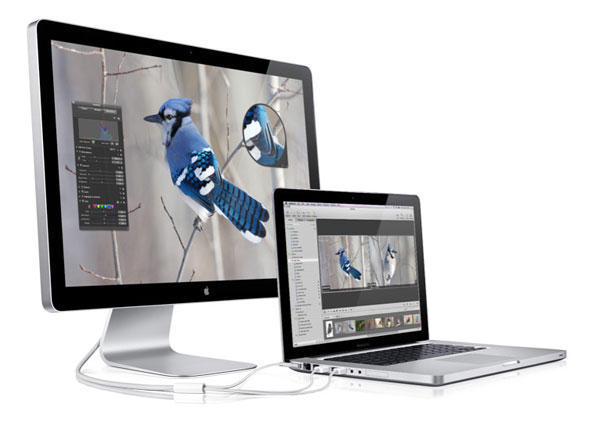
Apple’s new 24″ LED Cinema Display suffers the fatal flaw of “ridiculous, terrible glare,” according to Jason Snell, editor of Macworld, who informed his Twitter followers Monday he’s putting his monitor back in the box and returning it to Macworld Labs.
Snell has spent his professional career as a writer covering Apple and, despite the presumed objectivity of his position as the editor of one of the larger, more recognizable mainstream media brands associated with the Cupertino computer maker, likely wouldn’t give up on such a major piece of Apple hardware unless he felt it was poorly executed.
Snell, of course enjoys a luxury many consumers do not, in that he can give his display back to the magazine’s lab and not have to worry about its cost or the space it may take up sitting unused in a corner or on a shelf. Average folk who’ve bought Apple’s new display and discovered after using it for a time that the glare is unbearable have far fewer options for doing anything about it.
What about you, dear reader – how do you feel about Apple’s embrace of the glossy screen on its flagship display? Is it worse in the wild than the glossy notebooks’ display? Would you send it back to “the Lab” if you could?
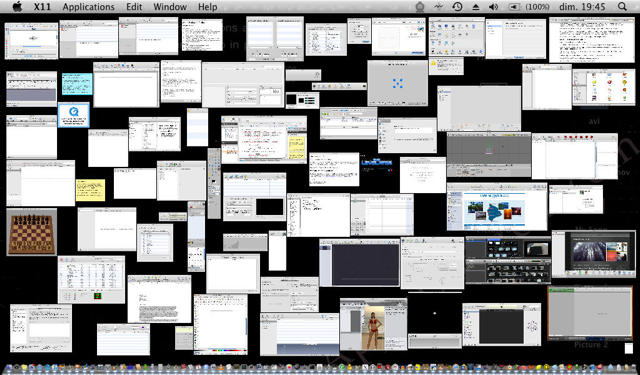
Last week we wrote about a kind of silly competition going on out there in Mac land between people vying for the title for running the most apps simultaneously on a Mac.
Comes now, Cult reader Jay Pan, who figures all the buzz about people running OS X on hacked netbooks should entitle him to some consideration for managing to get 80 apps going with OS X running on an Advent 4211 ( MSI Wind Clone ), with both Blender and Daz3D launched.
“I’ve been trying to determine Atom’s performances with Mac OS X for some time now, and I think this shows Atom’s netbooks are not so crippled!” he told us.
So what do you think? Is Pan’s record in the same league with the 240 apps running on a Mac Pro 8 core machine? Should the judges create a special “netbook” category for the dubious “Busy Mac” honor?
Follow after the jump for Pan’s hardware specs and list of apps running, and be sure to click on the image above for a larger view.
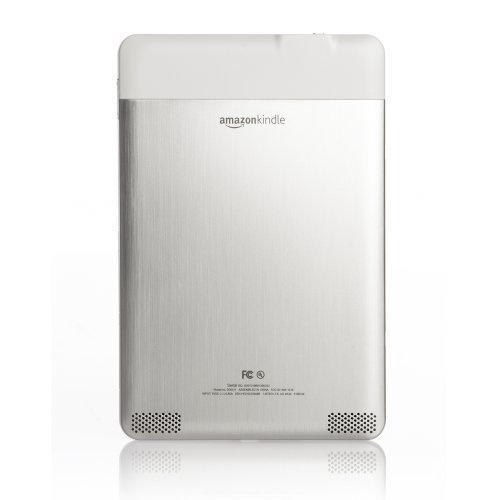
Although Amazon CEO Jeff Bezos wants it to “disappear,” the just released Kindle 2 e-book reader is drawing quite a bit of attention for its Apple-like design.
Among the new features drawing comparison with the iPod and iPhone are Amazon’s decision to adopt an aluminum back and a sleeker size – 25 percent thinner than the iPhone, reports said.
Although Amazon Monday mentioned only that the new version of its e-reader “will also sync with a range of mobile devices in the future,” the iPhone could be among those devices.
Over at Reddit, some of the Redditors have been enjoying a little friendly desktop sharing over the past day or so. If you’re looking for some inspiration for your own desktop arrangement, there’s plenty to be found here.
Seeing all these desktops got me thinking: what are the desktops of the Cult team like? And how about our lovely Cult readers?
At the top of this post you can see my desktop, and “minimal” doesn’t really do it justice. My desktop is always kept clean and clear, devoid of decoration and deprived of a Dock. But that’s just me, and I’m a bit weird. How about my fellow Cultists?
It’s the app that’s launched, whatever, a lot of downloads. iFart Mobile lead developer Joel Comm elaborated about the beginnings of the talked-about app in an interview with the Orlando Sentinel.
If you have not downloaded the app and have been wondering exactly why anyone would pay $.99 for a souped-up electronic Whoopee cushion, here’s what it does:
Answer: It’s an electronic entertainment or sound machine. It produces flatulence noises. There are a number you can select from. Each has their own name and you push the button to fart now and it makes the sound. We built in a few other interesting features like the sneak attack which you can set to go off after a certain number of seconds or minutes. And the security fart, which when you put the phone down after five seconds, it goes into alarm mode and if anybody picks the phone up, and it detects motion, then it lets off the designated sound. We also included fart a friend, which lets you e-mail a selected sound to another e-mail address. And then there is the ‘record a fart,’ which lets you add a custom sound to the selection wheel.



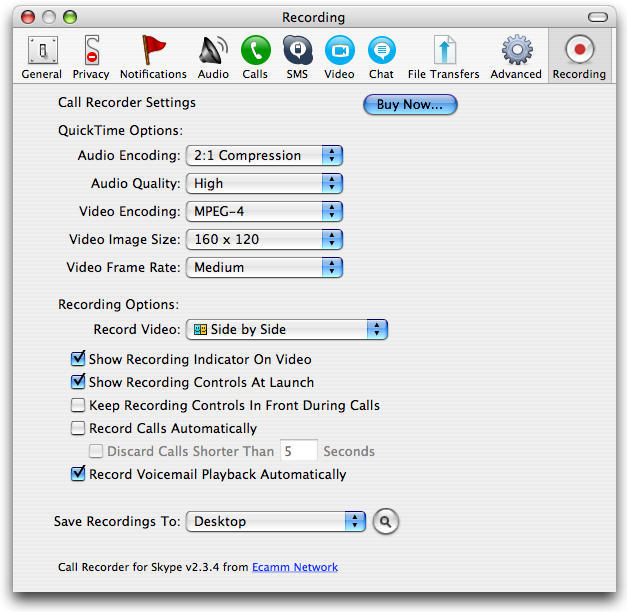
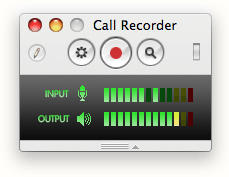 Ecamm’s Call Recorder has been around for a while, but gets it right with this lightweight (2.3 MB) plug-in that installs in minutes and runs automatically within Skype – with the advantage of being highly configurable and supporting fully manual operation as well. The current version 2.3.4 also handles recording and archiving of video calls, though I’ve not yet personally done one of those.