Mobile menu toggle

Search results for: Apple One

Dropped The iPad Into A Bath? Data Can Be Fished Out — For A Price

By

despair
photo: paula rúpolo/flickr

With the iPad kinda bridging the chasm between iPhone and MacBook, it becomes increasingly likely a 70-page legal brief some lawyer’s been working on for months will be lost when junior accidentally flings the iPad into the pool while taking a turn a little too hot in Real Racing HD.

That’s where DriveSavers comes in. Located about a half hour north of San Francisco, these guys are experts at recovering data from hard drives and the NAND flash chips used in the iPhone — and the iPad. The only difference is the iPhone has one set of chips, while the iPad has two.

It’s not cheap, though — DriveSavers says the average bill for recovering data from an iPhone runs about a grand. Ouch. They will, however, provide a free evaluation on an iPad mailed to them, explaining what can be recovered and how much it’ll cost.

The lesson here? Back your stuff up. And maybe get junior a helmet; kid seems a little accident-prone.

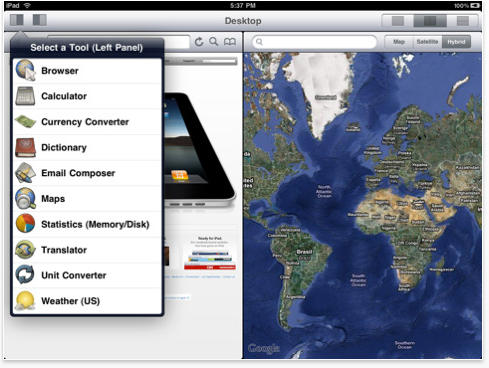
Desktop for iPad allows you to split screen multi-task

By

post-39801-image-9c3ac985bf846edc64433f6d3615b94a-jpg

When Jobs announced the iPad, declared the netbook to be dead and claimed that the iPad was a decent productivity machine, I was cynical. Lustful for an iPad I was, but as a blogger, the ability to type in one window while referencing a source in another is invaluable. Simply put, my netbook allowed me to do that, but the iPad didn’t… and until it did, there was little chance I’d ever do serious work on it.

I should have taken account the ingenuity of app developers though. Desktop for the iPad essentially allows you to split screen your iPad. You can specify what functionality you want each split screen panel to have, but for my purposes, I could browse a page in Safari on one side of the screen while using the “Email Composer” on the right side to type in text.

What a perfectly elegant little solution, especially for just $0.99.

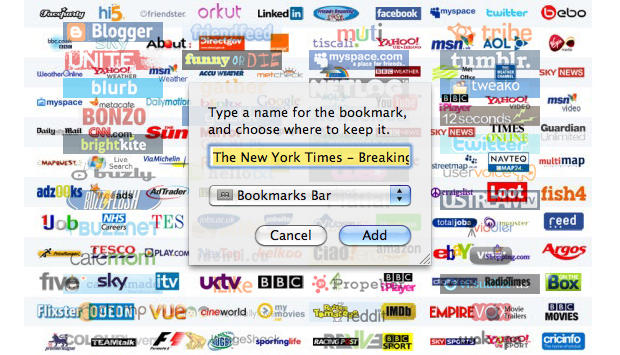
How To Manage Safari Bookmarks Efficiently [MacRx]

By

Bookmark Madness

Welcome to MacRx, a new category dedicated to some common setups, problems and headaches of All Things Mac. As we all know, how things should work isn’t always how they do work.  Sometimes a little assistance can be in order.

This week an issue I’ve seen many users struggling with, Managing Bookmarks in Safari. As a Mac consultant I frequently run into clients who can’t find the bookmarks they’ve added to their systems, or have so many bookmarks saved that the list is virtually endless and unuseable.

Getting to know the ways in which Safari stores bookmarks, and coming up with a simple organizing scheme you can follow, will go a long way in preserving your sanity – or at least help save some time occasionally.

Steve Jobs Personally Intervenes To Replace iMac Dud

By

apple_imac_27inch

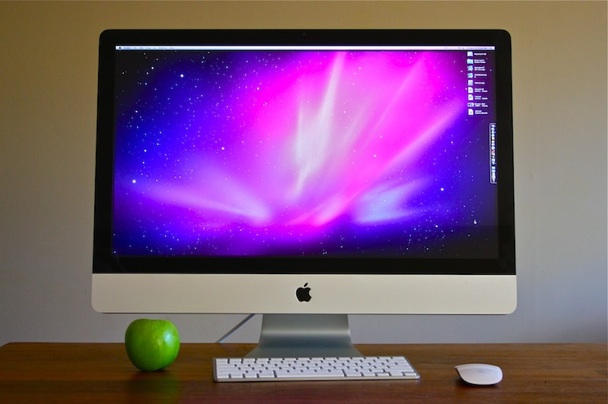
How’s this for customer service? Steve Jobs personally intervened to get a dodgy iMac replaced. Author Michael J. Weber bought a new iMac, but his Apple machine was a lemon. Perhaps emboldened by Steve Jobs’ recent email responses to customer emails, Weber didn’t waste any time going straight to the top to complain about it:

Steve,
Received a 27″ i7 iMac today that would only boot in verbose mode. Whatever happened to “It Just Works”? This was a top of the line unit built to order in Elk Grove, CA — not China. And it booted like a Gateway 2000!

Pianist Plays iPad for Concert Encore

By

post-39397-image-6bea48fa945c1e2c904c0b88998d04d6-jpg

httpv://www.youtube.com/watch?v=HvplGbCBaLA

Virtuoso pianist Lang Lang gave concert goers something special by playing “The Flight of the Bumblebee” on an iPad.

This unprecedented encore happened — where else?– in San Francisco. Lang Lang played the song, part of it one-handed, thanks to Smule’s Magic Piano iPad app.

The $0.99 app, from the makers of Ocarina and I Am T-Pain,  lets users easily play music by touching light beams that stream down from the top of the screen. Full disclosure: Smule sent Lang Lang an iPad pre-loaded with the app in the hopes he’d take it for a spin.

Wonder if Russian composer Nikolai Rimsky-Korsakov, who penned the interlude over 100 years ago, would forgive Lang Lang’s occasional flub as he struggles to get it right on the unfamiliar device.

Via WSJ Digits

Video: Steam for Mac Beta

By

cult_logo_featured_image_missing_default1920x1080

https://www.youtube.com/watch?v=CKPxl5qdYhU

Steam for Mac is finally available in private beta form, bringing the popular gaming delivery system to OS X for the first time.

It’s looking pretty good compared to the PC version, although that charcoal color scheme is as dreadful as ever, and like most of the initial forays into Mac software development made by PC guys, the UI’s not quite up to Snow Leopard snuff.

None the less, Steam for Mac looks good enough and seems to work pretty well. I’m really excited about this: I really think a good delivery platform is exactly what is needed to galvanize more serious OS X game development.

[via 9to5Mac]