Here’s the latest twist in the story of an early iPad buyer who had his pinky torn so a thief could get his hands on Apple’s must-have device.
Brandon Smith, 22, pleaded guilty Friday to aggravated robbery and second-degree assault, the Denver District Attorney’s Office announced.
The plea isn’t completely out of nowhere: the scales were looking weighted after Smith reportedly thought his theft case would go away if the victim was ‘eliminated.’
The rumor — which is lighting up Twitter like crazy — was caused by an errant tweet from CBS’s “What’s Trending” feed. The tweet said:
“Reports say that Steve Jobs has passed away. Stay tuned for more updates.”
But CBS has now pulled the tweet and kinda apologized:
“Reports of Steve Job’s [sic] death completely unconfirmed.”
So, they don’t know one way or the other.
We’ve called Apple and left messages all over the PR department. The one live person we talked to said they’d get back to us shortly. But there obviously wasn’t a fire drill there, so it’s safe to assume Steve is still alive.
Wireless networking is de rigeur these days, but in large buildings or crowded urban environments it can sometimes be difficult to get connections working reliably throughout a facility. Extending your WiFi network allows you to provide strong coverage through a home or workplace while allowing wireless devices to roam about and keep connectivity.
The most reliable way I’ve found to extend WiFi network coverage is to create a single network with multiple Wireless Access Points, connected via a wired backbone to a single internet router. Here’s how this is done.
The answer appears to be yes: Fall 2011 brings a bumper crop of U.S. preschools launching iPad programs. From Maine to Tennessee, kids are saying teary goodbyes to their parents and being greeted in schoolrooms with sympathetic teachers (we hope) and Apple’s magical device.
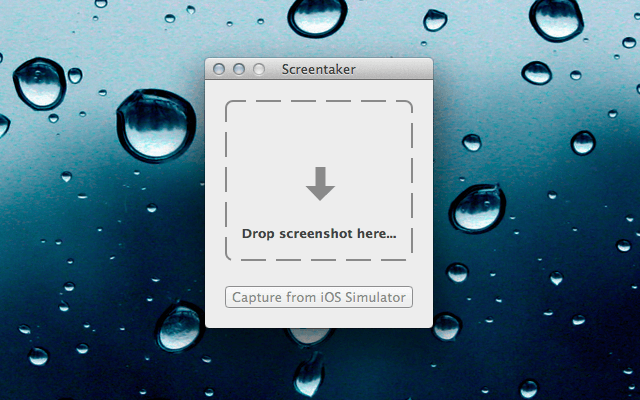
Want to take your boring iOS screenshots and add a little flare? Are you a developer looking for an easy way to create iPhone and iPad mockups of your app screenshots?
Screentaker is a new app in the Mac App Store that lets you easily bring your iOS screenshots to life.
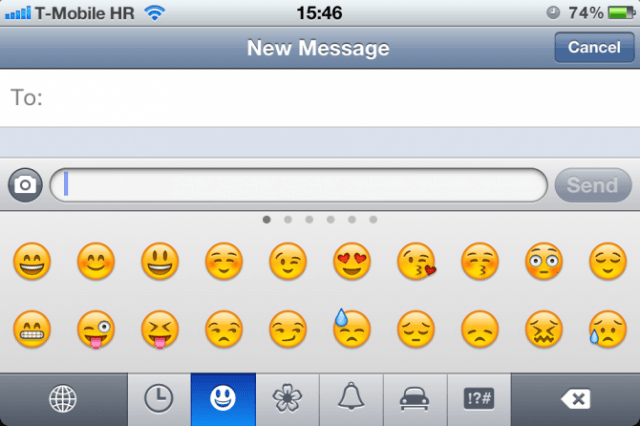
Some of the original emoji in iOS 5. Screenshot: Cult of Mac
In iOS 5, Apple introduced a slew of new features and updates to the most advanced mobile operating system on the planet. While users had to rely on third party hacks or jailbreak workarounds to enable an Emoji keyboard before, Emoji has been added as a standard keyboard in iOS 5.
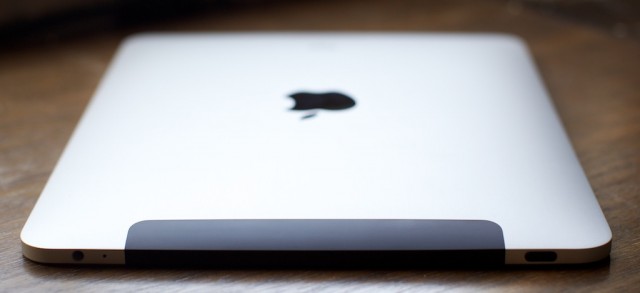
For those concerned Android was catching up with Apple’s iPad, JPMorgan analyst Mark Moskowitz has this message: stop your worrying. “Beyond the iPad, there has not been another high-volume tablet offering, yet,” he told investors Thursday. When one does, don’t look to Mountain View, but Microsoft for a credible Apple competitor.
The school year has begun, and students everywhere are starting to hit the books. For the busy student, keeping track of one’s academic schedule is essential.
On the Mac, iPad and iPhone, iStudiez Pro is the best school planner available. The three apps sync with one another wirelessly to keep all of your assignments and info up to date on all of your devices.