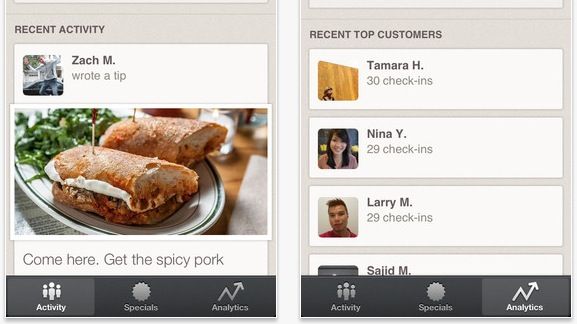
Foursquare, everyone’s favorite check-in service, has released a new app today, but it’s not for jokers checking into their local pizza place: it’s for the guys who own that pizza place.
Not so surprisingly, it’s called Foursquare for Business, and it allows you to do all sorts of business-y things to track how engaged your customers are and get the word out.
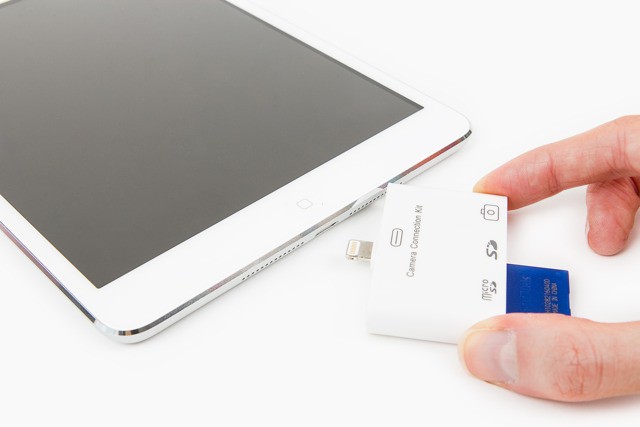
I consider Apple’s Lightning SD card adapter to be a step backwards – the original camera connection kit not only included an SD dongle and a USB port, but it also provided them in convenient, pocketable, non-be-cabled form.
Thanks to the fine folks at Photojojo, though, you can now relive the excitement of not using a cable to plug in your SD card with the Lightning SD Reader.
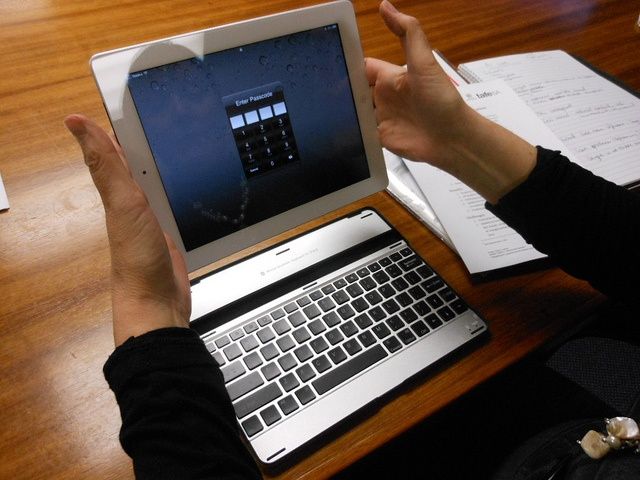
This is who the 128GB iPad is really for. Photo: http://bit.ly/WMmZv8
For some reason, Apple released a 128GB iPad this morning. And a lot of people are scratching their heads over it.
It’s not that a 128GB iPad is an unwelcome thing, of course. More storage for apps, movies and music is always a good thing… except, if it’s just a matter of soldering in a couple of 64GB NAND modules instead of a couple of 32GB NAND modules, why the heck didn’t Apple release a 128GB iPad when they refreshed the iPad in October?
In other words, why now? Why announce it today, on a sleepy Tuesday morning at the tail-end of January? And who is this thing for, anyway?
Microsoft charges Office 365 users a subscription fee. Photo: Microsoft
Apple is all about the iCloud these days, and Microsoft is also betting on the cloud with its new Office productivity suite. Today Microsoft announced the availability of Office 365, its new paid subscription service for accessing and editing your content from any computer via the Office website. Office 365 also lets you install the Office suite on up to five PCs or Macs.
Office 2013 has also been released for Windows machines. Mac users are still stuck on Office 2011.
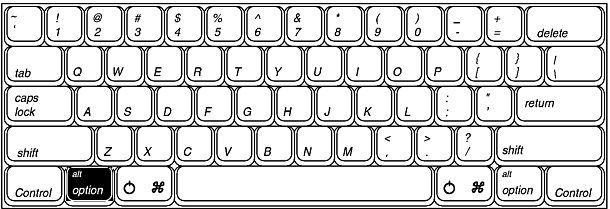
The Option key is a powerful ally in your transition from new, beginner user of OS X to the power user that you want to be. There are a ton of features in the Menu Bar that are hidden behind this underrated and unassuming Option key.
We all know dealing with PDF files can be a pain. We’ve all had a PDF file that we’ve wanted to modify in some form or another and found ourselves only to be left with no real way to do it. But thanks to iPhone Hacks and PDFPen, those days are over.
PDFpen is your simple solution to making all of your PDF dreams come true. It offers a powerful editing capability – one that is unmatched at this price! With this Cult of Mac Deals offer, you can get PDFpen for only $30 (50% off) you can get this stellar piece of software that will become an integral part of your document workflow.
Perhaps you’ve been combing through iOS 6.1 on your iOS device looking for the little changes that Apple hasn’t mentioned. A couple of our readers certainly have. One little change is pretty easy to spot: the lockscreen music controls have been redesigned with an aluminum finish.
Now we’re well aware that this tweak came in the first iOS 6.1 developer beta back in November, but for the many of you who just got 6.1 today, this is something totally new.
It’s not groundbreaking, but it’s nice to see that Apple is still interested in making smaller aesthetic changes to iOS on a regular basis.
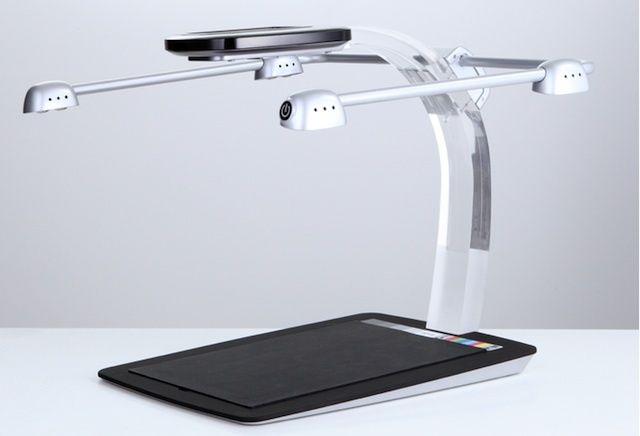
This is the Scandock, a $480 stand that turns your iPhone or Android handset into a better scanner. There are already some great scanner apps out there — here’s an iOS example, and here’s one for Android, both of which are around $5. The Scandock is almost a whopping 100 times more expensive, but claims improved results.
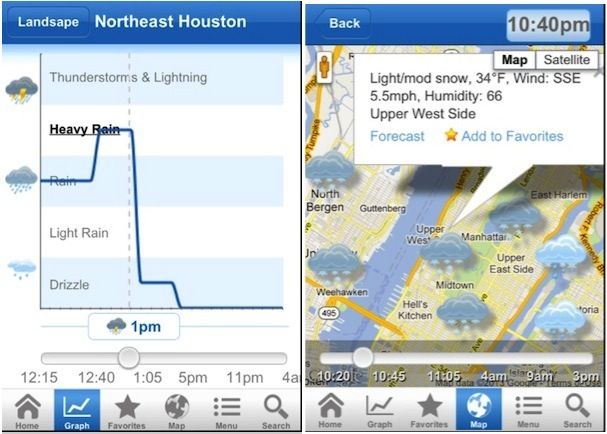
There are weather apps, and then there are weather apps; Nooly is, apparently, the latter. Nooly is so accurate, its press release claims, the app “is capable of predicting the exact minute it will rain or snow and can do so effectively, wherever you are, for every 0.4 square miles.” That’s pretty precise.
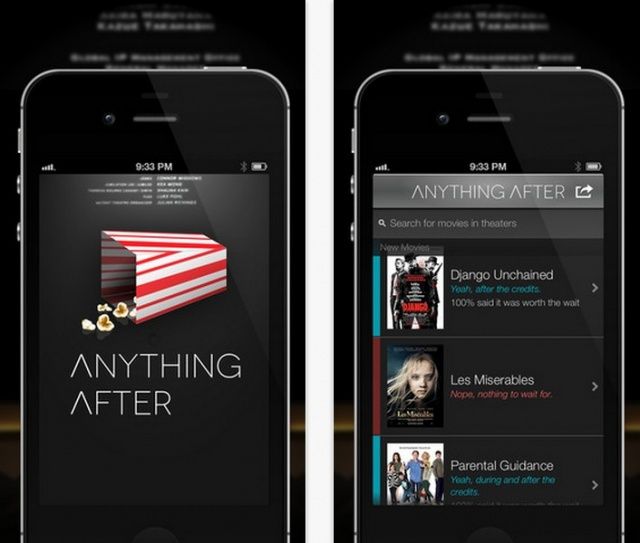
Are you the kind of person who jumps up at the end of a movie, skipping the credits to get to the parking lot (or restroom – thanks, giant soda tub) before everyone else? If so, you’ve probably missed some pretty neat after credit experiences, called stingers. These are extra little bits of movie, teasers, or even bloopers, that are shown after the credits roll to reward the die-hard movie goers for their patience. The recent run of Marvel movies, for example, all teased the eventual Avengers movie at the end of Captain America, The Hulk, and Iron Man. If you left early, you’d have missed it.
Luckily, now, there’s an app to make sure you never do, and, conversely, you don’t sit around for an entire credit roll for no reason.