Using a smartphone in China has become a dangerous task the last few weeks. First, we started hearing reports that iPhone users were getting electrocuted by their chargers, and now a Samsung S4 has allegedly devoured an entire apartment with a fireball explosion from its battery.
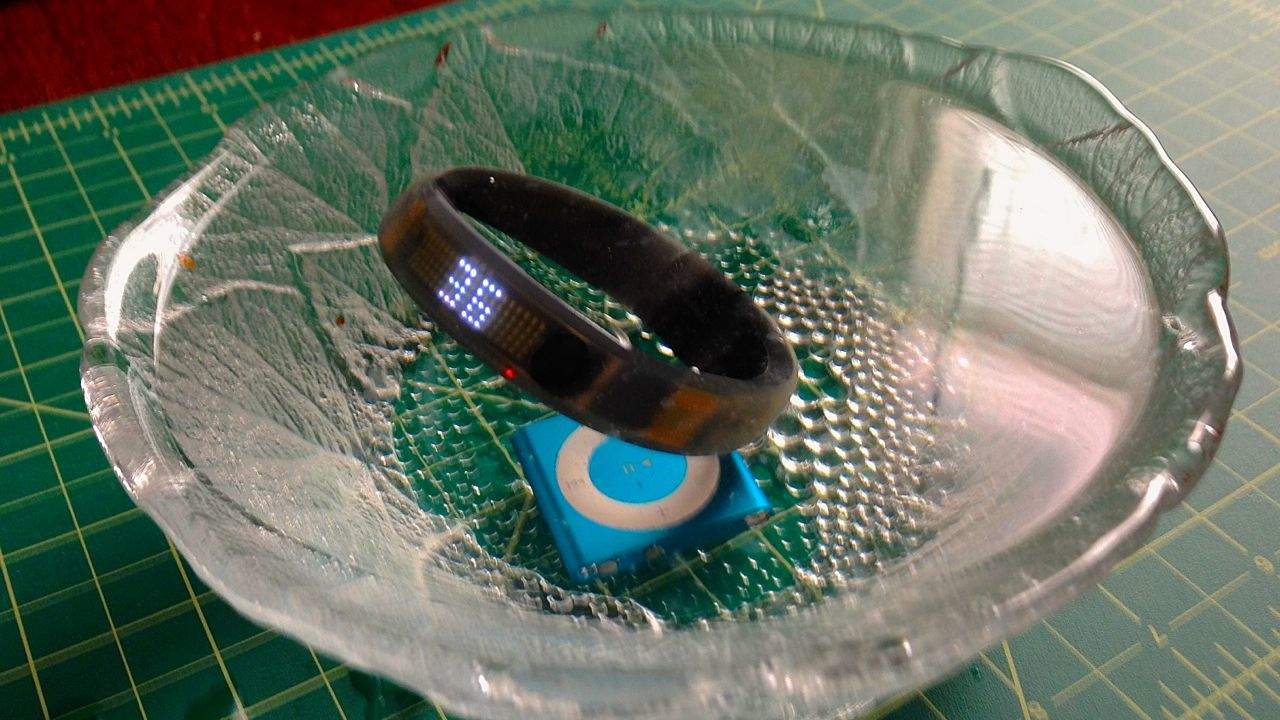
There is an ocean of fitness trackers out there, but not many you can take into the ocean with you. There is still a large pool of sports MP3 players out there, but not many that can go swimming. We take for granted the reason for this sad set of affairs. Water may be the giver of life to this planet, but it is the supreme enemy of gadgets everywhere.
Waterproofing by Waterfi Category: Fitness Works With: Nike+ Fuelband, iPod Shuffle Price: $224.99, $139.99
That’s an annoyance even for the best of us. How many times have you been jogging, only for your MP3 player to get shorted out in the rain, or for your headphones to short out from your own sweat? And it’s doubly annoying for swimmers like me, who not only can’t take an iPod into the pool with us when we’re swimming laps, but who can’t even track our swims using fitness trackers like the Nike+ Fuelband.
That’s where WaterFi comes in. A Californian company, WaterFi specializes in taking other company’s gadgets and waterproofing them with a dual-coated, patent-pending process. WaterFi’s promise is that their process will make any gadget utterly resistent to even the most through dunking, but how well does it work in practice?
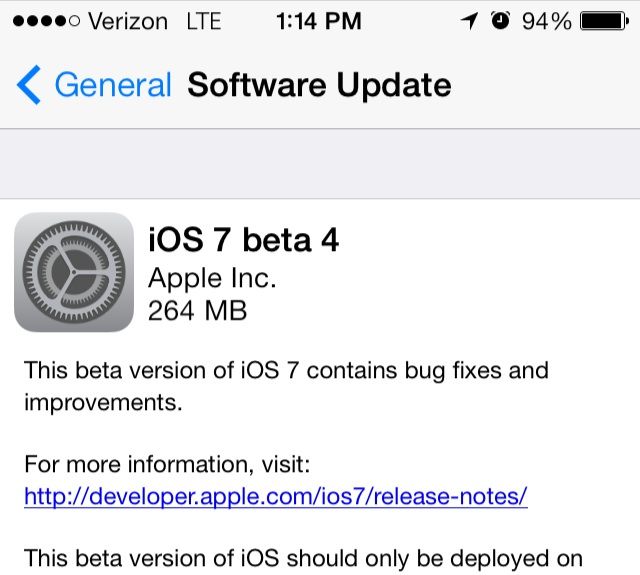
Right on schedule, iOS 7 Beta 4 has been released to registered developers. It’s being shot out to developers on iOS 7 through a 264MB over-the-air updates, or through the Dev Center, featuring “bug fixes and other improvements.”
August is upon us, and that means it’s time once again for a number of U.S. states to hold their annual sales tax holidays. If you’re in the market for a new Mac and reside in one of these states then consider the following tips – especially if you’re thinking about buying a new MacBook Air.
In the San Francisco Bay Area, there’s a popular academic quiz show called Quiz Kids that airs on local public-access television. In each show, local high school teams of three players each compete for a $1,000 per-student scholarship based upon who can answer the most quiz questions correctly.
It’s a cute show, but of special interest to Cult of Mac’s readers is Episode 1110, in which the Mercy High School Crusaders competed against the Crystal Springs Griffins. The captain of the latter team? No less than Steve Jobs’s son, Reed, who talks about some of his extracurricular work helping out at Stanford, trying to assist finding new gene therapies for colon cancer. And Steve himself can be seen in the back at around the 2:53 mark, cheering Reed on.
That Reed Powell kid sure seems like a chip off the block, huh?
It’s hard to make a buck, especially in China. It’s also hard to get an appointment at the Genius Bar. It’s hard, then, to know where our sympathies should lie in this story: Chinese scalpers are apparently booking up all of the Genius Bar appointments in China and then selling them online at huge premiums. Oh wait, no, it’s not. Those scalpers are scumbags.
I routinely hide the Dock on my Macbook Air, since it takes up a significant portion of my screen. While I use Alfred most of the time to launch apps and such, I still like to use the Dock; call it a hold over from the last ten years or so.
Sometimes, though, when I move the mouse cursor over to the side of the screen I keep the Dock on (the left, if you’re curious), it pops up even when I don’t want it to.
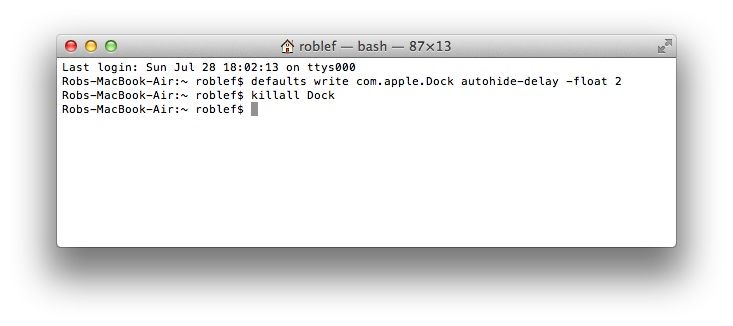
Then I found this Terminal command which lets me set the time delay between when my cursor hits the edge of my screen and when the Dock actually appears. Now I have the delay period set to a larger number, making it much slower to respond and unhide.
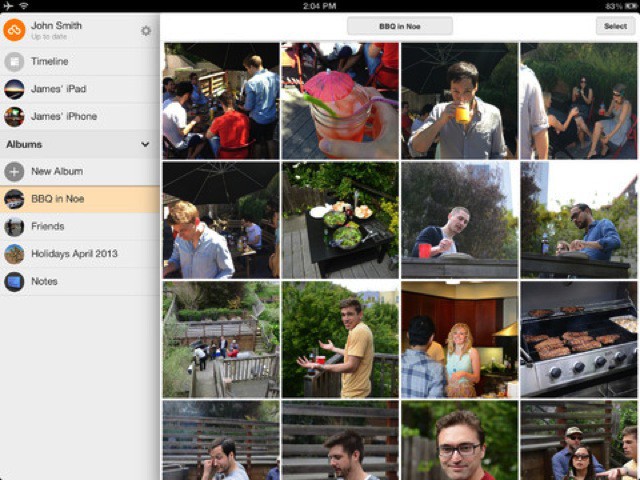
Loom is yet another app that promises to organize your photos for you, just like the amazing Everpix. Unlike Everpix, though, which shows the Apple heritage of its engineers in its oversimplified and sometimes frustratingly opaque user interface, Loom looks to be a little more accessible. And controllable.
Despite their slim and delicate appearance, Apple’s iDevices are pretty tough. I have dropped my iPad mini from the top of the fridge onto a tiled floor with no real damage – just a dented corner. In fact, in the five years that I have owned iDevices, I have broken one screen, and that was an iPod touch in a front jeans pocket which got completely wrecked in a drunken bike crash (I think that’s what happened, anyway – I don’t really remember).
Which is to say, the majority of mollycoddling we bestow on our iPhones and iPads is unnecessary. The only thing which really needs protection is the screen.
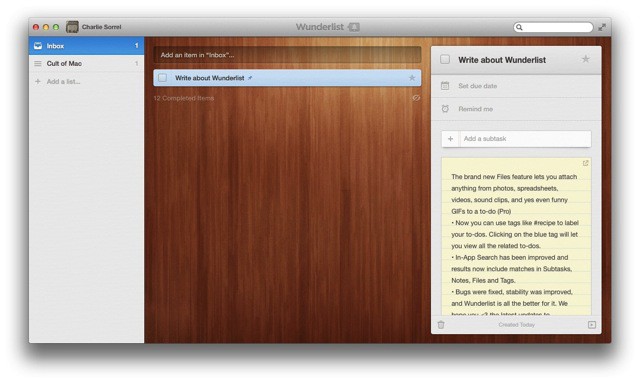
Wunderlist v2.2 adds two big new features to the rather beautiful cross-platform todo app; one great improvement and a slew of fixes. And it might even change how you use the app.