Mobile menu toggle

Search results for: Apple One

How To Change The Default App For Specific Files Or File Types [OS X Tips]

By

Change Default App File Type

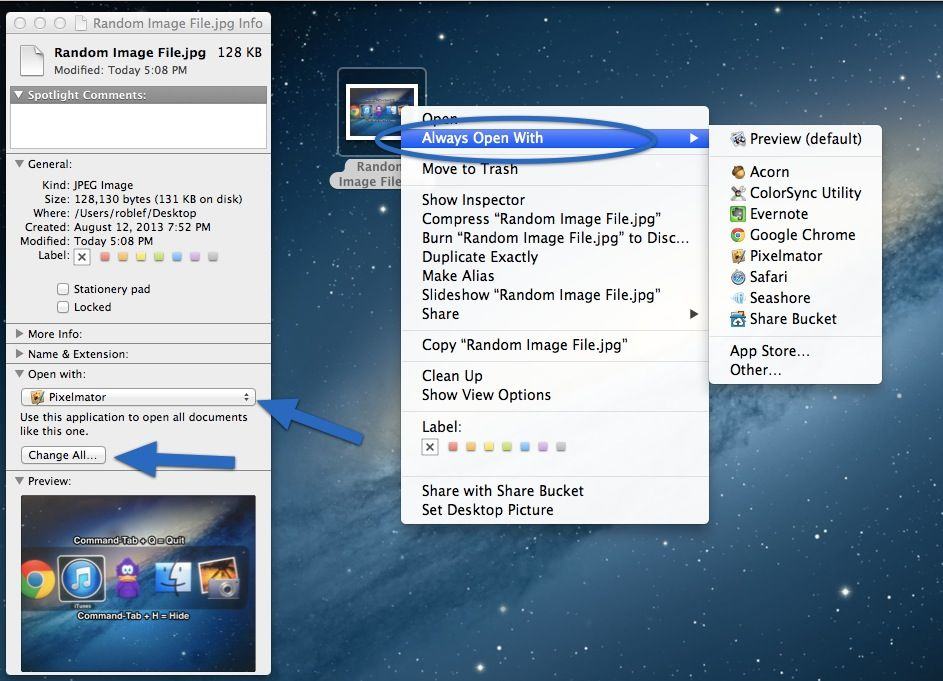
In OS X, all file types have a default application that opens when you double click on them. If you double click on a PDF file or a PNG file, chances are that your Mac will open it in Preview, Apple’s default PDF and image file app. If you’ve given an app like Adobe Reader, for example, permission to set itself as the default PDF app, then all PDFs will open in Reader.

Over time, you may have set apps as default that you no longer want to open your files. Conversely, you might want all JPG files to open in Preview, except one specific JPG file, which you’d like to open in Photoshop. Here’s how to make both of these situations work for you.

The $999.99 Club: These Are The Most Expensive Apps On The App Store

By

Screen Shot 2013-08-19 at 8.37.00 AM

The most you can charge for an app on the iOS App Store is $999.99. In the early days of the App Store, a number of novelty apps came out, trying to make a quick buck by convincing gullible plutocrats to part with their money in the form of a $1,000 app download. The most notable example is I Am Rich, an iPhone app that literally did nothing except proclaim your affluence.

These days, though, the $999.99 club is made up of legitimate apps. Well, mostly.

Nimblstand iPad Stand For Work And Play

By

nimbl1

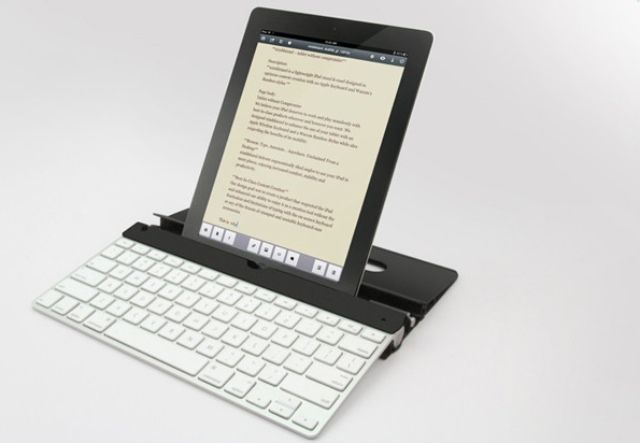
I’m always interested to see a new iPad stand, and I’m especially interested if it can do the job of both my two favorite stands in one neat package. The stand is the Nimblstand, and it wants to replace the Origami keyboard case and stand, plus the PadPivot, or similar.

SyFy Updates iOS App To Stream Full Episodes And Sync Watchlist Via iCloud

By

syfy

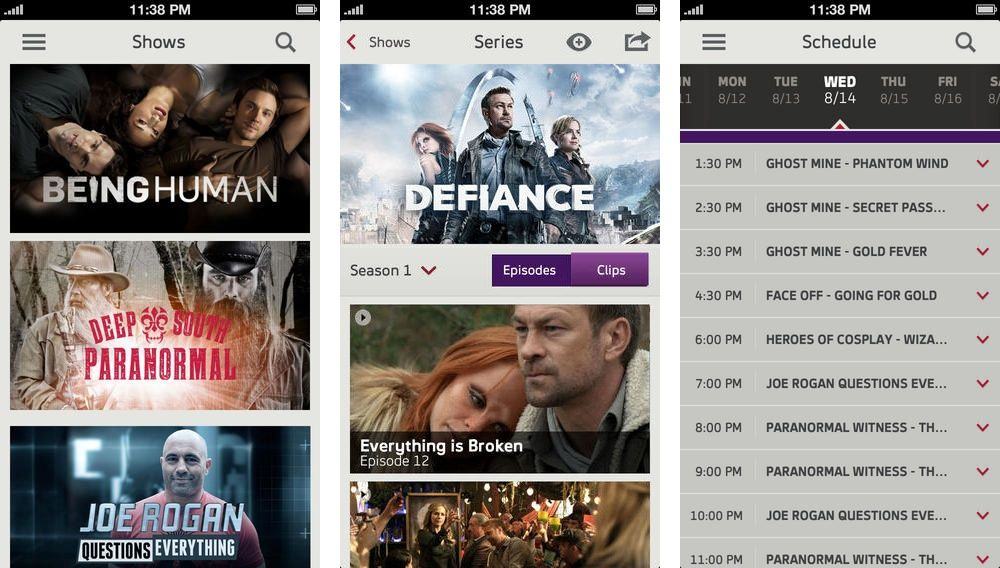
Syfy announced today that its iPhone and iPad apps have merged into one mega-nerd monster app called Syfy Now.

The new app now gives both iPhone and iPad users access to full episodes of favorite Syfy shows, with new episodes available the day after they air. You can add new shows to a watchlist to view episodes later or track a season, and Syfy Now syncs your watchlist across multiple devices via iCloud, so can pick up where you left off with any series on any device.

A cable subscription is required to view all the shows, but there are a select number of full episodes and clips you can still view without it.

The free app is available now in the App Store.