Mobile menu toggle

Search results for: Apple One

How to add your own iOS 12 Siri Shortcuts right now

By

Siri
Siri Shortcuts could become super powerful.
Photo: Apple

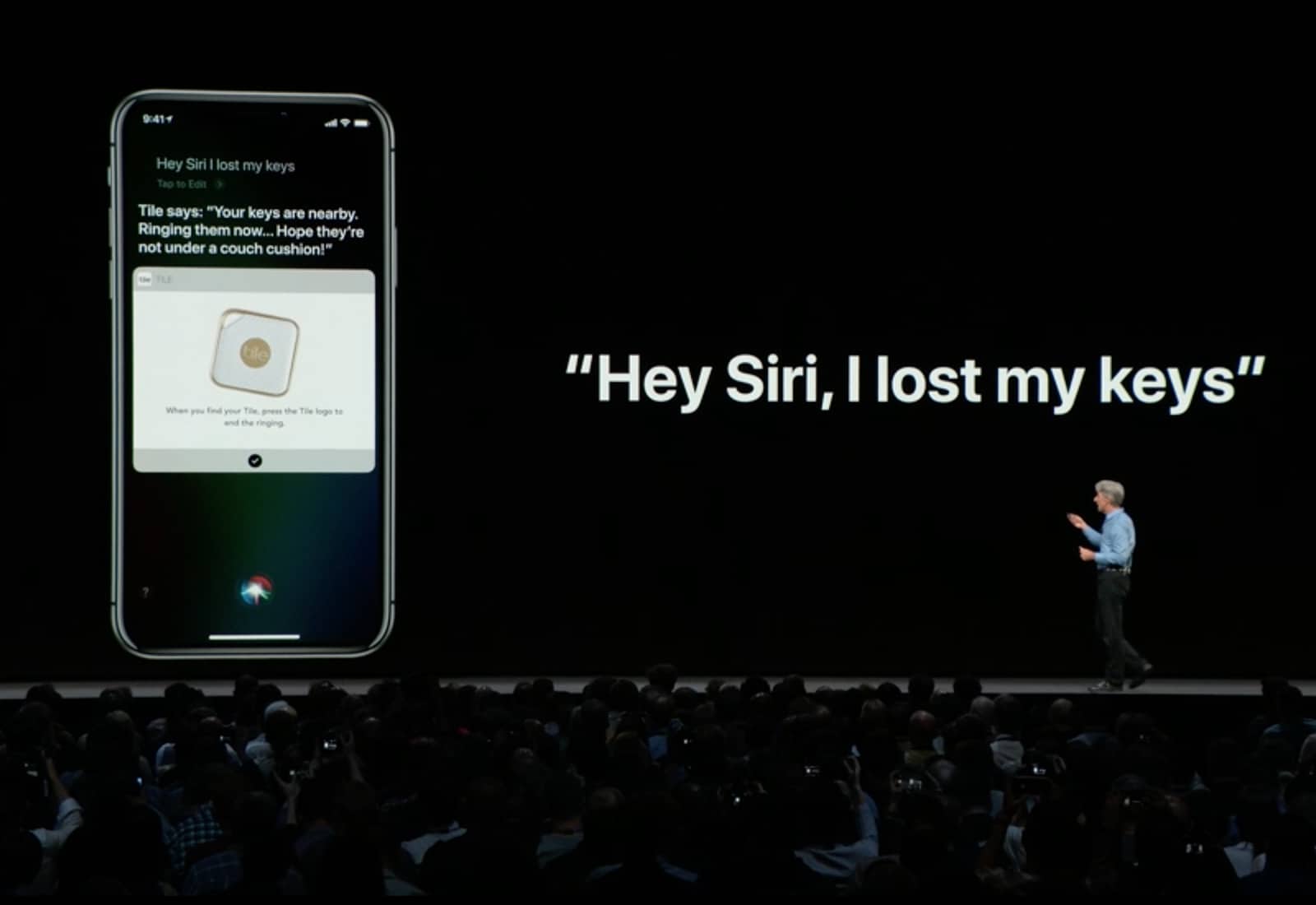
Siri Shortcuts are the iOS way to automate actions you do over and over. The WWDC 2018 keynote gave an examples of chaining together a bunch of these actions into one shortcut — order your favorite “coffee,” and give you directions to work, or switch on the lights at home one whole hour before you get there in order to, I don’t know, waste electricity? To trigger these little automations, you just tell Siri, using a pre-chosen keyword/name.

However, you don’t alway want to put together lots of steps. Sometimes you just want Siri to carry out a single action with a Shortcut. For instance, opening up your favorite news site in Safari, or sending a message to your spouse, or viewing your most recent photos. The good news is, you can do all of these right now, even without the fancy new Siri Shortcuts app.

T-Mobile FamilyMode brings parental control over every device in the house

By

T-Mobile FamilyMode Home Base
The T-Mobile FamilyMode app and Home Base promise control over every Internet-connected device in your house.
Photo: T-Mobile

Parental controls are a hot item. Apple is building them into iOS 12, kid-friendly apps have them, and T-Mobile just unveiled its solution: Family Mode.

This includes iOS and Android apps than can limit what children do online. And the Family Mode Home Base connects to the home Wi-Fi router and lets parents put restrictions on every device in the house.

Why Jamf Now is the official MDM solution of Cult of Mac

By

com
Mobile device management products are designed to solve exactly this problem, and today we're announcing Jamf Now as our official Mobile Device Management (MDM) solution.
Photo: Jamf Now

badge It’s pretty hard to run a business today without accounting for the devices your employees use to do their jobs. We’re all pretty technically savvy here at Cult of Mac, but as a distributed team, there is a huge need for us to agree on apps, settings and tools that we use.

Mobile device management products are designed to solve exactly this problem, and today we’re announcing Jamf Now as our official Mobile Device Management (MDM) solution.

Three ways to save web pages as read-later PDFs on iOS

By

A metaphorical view of my badly-organized PDFs
Photo: Charlie Sorrel/Cult of Mac

With the demise of Instapaper — in Europe at least — you may be looking for a good way to save web pages for offline reading. The obvious built-in tool for this is Safari’s Reading list, but it’s very limited. Instead, consider turning the web page into a PDF. This lets you read the page anywhere, as well as mark it up with highlights, and search its entire content using Spotlight.

The thing is, there are three different way to save a webpage as a PDF, all of them built-in to iOS. Let’s take a look at how to use them, what the differences are, and which one is best for you.

Take control of your schedule with Fantastical [50 Essential iOS Apps #30]

By

Fantastical Ticker view upcoming events
Understanding your calendar, reminders, and events is fast and easy with Fantastical
Photo: Ian Fuchs/Cult of Mac

50 Essential iOS Apps: FanstasticalManaging a busy schedule is something we all deal with from time to time. Relying on a calendar app makes it easier, but entering every meeting, project, or appointment can be a hassle. Fantastical is the best calendar app for adding events to your calendar and managing your schedule.

Samsung gives up on competing with Face ID for Galaxy S10

By

Samsung Intelligent Scan Face ID
Samsung could scrap Intelligent Scan already.
Photo: Samsung

Samsung might have beaten Apple to iris scanning and facial recognition, but it certainly isn’t doing a better job.

Face ID is considered to be far more advanced than anything available on Android today. A new report claims Samsung is actually giving up on competing technology and returning to fingerprint scanners for the Galaxy S10.