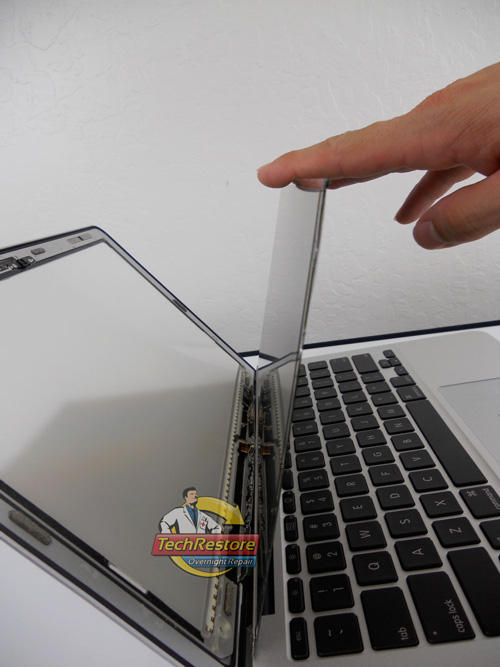
Ars Technica stumbled upon an interesting tidbit while reviewing their 11-inch MacBook Air. They found a compelling reason for Apple to not install Adobe Flash on the MacBook Air and it wasn’t just because they wanted to make sure users always had the latest version of Flash.
If you’ve decided to pick up one of Apple’s miraculously thin new MacBook Airs, but have a large media or photo library, you’re probably going to have to pick up an external USB hard drive to go with it: those SSDs are blisteringly fast, yes, but they’re not exactly voluminous.
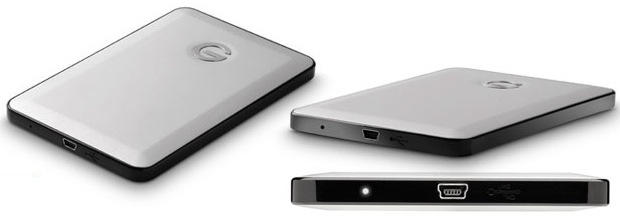
What external hard drive can match the Air’s resplendent svelteness, though? Try the Hitachi G-Drive Slim. It’s only 0.39 inches thick and clocks in at 320GB for $99.99. That’s not a lot of storage space for the price, but then again, neither is the Air.
The super slim runway model MacBook Air is the best MacBook I’ve had so far. It’s thin, light, and zippy fast for the work I need to do – like this blog post and everything I need to do while mobile so far. Unfortunately it managed to slip out of manufacturing and into our hands with a few issues.
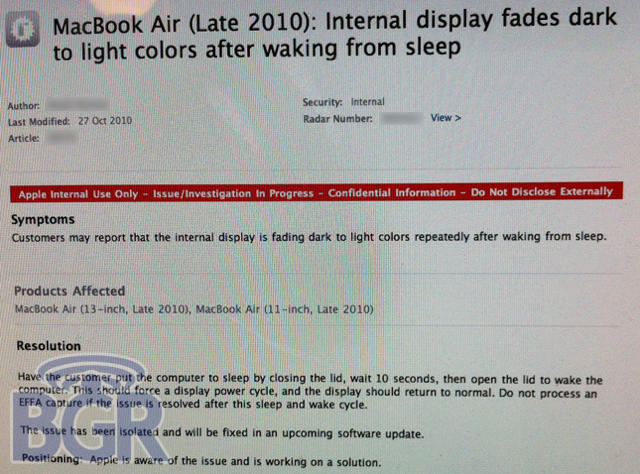
Now there is definite proof that at least some of the video issues are related to sleep/wake and that Apple, who has been completely quiet about it – knows that the problem exists, but isn’t publicly acknowledging it.
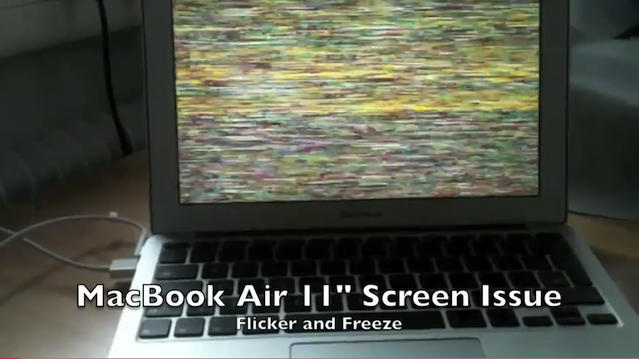
Early MacBook Air adopters have been reporting problems with their new notebooks that include video problems and frequent kernel panics. Now some of these users have released pictures and video evidence demonstrating the flickering video and computer freezing issue that appears to be happening on nearly all 11-inch and 13-inch models of the new MacBook Air.
We were the first to report this issue last week-end and since then there are more reports of other MacBook Air users encountering the same problem. Users in Germany are reporting problems and the folks at MacWorld have reported seeing the problem happen on of their new MacBook Airs.
We begin with several refurbished MacBook Air laptops, starting at $849 for a 1.86GHz Core 2 Duo 13.3-inch model. Also on tap is a two-year iPad warranty from SqaureTrade. The warranty covers drops and spills. The spotlight is also on a new batch of free App Store titles for the iPhone and iPod touch, including “Finger Traffic Navigator”, a line drawing puzzle.
Along the way, we’ll also check out storage options, ways to keep your iPhone 4 in power, as well as software for your Mac. As always, details on these and many other bargains can be found at CoM’s “Daily Deals” page right after the jump.
Apple has never been very happy with the prospect of fixing your iPod or iPhoneunder warranty just because you dropped it in the toilet. That’s why they’ve started cramming so many moisture sensors into the gadgets: the tiny stickers — which change color if they are exposed to an inordinate amount of moisture — give Apple an excuse to deny you service if things get too wet.
Apple’s rationale here is pretty sound. After all, if you trip and spill your iPhone into the drink, that’s pretty clearly not their responsibility. The problem is that those moisture sensors and their accuracy are both highly contentious: Apple’s fighting a lawsuit in which a California woman claims they are trigged erroneously by the humidity, and indeed, those who live in more humidclimes have been complaining about false moisture positives for years.
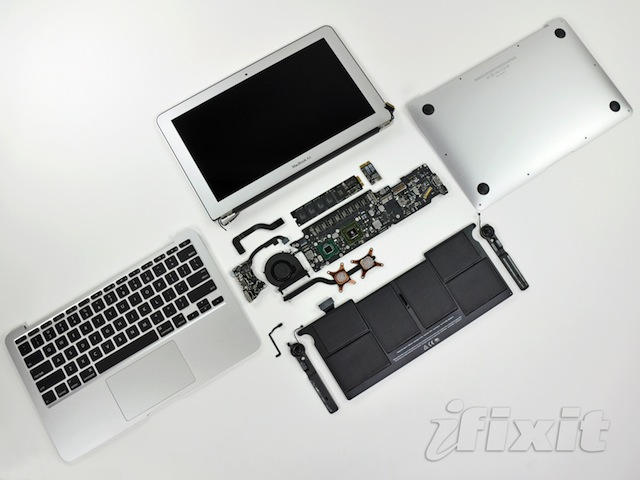
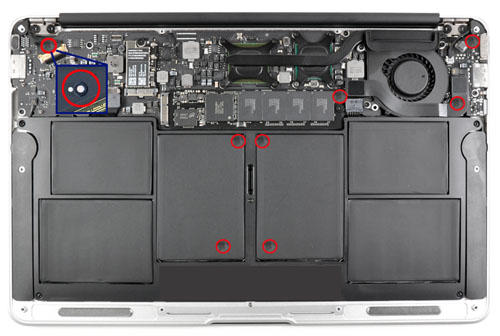
With that in mind, it’s sort of distressing to see that the new MacBook Air uses a record amount of moisture sensors internally. In fact, by my count, there are 9 moisture sensors exposed in the image above alone… and there’s apparently even more hidden underneath connectors.
Some early Macbook Air adopters have reported seeing video anomalies and kernel panics on the new 11-inch and 13-inch models of the Macbook Air which may be related to sleep/wake issues.
Additional reports about the video problem have been posted to Apple’s discussion forums and for the people reporting it the symptoms can vary. I’ve even encountered the problem myself on my 13-inch MacBook Air.
The problem with kernel panics has been experienced by Cult of Mac staff that purchased 11-inch or 13-inch models. Users on Apple forums haven’t complained about this specifically yet, but they have been complaining about their new MacBook Airs crashing.
This is a guest editorial by Mark Reschke of Three Guys And A Podcast, a show about all things Apple. It was originally published here.
When Steve Jobs said the MacBook air was the computer of the future he wasn’t just talking about its hardware. Lacking both an optical and hard drive is nice and allows for a slim design, but that’s just the beginning.
If anyone paid close attention to Apple’s October Special Event, the OS X Lion presentation subtly showed us how the future of OS X computing would become largely Finder irrelevant for most tasks. But how exactly will this work? Enter the cloud.
I’m happy to report to you that I spent some time with both of these applications and I have some good news — they not only work, but in my opinion they work pretty damn good if you ask me.
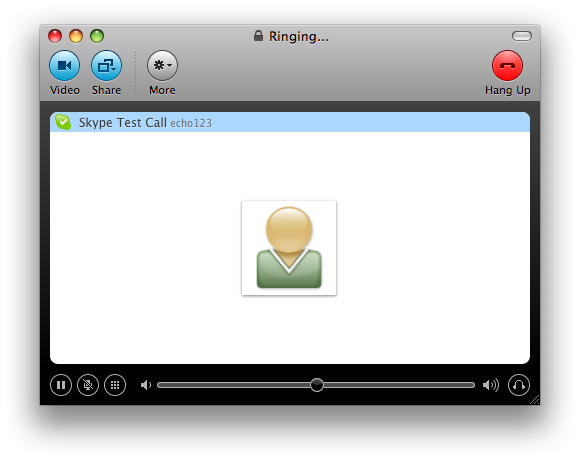
Remember that issue with Skype for Mac 2.8.x that prevented you from logging on to your new MacBook Air? Seems like that issue actually applied to all new Skype for Mac installs, but not to worry: a very insistent member of Skype’s PR team has just sent us an email, clarifying that Skupe for Mac 2.8.0.863 fixes the issue once and for all. You can download it here. All is well in the world.